
Minecraft OptiFine vs Sodium (2026 Guide): Which Is Better for FPS, Shaders, and Modding?
Minecraft runs better when you choose the right optimization mod, and two of the most popular options are OptiFine and Sodium. Both can improve performance, but they use very different approaches. OptiFine combines performance improvements with a wide range of graphics and customization features, including Dynamic Lights, Connected Textures, built-in shader support, zoom, and HD resource pack enhancements. Sodium takes a more performance-focused approach by replacing key parts of Minecraft’s rendering system with modern rendering techniques, which can deliver higher FPS, smoother frame times, and strong compatibility with modern modded setups.
Many Fabric players also combine Sodium with Iris Shaders, Lithium, and other optimization mods. The choice between Minecraft OptiFine and Sodium depends on what you value most. Players with low-end PCs may prioritize higher FPS, builders may prefer Minecraft OptiFine Resource Pack features, and modpack players may want better compatibility with modern performance mods.
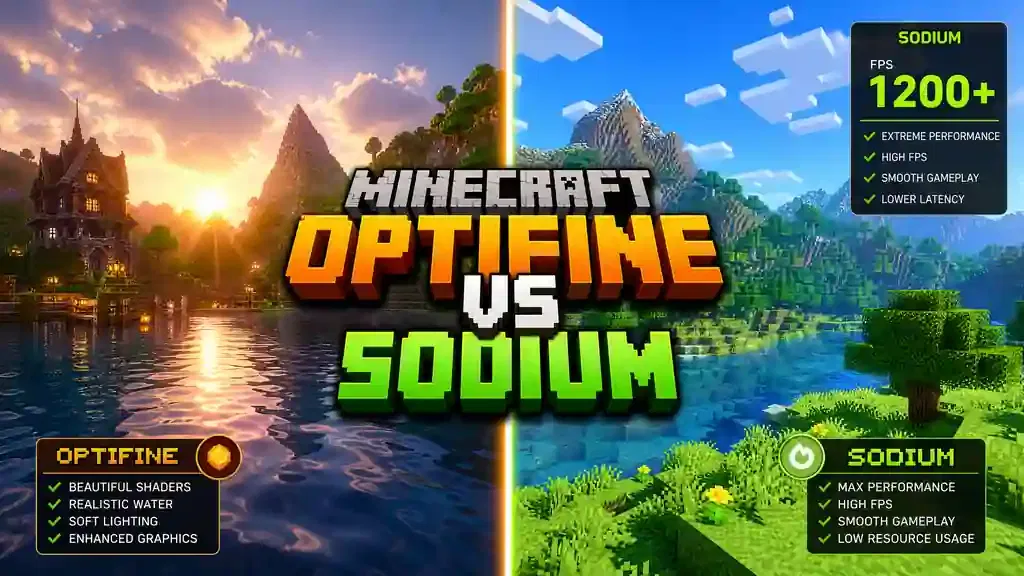
This guide compares OptiFine and Sodium for different types of Minecraft Java Edition players. Whether you enjoy survival, PvP, creative building, or large modpacks, you’ll find practical information to help you choose. You’ll learn how OptiFine and Sodium compare in FPS, shaders, rendering, resource packs, graphics features, and mod compatibility. We’ll also cover installation, performance tips, troubleshooting, and recommendations for different hardware and play styles. Sources: This guide uses technical information from the official OptiFine, Sodium, Iris Shaders, and Fabric documentation. These sources provide the foundation for understanding rendering performance, compatibility, and supported features.
Quick Answer: Minecraft OptiFine vs Sodium
For most Minecraft Java Edition players in 2026, Sodium is the better choice because it delivers higher FPS, smoother gameplay, and better compatibility with modern mods, especially if you play with Fabric or NeoForge, where Sodium offers the best performance experience. OptiFine remains a strong option if you want built-in shader support, Dynamic Lights, Connected Textures, and other graphical features in one download, making it a good choice for players who prefer a simple, all-in-one solution.
Is Sodium Better Than OptiFine?
Yes, for most players, Sodium is the better choice because it replaces Minecraft’s rendering engine with a modern renderer that improves frame rates and reduces rendering overhead while also working well with many modern mods. Choose OptiFine if you need its exclusive resource pack features or prefer its integrated graphics options.
Which Gives More FPS?
Sodium usually delivers the highest FPS, with many independent benchmarks showing it outperforming OptiFine, especially at higher render distances and in heavily modded worlds. However, the exact performance improvement depends on your CPU, GPU, Minecraft version, render distance, and installed mods.
Which Is Best for Shaders?
It depends on your setup.
- OptiFine includes built-in shader support.
- Sodium + Iris Shaders usually offers better shader performance and broader compatibility with modern Fabric mods.
If you already use Fabric, Sodium with Iris is the recommended choice.
Which Works Best With Mods?
Sodium wins for mod compatibility because it integrates smoothly with the Fabric ecosystem and works well alongside popular performance mods like Lithium and FerriteCore. OptiFine can conflict with some modern mods because it changes Minecraft’s rendering behavior.
Which Is Better for Low-End PCs?
Sodium is usually the better option because its rendering optimizations help low-end systems achieve smoother gameplay and more stable frame times. Many players notice significant FPS improvements compared to vanilla Minecraft and OptiFine, although results can vary depending on the hardware.
Which Should You Use in 2026?
Choose Sodium if you:
- Want the highest FPS.
- Use Fabric or NeoForge.
- Play large modpacks.
- Need the best overall performance.
Choose OptiFine if you:
- Prefer a single installation.
- Use OptiFine-specific resource packs.
- Need built-in graphics features like Dynamic Lights, Connected Textures, and integrated shader support.
In the next section, we’ll examine how OptiFine and Sodium work internally and why their rendering approaches produce different performance results.
What Is Minecraft OptiFine?
Minecraft OptiFine is one of the most popular optimization mods for Minecraft Java Edition, helping improve game performance while adding advanced graphics settings and visual features. Millions of players use it to boost FPS, customize graphics, and enjoy smoother gameplay. Unlike many performance mods, OptiFine combines optimization and visual enhancements in one package, allowing you to install a single file and unlock features such as Dynamic Lights, Connected Textures, built-in shader support, zoom, and HD resource pack support.
A Brief History of OptiFine
OptiFine first appeared in 2011 during the early days of Minecraft, with a simple goal: helping players run Minecraft smoothly on slower computers. Over the years, OptiFine became the standard performance mod for Minecraft Java Edition and introduced features that later inspired many other optimization mods. As Minecraft evolved, OptiFine continued adding graphics improvements, resource pack support, and performance tweaks for new game versions. Today, OptiFine remains a trusted choice for players who want better graphics and performance without installing multiple mods.
Main Purpose of OptiFine
OptiFine aims to improve both performance and visual quality.
Its main goals include:
- Increase FPS for smoother gameplay.
- Add advanced video settings.
- Support HD resource packs.
- Enable built-in shader support.
- Improve lighting and visual effects.
- Give players more control over graphics settings.
This all-in-one approach makes OptiFine easy to install and use.
Supported Minecraft Versions
OptiFine supports most major Minecraft Java Edition releases, covering many legacy versions as well as the latest stable releases. New OptiFine versions usually arrive after Mojang publishes a major Minecraft update because each release requires compatibility testing and optimization. Always download the OptiFine version that matches your Minecraft installation to avoid crashes, compatibility issues, or missing features.
Advantages of OptiFine
OptiFine offers more than just higher FPS.
Key benefits include:
- Easy one-file installation.
- Better FPS than vanilla Minecraft.
- Built-in shader support.
- Dynamic Lights for real-time lighting.
- Connected Textures for seamless blocks.
- HD resource pack support.
- Zoom feature.
- Better Grass and Better Snow.
- Custom Entity Models (CEM).
- Custom Item Textures (CIT).
- Extensive graphics customization.
These features make OptiFine popular among builders, content creators, and players who enjoy visual improvements.
Limitations of OptiFine
OptiFine also has some drawbacks.
- It uses Minecraft’s original rendering engine instead of replacing it.
- It may conflict with some modern Fabric and Forge mods.
- Updates can take longer after major Minecraft releases.
- Some OptiFine-exclusive features require special resource packs.
- It often delivers lower FPS than Sodium on modern hardware.
These limitations have encouraged many players to explore newer optimization mods like Sodium, especially for large modpacks and modern rendering performance. In the next section, you’ll learn how Sodium takes a different approach by replacing Minecraft’s rendering engine instead of optimizing the existing one.
What Is Sodium?
Sodium is a free, open-source performance mod for Minecraft Java Edition that focuses on one goal: making Minecraft run faster and smoother. Instead of adding many visual features, Sodium rebuilds Minecraft’s rendering engine to improve FPS, reduce lag, and deliver more consistent performance. Unlike OptiFine, Sodium follows a modular approach and works alongside other Fabric mods, allowing players to build a custom setup based on their specific needs.
A Brief History of Sodium
Sodium was created by developer JellySquid to address Minecraft’s long-standing rendering performance issues by introducing a completely new rendering system rather than modifying the original one. Its impressive performance gains quickly made Sodium a preferred optimization mod within the Fabric community, while active community development continues to keep it compatible with new Minecraft releases and modern hardware.
Modern Rendering Engine
The biggest difference between Sodium and OptiFine lies in their rendering engines. Sodium replaces Minecraft’s legacy renderer with a modern rendering pipeline that uses efficient rendering techniques to reduce unnecessary work for both your CPU and GPU.
Key optimizations include:
- Modern OpenGL rendering.
- Vertex Array Objects (VAOs).
- Instanced rendering.
- Chunk culling.
- Multithreaded chunk building.
- Better memory management.
These improvements help Minecraft render worlds more efficiently. As a result, many players experience higher FPS, smoother frame times, and faster chunk loading.
Supported Minecraft Versions
Sodium supports many recent Minecraft Java Edition versions, with new releases usually appearing quickly after Mojang publishes a major game update because the project follows an active open-source development model. Always install the Sodium version that matches your Minecraft version and mod loader.
Why Fabric Players Use Sodium
Sodium has become the performance standard for the Fabric ecosystem.
Many Fabric players choose Sodium because it offers:
- Excellent FPS improvements.
- Strong mod compatibility.
- Fast updates.
- Stable gameplay.
- Easy integration with other optimization mods.
Players often combine Sodium with Iris Shaders, Lithium, FerriteCore, EntityCulling, and ImmediatelyFast to build a high-performance Minecraft experience.
Advantages of Sodium
Sodium offers several important benefits.
- Excellent FPS improvements.
- Smooth frame pacing.
- Faster chunk rendering.
- Better CPU utilization.
- Lower GPU overhead.
- Efficient memory usage.
- Strong compatibility with modern mods.
- Open-source development.
- Frequent updates.
- Ideal for large Fabric modpacks.
These strengths make Sodium an excellent choice for players who value performance above everything else.
Limitations of Sodium
Sodium does not include every feature found in OptiFine.
Its limitations include:
- No built-in shader support.
- No built-in zoom feature.
- No native Connected Textures support.
- No built-in Dynamic Lights.
- Some OptiFine resource pack features need separate mods.
- Requires additional companion mods to match OptiFine’s feature set.
Despite these limitations, many players prefer Sodium because they can add only the features they need while keeping excellent performance and broad mod compatibility. Now that you understand both mods, the next section compares OptiFine and Sodium side by side to help you choose the best option for your gameplay, hardware, and modding needs.
OptiFine vs Sodium: At a Glance
Both OptiFine and Sodium improve Minecraft’s performance, but they serve different audiences. OptiFine focuses on graphics and convenience. Sodium focuses on raw performance and modern mod compatibility.
The table below highlights the biggest differences.
| Feature | OptiFine | Sodium |
| FPS | Good FPS improvement | Excellent FPS improvement |
| Performance | Optimizes the vanilla renderer | Replaces the rendering engine for maximum performance |
| Rendering Engine | Optimized vanilla rendering pipeline | Modern rendering engine with advanced rendering techniques |
| Memory Usage | Moderate optimization | Better memory optimization |
| CPU Usage | Lower than vanilla | Significantly reduced through multithreaded chunk building |
| GPU Usage | Improved over vanilla | More efficient GPU rendering with Modern OpenGL |
| Shader Support | Built-in shader support | Requires Iris Shaders |
| Resource Pack Support | Excellent HD resource pack support with OptiFine-exclusive features | Standard resource pack support; extra features require additional mods |
| Dynamic Lights | Built-in | Requires a separate mod |
| Connected Textures (CTM) | Built-in | Requires a separate mod |
| Zoom | Built-in | Requires a separate mod |
| Mod Compatibility | Limited with some modern mods | Excellent compatibility with Fabric and many modern mods |
| Installation | One-file installation | Requires Fabric and the Sodium mod |
| Update Speed | Usually slower after major Minecraft releases | Usually faster due to active open-source development |
| Open Source | ❌ No | ✅ Yes |
| Best For | Players who want an all-in-one graphics mod | Players who want maximum FPS, smooth gameplay, and modern mod compatibility |
Which One Wins?
There is no single winner for everyone. Choose OptiFine if you want advanced graphics features in one installation, as it offers built-in shaders, Dynamic Lights, Connected Textures, zoom, and extensive resource pack support. Choose Sodium if performance is your priority, as its modern rendering engine delivers higher FPS, smoother frame times, and better compatibility with today’s Fabric mod ecosystem. Now that you’ve seen the high-level differences, let’s explore how their rendering engines work and why Sodium often achieves better performance than OptiFine.
Rendering Engine Explained
The biggest difference between OptiFine and Sodium is how they render Minecraft, and this difference explains why Sodium often delivers higher FPS and smoother gameplay. OptiFine improves Minecraft’s existing renderer, while Sodium replaces it with a modern rendering engine. Both mods can increase performance, but they use very different methods.
OptiFine Rendering
OptiFine builds on Minecraft’s original rendering system, keeping the vanilla renderer while applying many optimizations to improve performance and graphics. This approach makes OptiFine compatible with its own visual features, including Dynamic Lights, Connected Textures, and built-in shader support.
Vanilla Renderer Optimization
Minecraft’s default renderer was designed years ago. It works well but does not use many modern graphics techniques. OptiFine improves this renderer by optimizing graphics settings, reducing unnecessary rendering work, and giving players more control over visual effects. These improvements increase FPS compared to vanilla Minecraft without replacing the entire rendering system.
Legacy Rendering
OptiFine still depends on Minecraft’s legacy rendering architecture. Although it improves efficiency, the core renderer remains largely unchanged, which limits how much performance OptiFine can gain compared to a complete rendering overhaul. As modern hardware becomes more powerful, these legacy limitations become more noticeable.
Rendering Pipeline
A rendering pipeline is the process Minecraft uses to draw every block, entity, particle, and texture on your screen. OptiFine improves several stages of this pipeline by reducing rendering overhead and adding advanced graphics options, while the overall pipeline still follows Minecraft’s original design. This approach delivers good performance while supporting many visual enhancements.
Sodium Rendering
Sodium takes a completely different approach by replacing Minecraft’s renderer with a modern rendering engine built for today’s CPUs and GPUs, rather than simply optimizing the existing renderer. This redesign reduces rendering bottlenecks and allows Minecraft to process and display worlds much more efficiently.
Modern Rendering Engine
Sodium rebuilds the rendering pipeline from the ground up by removing outdated rendering methods and introducing a streamlined system that processes chunks, blocks, and entities with less overhead. This modern design helps improve FPS, reduce stuttering, and produce smoother frame times.
Modern OpenGL
Sodium uses modern OpenGL features that better match today’s graphics hardware. These APIs reduce communication between the CPU and GPU, so Minecraft spends less time preparing each frame and more time rendering gameplay.
Vertex Array Objects (VAOs)
Vertex Array Objects (VAOs) store rendering data in an organized format, allowing Sodium to reuse stored data whenever possible instead of rebuilding the same information every frame. This reduces CPU work and speeds up rendering, especially in large worlds.
Instanced Rendering
Many Minecraft blocks share the same shape and model, and instanced rendering allows the GPU to draw many identical objects with fewer commands, which lowers rendering overhead and improves FPS in areas with many repeated blocks.
Chunk Culling
Minecraft divides the world into chunks, while Sodium checks which chunks are actually visible before rendering them. Hidden chunks never reach the GPU, which reduces unnecessary rendering work and increases performance.
Multithreaded Chunk Building
Vanilla Minecraft performs much of its chunk-building work on a single CPU thread, while Sodium spreads this work across multiple CPU cores. This speeds up chunk loading and helps reduce lag while exploring new areas.
Memory Optimization
Sodium stores chunk data more efficiently than the vanilla renderer. Its compact memory structures reduce RAM usage and improve cache efficiency, while lower memory overhead helps maintain smoother gameplay, especially in large worlds and heavily modded environments. By replacing Minecraft’s legacy rendering pipeline with modern rendering techniques, Sodium achieves performance improvements that are difficult for optimization-only mods to match. This architectural difference explains why many benchmarks show Sodium leading OptiFine in raw FPS and frame consistency.
FPS Benchmark
Raw FPS tells only part of the story. A good optimization mod should also provide stable frame times, smooth gameplay, and efficient hardware usage. That is why this comparison looks beyond average FPS. The values below summarize results from multiple independent benchmarks. Actual performance varies with your CPU, GPU, RAM, render distance, shader settings, Minecraft version, and installed mods.
| Configuration | Average FPS | 1% Low FPS | Frame Consistency | GPU Utilization | CPU Utilization | Memory Usage |
| Vanilla Minecraft | Baseline | Baseline | Fair | High | High | Highest |
| OptiFine | 30–80% higher than Vanilla | Good | Good | Lower than Vanilla | Moderate | Moderate |
| Sodium | 80–200% higher than Vanilla | Excellent | Excellent | More efficient | Lower | Low |
| Sodium + Lithium | 90–220% higher than Vanilla | Excellent | Outstanding | Efficient | Lowest | Low |
| Sodium + Iris | Better than OptiFine with shaders* | Excellent | Excellent | Efficient | Low | Moderate |
*Shader performance depends on the shader pack, render distance, and graphics hardware. With comparable shader settings, Sodium paired with Iris often produces smoother frame times than OptiFine.
Average FPS
Sodium consistently delivers the highest average FPS in most modern Minecraft versions because its redesigned rendering engine removes many bottlenecks found in the vanilla renderer, while OptiFine also improves FPS but optimizes the existing renderer instead of replacing it, so its performance gains are usually smaller.
1% Low FPS
Average FPS does not tell the whole story because 1% low FPS measures how smoothly the game runs during demanding moments, and Sodium maintains higher 1% lows than both Vanilla and OptiFine, reducing sudden slowdowns while exploring new chunks or loading complex builds.
Frame Consistency
Smooth gameplay depends on stable frame times, not just high FPS. Sodium produces more consistent frame pacing because its rendering pipeline processes world updates more efficiently, helping reduce micro-stuttering that players may notice, especially when using high render distances.
GPU Utilization
Sodium uses modern OpenGL techniques to reduce unnecessary GPU work, allowing the graphics card to render frames more efficiently while maintaining higher performance. OptiFine also lowers GPU workload compared to Vanilla, but its legacy rendering architecture limits these improvements.
CPU Utilization
Minecraft relies heavily on the CPU for world rendering, and Sodium improves this process by spreading chunk-building work across multiple CPU cores, which reduces CPU bottlenecks and improves performance during exploration. OptiFine also lowers CPU load compared to Vanilla, but it performs much of its rendering work through the original rendering pipeline.
Memory Usage
Sodium stores rendering data more efficiently than both Vanilla and OptiFine, using optimized memory management to reduce RAM usage and improve cache efficiency. This helps maintain smoother gameplay in large worlds and heavily modded environments.
Benchmark Summary
Current benchmark data and community testing show a clear trend:
- Vanilla Minecraft offers the lowest performance.
- OptiFine provides a noticeable FPS improvement with many built-in graphics features.
- Sodium delivers the best overall performance and smoother frame times.
- Sodium + Lithium offers one of the fastest Minecraft experiences available today.
- Sodium + Iris combines high performance with excellent shader support, making it a popular choice for modern Fabric players.
In the next section, we’ll see how these performance gains translate across low-end, mid-range, and high-end PCs, helping you choose the best setup for your hardware.
Performance Analysis
The best optimization mod depends on your hardware, as a gaming PC, an office laptop, and an older computer all have different performance needs. Here are the best recommendations for each type of system.
Low-End PC
If your computer struggles to maintain smooth gameplay, Sodium is the best choice because its modern rendering engine reduces CPU and GPU workload more effectively than OptiFine. For the best experience, pair Sodium with Lithium, as this combination improves rendering and game logic without adding unnecessary features.
Recommended Settings
- Render Distance: 8–10 chunks
- Simulation Distance: 6–8 chunks
- Graphics: Fast
- Particles: Minimal
- Clouds: Off
- Entity Shadows: Off
- VSync: Off (if screen tearing is not an issue)
- Mipmap Levels: 2–4
Expected FPS
Performance depends on your hardware, but most low-end systems can expect:
| Setup | Expected Result |
| Vanilla Minecraft | Frequent lag and frame drops |
| OptiFine | Noticeable FPS improvement |
| Sodium | Highest FPS and smoother gameplay |
| Sodium + Lithium | Best overall performance and stability |
Mid-Range PC
Mid-range systems benefit from a balance of performance and visual quality. If you use shaders or OptiFine-exclusive resource packs, OptiFine remains a solid option. However, Sodium with Iris usually delivers better FPS while running shaders, making it a strong choice for players who want smoother performance without giving up shader support.
Recommended Setup
- Sodium
- Iris Shaders (if using shaders)
- Lithium
- FerriteCore
- ImmediatelyFast
This setup offers excellent performance without sacrificing visual quality.
High-End PC
A powerful PC can run Minecraft smoothly with either optimization mod, but the right choice depends on your priorities. Choose OptiFine if you want built-in graphics features and a simple installation. Choose Sodium + Iris if you want the highest frame rates, smoother frame pacing, and excellent compatibility with modern Fabric modpacks. For heavily modded worlds, Sodium remains the better long-term option because it scales well with complex environments.
Laptop Performance
Laptops often face thermal limits and power restrictions, so Sodium helps reduce rendering overhead and can lower CPU usage during gameplay. Lower CPU load often means less heat and more stable performance during long gaming sessions. OptiFine also improves laptop performance, but its legacy rendering pipeline usually cannot match Sodium’s efficiency on modern hardware.
Battery Consumption
No optimization mod can eliminate battery drain while gaming, as Minecraft still places a heavy load on the CPU and GPU. However, Sodium’s efficient rendering engine often completes rendering tasks with less overhead, which can reduce power consumption on many laptops compared to Vanilla Minecraft and, in some cases, OptiFine. Actual battery life still depends on your hardware, display brightness, graphics settings, and shader usage.
Performance Recommendations
| Hardware | Best Choice | Why |
| Low-End PC | Sodium + Lithium | Maximum FPS and smoother gameplay |
| Mid-Range PC | Sodium + Iris | Great performance with shader support |
| High-End PC | Sodium + Iris | Highest FPS and excellent mod compatibility |
| OptiFine Resource Pack Users | OptiFine | Native support for OptiFine-exclusive features |
| Large Fabric Modpacks | Sodium Stack | Better stability and compatibility |
| Simple Vanilla Experience | OptiFine | Easy installation with built-in graphics features |
The next section compares the graphics features of OptiFine and Sodium, including Dynamic Lights, Connected Textures, shaders, zoom, and resource pack support.
Feature Comparison
Performance matters, but features also shape your Minecraft experience. OptiFine includes many graphics tools in one mod. Sodium focuses on fast rendering and lets you add features through separate companion mods.
The table below compares their core features.
| Feature | OptiFine | Sodium |
| Performance-Focused Rendering | Partial | ✅ Yes |
| Dynamic Lights | ✅ Built-in | ❌ Requires a separate mod |
| Connected Textures (CTM) | ✅ Built-in | ❌ Requires a separate mod |
| Better Grass | ✅ Built-in | ❌ Requires a separate mod |
| Better Snow | ✅ Built-in | ❌ Requires a separate mod |
| Random Entities | ✅ Built-in | ❌ Requires a separate mod |
| Custom Sky | ✅ Built-in | ❌ Requires a resource pack or companion mod |
| HD Fonts | ✅ Supported | Standard font rendering |
| Custom Item Textures (CIT) | ✅ Supported | ❌ Requires a companion mod |
| Custom Entity Models (CEM) | ✅ Supported | ❌ Requires a companion mod |
| Zoom | ✅ Built-in | ❌ Requires a separate mod |
| Rendering Pipeline | Optimized vanilla renderer | Modern rendering engine |
OptiFine Graphics Features
OptiFine offers one of the richest graphics feature sets available for Minecraft Java Edition. Everything comes in a single installation, making it easy for beginners.
Dynamic Lights
Dynamic Lights allow held or dropped light sources to illuminate nearby areas without placing blocks. For example, carrying a torch lights up caves while you explore, improving visibility and creating a more immersive experience.
Connected Textures (CTM)
Connected Textures remove visible borders between matching blocks, creating a smooth and seamless appearance. Glass panes, bookshelves, and other textured blocks blend together naturally without distracting lines or gaps. Many HD resource packs rely on this feature to deliver cleaner, more detailed visuals.
Better Grass
Better Grass extends grass textures to the sides of grass blocks, creating cleaner-looking landscapes and making hills appear more natural.
Better Snow
Better Snow places thin layers of snow over suitable blocks, creating a smoother winter landscape with improved visual consistency.
Random Entities
Random Entities give identical mobs different textures. For example, cows, zombies, or villagers can appear with unique skins when supported by a resource pack.
Custom Sky
Custom Sky replaces Minecraft’s default sky with high-quality visuals from compatible resource packs, allowing players to enjoy realistic sunsets, detailed stars, and custom celestial effects for a more immersive experience.
HD Fonts
HD Fonts improve text quality when using high-resolution resource packs, making menus, signs, and interface text appear sharper, clearer, and easier to read.
Custom Item Textures (CIT)
CIT allows resource packs to assign unique textures to items based on names, enchantments, or other conditions, making it an important feature for many adventure maps and RPG resource packs that depend on this functionality.
Custom Entity Models (CEM)
CEM lets resource packs replace Minecraft’s default mob models with custom 3D designs, allowing creators to build highly detailed creatures without changing gameplay.
Zoom
OptiFine includes a built-in zoom feature that lets players inspect distant terrain, buildings, or mobs without changing their field of view.
Sodium Features
Sodium follows a different philosophy, focusing on making Minecraft render as efficiently as possible instead of adding extra graphics features. Its main goal is to improve rendering performance, increase FPS, and deliver smoother gameplay without changing the game’s visual style.
Performance-Focused Rendering
Every part of Sodium focuses on improving performance, with its rendering engine reducing CPU overhead, improving GPU efficiency, and increasing FPS while keeping Minecraft’s gameplay mechanics unchanged.
Clean Rendering Pipeline
Sodium removes many inefficiencies found in Minecraft’s original renderer by using a cleaner rendering pipeline that produces smoother frame times and reduces micro-stuttering, especially at higher render distances.
Efficient Chunk Rendering
Chunk rendering is one of Minecraft’s most demanding tasks, and Sodium handles it more efficiently by rendering visible chunks while skipping hidden ones, reducing unnecessary work and keeping gameplay smooth during exploration.
Which Feature Set Is Better?
Choose OptiFine if graphics features matter most, as it includes many visual enhancements in one simple package. Choose Sodium if performance is your priority, as its streamlined rendering engine delivers higher FPS and smoother gameplay. You can always add extra features later with companion mods while keeping excellent performance. In the next section, we’ll compare shader support to see whether OptiFine’s built-in solution or Sodium paired with Iris Shaders delivers the better experience.
Shader Support
Shaders transform Minecraft’s graphics with realistic lighting, shadows, reflections, and water effects. Both OptiFine and Sodium support shaders, but they use different methods: OptiFine includes shader support by default, while Sodium requires Iris Shaders, a companion mod built for the Fabric ecosystem.
OptiFine Shaders
OptiFine has included shader support for many years, making it easy to enhance Minecraft’s graphics. You only need to install OptiFine and place compatible shader packs in the shaderpacks folder. This simple setup makes OptiFine a popular choice for players who want an all-in-one solution.
Built-in Support
OptiFine includes its own shader engine, allowing you to use compatible shader packs without installing a separate shader loader. After installing OptiFine, you can enable shaders from Options → Video Settings → Shaders
No additional shader mod is required.
Compatibility
OptiFine supports most popular shader packs, including:
- BSL Shaders
- Complementary Shaders
- SEUS
- Sildur’s Vibrant Shaders
- Continuum
Many older shader packs were originally designed for OptiFine, making compatibility excellent.
Performance
OptiFine delivers good shader performance compared to vanilla Minecraft, but high-quality shaders can still place a heavy load on your GPU. Actual performance depends on your graphics card, CPU, render distance, shader settings, and Minecraft version.
Sodium + Iris Shaders
Sodium does not include built-in shader support. Instead, it works with Iris Shaders, an open-source shader mod designed specifically for modern Fabric rendering. Together, Sodium and Iris have become the preferred shader setup for many Fabric players.
Installation
Setting up shaders requires a few extra steps.
- Install Fabric Loader.
- Install Sodium.
- Install Iris Shaders.
- Place your shader pack inside the shaderpacks folder.
- Select the shader from the Video Settings menu.
Although this process takes slightly longer than installing OptiFine, it offers greater flexibility.
Compatibility
Iris supports many of the same shader packs as OptiFine.
Popular choices include:
- BSL Shaders
- Complementary Shaders
- Sildur’s Vibrant Shaders
- SEUS Renewed
- Photon Shader
It also works smoothly with many modern Fabric performance mods.
Performance
Sodium and Iris are designed to work together. Sodium’s modern rendering engine reduces rendering overhead before shaders are applied, so many players experience higher FPS and smoother frame times than with OptiFine using the same shader pack. Actual performance depends on your hardware and shader settings.
Shader Support Comparison
| Feature | OptiFine | Sodium + Iris |
| Built-in Shader Support | ✅ Yes | ❌ Requires Iris |
| Installation | Simple one-file setup | Requires Fabric, Sodium, and Iris |
| Popular Shader Pack Support | Excellent | Excellent |
| Performance with Shaders | Good | Excellent on most modern systems |
| Frame Consistency | Good | Excellent |
| Mod Compatibility | Limited with some modern mods | Excellent with Fabric mods |
| Open Source | ❌ No | ✅ Yes |
| Best For | Players who want a simple shader setup | Players who want maximum shader performance and compatibility |
Which Shader Setup Should You Choose?
Choose OptiFine if you want the easiest way to install and use shaders, since everything you need comes in one package. Choose Sodium + Iris if you want better shader performance, smoother gameplay, and stronger compatibility with modern Fabric mods. For most players in 2026, this combination offers the best balance of visuals and performance. In the next section, we’ll compare resource pack compatibility, including HD textures, Connected Textures, Custom Item Textures (CIT), and Custom Entity Models (CEM).
Resource Pack Compatibility
Resource packs change Minecraft’s appearance without changing gameplay. They can enhance textures, fonts, models, animations, and visual effects. Both OptiFine and Sodium support standard Minecraft resource packs, but OptiFine offers native support for many advanced resource pack features, while Sodium depends on companion mods to provide similar functionality.
HD Resource Packs
HD resource packs replace Minecraft’s default textures with higher-resolution versions, and OptiFine fully supports 64x, 128x, 256x, and even higher resolutions while adding texture optimizations to help maintain smooth performance. Sodium also works with HD resource packs, but it does not include OptiFine-exclusive features. Standard high-resolution textures work without problems, while advanced resource pack functions may require additional mods.
Connected Textures
Connected Textures (CTM) removes visible borders between matching blocks, making adjacent glass blocks merge into one seamless surface instead of showing thick borders. OptiFine includes CTM support by default, while Sodium does not include this feature. Fabric players usually add a compatible Connected Textures mod to achieve the same effect.
Custom Models
Many modern resource packs replace Minecraft’s default block and entity models with custom 3D designs. OptiFine supports Custom Entity Models (CEM), allowing resource packs to create unique mobs and animated creatures without changing gameplay, while Sodium supports standard Minecraft models, with advanced custom models requiring compatible companion mods.
Custom Items
Some resource packs assign unique textures to items based on their name, enchantments, or other properties, and OptiFine supports Custom Item Textures (CIT) out of the box. This feature is popular in RPG servers, adventure maps, and custom survival worlds. Sodium does not include native CIT support, but players can add compatible mods to restore similar functionality.
Animated Textures
Animated textures make Minecraft feel more alive.
Examples include:
- Flowing water
- Flowing lava
- Animated fire
- Moving portal textures
- Custom animated blocks
- Animated item textures
Both OptiFine and Sodium support Minecraft’s standard animated textures. OptiFine also supports several advanced animation features used by OptiFine-compatible resource packs, giving resource pack creators more options for custom visual effects.
Font Support
High-resolution fonts improve readability and match HD resource packs. OptiFine supports HD Fonts, providing sharper and cleaner text throughout the game, while Sodium uses Minecraft’s standard font system. Custom fonts supported by vanilla resource packs work correctly with Sodium, but OptiFine-specific HD font enhancements require additional compatibility mods.
Resource Pack Compatibility Comparison
| Feature | OptiFine | Sodium |
| Standard Resource Packs | ✅ Full support | ✅ Full support |
| HD Resource Packs | ✅ Native support | ✅ Supported |
| Connected Textures (CTM) | ✅ Built-in | ❌ Requires a companion mod |
| Custom Entity Models (CEM) | ✅ Built-in | ❌ Requires a companion mod |
| Custom Item Textures (CIT) | ✅ Built-in | ❌ Requires a companion mod |
| Animated Textures | ✅ Full support | ✅ Standard support |
| HD Fonts | ✅ Built-in | Standard font support |
| Best Choice | Advanced resource pack users | Players focused on performance |
Which One Is Better for Resource Packs?
If you use advanced resource packs with Connected Textures, Custom Item Textures, Custom Entity Models, or HD Fonts, OptiFine remains the better choice because these features work without extra setup. If your priority is higher FPS and smoother gameplay, Sodium is the stronger option. It handles standard resource packs well, and you can add companion mods later if you need OptiFine-style features. Next, we’ll compare mod compatibility to see why Sodium has become the preferred choice for modern Fabric modpacks while OptiFine still appeals to players who prefer a simpler setup.
Mod Compatibility
Mod compatibility is one of the biggest differences between OptiFine and Sodium, especially for players who use heavily modded Minecraft. Your choice can affect game stability, performance, and the number of mods that work together. In general, Sodium offers better compatibility with modern Minecraft mods, while OptiFine works best as a standalone optimization mod or with a smaller selection of compatible mods.
| Feature | OptiFine | Sodium |
| Mod Compatibility | Good with vanilla and small mod collections | Excellent with modern mods |
| Forge Support | ✅ Native support | Via Forge alternatives like Embeddium |
| Fabric Support | Limited through OptiFabric | ✅ Native support |
| NeoForge Support | Limited | ✅ Supported through compatible ports |
| Large Modpacks | May cause conflicts | Excellent stability |
| Performance Mods | Limited compatibility | Works well with Lithium, FerriteCore, ImmediatelyFast, and more |
| Best For | Simple setups and visual features | Modern modded gameplay |
OptiFine
OptiFine was designed as an all-in-one optimization mod that adds many useful graphics features while also changing important parts of Minecraft’s rendering system. These changes can sometimes create compatibility problems with other mods that modify the same game components.
Common Conflicts
Some players experience issues when combining OptiFine with large mod collections.
Common problems include:
- Visual glitches.
- Missing textures.
- Shader conflicts.
- Game crashes.
- Rendering bugs.
- Feature incompatibilities.
These issues become more common as the number of installed mods increases.
Forge
OptiFine has long supported the Forge mod loader, and many Forge players still use it because it combines performance improvements, shader support, and graphics enhancements in one installation. However, some modern Forge modpacks now recommend alternative optimization mods because they integrate more smoothly with today’s mod ecosystem.
Fabric Limitations
Fabric focuses on lightweight, modular mods, while OptiFine was not originally designed for Fabric. Players usually need compatibility layers such as OptiFabric to run it, but even then, some Fabric mods may not work correctly because OptiFine changes the rendering pipeline in ways that other mods do not expect.
Sodium
Sodium was built with compatibility in mind, and its modular design allows it to work alongside many optimization and gameplay mods without changing Minecraft’s core behavior as aggressively as OptiFine.
Excellent Compatibility
Sodium integrates smoothly with the modern Fabric ecosystem.
It works well with popular performance mods such as:
- Iris Shaders
- Lithium
- FerriteCore
- ImmediatelyFast
- EntityCulling
This flexibility lets players build powerful custom modpacks while maintaining excellent stability.
Fabric
Sodium is a native Fabric mod with a straightforward installation process. It works well with most Fabric libraries and other performance enhancements, making it the preferred optimization mod for many Fabric users.
NeoForge
The Sodium rendering engine is also available through compatible NeoForge ports, giving NeoForge players access to similar rendering improvements while maintaining good compatibility with modern mods.
Large Modpacks
Large modpacks often include hundreds of mods, and Sodium performs well in these environments because it follows a modular design while avoiding many compatibility issues associated with older rendering modifications. Many popular Fabric modpacks recommend Sodium as their default performance solution.
Which Mod Is Better for Compatibility?
Choose OptiFine if you mainly play vanilla Minecraft or use a small number of compatible Forge mods, as its built-in graphics features make setup quick and simple. Choose Sodium if you play with Fabric or NeoForge, install large modpacks, or frequently add new mods, as its modern architecture, excellent compatibility, and stable performance make it the preferred choice for today’s modded Minecraft community. Next, we’ll compare OptiFine’s all-in-one approach with Sodium’s modular design to help you decide which philosophy better matches your play style.
Fabric Stack Explained
Sodium improves Minecraft’s rendering performance without trying to replace every OptiFine feature. Instead, it uses a modular design that lets you combine it with other performance mods to create a fast, stable, and highly customizable Minecraft experience. This collection of mods is often known as the Fabric performance stack.
Iris
Iris Shaders adds shader support to Sodium, allowing you to use popular shader packs while keeping Sodium’s high-performance renderer. Many players choose Iris because it provides smooth gameplay while maintaining excellent compatibility with modern Fabric mods.
How it complements Sodium:
- Adds shader support.
- Works with many popular shader packs.
- Maintains high FPS.
- Integrates seamlessly with Sodium.
Lithium
adjusted him in one paragraph original details same to same
Lithium optimizes Minecraft’s game logic instead of its graphics.
It improves systems like mob AI, block updates, physics, and world simulation. These optimizations reduce CPU load and make gameplay smoother.
How it complements Sodium:
- Improves game logic performance.
- Reduces CPU bottlenecks.
- Increases server and single-player performance.
- Works without affecting rendering quality.
Starlight
Starlight replaces Minecraft’s lighting engine with a faster implementation, making lighting updates much quicker, especially when generating new chunks or loading large worlds.
How it complements Sodium:
- Speeds up lighting calculations.
- Reduces chunk generation lag.
- Improves world loading performance.
- Keeps lighting updates responsive.
Note: Some newer Minecraft versions include lighting improvements that reduce the need for Starlight. Always check compatibility with your Minecraft version before installing it.
Sodium Extra
Sodium Extra expands Sodium’s settings menu by adding many graphics options that players previously enjoyed in OptiFine.
How it complements Sodium:
- Adds more graphics settings.
- Improves visual customization.
- Restores familiar quality options.
- Keeps Sodium lightweight.
Reese’s Sodium Options
Reese’s Sodium Options redesigns Sodium’s settings interface by organizing options into clear categories, making them easier to find, understand, and adjust.
How it complements Sodium:
- Improves menu organization.
- Simplifies graphics settings.
- Makes advanced options easier to manage.
- Enhances the overall user experience.
FerriteCore
FerriteCore reduces Minecraft’s memory usage by optimizing how the game stores blocks, models, and other data structures.
How it complements Sodium:
- Lowers RAM usage.
- Improves memory efficiency.
- Helps large modpacks run more smoothly.
- Reduces memory-related slowdowns.
ImmediatelyFast
ImmediatelyFast improves several rendering tasks outside Sodium’s main rendering engine by optimizing GUI rendering, particles, entities, and other visual elements that can affect FPS.
How it complements Sodium:
- Improves rendering efficiency.
- Increases FPS in demanding scenes.
- Reduces rendering overhead.
- Works alongside Sodium without conflicts.
Entity Culling
Entity Culling prevents Minecraft from rendering entities that are hidden behind walls or other blocks. If you cannot see an entity, the mod skips rendering it, which helps reduce unnecessary rendering work.
How it complements Sodium:
- Reduces unnecessary rendering.
- Improves FPS in crowded areas.
- Lowers GPU workload.
- Makes gameplay smoother in villages, farms, and large builds.
Recommended Fabric Performance Stack
For the best balance of performance, shaders, and stability, many players use the following combination:
| Mod | Primary Benefit |
| Sodium | Modern rendering engine and higher FPS |
| Iris | Shader support |
| Lithium | Faster game logic and simulation |
| FerriteCore | Lower memory usage |
| ImmediatelyFast | Faster GUI and entity rendering |
| Entity Culling | Skips rendering hidden entities |
| Sodium Extra | Additional graphics settings |
| Reese’s Sodium Options | Improved settings interface |
Which Fabric Stack Should You Use?
If your goal is maximum FPS with excellent mod compatibility, the Fabric performance stack remains one of the best choices in 2026. Each mod targets a specific performance issue, and together they deliver a faster, smoother Minecraft experience without unnecessary overlap. Next, we’ll compare OptiFine’s all-in-one approach with Sodium’s modular ecosystem to help you decide which philosophy best matches your gameplay style.
All-in-One vs Modular
One of the biggest differences between OptiFine and Sodium is their design philosophy. OptiFine aims to provide everything in one download, while Sodium focuses mainly on performance and lets you add only the features you need. Neither approach is better for everyone, so the right choice depends on your priorities.
| Feature | OptiFine | Sodium |
| Design Philosophy | All-in-one solution | Modular ecosystem |
| Installation | Single file | Multiple companion mods |
| Setup Difficulty | Very easy | Slightly more involved |
| Customization | Limited to built-in features | Highly flexible |
| Performance Focus | Performance and graphics | Maximum performance |
| Feature Expansion | Built into one mod | Add only what you need |
| Best For | Simplicity | Flexibility and performance |
OptiFine: All-in-One Solution
OptiFine combines performance improvements and graphics features into one package, giving players access to shader support, Dynamic Lights, Connected Textures, zoom, HD resource pack features, and many advanced graphics settings after installing a single file. This simple approach makes OptiFine popular among players who want a quick setup with minimal configuration.
Single Installation
Installing OptiFine is straightforward. Download the version that matches your Minecraft release, run the installer, and launch the OptiFine profile. You do not need extra mods to unlock its core features.
Easy Setup
Everything works from one interface. Graphics settings, shaders, and visual enhancements appear inside Minecraft’s Video Settings menu. This reduces setup time and makes OptiFine beginner-friendly.
Feature-Rich Experience
OptiFine includes many built-in features, such as:
- Dynamic Lights
- Connected Textures
- Zoom
- Better Grass
- Better Snow
- Custom Item Textures (CIT)
- Custom Entity Models (CEM)
- HD Fonts
- Built-in shader support
These features work together without requiring additional downloads.
Sodium: Modular Design
Sodium takes a different approach. It focuses on rendering performance and leaves extra features to companion mods. This keeps the core mod lightweight and highly compatible.
Modular Design
Each mod has a specific purpose.
For example:
- Sodium improves rendering.
- Iris adds shader support.
- Lithium optimizes game logic.
- FerriteCore reduces memory usage.
This modular design lets you build a setup that matches your needs.
Flexible Configuration
You choose which features to install. Want shaders? Install Iris. Need more graphics settings? Add Sodium Extra. Want lower RAM usage? Install FerriteCore. This flexibility avoids installing features you may never use.
Best Performance
Because Sodium focuses only on rendering, it delivers excellent performance. It avoids the extra overhead that can come with large, feature-packed mods. This design makes it a favorite for competitive players, speedrunners, and users of large Fabric modpacks.
Additional Mods
The biggest trade-off is setup. To match many of OptiFine’s built-in features, you may need several companion mods.
Common additions include:
- Iris
- Lithium
- Sodium Extra
- Reese’s Sodium Options
- FerriteCore
- ImmediatelyFast
- Entity Culling
Although installation takes a little longer, each mod serves a clear purpose and can be updated independently.
Which Approach Is Better?
Choose OptiFine if you want a simple installation with many graphics features ready to use. It is ideal for players who value convenience. Choose Sodium if you want the highest performance, excellent mod compatibility, and the freedom to build a custom Minecraft experience. Its modular ecosystem gives you more control while keeping the game fast and stable. Next, we’ll compare open-source and closed-source development to understand how each project’s development model affects updates, compatibility, and long-term support.
Open Source vs Closed Source
The development model plays a major role in how quickly a mod evolves. It affects update speed, bug fixes, community involvement, and long-term compatibility. Sodium is an open-source project. OptiFine is closed-source. This difference shapes how each project grows and responds to new Minecraft releases.
| Feature | Sodium | OptiFine |
| Source Code | ✅ Open source | ❌ Closed source |
| Community Contributions | ✅ Yes | ❌ No |
| Development Transparency | High | Limited |
| Update Speed | Usually faster | Usually slower |
| Third-Party Integration | Excellent | Limited |
| Mod Compatibility | Strong | Can conflict with some mods |
| Best For | Modern modded Minecraft | Standalone optimization and graphics |
Open-Source Development
Open-source software allows developers to inspect, improve, and contribute to the project’s source code. Sodium follows this model. Developers can review the code, report issues, suggest improvements, and submit fixes. This collaborative approach helps the project evolve quickly while maintaining transparency.
Community Contributions
The Minecraft modding community actively supports open-source projects.
Developers can:
- Fix bugs.
- Improve performance.
- Add compatibility.
- Optimize rendering.
- Review code for quality.
- Suggest new features.
This shared effort helps Sodium remain stable across many Minecraft versions and hardware configurations.
Faster Updates
Minecraft receives frequent updates. Open-source projects can respond quickly because multiple contributors work together. As a result, Sodium often becomes available soon after major Minecraft releases. Faster development also means quicker bug fixes and broader compatibility with other Fabric ecosystem mods.
Closed-Source Limitations
OptiFine follows a closed-source development model. Only the project maintainer can modify and publish the source code. Outside developers cannot directly contribute improvements or compatibility fixes.
This approach has some limitations:
- Updates may take longer after major Minecraft releases.
- Community members cannot submit code changes.
- Mod developers cannot easily adapt their projects to OptiFine’s internal changes.
- Compatibility issues can take longer to resolve.
Despite these limitations, OptiFine remains a mature and reliable project for players who prefer an all-in-one optimization mod with built-in graphics features.
Does Open Source Make Sodium Better?
Not automatically. Open source does not guarantee better software. Likewise, closed source does not mean lower quality. Instead, the development model influences how quickly a project can adapt to new Minecraft versions, integrate with other mods, and benefit from community expertise. For players who use Fabric, NeoForge, or large modpacks, Sodium’s open-source ecosystem often provides faster updates and broader compatibility.
For players who want a simple installation with integrated graphics features, OptiFine continues to be a practical choice despite its closed-source development. In the next section, we’ll compare update speed and version support to see how quickly each project keeps pace with new Minecraft releases.
Update Speed
Minecraft receives frequent updates, snapshots, and bug fixes throughout the year. An optimization mod must keep pace with these releases to remain useful. Both OptiFine and Sodium actively support new Minecraft Optifine versions, but their development models lead to different update cycles. In general, Sodium tends to receive updates faster, while OptiFine usually takes longer because of its closed-source development and larger feature set.
Update Speed Comparison
| Feature | OptiFine | Sodium |
| Major Minecraft Updates | Usually available after additional development and testing | Often updated quickly after stable releases |
| Snapshot Support | Limited or experimental | Community testing often begins early, but stable releases target official Minecraft versions |
| Community Maintenance | Single primary development team | Open-source community with multiple contributors |
| Bug Fixes | Released by the project maintainer | Frequent community-reviewed fixes and improvements |
| Compatibility Updates | May take longer for complex changes | Usually faster, especially for Fabric ecosystem updates |
| Development Transparency | Limited | High |
| Best Choice | Players who prefer an all-in-one mod | Players who want faster access to new Minecraft versions |
Minecraft Updates
Every major Minecraft release introduces new blocks, rendering changes, and gameplay features. Because OptiFine includes performance improvements, shader support, resource pack features, and many graphics enhancements in one project, each update requires extensive compatibility testing. Sodium focuses mainly on rendering performance. Its narrower scope often allows developers to adapt to new Minecraft releases more quickly.
Snapshot Support
Minecraft snapshots let players test upcoming features before the official release. Neither OptiFine nor Sodium guarantees stable support for every snapshot. Snapshot compatibility depends on development progress and the amount of internal game changes. For most players, it is best to use optimization mods with official Minecraft releases rather than experimental snapshots.
Community Maintenance
Sodium benefits from an active open-source community. Developers can review code, report issues, improve compatibility, and contribute fixes. This collaborative workflow helps the project evolve quickly while maintaining high code quality. OptiFine follows a closed-source model. Development and maintenance remain under the control of its project maintainer.
Bug Fixes
Bug fixes are essential after every Minecraft update. Sodium’s open development process allows contributors to identify and resolve issues quickly. Community testing also helps uncover compatibility problems across different hardware and mod combinations. OptiFine also receives regular bug fixes, but updates depend on the project’s internal development schedule.
Which Mod Updates Faster?
For most modern Minecraft versions, Sodium usually reaches stable compatibility sooner than OptiFine. Its open-source development and active contributor community help speed up updates and compatibility improvements. OptiFine remains a dependable choice for players who value its integrated graphics features, even if new version support sometimes takes longer to arrive. In the next section, we’ll compare Minecraft version compatibility across OptiFine, Sodium, Fabric, Forge, and NeoForge to help you choose the right setup for your game version.
Minecraft Version Compatibility
Before installing OptiFine or Sodium, make sure the mod version matches your Minecraft Java Edition version. Using the wrong version can cause crashes, missing features, or prevent the game from launching. OptiFine and Sodium both support modern Minecraft releases, but they use different mod loaders. OptiFine works as a standalone installer and also supports Forge. Sodium is designed for the Fabric ecosystem and is also available through compatible NeoForge ports.
Tip: Always download the version that exactly matches your Minecraft version.
Minecraft Version Compatibility
| Minecraft Version | OptiFine | Sodium | Fabric | Forge | NeoForge |
| Latest Stable Release | ✅ Available after compatibility update | ✅ Available after compatibility update | ✅ Supported | ✅ Supported | ✅ Supported |
| Previous Stable Releases | ✅ Widely supported | ✅ Widely supported | ✅ Supported | ✅ Supported | ✅ Supported |
| Older Legacy Versions (1.8–1.20.x) | ✅ Broad support across many releases | Available for many supported versions | ✅ Supported where available | ✅ Supported | Available for supported versions |
| Minecraft Snapshots | ⚠️ Limited or experimental | ⚠️ Limited or experimental | ⚠️ Experimental | ⚠️ Experimental | ⚠️ Experimental |
Note: Compatibility depends on the specific Minecraft release. Always check the latest supported version before downloading.
OptiFine Compatibility
OptiFine supports a wide range of Minecraft Java Edition versions. It installs as a standalone optimization mod and can also integrate with Forge. This makes it a good option for players who want performance improvements and graphics enhancements without installing multiple companion mods.
Sodium Compatibility
Sodium focuses on modern Minecraft versions and receives regular updates through the Fabric ecosystem. It is designed for Fabric and is also available through compatible NeoForge ports. Many players combine it with Iris, Lithium, and other optimization mods for the best experience.
Fabric
Fabric is a lightweight mod loader known for fast updates and excellent performance. It is the recommended platform for Sodium and many modern optimization mods. Players who build custom modpacks often choose Fabric because of its large ecosystem and strong compatibility.
Forge
Forge remains one of Minecraft’s most popular mod loaders. It supports thousands of mods across many game versions. OptiFine has long been associated with Forge, making it a familiar choice for players using traditional modpacks.
NeoForge
NeoForge is a modern fork of Forge that continues active development. Many newer mods now support NeoForge, including performance-focused projects that bring Sodium-style rendering improvements to its ecosystem.
Which Platform Should You Choose?
- Choose OptiFine if you want a simple installation or primarily use Forge.
- Choose Sodium if you play on Fabric or NeoForge and want the best performance.
- If you use a large modpack, check the modpack’s documentation before installing additional optimization mods. Many packs already include a recommended performance solution.
In the next section, we’ll walk through how to install OptiFine and Sodium, including the required mod loaders, companion mods, and setup steps for each option.
Installation Guide
Installing OptiFine or Sodium takes only a few minutes, but the correct method depends on the mod and the mod loader you want to use. If you prefer a simple setup, install OptiFine. If you want the best performance and modern mod compatibility, install Sodium with Fabric. To use shaders with Sodium, install Iris Shaders.
Before you begin:
- Install Minecraft Java Edition.
- Launch the game once.
- Close Minecraft before installing any mods.
- Download mods only from their official websites.
How to Install OptiFine
OptiFine works as a standalone installer. You do not need Fabric or NeoForge for a basic installation.
Step 1: Download OptiFine
Visit the official OptiFine website and download the version that matches your Minecraft version.
Step 2: Run the Installer
Open the downloaded .jar file. If Java is installed correctly, the OptiFine installer will open automatically.
Step 3: Install OptiFine
Click Install. The installer creates a new OptiFine profile in the Minecraft Launcher.
Step 4: Launch Minecraft
Open the Minecraft Launcher. Select the OptiFine profile and click Play.
Step 5: Verify Installation
After Minecraft loads:
- Open Options.
- Go to Video Settings.
If you see additional graphics options and the Shaders menu, OptiFine installed successfully.
How to Install Sodium
Sodium requires the Fabric Loader.
Step 1: Install Fabric Loader
Download the Fabric Installer. Run the installer and choose the Minecraft version you want to play. Click Install.
Step 2: Download Sodium
Download the Sodium version that matches both your Minecraft version and Fabric Loader.
Step 3: Open the Mods Folder
Open your Minecraft directory. Navigate to: .minecraft/mods Create the mods folder if it does not already exist.
Step 4: Copy the Mod
Move the Sodium .jar file into the mods folder.
Step 5: Launch Minecraft
Open the Minecraft Launcher. Choose the Fabric profile. Click Play.
Step 6: Verify Installation
Open: Options → Video Settings If Sodium’s graphics menu appears, the installation is complete.
How to Install Iris Shaders
Iris adds shader support to Sodium. Install it after Sodium for the best experience.
Step 1: Download Iris
Download the Iris version that matches your Minecraft version.
Step 2: Copy Iris to the Mods Folder
Place the Iris .jar file inside: .minecraft/mods Keep Sodium installed in the same folder.
Step 3: Install a Shader Pack
Download your preferred shader pack.
Examples include:
- BSL Shaders
- Complementary Shaders
- Sildur’s Vibrant Shaders
- SEUS Renewed
Move the shader pack .zip file into: .minecraft/shaderpacks Create the shaderpacks folder if it does not exist.
Step 4: Enable the Shader
Launch Minecraft using the Fabric profile. Open: Options → Video Settings → Shader Packs Select your shader pack. Click Apply.
Step 5: Optimize Performance
For the best balance of visuals and FPS:
- Reduce Render Distance if FPS drops.
- Use medium shader settings first.
- Disable unnecessary visual effects.
- Update your graphics drivers regularly.
Installation Comparison
| Feature | OptiFine | Sodium | Sodium + Iris |
| Difficulty | Easy | Easy | Moderate |
| Required Mod Loader | None (Standalone) | Fabric | Fabric |
| Built-in Shader Support | ✅ Yes | ❌ No | ✅ Yes |
| Additional Mods Needed | None | Fabric Loader | Fabric Loader + Iris |
| Installation Time | 2–3 minutes | 3–5 minutes | 5–8 minutes |
| Best For | Simple setup | Maximum FPS | Performance with shaders |
Which Installation Is Right for You?
- Install OptiFine if you want the quickest setup with built-in graphics features and shader support.
- Install Sodium if your priority is the highest FPS and modern mod compatibility.
- Install Sodium + Iris if you want excellent shader performance while keeping the benefits of Sodium’s modern rendering engine.
Now that you know how to install each option, the next section will help you decide which one you should choose based on your play style, hardware, and Minecraft setup.
Which One Should You Choose?
There is no single winner for every Minecraft player, as OptiFine and Sodium excel in different areas. Your ideal choice depends on how you play, which mods you use, and your computer’s hardware. The recommendations below can help you choose the best option based on your specific needs.
| Player Type | Recommended Choice | Why |
| Casual Players | OptiFine | Easy installation with many built-in features |
| Builders | OptiFine | Better support for advanced resource packs, CTM, CIT, and CEM |
| PvP Players | Sodium | Higher FPS and smoother frame times |
| Survival Players | Sodium | Better overall performance during exploration |
| Hardcore Players | Sodium | Stable performance and fewer frame drops |
| Modpack Players | Sodium | Excellent compatibility with modern mods |
| Speedrunners | Sodium | High FPS without changing gameplay mechanics |
| Shader Users | Sodium + Iris | Excellent shader performance and compatibility |
| Low-End PCs | Sodium + Lithium | Maximum FPS with lower CPU usage |
| High-End PCs | Sodium + Iris | Best balance of graphics and performance |
Casual Players
If you play Minecraft occasionally and want a simple setup, choose OptiFine, as you only need one download that includes shaders, zoom, Dynamic Lights, and many graphics options without requiring extra mods.
Builders
Builders often use high-resolution resource packs and custom textures.
OptiFine is the better choice because it supports:
- Connected Textures (CTM)
- Custom Item Textures (CIT)
- Custom Entity Models (CEM)
- HD Fonts
- Better Grass
- Better Snow
These features help create detailed and visually impressive worlds.
PvP Players
Competitive players need smooth and responsive gameplay, and Sodium delivers higher FPS, lower rendering overhead, and more consistent frame times, helping reduce stuttering during fast-paced combat.
Survival Players
Survival gameplay involves constant exploration and chunk loading, and Sodium handles these tasks efficiently, making caves, villages, and large biomes feel smoother.
Hardcore Players
Every frame matters in Hardcore mode because unexpected lag can lead to costly mistakes, while Sodium provides stable performance and smooth world rendering, making it a safer choice for long survival sessions.
Modpack Players
Modern modpacks can contain hundreds of mods, and Sodium works smoothly with popular optimization mods such as Iris, Lithium, FerriteCore, and ImmediatelyFast, making it a preferred option for large Fabric and compatible NeoForge modpacks due to its strong compatibility.
Speedrunners
Speedrunners value consistent performance above visual effects, and many runners choose Sodium because it increases FPS and reduces stuttering without changing Minecraft’s core gameplay mechanics. Always check the rules of the speedrunning category you plan to enter, as permitted mods can vary.
Shader Users
If shaders are your priority, choose Sodium + Iris. This combination supports many popular shader packs while maintaining excellent performance and compatibility with modern Fabric mods. OptiFine remains a good option if you prefer an all-in-one installation.
Low-End PCs
Older computers benefit most from efficient rendering.
The best setup is:
- Sodium
- Lithium
- FerriteCore
This combination reduces CPU load, lowers memory usage, and improves frame rates without sacrificing gameplay.
High-End PCs
Powerful hardware can run either optimization mod.
For the best overall experience, choose:
- Sodium
- Iris
- Lithium
- FerriteCore
This setup combines high FPS, smooth gameplay, modern rendering, and excellent shader support, while OptiFine remains an excellent choice if you rely on OptiFine-exclusive resource pack features.
Final Recommendation
Choose OptiFine if you:
- Want a single installation.
- Prefer built-in graphics features.
- Use OptiFine-specific resource packs.
- Value simplicity over customization.
Choose Sodium if you:
- Want the highest FPS.
- Play with Fabric or compatible NeoForge mods.
- Use large modpacks.
- Prefer modern rendering technology.
- Want better long-term compatibility.
Choose Sodium + Iris if you:
- Play with shaders regularly.
- Want high FPS and modern graphics.
- Need excellent compatibility with today’s Minecraft mod ecosystem.
By now, you should have a clear idea of which optimization mod fits your play style. The remaining sections cover common problems, troubleshooting, and frequently asked questions to help you get the best experience from your chosen setup.
Common Problems
Both OptiFine and Sodium are reliable optimization mods, but issues can still occur. Most problems result from incorrect installation, incompatible mods, outdated graphics drivers, or using the wrong Minecraft version. The good news is that most of these problems are easy to fix.
OptiFine Issues
OptiFine combines many graphics features into one mod. While this makes installation simple, it can also create compatibility problems in some setups.
Crashes
If Minecraft crashes after installing OptiFine, check these common causes:
- The OptiFine version does not match your Minecraft version.
- Java is outdated.
- Another mod conflicts with OptiFine.
- The game uses an unsupported mod loader configuration.
How to fix it:
- Install the correct OptiFine version.
- Update Java to the latest supported version.
- Remove recently installed mods one at a time.
- Test OptiFine without other mods.
FPS Drops
OptiFine improves performance, but incorrect settings can lower FPS.
Common causes include:
- High render distance.
- Heavy shader packs.
- High-resolution resource packs.
- Maximum graphics settings.
How to fix it:
- Lower the render distance.
- Reduce shader quality.
- Use Fast Graphics if needed.
- Disable unnecessary animations.
- Close background applications.
Shader Problems
Some shader packs may not load correctly.
You may notice:
- Black screens.
- Missing shadows.
- Water rendering issues.
- Flickering textures.
How to fix it:
- Use the latest OptiFine release.
- Download a compatible shader pack.
- Update your graphics driver.
- Reset shader settings to default.
Resource Pack Issues
Some resource packs may display missing textures or visual glitches.
Common reasons include:
- Incorrect resource pack version.
- Corrupted download.
- Conflicts with another resource pack.
How to fix it:
- Download the latest version.
- Test the resource pack by itself.
- Match the resource pack with your Minecraft version.
- Disable conflicting packs.
Sodium Issues
Sodium focuses on rendering performance. Most problems involve companion mods rather than Sodium itself.
Missing OptiFine Features
Many players switch to Sodium and expect OptiFine features to appear automatically.
Sodium does not include:
- Dynamic Lights
- Connected Textures
- Zoom
- Custom Item Textures (CIT)
- Custom Entity Models (CEM)
How to fix it:
Install companion mods that provide the features you need instead of expecting them to be built into Sodium.
Shader Installation
Shaders do not work with Sodium alone. You must also install Iris Shaders to add shader support.
If shaders fail to load:
- Confirm Iris is installed.
- Place shader packs in the shaderpacks folder.
- Use matching Minecraft, Fabric, Sodium, and Iris versions.
Mod Conflicts
Although Sodium has excellent compatibility, conflicts can still happen.
Problems usually occur when:
- Two mods change the same rendering feature.
- A mod targets an unsupported Minecraft version.
- An outdated dependency remains installed.
How to fix it:
- Update every mod.
- Remove incompatible mods.
- Read the mod’s compatibility notes.
- Test mods one by one.
Driver Issues
Outdated graphics drivers can cause:
- Rendering glitches.
- Black textures.
- Low FPS.
- Game crashes.
These problems affect both OptiFine and Sodium.
How to fix it:
- Update your GPU driver from the official manufacturer.
- Restart your computer after installation.
- Avoid beta drivers unless recommended by the hardware vendor.
Quick Troubleshooting Checklist
Before looking for advanced solutions, check the basics.
| Problem | Recommended Solution |
| Game crashes | Verify Minecraft and mod versions match |
| Low FPS | Lower render distance and graphics settings |
| Shaders not working | Install Iris for Sodium or use compatible OptiFine shaders |
| Missing textures | Update or replace the resource pack |
| Missing OptiFine features | Install the required companion mods |
| Mod conflicts | Update or remove incompatible mods |
| Visual glitches | Update your graphics driver |
| Launch errors | Test with only one optimization mod installed |
Final Troubleshooting Tips
If problems continue:
- Back up your Minecraft world before making major changes.
- Install only one optimization mod at a time.
- Keep Minecraft, Java, and your mods updated.
- Download mods only from their official project pages.
- Read the release notes before updating to a new Minecraft version.
Following these steps can solve most OptiFine and Sodium issues without requiring a Minecraft reinstall. In the next section, we’ll answer the most frequently asked questions, clear up common misconceptions, and help you choose the right optimization mod with confidence.
Performance Optimization
The right settings can improve FPS more than installing an optimization mod alone, but every system uses different hardware, so there is no universal configuration. The recommendations below balance performance, visual quality, and smooth gameplay for low-end, mid-range, and high-end PCs.
Best Settings for Low-End PCs
If your computer has an older CPU, integrated graphics, or limited RAM, prioritize performance over visual effects.
Recommended setup:
| Setting | Recommended Value | Why |
| Render Distance | 8–10 Chunks | Reduces CPU and GPU workload |
| Simulation Distance | 6–8 Chunks | Lowers world update calculations |
| Graphics | Fast | Improves FPS |
| VSync | Off | Removes FPS cap and lowers input latency |
| Mipmap Levels | 2 | Balances texture quality and performance |
| Entity Distance | 50–75% | Renders fewer distant entities |
| Particles | Minimal | Reduces rendering overhead |
Expected Result
- Highest FPS improvement
- Faster chunk loading
- Lower CPU usage
- Less stuttering
- Better battery life on laptops
Best Settings for Mid-Range PCs
Mid-range systems can balance graphics and performance without sacrificing smooth gameplay.
Recommended setup:
| Setting | Recommended Value | Why |
| Render Distance | 12–16 Chunks | Better world visibility |
| Simulation Distance | 8–10 Chunks | Smooth gameplay |
| Graphics | Fancy | Better visuals with good FPS |
| VSync | Off (or On if screen tearing occurs) | Improves responsiveness |
| Mipmap Levels | 4 | Sharper textures |
| Entity Distance | 100% | Full entity visibility |
| Particles | Decreased | Good visual quality without major FPS loss |
Expected Result
- Smooth gameplay
- Stable frame times
- Excellent shader performance with Iris
- Good balance between graphics and FPS
Best Settings for High-End PCs
Modern gaming systems can handle higher graphics settings while maintaining excellent performance.
Recommended setup:
| Setting | Recommended Value | Why |
| Render Distance | 20–32 Chunks | Maximum world visibility |
| Simulation Distance | 10–12 Chunks | Smooth world updates |
| Graphics | Fancy | Highest visual quality |
| VSync | Optional | Enable only to eliminate screen tearing |
| Mipmap Levels | 4 | Best texture quality |
| Entity Distance | 100–500% (depending on version and available settings) | Maximum visibility |
| Particles | All | Full visual effects |
Expected Result
- Maximum visual quality
- High FPS
- Excellent shader performance
- Smooth chunk loading
- Stable frame pacing
Setting Breakdown
Render Distance
Render Distance determines how many chunks Minecraft draws around your character.
- 8–10 chunks: Best for low-end PCs.
- 12–16 chunks: Best balance for most players.
- 20–32 chunks: Ideal for high-end hardware.
Increasing this setting has one of the largest impacts on FPS.
Simulation Distance
Simulation Distance controls how far Minecraft updates mobs, crops, redstone, and other game mechanics. Lower values reduce CPU usage while maintaining smooth gameplay.
Graphics
Choose the graphics mode that matches your hardware.
- Fast: Highest performance.
- Fancy: Better visual quality with a moderate performance cost.
VSync
VSync synchronizes the game’s frame rate with your monitor’s refresh rate.
Enable VSync if:
- You notice screen tearing.
- You prefer smoother animation.
Disable VSync if:
- You want the lowest input latency.
- You want the highest possible FPS.
Mipmap Levels
Mipmaps improve the appearance of distant textures.
- 2 Levels: Better performance.
- 4 Levels: Sharper textures with minimal performance impact on modern hardware.
Entity Distance
Entity Distance controls how far away mobs and other entities stay visible, while lower values reduce rendering work and can improve FPS, especially in crowded areas such as villages, farms, and multiplayer servers.
Particles
Particles include effects such as smoke, fire, rain splashes, and explosions.
Choose the setting that fits your hardware:
- Minimal: Best FPS.
- Decreased: Good balance.
- All: Maximum visual quality.
Recommended Configurations
| Hardware | Optimization Mod | Recommended Settings |
| Low-End PC | Sodium + Lithium + FerriteCore | 8–10 chunks, Fast Graphics, Minimal Particles |
| Mid-Range PC | Sodium + Iris | 12–16 chunks, Fancy Graphics, Decreased Particles |
| High-End PC | Sodium + Iris + Lithium | 20–32 chunks, Fancy Graphics, All Particles |
| OptiFine Users | OptiFine | Match settings to your hardware and lower render distance before reducing visual quality |
Optimization Tips
For the best performance regardless of your hardware:
- Keep Render Distance as low as your gameplay allows.
- Lower Simulation Distance before reducing graphics quality.
- Update your graphics drivers regularly.
- Close unnecessary background applications while playing.
- Use Sodium for maximum FPS or OptiFine if you rely on its built-in graphics features.
- Avoid combining multiple mods that modify the same rendering system unless they are designed to work together.
These settings provide an excellent balance of FPS, visual quality, and responsiveness for most Minecraft players in 2026.
OptiFine Alternatives
OptiFine is no longer the only way to improve Minecraft’s performance. In recent years, several optimization mods have gained popularity by offering higher FPS, better compatibility, and a more modular design. Some alternatives focus on rendering, while others improve memory usage, game logic, or entity rendering. When combined, these mods can often outperform OptiFine, especially in heavily modded Minecraft setups.
Comparison Table
| Mod | Primary Purpose | Performance Gain | Shader Support | Mod Compatibility | Best For |
| Sodium | Modern rendering engine | ⭐⭐⭐⭐⭐ | Requires Iris | Excellent | Maximum FPS |
| Embeddium | Sodium-style rendering for Forge/NeoForge | ⭐⭐⭐⭐⭐ | Works with Oculus or compatible shader mods | Excellent | Forge and NeoForge players |
| Iris | Shader support | ⭐⭐⭐⭐ | Native shader support | Excellent | Shader users |
| Lithium | Game logic optimization | ⭐⭐⭐⭐⭐ | N/A | Excellent | CPU performance |
| FerriteCore | Memory optimization | ⭐⭐⭐⭐ | N/A | Excellent | Lower RAM usage |
| ImmediatelyFast | Rendering optimization | ⭐⭐⭐⭐ | Compatible | Excellent | Higher FPS in GUI and entity-heavy scenes |
| Entity Culling | Skip hidden entity rendering | ⭐⭐⭐⭐ | Compatible | Excellent | Large builds and crowded areas |
Sodium
Sodium is one of the most popular alternatives to OptiFine. It completely replaces Minecraft’s rendering engine with a modern implementation that improves FPS, reduces stuttering, and lowers CPU usage.
Key Features
- Modern rendering engine
- Higher FPS than OptiFine in many scenarios
- Better frame consistency
- Excellent Fabric compatibility
- Open-source development
Best For
- Low-end PCs
- High-end gaming PCs
- Large Fabric modpacks
- Players who want maximum performance
Embeddium
Embeddium brings many of Sodium’s rendering improvements to the Forge and NeoForge ecosystem, making it a strong choice for players who prefer Forge-based modpacks while still wanting modern rendering performance and smoother gameplay.
Key Features
- Sodium-inspired rendering optimizations
- Excellent Forge compatibility
- High FPS
- Modern rendering architecture
- Works well in large Forge modpacks
Best For
- Forge players
- NeoForge players
- Performance-focused modpacks
Iris
Iris adds shader support to Sodium, allowing players to use many popular shader packs while maintaining strong game performance.
Key Features
- High-performance shader support
- Excellent compatibility
- Smooth frame pacing
- Works with many popular shader packs
- Active open-source development
Best For
- Shader enthusiasts
- Fabric players
- High-performance graphics
Lithium
Lithium optimizes Minecraft’s internal game logic rather than its rendering system. It improves important systems such as mob AI, physics, block updates, and overall world simulation.
Key Features
- Faster world simulation
- Lower CPU usage
- Better server performance
- Smooth gameplay
- Works perfectly with Sodium
Best For
- Survival worlds
- Multiplayer servers
- Large modpacks
FerriteCore
FerriteCore reduces Minecraft’s memory usage by optimizing how the game stores models, blocks, and other internal data.
Key Features
- Lower RAM usage
- Better memory efficiency
- Faster loading
- Improved stability
- Excellent compatibility
Best For
- Low-memory systems
- Large modpacks
- Older computers
ImmediatelyFast
ImmediatelyFast improves several rendering tasks beyond Minecraft’s main rendering pipeline. It speeds up GUI rendering, particles, entities, and other visual elements, helping these components render more efficiently.
Key Features
- Higher FPS
- Faster GUI rendering
- Improved entity rendering
- Lower CPU overhead
- Excellent compatibility with Sodium
Best For
- Busy multiplayer servers
- Large storage systems
- Entity-heavy farms
Entity Culling
Entity Culling improves Minecraft performance by skipping entities that are completely hidden behind walls or blocks, so if you cannot see an entity, Minecraft does not waste resources rendering it.
Key Features
- Better FPS
- Lower GPU workload
- Reduced rendering overhead
- Smooth gameplay in crowded areas
- Lightweight design
Best For
- Villages
- Mob farms
- Large cities
- Multiplayer servers
Which Alternative Should You Choose?
| Goal | Best Choice |
| Highest FPS | Sodium |
| Forge Performance | Embeddium |
| Shaders | Iris |
| Lower CPU Usage | Lithium |
| Lower RAM Usage | FerriteCore |
| Better GUI Performance | ImmediatelyFast |
| Crowded Areas | Entity Culling |
Recommended Performance Stack
For most players in 2026, this combination delivers the best balance of performance, compatibility, and stability:
| Mod | Purpose |
| Sodium | Modern rendering engine |
| Iris | Shader support |
| Lithium | CPU and game logic optimization |
| FerriteCore | Memory optimization |
| ImmediatelyFast | Faster GUI and entity rendering |
| Entity Culling | Skip rendering hidden entities |
Final Recommendation
If you’re replacing OptiFine, Sodium is the strongest overall alternative because it delivers the largest rendering performance improvements and excellent compatibility with modern Minecraft mods. If you play on Forge or NeoForge, Embeddium provides a similar rendering experience while fitting naturally into those mod loader ecosystems. For the best overall experience, combine Sodium, Iris, Lithium, FerriteCore, ImmediatelyFast, and Entity Culling. Together, they deliver higher FPS, smoother gameplay, lower memory usage, and excellent compatibility with modern Minecraft modpacks.
Frequently Asked Questions
Is Sodium better than OptiFine?
For raw performance, yes, Sodium generally delivers higher FPS, smoother frame times, and better compatibility with modern Fabric mods because it replaces Minecraft’s rendering engine with a modern implementation, while OptiFine remains a great choice if you want built-in features like Dynamic Lights, Connected Textures, zoom, and native support for OptiFine-specific resource packs.
Does Sodium give more FPS?
In most cases, yes. Benchmarks from the Minecraft community consistently show that Sodium provides larger FPS improvements than OptiFine, especially at higher render distances and in heavily modded environments. However, actual results depend on your CPU, GPU, RAM, Minecraft version, render distance, and installed mods.
Is OptiFine still worth using?
Yes.
OptiFine is still worth using if you:
- Prefer a simple one-file installation.
- Use OptiFine-exclusive resource packs.
- Want built-in shader support.
- Play mostly vanilla Minecraft or lightly modded Forge.
If maximum performance and mod compatibility are your priorities, Sodium is usually the better choice.
Which is better for shaders?
For most players in 2026, Sodium + Iris is the better choice because it supports many popular shader packs while delivering higher FPS and smoother gameplay than OptiFine in many scenarios. However, OptiFine remains an excellent option if you prefer an all-in-one installation with performance and visual features combined in one mod.
Which works with Forge?
OptiFine supports Forge directly. If you want Sodium-like performance on Forge or NeoForge, consider Embeddium, which brings modern rendering optimizations to those mod loaders.
Which works with Fabric?
Sodium is built specifically for Fabric.
It works seamlessly with other popular Fabric mods, including:
- Iris
- Lithium
- FerriteCore
- ImmediatelyFast
- Entity Culling
This makes it the preferred optimization mod for the Fabric ecosystem.
Can Sodium replace OptiFine?
For many players, yes. Sodium replaces OptiFine’s performance improvements and often delivers even better FPS, making it a strong choice for players focused on smoother gameplay and higher frame rates.
However, it does not include several OptiFine features by default, such as:
- Dynamic Lights
- Connected Textures (CTM)
- Zoom
- Custom Item Textures (CIT)
- Custom Entity Models (CEM)
You can restore many of these features with compatible companion mods.
Which is best for modpacks?
Sodium is the better choice for most modern modpacks. Its modular design and excellent compatibility make it ideal for large Fabric modpacks and compatible NeoForge setups, while OptiFine may conflict with some heavily modded environments because it modifies Minecraft’s rendering pipeline.
Which is easier to install?
OptiFine is easier.
You simply download one file, run the installer, and launch Minecraft.
Sodium requires:
- Fabric Loader
- Sodium
- Optional companion mods
- Iris if you want shaders
Although setup takes slightly longer, it offers greater flexibility.
Which uses less RAM?
Sodium generally uses memory more efficiently than OptiFine. When combined with FerriteCore, it can reduce RAM usage even further, making it an excellent choice for large worlds and heavily modded Minecraft. However, actual memory usage varies depending on your installed mods, resource packs, and render settings.
Which updates faster?
Sodium usually updates faster after major Minecraft releases because its open-source development allows multiple contributors to fix bugs and improve compatibility. OptiFine, however, is developed as a closed-source project, so its updates often take longer.
Which is better for Minecraft 1.21+?
For most players using Minecraft 1.21 and newer, Sodium is the recommended choice.
It offers:
- Higher FPS
- Better frame consistency
- Excellent Fabric compatibility
- Fast update cycle
- Strong support from the modern optimization ecosystem
Choose OptiFine if you specifically need its built-in graphics features or OptiFine-exclusive resource pack support.
Can I switch from OptiFine to Sodium without losing worlds?
Yes.
Your Minecraft worlds are stored separately from optimization mods.
To switch safely:
- Back up your worlds.
- Remove OptiFine.
- Install Fabric Loader.
- Install Sodium.
- Add Iris if you want shaders.
Your saved worlds, builds, inventories, and achievements remain intact because optimization mods do not modify world save data.
Quick FAQ Summary
| Question | Short Answer |
| Is Sodium better than OptiFine? | Yes, for performance and mod compatibility. |
| Does Sodium give more FPS? | Yes, in most modern Minecraft versions. |
| Is OptiFine still worth using? | Yes, if you want built-in graphics features. |
| Which is better for shaders? | Sodium + Iris for most players. |
| Which works with Forge? | OptiFine and Embeddium. |
| Which works with Fabric? | Sodium. |
| Can Sodium replace OptiFine? | Yes, but some features require companion mods. |
| Which is best for modpacks? | Sodium. |
| Which is easier to install? | OptiFine. |
| Which uses less RAM? | Sodium, especially with FerriteCore. |
| Which updates faster? | Sodium. |
| Which is better for Minecraft 1.21+? | Sodium for most players. |
| Can I switch without losing worlds? | Yes. Back up your worlds first. |
Final Takeaway
If your goal is maximum FPS, smoother gameplay, and excellent compatibility with modern mods, Sodium is the better choice. If you prefer an all-in-one mod with built-in graphics features and a simple installation process, OptiFine remains an excellent option. For most Minecraft Java Edition players in 2026, Sodium paired with Iris offers the best overall balance of performance, shader support, and long-term compatibility.
Related Guides
Continue learning with these in-depth Minecraft optimization and graphics guides. They cover installation, performance tuning, shaders, and advanced visual features to help you build the best Minecraft experience.
Minecraft OptiFine Download
Learn how to download the correct OptiFine version safely, install it on Minecraft Java Edition, and avoid fake download websites.
You’ll learn:
- How to download OptiFine safely
- Supported Minecraft versions
- Installation steps
- Common installation problems
- Official download tips
Best OptiFine Settings
Optimize your game for higher FPS without sacrificing visual quality.
You’ll learn:
- Best settings for low-end PCs
- Best settings for high-end PCs
- Graphics optimization
- Render distance recommendations
- Shader optimization tips
Minecraft Dynamic Lighting
Discover how OptiFine’s Dynamic Lights feature lets held items illuminate your surroundings without placing blocks.
You’ll learn:
- How Dynamic Lights work
- Fast vs Fancy mode
- Performance impact
- Supported items
- Troubleshooting tips
OptiFine vs Iris
Compare OptiFine’s built-in shader support with Iris’s modern shader engine to find the best option for your Minecraft setup.
You’ll learn:
- Shader performance comparison
- Compatibility differences
- Installation methods
- Feature comparison
- Best choice for different players
How to Install Shaders
Follow a complete step-by-step tutorial for installing shaders using either OptiFine or Iris.
You’ll learn:
- Shader installation
- Shaderpacks folder setup
- Shader settings
- Performance optimization
- Common fixes
Best Shader Packs
Explore the most popular Minecraft shader packs for realistic lighting, water, shadows, and atmospheric effects.
You’ll learn:
- BSL Shaders
- Complementary Shaders
- Sildur’s Vibrant Shaders
- SEUS Renewed
- Performance recommendations
Sodium Installation Guide
Learn how to install Sodium correctly for maximum FPS and smooth gameplay.
You’ll learn:
- Fabric installation
- Sodium setup
- Required dependencies
- Performance settings
- Troubleshooting
Iris Shaders Guide
Master Iris Shaders and enjoy high-quality graphics with excellent performance.
You’ll learn:
- Iris installation
- Compatible shader packs
- Performance tuning
- Graphics settings
- Best companion mods
Continue Improving Your Minecraft Experience
If you found this Minecraft OptiFine vs Sodium guide helpful, these related tutorials are the next step. Together, they cover everything from downloading OptiFine and installing Sodium to configuring shaders, improving performance, and choosing the best graphics settings for your hardware. Whether your goal is higher FPS, stunning visuals, or better mod compatibility, these guides will help you build the ideal Minecraft Java Edition setup while staying up to date with the latest optimization techniques.
Conclusion
Choosing between Minecraft OptiFine and Sodium depends on what you want from Minecraft. Both mods can improve performance, but they take very different approaches. If your main goal is higher FPS, smoother frame times, and better compatibility with modern mods, Sodium is the stronger choice for most Minecraft Java Edition players in 2026. If you want a simple all-in-one solution with many built-in visual features, OptiFine is still a practical option, combining performance settings with features such as shader support, Dynamic Lights, Connected Textures, zoom, and advanced resource pack options.
Key Takeaways
- Sodium usually provides higher FPS in many gameplay situations.
- OptiFine includes more visual features out of the box.
- Sodium fits well into modern Fabric-based mod setups.
- OptiFine is convenient for vanilla and lightly modded gameplay.
- Sodium combined with Iris offers a strong shader solution.
- Modern modpacks often benefit from Sodium’s modular design.
- Both options can work with supported Minecraft versions when installed correctly.
Best Choice by Player Type
| Player Type | Recommended Choice |
|---|---|
| Casual Players | OptiFine |
| Builders | OptiFine |
| PvP Players | Sodium |
| Survival Players | Sodium |
| Hardcore Players | Sodium |
| Shader Users | Sodium + Iris |
| Modpack Players | Sodium |
| Fabric Players | Sodium |
| Forge Players | OptiFine or Embeddium |
| Low-End PCs | Sodium + Lithium + FerriteCore |
| High-End PCs | Sodium + Iris |
Performance Comparison
If performance is your top priority, Sodium generally has the advantage. Sodium uses a modern rendering approach designed to reduce unnecessary rendering work, which can increase FPS, improve frame pacing, and make gameplay feel smoother. You can also combine Sodium with performance-focused mods such as Lithium, FerriteCore, ImmediatelyFast, and Entity Culling. These mods target different areas of Minecraft, making them useful for larger worlds and modded setups. OptiFine can still improve performance compared with an unoptimized Minecraft installation. However, its main advantage is its combination of performance settings and built-in visual features.
Feature Comparison
Choose OptiFine if you want:
- A familiar all-in-one installation
- Built-in shader support
- Dynamic Lights
- Connected Textures
- Zoom
- Custom Item Textures (CIT)
- Custom Entity Models (CEM)
- HD resource pack features
Choose Sodium if you want:
- Higher FPS
- A modern rendering system
- Strong compatibility with modern mod setups
- An open-source performance-focused project
- A modular optimization ecosystem
- Better frame-time consistency
- Easy integration with other performance mods
Which One Should You Use in 2026?
For most Minecraft Java Edition players in 2026, Sodium is the better overall choice because it delivers excellent performance and works especially well with modern optimization mods, while pairing Sodium with Iris also provides a powerful option for running shaders. However, OptiFine remains useful for players who prefer simplicity or depend on features that OptiFine for Fabric provides directly, making it especially convenient when you want several graphical features without building a larger mod setup.
The best choice ultimately depends on your playstyle:
- Choose OptiFine for simplicity and built-in visual features.
- Choose Sodium for performance and a modern modding setup.
- Choose Sodium + Iris for strong performance with shader support.
Whichever option you choose, use the correct version for your Minecraft installation. Keep your mods updated and download them from trusted sources. This helps maintain both performance and stability.