
Minecraft OptiFine vs Iris (2026 Guide): Which Shader Mod Is Better for Performance, FPS, Compatibility and Shaders?
Minecraft players often ask one question before installing shaders: Should I use OptiFine or Iris? Both let you enjoy beautiful shader packs, but they take very different approaches. Your choice can affect FPS, mod compatibility, update speed, and overall gameplay. OptiFine is a long-running optimization mod. It combines performance improvements, graphics settings, and shader support into one package. Many players still use it because it includes features like Dynamic Lights, Zoom, Connected Textures (CTM), and Custom Entity Models (CEM). It also works as a standalone installation and with Forge on supported versions.
Iris is a modern, open-source shader mod built for the Fabric ecosystem. It focuses on fast shader rendering and excellent compatibility with other mods. Most players pair Iris with Sodium to gain higher FPS and smoother gameplay while keeping support for popular shader packs.Players compare Minecraft OptiFine vs Iris because both solve the same problem in different ways. Some want the highest FPS. Others need better mod compatibility. Many simply want the easiest way to run shader packs like BSL, Complementary, SEUS, or Sildur’s Vibrant Shaders.
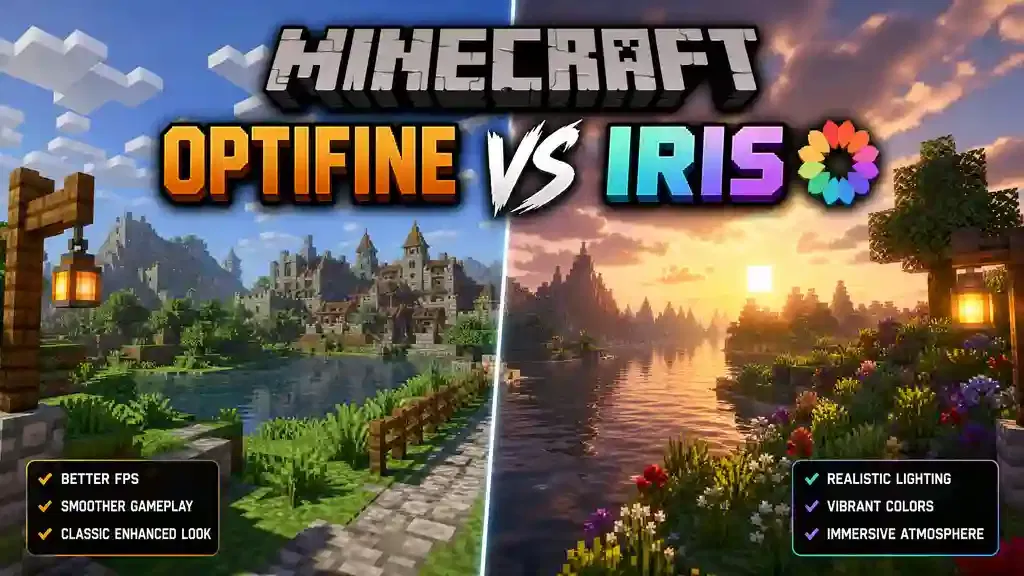
This guide focuses on Minecraft Java Edition, where both OptiFine and Iris are available. It covers supported versions, performance, shader compatibility, graphics features, installation, and real-world use cases. Whether you play vanilla survival or large modpacks, you’ll find clear answers. By the end of this guide, you’ll understand the strengths and weaknesses of each option. You’ll know which shader mod fits your computer, your favorite mods, and your play style, making it easier to choose the best solution for 2026.
Quick Answer: Minecraft OptiFine vs Iris
If you want the short answer, Iris is the better choice for most players in 2026. It delivers higher FPS, better mod compatibility, and faster updates. When paired with Sodium, Iris offers excellent performance while supporting most popular OptiFine shader packs. The Iris developers designed it to work smoothly with the modern Fabric ecosystem.
Is Iris Better Than OptiFine?
For most modern Minecraft Java players, yes. Iris provides better performance and works with more Fabric mods. OptiFine still shines if you want built-in features like Dynamic Lights, Connected Textures (CTM), and Custom Entity Models (CEM) without installing extra mods.
Which Gives Higher FPS?
Iris with Sodium usually delivers higher FPS than OptiFine. It also provides smoother frame times and better stability in many modern Minecraft versions. Actual performance depends on your hardware, render distance, shader pack, and installed mods.
Which Supports More Mods?
Iris supports more modern modpacks. Its Fabric-based design works well with other mods because it uses a less invasive architecture. OptiFine can conflict with many mods because it modifies Minecraft’s rendering system directly.
Which Is Best for Shaders?
Both support popular shader packs like BSL, Complementary, SEUS, and Sildur’s Vibrant Shaders. Iris was built to maintain compatibility with existing OptiFine shader packs while improving performance and stability.
Which Should Beginners Install?
Choose OptiFine if you want a simple, all-in-one setup with built-in graphics features. Choose Iris + Sodium if you want better FPS, modern mod compatibility, and a setup that grows easily with future mods.
What Is OptiFine?
OptiFine is one of the most popular Minecraft optimization mods for Minecraft Java Edition. It improves graphics, boosts performance, and adds advanced visual settings. It also lets you install and use shader packs without extra shader mods.
Overview
OptiFine combines performance improvements and graphics enhancements into one package. Instead of installing multiple mods, you get FPS optimization, shader support, HD textures, and many quality-of-life features in a single download. For years, OptiFine has been the default choice for players who want smoother gameplay and better visuals.
History
OptiFine first appeared in 2011 as a simple FPS optimization mod. Over time, it added shader support, HD texture features, Dynamic Lights, and many graphics options. These additions helped it become one of the most downloaded Minecraft mods. As Minecraft evolved, so did the modding community. New mod loaders like Fabric introduced modern rendering methods, leading to alternatives such as Iris. Even so, OptiFine remains widely used, especially on older Minecraft versions and by players who prefer an all-in-one solution.
Primary Purpose
OptiFine has one main goal: make Minecraft look better while running faster.
It achieves this by:
- Improving FPS.
- Adding advanced graphics settings.
- Supporting shader packs.
- Enhancing texture and lighting options.
- Giving players more control over visual quality.
Main Features
OptiFine includes many built-in features that players can use without installing additional mods.
Key features include:
- Shader pack support
- Dynamic Lights
- Zoom
- Connected Textures (CTM)
- Custom Entity Models (CEM)
- Custom Item Textures (CIT)
- Better Grass and Better Snow
- HD textures and fonts
- Anti-Aliasing
- Anisotropic Filtering
- Custom Sky and Fog settings
- Performance optimization options
- Advanced video settings
These features make OptiFine more than a shader mod. It acts as a complete graphics enhancement package.
Supported Minecraft Versions
OptiFine supports many Minecraft Java Edition releases, from older legacy versions to recent updates. New versions usually receive support after Minecraft updates, although releases may take time because OptiFine is developed by a small team. Legacy versions remain one of OptiFine’s biggest strengths. Many older modpacks still recommend it because of its broad version support.
Advantages
OptiFine offers several benefits for Minecraft players:
- Simple all-in-one installation.
- Excellent shader support.
- Many built-in graphics features.
- Easy-to-use settings menu.
- Strong support for older Minecraft versions.
- No extra mods needed for most visual features.
- Works as a standalone installation on supported versions.
These advantages make OptiFine a good choice for players who want everything in one package.
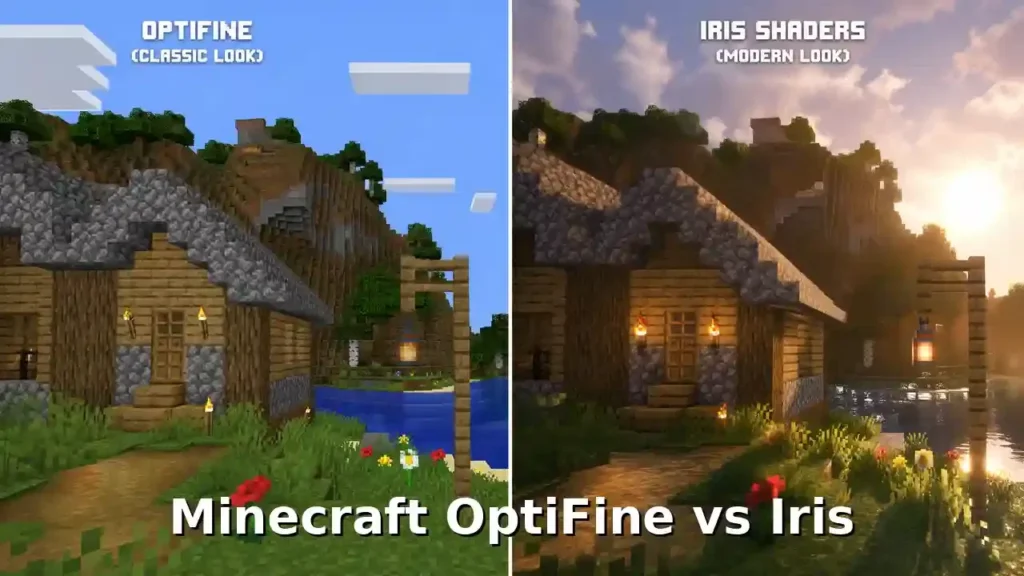
Limitations
Despite its popularity, OptiFine has some drawbacks. It uses a legacy approach that changes Minecraft’s rendering code directly. This design can reduce compatibility with some modern mods and large Fabric modpacks. Unlike Iris, OptiFine is closed source. Community developers cannot freely contribute to its code or fix compatibility issues. Some newer rendering optimizations also appear first in modern alternatives like Iris paired with Sodium. As a result, many Fabric players now choose modular solutions instead of relying on one all-in-one mod. The official OptiFine documentation and the Iris project both explain these architectural differences.
What Is Iris Shaders?
Iris Shaders is a modern shader mod for Minecraft Java Edition. It allows players to run popular shader packs while improving performance and mod compatibility. Unlike OptiFine, Iris focuses mainly on shader support and works as part of a larger Fabric-based optimization ecosystem.
Overview
Iris started as a solution for players who wanted better shader performance without relying on OptiFine. It supports many popular shader packs, including BSL Shaders, Complementary Shaders, SEUS, and other OptiFine-compatible shader packs. The mod works with the Fabric mod loader and usually runs together with Sodium. This combination improves Minecraft’s rendering performance and delivers smoother gameplay on many systems.
Project Goals
The main goal of Iris is simple: provide fast, modern, and compatible shader support for Minecraft.
The project focuses on:
- High-performance shader rendering.
- Better compatibility with Minecraft mods.
- Support for existing OptiFine shader packs.
- A clean and modern rendering system.
- Faster updates for newer Minecraft versions.
Unlike OptiFine, Iris does not try to replace every visual feature. Instead, it focuses on shaders and allows other specialized mods to handle extra features.
Open-Source Development
Iris is an open-source project. Its source code is publicly available, allowing developers to review, improve, and contribute to the project. This open development model helps the community identify issues faster and improves compatibility with other Fabric mods. Open-source development also gives players more transparency about how the mod works. The official Iris project provides documentation, source code, and release information through its public repositories.
Fabric Ecosystem
Iris was designed specifically for the Fabric mod loader. Fabric provides a lightweight and flexible environment for Minecraft mods. Many modern optimization mods use Fabric because it allows developers to create focused tools that work together.
A common Iris setup includes:
- Fabric Loader — manages Fabric mods.
- Iris Shaders — loads shader packs.
- Sodium — improves rendering performance.
- Other Fabric mods — add extra features.
This modular approach gives players more control over their Minecraft Optifine installation.
Relationship With Sodium
Iris and Sodium are closely connected in modern Minecraft optimization. Sodium improves Minecraft’s rendering engine and increases FPS. Iris adds shader support on top of that optimized rendering system. Together, they create one of the most popular performance-focused setups: Fabric + Sodium + Iris This combination often provides better performance than traditional shader setups because each mod focuses on a specific task.
Supported Versions
Iris supports many modern versions of Minecraft Java Edition. The project usually follows newer Minecraft releases faster than many older optimization solutions. Support depends on the Minecraft version, Fabric Loader version, and compatible Sodium release.
Players should always install matching versions of:
- Minecraft.
- Fabric Loader.
- Fabric API.
- Iris.
- Sodium.
Using compatible versions prevents crashes and shader problems.
Iris Shaders Summary
Iris is built for players who want:
- Better FPS.
- Modern mod compatibility.
- Shader support.
- A lightweight setup.
- A future-focused Minecraft experience.
Its biggest advantage comes from its modular design. Instead of adding every feature into one mod, Iris works with specialized tools to create a flexible Minecraft setup.
OptiFine vs Iris at a Glance
OptiFine and Iris both help Minecraft players use shaders and improve visuals. However, they follow different design philosophies. OptiFine provides an all-in-one graphics solution. Iris focuses on modern shader performance and mod compatibility. The table below shows the main differences between Minecraft OptiFine vs Iris.
| Category | OptiFine | Iris Shaders |
| Primary purpose | All-in-one optimization mod with graphics improvements, shaders, and visual features | Modern shader loader focused on performance and compatibility |
| Shader support | Native support for OptiFine shader packs | Supports most OptiFine shader packs with modern rendering improvements |
| FPS | Good FPS improvements, but performance varies by version and setup | Higher FPS potential, especially with Sodium |
| Performance | Uses an older optimization approach with many built-in features | Uses modern rendering optimization through Sodium and Fabric |
| Mod compatibility | Can cause conflicts with some modern mods and modpacks | Better compatibility with Fabric mods due to its modular design |
| Resource packs | Strong support for HD textures, CIT, CEM, and CTM features | Supports resource packs but may require extra mods for some OptiFine features |
| Installation | Simple installer with fewer required components | Requires Fabric Loader, Fabric API, Iris, and usually Sodium |
| Ease of use | Beginner-friendly because many features come built-in | Easy after setup, but needs more understanding of the Fabric ecosystem |
| Update speed | Updates may take longer after new Minecraft releases | Usually follows modern Minecraft versions faster |
| Open source | Closed-source project | Open-source project |
| Best for | Players who want built-in graphics features and simple shader installation | Players who want higher FPS, modern mods, and a future-focused setup |
Quick Comparison Summary
Choose OptiFine if you want:
- A simple installation.
- Built-in visual features.
- Dynamic Lights, CTM, and CEM support.
- A classic Minecraft graphics experience.
Choose Iris if you want:
- Better performance.
- Higher FPS with Sodium.
- Modern Fabric mod compatibility.
- A lightweight shader-focused setup.
The biggest difference is their approach. OptiFine tries to provide everything inside one mod. Iris uses a modular system where different mods handle different tasks. For example, Iris uses Sodium for rendering optimization, while additional mods like Entity Model Features (EMF) and Continuity replace some OptiFine features. This difference explains why many modern Minecraft players prefer Iris + Sodium, while some players still choose OptiFine for its unique built-in features.
OptiFine vs Iris Performance: FPS, Stability, and Hardware Comparison
Performance is one of the biggest reasons players search for Minecraft OptiFine vs Iris. Both mods can improve Minecraft performance, but they use different methods. OptiFine uses an all-in-one optimization system. Iris focuses on shader rendering and works with Sodium, a dedicated performance mod. For modern Minecraft versions, Iris + Sodium usually provides better FPS and smoother gameplay. However, results depend on your hardware, Minecraft version, shader pack, and settings.
FPS Benchmarks
There is no single FPS number that applies to every player. Minecraft performance changes based on many factors.
A typical comparison looks like this:
| Setup | Expected Performance |
| Vanilla Minecraft | Basic performance without optimization |
| OptiFine | Better FPS than vanilla on many systems |
| Iris | Strong shader performance |
| Iris + Sodium | Usually the highest FPS among shader setups |
Iris gains an advantage because Sodium improves Minecraft’s rendering engine. It reduces rendering overhead and handles large worlds more efficiently. OptiFine can still perform well, especially on older versions where it remains highly optimized.
Frame Consistency
FPS numbers do not tell the full story. Smooth gameplay depends on stable frame times. Iris + Sodium often provides smoother frame delivery because of its modern rendering approach. Players may notice:
- Fewer sudden FPS drops.
- Smoother chunk loading.
- Better performance in large areas.
- More stable gameplay with shaders.
OptiFine can provide good results, but some players experience inconsistent performance with demanding shader packs or large modpacks.
CPU Usage
Minecraft depends heavily on CPU performance, especially during:
- World loading.
- Chunk generation.
- Entity updates.
- Mod calculations.
Iris with Sodium improves rendering efficiency. This can reduce unnecessary CPU workload during graphics processing. OptiFine also improves CPU performance through optimization settings, but its older architecture may not scale as well with modern modded setups.
GPU Usage
Shaders mainly affect your GPU.
Both OptiFine and Iris use the graphics card for shader rendering. The difference comes from how efficiently they communicate with Minecraft’s rendering system.
Iris + Sodium advantages:
- Better GPU utilization.
- Improved rendering efficiency.
- Higher FPS with many shader packs.
- Better support for modern GPUs.
Your shader pack choice still matters. Heavy shaders like SEUS or Continuum require much more GPU power than lightweight packs like Sildur’s.
RAM Usage
RAM usage depends more on your:
- Mod count.
- Shader pack.
- Resource packs.
- Render distance.
OptiFine usually needs fewer additional mods because it includes many features.
Iris requires more components:
- Fabric Loader.
- Fabric API.
- Iris.
- Sodium.
- Optional performance mods.
However, this modular setup can provide better optimization without significantly increasing RAM usage.
Chunk Rendering
Chunk rendering affects exploration, building, and large worlds. Iris benefits from Sodium’s optimized chunk rendering system.
Players may notice:
- Faster chunk updates.
- Better loading speed.
- Improved performance at higher render distances.
OptiFine improves chunk rendering through its own optimization settings. It remains useful for players who prefer built-in controls and older Minecraft versions.
Performance on Low-End PCs
For older laptops and budget computers, the best choice depends on Minecraft version.
Iris + Sodium is usually recommended for modern versions because:
- It improves rendering efficiency.
- It increases FPS.
- It works well with lightweight shaders.
OptiFine can still help older systems, especially when using versions where Sodium-based solutions are unavailable.
Recommended settings:
- Lower render distance.
- Use lightweight shaders.
- Reduce particles.
- Disable unnecessary visual effects.
Performance on Mid-Range PCs
Mid-range systems usually benefit the most from Iris + Sodium.
A setup with:
- Modern CPU.
- Dedicated GPU.
- 8GB–16GB RAM.
can run popular shader packs smoothly with proper settings. OptiFine also performs well, but Iris often provides better FPS headroom for mods and shaders.
Performance on High-End PCs
High-end systems can run demanding shader packs at higher resolutions.
Examples:
- RTX graphics cards.
- High refresh rate monitors.
- 1440p or 4K displays.
Iris provides excellent performance because it works efficiently with modern rendering hardware. OptiFine remains a good choice for players who need its unique features, such as built-in Custom Entity Models and Connected Textures.
Performance Winner: Iris or OptiFine?
For pure FPS and modern performance, Iris paired with Sodium is usually the winner. For built-in graphics features and simplicity, OptiFine remains competitive.
The best choice depends on your goal:
- Maximum FPS: Iris + Sodium
- Shader performance: Iris + Sodium
- Older Minecraft versions: OptiFine
- Built-in visual features: OptiFine
- Large Fabric modpacks: Iris + Sodium
Performance testing should always use the same Minecraft version, shader pack, render distance, and hardware for a fair comparison.
OptiFine vs Iris Compatibility: Fabric, Forge, Servers, and Multiplayer
Compatibility is one of the biggest differences between Minecraft OptiFine vs Iris. Both mods improve graphics, but they work with different modding ecosystems. Your choice depends on the loader you use, your mods, and your Minecraft setup.
Fabric Compatibility
Iris is designed for Fabric. Fabric is a lightweight mod loader that supports many modern optimization mods. Iris works naturally with this ecosystem because it was built specifically for Fabric.
A common Fabric setup includes:
- Fabric Loader
- Fabric API
- Sodium
- Iris Shaders
This combination gives players strong shader support and high performance. OptiFine does not officially support Fabric. Some unofficial solutions have existed, but they often create compatibility problems with modern Fabric mods.
Winner: Iris
For Fabric players, Iris is the clear choice.
Forge Compatibility
OptiFine has strong historical support for Forge.
Many older Forge modpacks use OptiFine because it adds:
- Shader support.
- HD textures.
- Custom visuals.
- Performance settings.
However, OptiFine can conflict with some Forge mods because of its deep changes to Minecraft’s rendering system. Iris does not officially support Forge. Forge players usually look at alternatives such as:
- Oculus.
- Embeddium.
These mods provide a similar experience to Iris and Sodium for Forge-based setups.
Winner: Depends on your modpack
- Older Forge packs: OptiFine may work better.
- Modern Forge packs: Embeddium + Oculus may be better.
NeoForge Compatibility
NeoForge is a newer modding platform created from the Forge ecosystem. OptiFine support for NeoForge depends on version compatibility and available builds. Iris focuses on Fabric and does not provide native NeoForge support. NeoForge players often use modern performance alternatives designed for that ecosystem.
Winner: Neither directly
The best option depends on your NeoForge version and available optimization mods.
Quilt Compatibility
Quilt is another modern Minecraft mod loader based on Fabric technology. Iris may work in some Quilt environments because of Fabric compatibility, but support depends on the specific version and installed mods. OptiFine does not officially target Quilt.
Winner: Iris
Iris fits better with modern lightweight loaders.
Vanilla Minecraft Compatibility
Both OptiFine and Iris work with Minecraft Java Edition, but their installation methods differ.
OptiFine:
- Works as a standalone installation.
- Requires fewer extra components.
Iris:
- Requires Fabric Loader.
- Usually requires Sodium.
- Needs a modded Minecraft profile.
For players who want the simplest setup, OptiFine feels easier. For players who want a modern modded setup, Iris provides more flexibility.
Multiplayer Compatibility
Both OptiFine and Iris are client-side mods.
This means:
- You install them only on your computer.
- Servers do not need to install them.
- Other players do not need the same mod.
They mainly change rendering and graphics. Your server experience remains the same.
Server Compatibility
OptiFine and Iris work with most Minecraft servers because they do not change server gameplay.
You can use them on:
- Survival servers.
- Creative servers.
- Minigame servers.
- Modded servers.
However, some servers may have client restrictions. Always check server rules before using additional client mods.
Realms Compatibility
Both OptiFine and Iris can work with Minecraft Realms because they operate on the client side. Realms only hosts the world. It does not require shader mods or graphics mods.
You can use:
- Iris shaders on Realms.
- OptiFine shaders on Realms.
The Realm owner and other players do not need the same setup.
Compatibility Winner: Iris or OptiFine?
The winner depends on your Minecraft ecosystem.
| Situation | Better Choice |
| Fabric modpacks | Iris |
| Modern optimization | Iris + Sodium |
| Older Forge packs | OptiFine |
| Forge alternatives | Embeddium + Oculus |
| Vanilla shaders | Either |
| Multiplayer servers | Both |
| Minecraft Realms | Both |
| Maximum mod compatibility | Iris |
The main difference is flexibility. Iris follows the modern modular modding approach, while OptiFine focuses on providing many features inside one powerful but older system.
OptiFine vs Iris Shader Support Comparison
Shaders are the main reason many players compare Minecraft OptiFine vs Iris. Both mods can run popular shader packs, but they handle shader support differently. OptiFine created the original shader system that many players know today. Iris was built later to provide modern shader support with better performance and compatibility.
BSL Shaders
BSL Shaders is one of the most popular shader packs for Minecraft Java Edition. Both OptiFine and Iris support BSL Shaders.
OptiFine:
- Runs BSL using its built-in shader support.
- Provides many graphics settings.
- Works well on supported versions.
Iris:
- Runs BSL with strong performance.
- Works especially well with Sodium.
- Offers smoother gameplay on many systems.
Winner: Iris for performance, OptiFine for built-in settings.
Complementary Shaders
Complementary Shaders focuses on high-quality visuals and balanced performance. Both platforms support Complementary shader packs. Iris is often preferred because it handles demanding shader effects more efficiently with Sodium. OptiFine remains useful for players who want extra visual features without adding more mods.
Winner: Iris for FPS, OptiFine for simplicity.
SEUS Shaders
SEUS (Sonic Ether’s Unbelievable Shaders) is one of the most famous Minecraft shader projects. Both OptiFine and Iris support many SEUS versions.
Performance depends heavily on:
- Shader edition.
- Minecraft version.
- GPU power.
- Render settings.
Iris can provide better performance on modern versions because of Sodium’s rendering improvements.
Sildur’s Vibrant Shaders
Sildur’s Shaders is known for supporting many hardware levels.
It offers:
- Lightweight shaders.
- Medium presets.
- High-quality visual effects.
Both OptiFine and Iris support Sildur’s shader packs. For low-end PCs, Iris with Sodium can provide extra performance headroom.
Bliss Shaders
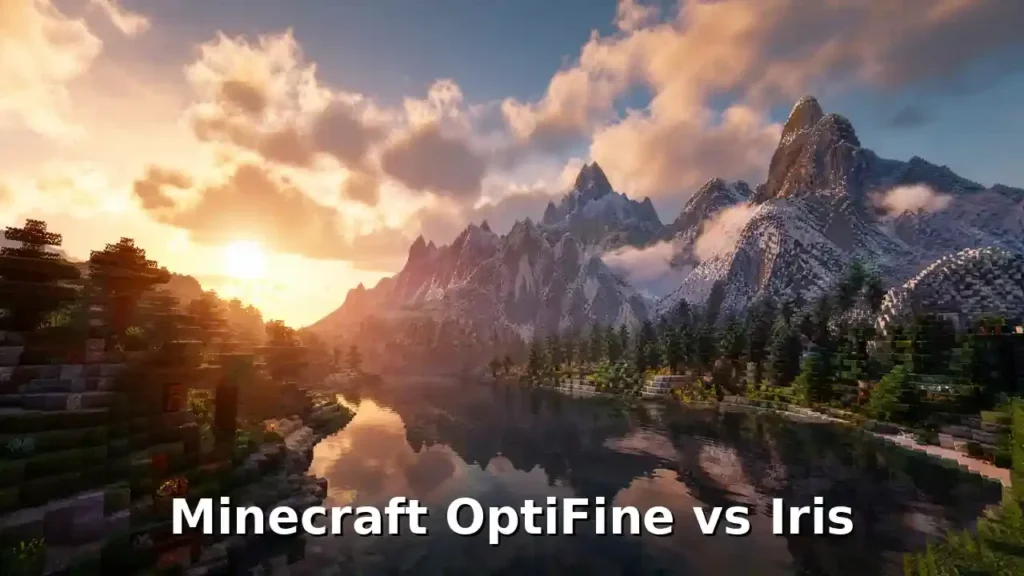
Bliss Shaders is a modern shader pack focused on realistic lighting and atmosphere. Iris is commonly recommended for newer shader packs because it follows modern Minecraft rendering changes. OptiFine may support some versions, but compatibility depends on the shader release.
Solas Shaders
Solas Shader delivers advanced visuals with realistic lighting effects. Iris provides strong compatibility with many modern shader packs. OptiFine support depends on the shader version and Minecraft release.
Continuum Shaders
Continuum Shaders targets cinematic Minecraft visuals. These shaders require powerful hardware because they include advanced effects. Both OptiFine and Iris can support different Continuum releases.
However, performance depends on:
- Shader complexity.
- GPU power.
- Minecraft version.
Shader Compatibility Differences
The biggest difference is not the shader pack itself. It is the rendering system behind it.
OptiFine Approach
OptiFine provides:
- Built-in shader support.
- Many graphics options.
- Extra visual features.
- A single installation.
However, its older rendering changes can create conflicts with some modern mods.
Iris Approach
Iris provides:
- Modern shader loading.
- Better Fabric compatibility.
- Faster development for new Minecraft versions.
- Integration with Sodium.
Iris focuses on shaders instead of replacing every graphics feature.
Unsupported OptiFine Features in Iris
Iris supports most popular shader packs, but it does not include every OptiFine feature. Some OptiFine features require separate Fabric mods.
Custom Entity Models (CEM)
OptiFine supports CEM directly. Iris does not include native CEM support.
Players can use:
- Entity Model Features (EMF).
- Entity Texture Features (ETF).
These mods add similar functionality.
Connected Textures (CTM)
OptiFine includes Connected Textures. Iris does not provide native CTM support.
Players can install:
- Continuity.
This adds connected texture support for compatible resource packs.
Custom Item Textures (CIT)
OptiFine supports CIT resource packs. Iris does not include native CIT support. Players need alternative Fabric solutions depending on their version.
Shader Support Winner: OptiFine or Iris?
The answer depends on your goal.
| Need | Better Choice |
| Best shader FPS | Iris + Sodium |
| Simple shader installation | OptiFine |
| Modern shader packs | Iris |
| Older shader setups | OptiFine |
| Fabric modpacks with shaders | Iris |
| Built-in visual features | OptiFine |
For most modern players, Iris + Sodium is the better shader solution. OptiFine remains valuable for players who want its unique built-in graphics features.
OptiFine Features vs Iris: Built-in Features and Modern Alternatives
The biggest difference between Minecraft OptiFine vs Iris is their feature approach. OptiFine tries to provide many graphics features inside one mod. Iris focuses on shader performance and lets other mods handle additional features. This makes OptiFine an all-in-one solution, while Iris follows a modular ecosystem.
Native OptiFine Features
OptiFine includes many visual improvements without requiring extra mods.
Dynamic Lights
OptiFine Dynamic Lights allow handheld light sources to illuminate the world without placing blocks.
Examples:
- Holding a torch lights nearby areas.
- Lava buckets create light while held.
- Glow items can illuminate surroundings.
This improves exploration and immersion. Iris does not include native Dynamic Lights. Players need separate Fabric mods, such as LambDynamicLights, for similar functionality.
Zoom
OptiFine includes a built-in zoom feature.
Players can:
- Hold a key to zoom in.
- See distant objects clearly.
- Improve building accuracy.
- Use it for exploration.
Iris does not include native zoom. Fabric players usually install separate zoom mods to add this feature.
Custom Item Textures (CIT)
OptiFine supports Custom Item Textures (CIT) through resource packs. CIT allows resource packs to change items based on conditions.
Examples:
- Different sword appearances.
- Custom tools.
- Special items with unique textures.
Iris does not provide native CIT support. Players need alternative Fabric mods depending on their Minecraft version.
Custom Entity Models (CEM)
OptiFine supports Custom Entity Models (CEM). CEM allows resource packs to change entity models.
Examples:
- Custom animals.
- Animated creatures.
- Special mob designs.
Popular resource packs like Fresh Animations use this feature. Iris does not include native CEM support.
Fabric players can use:
- Entity Model Features (EMF).
- Entity Texture Features (ETF).
These mods recreate similar functionality.
Connected Textures (CTM)
OptiFine supports Connected Textures (CTM). CTM improves resource packs by connecting nearby textures.
Examples:
- Glass blocks connecting smoothly.
- Better-looking building materials.
- Seamless textures.
Iris does not include built-in CTM.
Players can use:
- Continuity.
Continuity provides connected texture support for compatible resource packs.
Random Entities
OptiFine supports Random Entities. This feature creates visual variety by changing mob textures randomly.
Examples:
- Different cow appearances.
- Multiple wolf textures.
- More natural-looking worlds.
Iris does not include this feature directly. Players need alternative mods for similar functionality.
Better Grass
OptiFine Better Grass changes grass block sides to create smoother terrain visuals. It removes the flat dirt edges around grass blocks.
This feature improves the appearance of:
- Hills.
- Forests.
- Natural landscapes.
Iris does not include native Better Grass.
Better Snow
OptiFine Better Snow improves snow-covered blocks. It makes snowy areas look more realistic by adding snow layers to nearby blocks. Iris does not provide this feature directly.
Custom Colors
OptiFine supports Custom Colors.
Resource packs can modify:
- Grass colors.
- Water colors.
- Fog colors.
- Lighting colors.
Iris focuses on shaders and does not include the full OptiFine color system.
Anti-Aliasing (AA)
OptiFine includes Anti-Aliasing options. AA reduces jagged edges and creates smoother visuals.
It improves:
- Blocks.
- Lines.
- Textures.
Shader packs may also provide their own anti-aliasing solutions.
Anisotropic Filtering (AF)
OptiFine supports Anisotropic Filtering. AF improves texture quality at longer distances.
Examples:
- Roads look sharper.
- Floors look clearer.
- Distant textures appear less blurry.
Modern GPUs handle AF efficiently, making it useful for visual quality improvements.
Iris Approach
Iris takes a different direction. Instead of adding every feature into one mod, it focuses on shader loading and performance.
Shader Loader
Iris is primarily a shader loader.
Its main job is:
- Loading shader packs.
- Improving shader performance.
- Supporting OptiFine-compatible shaders.
- Working with modern Minecraft rendering.
This focused approach keeps Iris lightweight.
Separate Optimization Mods
Iris works together with specialized mods.The most common example is:
Iris + Sodium
Sodium handles rendering optimization.Iris handles shader support. Other mods can add missing OptiFine features.
Examples:
| OptiFine Feature | Iris Alternative |
| Dynamic Lights | LambDynamicLights |
| Custom Entity Models | Entity Model Features (EMF) |
| Custom Entity Textures | Entity Texture Features (ETF) |
| Connected Textures | Continuity |
| Zoom | Zoom mods |
Modular Ecosystem
Iris follows a modular design.
Each mod has a specific purpose:
- Sodium improves performance.
- Iris loads shaders.
- EMF improves entity models.
- Continuity adds connected textures.
This approach gives players more control. It also improves compatibility with large Fabric modpacks.
OptiFine vs Iris Feature Winner
| Feature | Winner |
| Built-in graphics features | OptiFine |
| Dynamic Lights | OptiFine |
| Zoom | OptiFine |
| CEM support | OptiFine |
| CTM support | OptiFine |
| Shader performance | Iris + Sodium |
| Modern mod compatibility | Iris |
| Modular customization | Iris |
| Simple setup | OptiFine |
Final Verdict
OptiFine wins for players who want many visual features inside one installation.Iris wins for players who want better performance, modern mod support, and a flexible setup.
The choice depends on your priority:
- More built-in features: OptiFine.
- Better performance and mod compatibility: Iris.
Iris + Sodium Explained: Why This Combination Is Popular
When players compare Minecraft OptiFine vs Iris, they often compare more than two mods.The real comparison is usually:
OptiFine vs Iris + Sodium
Iris handles shaders, while Sodium improves Minecraft’s rendering performance. Together, they create one of the most popular optimization setups for modern Minecraft Java Edition.
Why Sodium Matters
Sodium is a performance optimization mod designed to improve Minecraft’s rendering engine. Unlike OptiFine, Sodium does not try to add every graphics feature. It focuses on one goal:
Make Minecraft render faster and smoother.
Sodium improves how Minecraft handles:
- Block rendering.
- Chunk updates.
- Entity rendering.
- Graphics calculations.
- World loading.
This focused design allows Sodium to achieve strong performance gains while keeping compatibility with many Fabric mods. The official Sodium project describes it as a rendering optimization mod that improves frame rates and reduces rendering lag.
Rendering Improvements
Minecraft’s rendering system controls how the game draws the world. Every block, mob, particle, and effect requires processing power. Sodium improves this process by using a more efficient rendering approach.
Players may notice improvements in:
- Faster chunk rendering.
- Smoother camera movement.
- Reduced stuttering.
- Better performance in large builds.
- Improved stability with high render distances.
These improvements become more noticeable when using demanding shader packs.
FPS Improvements
FPS is one of the biggest reasons players choose Iris + Sodium. Sodium reduces unnecessary rendering work, which allows Minecraft to use hardware resources more efficiently.
Performance depends on:
- CPU.
- GPU.
- Minecraft version.
- Shader pack.
- Render distance.
- Resource packs.
Many players see significant FPS improvements compared with vanilla Minecraft. Iris then adds shader support without removing Sodium’s optimization benefits.
A common modern setup looks like:
Fabric + Sodium + Iris + Shader Pack
This setup gives players:
- Better FPS.
- Smoother gameplay.
- Modern shader support.
- Better mod compatibility.
Installing Iris + Sodium
Setting up Iris + Sodium requires a few steps.
Step 1: Install Fabric Loader
Download and install Fabric Loader for your Minecraft version.
Step 2: Install Fabric API
Fabric API helps many Fabric mods work correctly.
Step 3: Install Iris
Place the Iris mod file inside your Minecraft mods folder.
Step 4: Install Sodium
Add Sodium to the same mods folder.
Step 5: Add Shader Packs
Place shader .zip files inside the:
.minecraft/shaderpacks
folder.
Step 6: Launch Minecraft
Open the Fabric profile and select your shader pack from the video settings menu.
Recommended Iris + Sodium Settings
The best settings depend on your hardware.
For Low-End PCs
Use:
- Lower render distance.
- 720p or 1080p resolution.
- Lightweight shaders.
- Lower shadow quality.
- Reduced particles.
Recommended shader packs:
- Sildur’s Enhanced Default.
- Lightweight BSL presets.
For Mid-Range PCs
Use:
- 12–16 chunk render distance.
- Medium shader settings.
- Balanced shadow quality.
- Normal entity distance.
This setup works well for:
- Survival worlds.
- Multiplayer servers.
- Building.
For High-End PCs
Use:
- Higher render distance.
- High shader quality.
- Better shadows.
- Enhanced lighting effects.
Powerful GPUs can handle:
- 1440p gameplay.
- Cinematic shaders.
- High-quality resource packs.
Iris + Sodium vs OptiFine Performance
| Category | OptiFine | Iris + Sodium |
| Shader support | Excellent | Excellent |
| Rendering optimization | Good | Excellent |
| FPS potential | Good | Usually higher |
| Mod compatibility | Limited in some setups | Strong with Fabric |
| Extra visual features | Many built-in | Requires separate mods |
Final Verdict
Iris + Sodium became popular because each mod focuses on a specific job.
- Iris: Shader loading.
- Sodium: Rendering optimization.
This modular design gives players better performance and more flexibility.For modern Minecraft players who want shaders and high FPS, Iris + Sodium is usually the strongest choice.OptiFine remains useful for players who prefer built-in features like Dynamic Lights, CEM, and CTM without installing additional mods.
Embeddium + Oculus: The Forge Alternative to Iris + Sodium
When comparing Minecraft OptiFine vs Iris, many players forget one important detail: Iris focuses on the Fabric ecosystem.Forge players need different solutions.The most common Forge alternative is:
Embeddium + Oculus
This combination brings modern performance improvements and shader support to Forge-based Minecraft setups.
What Are Embeddium and Oculus?
What Is Embeddium?
Embeddium is a modern rendering optimization mod for Forge and NeoForge.It is based on the ideas behind Sodium and focuses on improving Minecraft’s rendering performance.
Embeddium helps improve:
- FPS.
- Chunk rendering.
- Frame stability.
- GPU efficiency.
- Large world performance.
Like Sodium, Embeddium focuses on optimization instead of adding many extra visual features.
What Is Oculus?
Oculus is a shader support mod for Forge.It brings shader functionality to Forge installations. Oculus allows players to use many popular shader packs, including:
- BSL Shaders.
- Complementary Shaders.
- SEUS.
- Sildur’s Shaders.
It fills a similar role to Iris in the Fabric ecosystem.
How Embeddium + Oculus Compare to Iris + Sodium
The two setups follow a similar design philosophy.
Both separate responsibilities:
- Performance mod handles optimization.
- Shader mod handles shader loading.
| Category | Iris + Sodium | Embeddium + Oculus |
| Mod loader | Fabric | Forge / NeoForge |
| Performance mod | Sodium | Embeddium |
| Shader mod | Iris | Oculus |
| Main focus | Performance and shaders | Performance and shaders |
| Mod ecosystem | Fabric mods | Forge mods |
| Best for | Fabric modpacks | Forge modpacks |
Performance Comparison
Both setups aim to improve Minecraft performance.
Iris + Sodium advantages:
- Strong Fabric optimization.
- Excellent modern compatibility.
- Large community support.
Embeddium + Oculus advantages:
- Better fit for Forge modpacks.
- Works with many Forge-based projects.
- Provides shader support without using OptiFine.
Actual FPS depends on:
- Minecraft version.
- Hardware.
- Mods installed.
- Shader pack.
- Settings.
No setup guarantees the same performance for every player.
When Should You Use Embeddium + Oculus?
Choose Embeddium + Oculus when:
- You play Forge modpacks.
- Your favorite mods require Forge.
- You want shaders without OptiFine.
- You need better performance in large modpacks.
Examples include:
- Technology modpacks.
- Adventure modpacks.
- Magic modpacks.
- Large Forge survival packs.
Compatibility
Embeddium + Oculus generally fits better into modern Forge environments. It works well with many Forge mods because it follows a more modular optimization approach.
However, compatibility depends on:
- Minecraft version.
- Forge or NeoForge version.
- Other installed mods.
- Shader pack support.
Some older mods still expect OptiFine features. In those cases, you may need extra compatibility mods or different solutions.
Embeddium + Oculus vs OptiFine
| Feature | OptiFine | Embeddium + Oculus |
| Shader support | Built-in | Through Oculus |
| Performance | Good | Often better in modern setups |
| Forge compatibility | Strong historically | Strong for modern Forge |
| Built-in features | Many | Fewer |
| Modpack support | Can cause conflicts | Usually better |
| Custom visual features | More built-in | Requires additional mods |
Final Verdict
Embeddium + Oculus is the better choice for many modern Forge players.
It provides:
- Better performance-focused design.
- Shader support.
- Improved compatibility with Forge modpacks.
The choice depends on your mod loader:
- Fabric: Iris + Sodium.
- Forge/NeoForge: Embeddium + Oculus.
- All-in-one graphics features: OptiFine.
These alternatives show the biggest shift in Minecraft optimization today: players increasingly choose modular performance tools instead of one large graphics mod.
OptiFine vs Iris Technical Architecture: How Their Designs Differ
The biggest technical difference between Minecraft OptiFine vs Iris comes from their internal design. Both improve Minecraft graphics, but they modify the game in very different ways. OptiFine follows an older all-in-one approach. Iris uses a modern modular architecture built around the Fabric ecosystem.
This design difference affects:
- Performance.
- Mod compatibility.
- Update speed.
- Long-term development.
OptiFine Architecture
Jar Modification
OptiFine uses a traditional jar modification approach. A jar mod directly changes parts of Minecraft’s original code. This allows OptiFine to add many features inside one package.
This approach helped OptiFine provide features like:
- Shader support.
- Dynamic Lights.
- Connected Textures.
- Custom Entity Models.
- Advanced graphics settings.
However, direct code changes can create conflicts with other mods. When multiple mods modify the same Minecraft systems, compatibility problems can appear.
Closed Source
OptiFine is a closed-source project.
This means:
- Its source code is not publicly available.
- External developers cannot freely modify or contribute.
- Fixes depend on the original developer.
A closed development model can make compatibility improvements slower, especially when Minecraft changes its internal code.
Rendering Pipeline
OptiFine modifies Minecraft’s rendering pipeline to add advanced graphics features.
The rendering pipeline controls how Minecraft displays:
- Blocks.
- Entities.
- Lighting.
- Textures.
- Effects.
OptiFine adds many changes directly into this system. This approach gives players many built-in options, but it also increases the chance of conflicts with other rendering-related mods.
Iris Architecture
Fabric Mixin Architecture
Iris uses the Fabric Mixin system. Mixins allow developers to insert changes into Minecraft code without replacing large sections of the original game.
This approach is more targeted.
Benefits include:
- Smaller code changes.
- Better mod compatibility.
- Easier maintenance.
- Cleaner integration with Fabric mods.
Iris works alongside other specialized mods instead of replacing many systems itself.
Open Source
Iris is an open-source project.
Its code is publicly available, allowing developers to:
- Review the project.
- Report issues.
- Contribute improvements.
- Understand how the mod works.
Open-source development helps create a more collaborative ecosystem. The Iris project maintains public development resources and documentation through its official repositories.
Modern Rendering
Iris focuses on modern Minecraft rendering. It does not try to include every graphics feature inside one mod.
Instead, it works with specialized tools:
- Iris → Shader loading.
- Sodium → Rendering optimization.
- Other Fabric mods → Additional visual features.
This modular approach reduces conflicts and gives players more control.
Technical Architecture Comparison
| Category | OptiFine | Iris |
| Development style | All-in-one graphics mod | Dedicated shader mod |
| Code approach | Jar modification | Fabric Mixins |
| Source code | Closed source | Open source |
| Rendering changes | Direct pipeline modifications | Targeted rendering integration |
| Mod compatibility | Can conflict with some mods | Designed for Fabric compatibility |
| Feature approach | Many built-in features | Modular ecosystem |
| Updates | Depends on OptiFine development | Follows modern Fabric development |
Why Architecture Matters
The architecture explains why OptiFine and Iris feel different. OptiFine gives players many features immediately. It is convenient and familiar. Iris provides a cleaner foundation for modern modded Minecraft. It works better when combined with other specialized mods.
For players who want:
- One mod with many features: OptiFine remains attractive.
- Performance, shaders, and mod compatibility: Iris offers a more modern approach.
Understanding this technical difference helps explain why many Minecraft players are moving from OptiFine to Iris-based setups.
Rendering Pipeline
The rendering pipeline controls how Minecraft creates every frame you see on the screen. It processes shadows, lighting, reflections, water, fog, and post-processing effects before displaying the final image. Both OptiFine and Iris use the shader pipeline originally introduced by ShadersMod. However, Iris has expanded this pipeline with modern rendering capabilities that give shader developers more flexibility.
Note: Most players do not need to understand every rendering stage. These features mainly affect shader developers and advanced users.
Rendering Pipeline Comparison
| Rendering Feature | OptiFine | Iris Shaders |
| Shadow Map | ✅ Supported | ✅ Supported |
| G-Buffers | ✅ Supported | ✅ Supported |
| Deferred Rendering | ✅ Supported | ✅ Supported with extended capabilities |
| Composite Passes | ✅ Supported | ✅ Supported |
| Compute Shaders | ❌ Limited support | ✅ Supports compute shaders in compatible shader packs |
| LPV Colored Lighting | ❌ Not supported | ✅ Available in compatible Iris shaders |
| Advanced Shader Directives | ⚠️ Basic shader properties | ✅ Additional rendering directives for shader developers |
Shadow Map
The Shadow Map stage creates dynamic shadows by recording how light reaches the world. Shader packs use this data to produce realistic shadows that move with the sun and moon. Both OptiFine and Iris fully support shadow mapping.
G-Buffers
G-Buffers, or Geometry Buffers, store information about blocks, entities, lighting, normals, and textures before the final image is rendered. Shader packs use this data to create realistic lighting, reflections, ambient occlusion, and other advanced effects. Both shader loaders support this stage.
Deferred Rendering
Deferred Rendering separates geometry processing from lighting calculations. This approach allows shader packs to apply complex lighting effects more efficiently, especially in scenes with many light sources. Both OptiFine and Iris support deferred rendering. Iris also supports additional modern rendering techniques used by newer shader packs.
Composite Passes
Composite passes combine every rendering effect into the final image. This stage blends shadows, reflections, bloom, motion blur, color correction, and other visual effects before Minecraft displays each frame. Both OptiFine and Iris use composite passes to create polished graphics.
Compute Shaders
Compute shaders allow the graphics card to perform complex calculations outside the traditional rendering pipeline. Modern shader packs use compute shaders for advanced lighting, reflections, water simulation, and visual effects. Iris supports compute shaders in compatible shader packs. OptiFine provides more limited support for these newer rendering techniques.
LPV Colored Lighting
Light Propagation Volume (LPV) is an advanced form of global illumination. Instead of lighting only the directly visible surfaces, LPV simulates light bouncing between nearby blocks. This creates more natural indoor lighting and realistic color bleeding. Compatible Iris shader packs can use LPV because Iris exposes rendering features that are not part of the traditional OptiFine shader format.
Advanced Shader Directives
Iris includes additional shader directives that help developers control how shaders render the game.
These directives can manage areas such as:
- Particle rendering order
- Entity rendering behavior
- Compute shader execution
- Rendering performance
- Advanced lighting effects
These features allow shader developers to build more sophisticated shader packs while maintaining compatibility with modern graphics hardware.
Does the Rendering Pipeline Matter?
For most players, no. If you simply want beautiful Minecraft graphics, both OptiFine and Iris run the most popular shader packs very well. The rendering pipeline becomes important when developers create new shader features or push Minecraft’s graphics beyond the limits of the original shader format.
Bottom Line
Both OptiFine and Iris share the same foundation, but Iris extends the rendering pipeline with modern graphics capabilities. Features such as compute shaders, LPV colored lighting, and advanced shader directives give developers more tools to build next-generation shader packs. For everyday gameplay, however, the visual experience depends far more on the shader pack you choose than on the rendering pipeline itself.
Open Source vs Closed Source: Iris and OptiFine Development Differences
The development model is one of the biggest differences between Minecraft OptiFine vs Iris. OptiFine uses a closed-source approach. Iris uses an open-source model. This difference affects how developers contribute, how quickly issues get fixed, and how each project evolves.
Development Model
OptiFine: Closed-Source Development
OptiFine is a closed-source project. This means only the OptiFine development team can directly access and modify its source code.
The benefits include:
- Consistent development direction.
- Full control over features.
- A unified design approach.
However, outside developers cannot directly improve the code or submit feature changes.
Iris: Open-Source Development
Iris follows an open-source development model. Its source code is publicly available. Developers and community members can review the project and contribute improvements.
This approach supports:
- Faster collaboration.
- Public issue tracking.
- Community feedback.
- More transparency.
Iris also benefits from the wider Fabric ecosystem, where many developers create compatible optimization and graphics mods.
Community Contributions
Community involvement creates a major difference between the two projects.
OptiFine Community
OptiFine has a large user community because it has existed for many years.
Players contribute through:
- Bug reports.
- Tutorials.
- Resource packs.
- Shader recommendations.
However, users cannot directly contribute code changes.
Iris Community
Iris benefits from open-source collaboration.
Developers can help with:
- Code improvements.
- Testing.
- Bug reports.
- Compatibility fixes.
This community-driven approach helps Iris integrate better with modern Minecraft modding tools.
Update Frequency
Minecraft receives frequent updates.Each major update can change internal game code, requiring optimization mods to adapt.
OptiFine Updates
OptiFine updates depend on its development process. Because OptiFine changes many parts of Minecraft’s rendering system, updates can require significant work after new Minecraft releases.
Iris Updates
Iris usually follows the Fabric ecosystem. Its modular design allows it to adapt alongside other modern mods. Players often see faster support for newer Minecraft versions because Iris focuses on shader functionality instead of replacing many game systems.
Transparency
Transparency helps users understand how software works.
OptiFine Transparency
OptiFine provides official information about releases and features, but its internal code remains private. Users cannot inspect the source code.
Iris Transparency
Iris provides public access to its development resources.
Players and developers can review:
- Code changes.
- Reported issues.
- Development progress.
This creates more visibility into the project’s direction.
Bug Fixing
Bug fixing speed depends on the problem type.
OptiFine Bug Fixing
OptiFine bugs are handled by the official development team. The advantage is a focused development process. The limitation is that fixes rely on one development path.
Iris Bug Fixing
Iris benefits from open-source collaboration.
Developers can:
- Identify problems.
- Test solutions.
- Submit improvements.
This can speed up fixes, especially for compatibility issues inside the Fabric ecosystem.
Open Source vs Closed Source Comparison
| Category | OptiFine | Iris |
| Development model | Closed source | Open source |
| Code access | Private | Public |
| Community contributions | Limited | Supported |
| Transparency | Lower | Higher |
| Update process | Controlled by official developers | Community-driven ecosystem |
| Bug fixing | Official team only | Developers and community |
| Ecosystem | Standalone approach | Fabric-based collaboration |
Which Development Model Is Better?
Both approaches have advantages. OptiFine’s closed-source model helped create a stable, feature-rich graphics mod used by millions of players. Iris’s open-source model fits modern Minecraft development better. It allows faster collaboration and stronger compatibility with other Fabric mods. For players who want a classic all-in-one graphics solution, OptiFine remains useful. For players who want a modern, flexible, and community-driven setup, Iris has a stronger advantage.
OptiFine vs Iris Resource Pack Compatibility
Resource packs can completely change Minecraft’s appearance. They can improve textures, add custom models, change animations, and create unique visual styles. When comparing Minecraft OptiFine vs Iris, resource pack compatibility is one area where OptiFine still has a strong advantage. OptiFine includes many resource pack features directly. Iris focuses on shaders and relies on additional Fabric mods for some advanced resource pack features.
HD Textures
HD textures allow Minecraft resource packs to use higher-resolution images.
Examples:
- 32x textures.
- 64x textures.
- 128x textures.
- 256x textures.
OptiFine has built-in support for HD resource packs.
It improves:
- Texture loading.
- High-resolution visuals.
- Custom texture handling.
Iris can use HD resource packs, but it does not replace OptiFine’s complete texture feature system. Many Fabric players combine Iris with additional mods to improve resource pack support.
Custom Item Textures (CIT)
Custom Item Textures (CIT) allows resource packs to change item appearances based on conditions.
Examples:
- A sword with a special name gets a unique texture.
- Different tools receive custom designs.
- Rare items have special appearances.
OptiFine supports CIT natively.
This makes it popular among:
- PvP players.
- Resource pack creators.
- Adventure map creators.
Iris does not include native CIT support. Players need alternative Fabric mods that provide similar functionality.
Custom Entity Models (CEM)
Custom Entity Models (CEM) changes Minecraft mob models through resource packs.
Examples:
- Custom animals.
- Unique monsters.
- Animated creatures.
OptiFine includes native CEM support. Popular resource packs use CEM to create detailed mob designs. Iris does not include CEM directly.
Fabric players usually use:
- Entity Model Features (EMF).
- Entity Texture Features (ETF).
These mods recreate much of the same functionality.
Connected Textures (CTM)
Connected Textures (CTM) improves how blocks connect visually.
Examples:
- Glass blocks joining smoothly.
- Connected bricks.
- Seamless decorative blocks.
OptiFine provides built-in CTM support. Many classic Minecraft resource packs depend on this feature. Iris does not include native CTM support.
Players can install:
- Continuity.
Continuity adds connected texture support for compatible Fabric setups.
Animated Textures
Animated textures add movement to resource pack elements.
Examples:
- Moving water.
- Animated items.
- Custom effects.
- Special blocks.
OptiFine supports many advanced animated texture features. Iris supports standard Minecraft resource pack animations but does not include every OptiFine-specific texture feature. Additional Fabric mods may be needed for certain advanced packs.
Custom Skies
OptiFine supports custom skies through resource packs.
This allows creators to add:
- Daytime sky changes.
- Night sky designs.
- Special weather effects.
- Dimension-specific skies.
Many realistic resource packs use this feature. Iris does not include OptiFine’s custom sky system. Players who need this feature must use compatible alternatives.
Custom Fonts
OptiFine supports custom fonts through resource packs.
This allows creators to change:
- Minecraft menus.
- Chat text.
- Item names.
- Interface elements.
Custom fonts help create unique themes and styles.Iris does not replace OptiFine’s font system
Resource Pack Feature Comparison
| Feature | OptiFine | Iris |
| HD textures | Native support | Supported with Minecraft/Fabric setup |
| CIT | Native | Requires alternatives |
| CEM | Native | Requires EMF |
| CTM | Native | Requires Continuity |
| Animated textures | Strong support | Standard support |
| Custom skies | Native | Requires alternatives |
| Custom fonts | Native | Limited compared with OptiFine |
Resource Pack Winner: OptiFine or Iris?
For advanced resource packs, OptiFine remains the stronger choice. It supports many features without extra installations. Iris takes a different approach. It focuses on shaders and performance while allowing specialized Fabric mods to handle additional features.
Choose:
- OptiFine: If you use resource packs with CIT, CEM, CTM, custom skies, or custom fonts.
- Iris: If you prioritize shaders, FPS, and modern mod compatibility.
This difference highlights the main philosophy behind both mods: OptiFine combines many features into one package. Iris builds a flexible ecosystem with separate specialized mods.
EMF, ETF and Continuity: Replacing OptiFine Features in Iris
One of the biggest differences between Minecraft OptiFine vs Iris is how they handle extra visual features. OptiFine includes many features inside one mod. Iris focuses on shaders and performance. To replace some OptiFine features, Iris players use separate Fabric mods.
The most important replacements are:
- Entity Model Features (EMF)
- Entity Texture Features (ETF)
- Continuity
These mods bring advanced resource pack support to modern Iris setups.
Why Iris Does Not Include CEM
Custom Entity Models (CEM) is one of OptiFine’s popular features. It allows resource packs to change Minecraft entity models.
Examples:
- Custom animals.
- Unique mobs.
- Animated creatures.
- Detailed resource pack designs.
Iris does not include native CEM support because the project focuses on shader loading and performance. Adding every OptiFine feature would make Iris a large all-in-one mod. Instead, Iris follows a modular approach.
Each mod handles a specific task:
- Iris → Shaders.
- Sodium → Performance.
- EMF → Entity models.
- ETF → Entity textures.
- Continuity → Connected textures.
This keeps the ecosystem flexible and easier to maintain.
Entity Model Features (EMF)
Entity Model Features (EMF) adds Custom Entity Model support for Fabric players. It helps resource packs use OptiFine-style entity models without installing OptiFine.
EMF supports features such as:
- Custom mob models.
- Resource pack entity changes.
- OptiFine-compatible model formats.
Examples:
- Fresh Animations-style mob improvements.
- Custom animal appearances.
- Unique monster designs.
For players using Iris with detailed resource packs, EMF is one of the most important additions.
Entity Texture Features (ETF)
Entity Texture Features (ETF) adds advanced entity texture support. It replaces many OptiFine texture features related to mobs.
ETF supports:
- Random entity textures.
- Custom entity textures.
- Emissive entity textures.
Examples:
- Different cow skins.
- Special mob variations.
- Glowing creature textures.
EMF and ETF often work together. EMF handles the model. ETF handles the texture.
Continuity
Continuity replaces OptiFine’s Connected Textures (CTM) feature for many Fabric setups. Connected textures improve the appearance of blocks.
Examples:
- Connected glass.
- Seamless building materials.
- Better decorative blocks.
Continuity works with compatible resource packs and helps Iris users achieve OptiFine-like visual improvements.
Installation
Installing these mods requires a Fabric-based Minecraft setup.
Step 1: Install Fabric Loader
Install Fabric Loader for your Minecraft version.
Step 2: Install Fabric API
Add Fabric API to your mods folder.
Step 3: Install Iris and Sodium
Add:
- Iris Shaders.
- Sodium.
Step 4: Add Feature Mods
Place these mods into:
.minecraft/mods
Recommended additions:
- Entity Model Features.
- Entity Texture Features.
- Continuity.
Step 5: Add Resource Packs
Place your resource packs inside:
.minecraft/resourcepacks
Enable them through Minecraft settings.
Compatibility
Compatibility depends on:
- Minecraft version.
- Fabric Loader version.
- Resource pack design.
- Installed mods.
Most modern Fabric resource packs support this modular setup. However, some older OptiFine resource packs may require adjustments.
Common compatibility situations:
| Feature | OptiFine | Iris Setup |
| CEM | Built-in | EMF |
| Random Entity Textures | Built-in | ETF |
| Connected Textures | Built-in | Continuity |
| Shaders | Built-in | Iris |
| Performance | Built-in | Sodium |
EMF, ETF and Continuity vs OptiFine
OptiFine offers convenience because everything exists inside one package. Iris requires more setup, but it gives players more control.
Choose OptiFine if:
- You want simple installation.
- Your resource packs depend heavily on OptiFine features.
- You do not want multiple mods.
Choose Iris with EMF, ETF, and Continuity if:
- You want higher FPS.
- You use Fabric mods.
- You prefer a modern modular setup.
The difference represents the main philosophy behind both projects: OptiFine combines features into one powerful mod. Iris builds a flexible ecosystem of specialized mods.
OptiFine vs Iris Installation Comparison
Installing a shader mod is one of the first steps players consider after choosing between Minecraft OptiFine vs Iris. Both options allow shader support, but the installation process is different. OptiFine provides a simple standalone installer. Iris uses the Fabric mod ecosystem and usually works with Sodium for better performance.
Installing OptiFine
OptiFine offers one of the easiest shader setups. It works as a standalone Minecraft installation.
Step-by-Step OptiFine Installation
Step 1: Check Your Minecraft Version
First, confirm your Minecraft Java Edition version. OptiFine must match your Minecraft version.
Example:
- Minecraft 1.21 → OptiFine version for 1.21.
- Minecraft 1.20.1 → OptiFine version for 1.20.1.
Using mismatched versions can cause crashes.
Step 2: Download OptiFine
Download OptiFine from its official website. Avoid unofficial download sites because they may contain unsafe files.
Step 3: Run the Installer
Open the OptiFine .jar file.
Select:
Install
The installer creates a new Minecraft profile automatically.
Step 4: Launch OptiFine
Open the Minecraft Launcher. Select the OptiFine profile. Start the game.
Step 5: Install Shader Packs
Open:
Options → Video Settings → Shaders
Click:
Shaders Folder
Place your shader .zip file inside the folder. Select your shader pack. Minecraft will load the shader.
Installing Iris
Iris requires the Fabric mod loader. The setup gives players more flexibility but requires extra steps.
Step-by-Step Iris Installation
Step 1: Install Fabric Loader
Download the Fabric Installer. Select your Minecraft version. Install the Fabric profile.
Step 2: Install Fabric API
Download Fabric API. Place the file inside: .minecraft/mods Fabric API helps many Fabric mods work correctly.
Step 3: Install Iris
Download Iris Shaders. Place the Iris mod file inside the mods folder.
Step 4: Launch Fabric Minecraft
Open Minecraft Launcher. Select the Fabric profile. Start Minecraft.
Step 5: Add Shader Packs
Open:
Options → Video Settings → Shader Packs
Add your shader .zip file. Select the shader pack.
Installing Sodium + Iris
Most players use Iris with Sodium.
This combination provides:
- Shader support.
- Higher FPS.
- Better rendering performance.
- Improved mod compatibility.
Step-by-Step Sodium + Iris Setup
Step 1: Install Fabric
Install Fabric Loader for your Minecraft version.
Step 2: Add Fabric API
Move Fabric API into:
.minecraft/mods
Step 3: Add Sodium
Place Sodium in the mods folder.
Step 4: Add Iris
Place Iris beside Sodium. Your mods folder should include:
mods
├── fabric-api
├── sodium└── iris
Step 5: Launch and Configure
Start Minecraft. Open video settings. Choose your shader pack. Adjust performance settings based on your hardware.
Common Installation Mistakes
Many shader problems happen because of incorrect setup. Here are the most common mistakes.
Using the Wrong Minecraft Version
Always match:
- Minecraft version.
- Mod version.
- Loader version.
Example:
A Fabric mod for Minecraft 1.21 will not work correctly on Minecraft 1.20.1.
Installing Fabric Mods Without Fabric
Iris and Sodium require Fabric. Do not place Fabric mods into a normal Minecraft profile.
Forgetting Fabric API
Many Fabric mods need Fabric API. Without it, Minecraft may crash or fail to load.
Mixing OptiFine and Iris
Do not install OptiFine and Iris together. Both modify Minecraft’s rendering system.
Using both can create:
- Crashes.
- Shader errors.
- Compatibility issues.
Placing Shader Packs in the Wrong Folder
Shader files should stay as .zip files. Do not extract them. Correct location: .minecraft/shaderpacks
Using Unsupported Shader Versions
Some shader packs support specific Minecraft versions. Check shader documentation before installation.
Missing Java Requirements
Minecraft Java Edition requires the correct Java version. Older Minecraft versions and newer releases may use different Java versions.
Installation Winner: OptiFine or Iris?
| Category | Winner |
| Simple installation | OptiFine |
| Beginner setup | OptiFine |
| Modern modded setup | Iris |
| Performance-focused setup | Iris + Sodium |
| Fabric ecosystem | Iris |
| Forge legacy setups | OptiFine |
OptiFine is easier for beginners because it combines everything into one installer. Iris requires more steps, but it provides a stronger foundation for modern Minecraft optimization. For most 2026 players, Iris + Sodium offers the best long-term setup, while OptiFine remains a convenient choice for players who prefer simplicity.
OptiFine vs Iris FPS Benchmarks: Average FPS, 1% Lows, and Hardware Usage
Performance is one of the most important factors when choosing between Minecraft OptiFine vs Iris. However, FPS results are not identical for every player.
Performance depends on:
- CPU model.
- GPU model.
- Minecraft version.
- Shader pack.
- Render distance.
- Resource packs.
- Installed mods.
The following table shows typical performance trends using modern Minecraft Java Edition setups. Note: These values are estimated ranges, not fixed results. Always test on your own hardware for accurate numbers.
| Setup | Average FPS | 1% Lows (Smoothness) | GPU Usage | CPU Usage |
| Vanilla Minecraft | Baseline FPS | Medium | Medium | High during chunk loading |
| OptiFine | 10–40% improvement over vanilla in many cases | Better than vanilla | Balanced | Reduced rendering workload |
| Iris | Higher shader efficiency than traditional setups | Good stability | Better GPU efficiency | Optimized rendering workload |
| Iris + Sodium | Highest FPS potential | Usually the smoothest | Efficient GPU usage | Better CPU handling |
| Embeddium + Oculus | Strong Forge performance | Good frame stability | Efficient GPU usage | Optimized for Forge modpacks |
Average FPS Comparison
Average FPS shows how many frames Minecraft renders per second.
Vanilla Minecraft
Vanilla provides the base performance level.
It has:
- No optimization mods.
- Standard rendering.
- Limited graphics control.
Performance depends heavily on Minecraft’s default renderer.
OptiFine
OptiFine can improve FPS through:
- Render optimization.
- Performance settings.
- Chunk loading controls.
- Graphics adjustments.
The improvement is usually noticeable on older systems. However, results vary between Minecraft versions.
Iris
Iris improves shader performance by using a modern shader rendering system. It works best with Sodium. Without Sodium, Iris still provides shader support, but the largest performance gains come from the complete setup.
Iris + Sodium
Iris + Sodium usually provides the highest FPS among modern shader setups.
Sodium improves:
- Rendering speed.
- Chunk processing.
- Frame efficiency.
Iris adds shaders without removing Sodium’s optimization benefits. For most modern players, this is the strongest performance combination.
Embeddium + Oculus
Embeddium + Oculus provides a similar approach for Forge players. Embeddium handles optimization. Oculus handles shaders. It performs well in Forge modpacks where Fabric-based solutions cannot be used.
1% Low FPS: Why Smoothness Matters
Average FPS does not show the entire experience. 1% lows measure the lowest-performing moments during gameplay.
A higher 1% low value means:
- Fewer stutters.
- Smoother camera movement.
- More stable gameplay.
Iris + Sodium often performs strongly here because Sodium reduces rendering bottlenecks. OptiFine can still provide smooth gameplay, especially on supported versions.
GPU Usage Comparison
Shaders mainly depend on GPU power. Higher GPU efficiency means Minecraft uses your graphics card more effectively.
| Setup | GPU Efficiency |
| Vanilla | Standard rendering |
| OptiFine | Improved through optimization settings |
| Iris | Strong shader efficiency |
| Iris + Sodium | Excellent rendering efficiency |
| Embeddium + Oculus | Strong Forge optimization |
Iris + Sodium often allows the GPU to deliver more frames because Sodium reduces unnecessary rendering work.
CPU Usage Comparison
Minecraft relies heavily on CPU performance for:
- Chunk generation.
- Entity updates.
- World calculations.
Sodium improves the rendering pipeline, which can reduce CPU pressure during graphics processing. OptiFine also includes CPU-related optimizations, but its older architecture may not scale as well with modern modded environments.
Performance by Hardware Type
Low-End PCs
Recommended:
Iris + Sodium
Benefits:
- Better FPS.
- Lower rendering overhead.
- More shader options.
Use lightweight shaders.
Examples:
- Sildur’s Enhanced Default.
- Low preset BSL.
OptiFine can still help older versions.
Mid-Range PCs
Recommended:
Iris + Sodium
A mid-range PC can usually handle:
- Popular shaders.
- Medium settings.
- Higher render distance.
This setup provides a good balance between visuals and performance.
High-End PCs
Recommended:
Iris + Sodium or Embeddium + Oculus
High-end systems can run:
- Realistic shaders.
- High resolutions.
- Large resource packs.
The performance advantage gives more room for visual upgrades.
FPS Benchmark Winner
| Goal | Best Choice |
| Maximum FPS | Iris + Sodium |
| Shader performance | Iris + Sodium |
| Forge modpacks | Embeddium + Oculus |
| Older Minecraft versions | OptiFine |
| Built-in optimization settings | OptiFine |
| Simple setup | OptiFine |
Final Verdict
For modern Minecraft performance, Iris + Sodium is usually the winner.
It provides:
- Higher FPS potential.
- Better frame consistency.
- Strong shader support.
- Better compatibility with modern mods.
OptiFine remains useful for players who value its built-in features and simple installation. The best choice depends on your Minecraft version, mod loader, and gameplay goals.
OptiFine vs Iris Visual Quality Comparison: Lighting, Shadows, Water, and Effects
Visual quality is one of the main reasons players compare Minecraft OptiFine vs Iris. Both mods can create beautiful Minecraft worlds with shaders. The final look depends mostly on the shader pack, resource pack, and settings. The biggest difference is not the shader quality itself. The difference comes from how each mod handles rendering. OptiFine provides a mature shader system with many built-in visual options. Iris focuses on modern shader performance and works with Sodium to improve rendering efficiency.
Lighting
Lighting creates the atmosphere of Minecraft worlds.
It affects:
- Torch glow.
- Sunlight.
- Shadows.
- Cave exploration.
- Night scenes.
OptiFine
OptiFine has strong lighting support through its shader system.
Advantages:
- Long shader compatibility history.
- Many lighting controls.
- Support for older shader packs.
- Built-in visual settings.
Players using classic shader setups often prefer OptiFine because many shaders were originally designed around it.
Iris
Iris supports many OptiFine-compatible shader packs. Its advantage comes from modern rendering improvements.
With Iris + Sodium, players often get:
- Smoother lighting performance.
- Better FPS while using shaders.
- Improved stability in large worlds.
Winner: Tie
Both provide excellent lighting. Performance usually favors Iris + Sodium.
Shadows
Shadows add depth and realism.
They affect:
- Trees.
- Buildings.
- Mobs.
- Terrain.
OptiFine
OptiFine supports advanced shader shadows.
Features include:
- Dynamic shadows.
- Soft shadow effects.
- Adjustable shadow quality.
Iris
Iris also supports shader-based shadows. With Sodium, it can handle demanding shadow effects more efficiently. Players can often increase shader settings while maintaining better FPS.
Winner: Iris for performance, OptiFine for feature familiarity.
Water
Water effects are one of the most noticeable shader improvements.
They include:
- Reflections.
- Waves.
- Transparency.
- Realistic colors.
OptiFine
OptiFine supports advanced water effects through shaders.
It works well with popular packs like:
- BSL.
- SEUS.
- Complementary.
Iris
Iris supports the same major shader packs. Modern shader packs often perform very well with Iris because of Sodium’s rendering improvements.
Winner: Tie
Shader choice matters more than the shader loader.
Reflections
Reflections improve realism on:
- Water surfaces.
- Glass.
- Wet blocks.
- Shiny materials.
OptiFine
OptiFine handles reflections through shader support. Many older shader packs were built around OptiFine’s system.
Iris
Iris supports modern reflection effects through compatible shader packs. The performance advantage of Sodium can help maintain higher FPS with reflection-heavy shaders.
Winner: Iris for performance.
Fog
Fog controls Minecraft’s atmosphere.
It affects:
- Mountains.
- Oceans.
- Caves.
- Weather scenes.
OptiFine
OptiFine supports many fog settings through shaders and video options.
Players can customize:
- Fog distance.
- Fog color.
- Environmental effects.
Iris
Iris supports shader-based fog effects. It focuses on loading shaders rather than adding extra fog features.
Winner: OptiFine for built-in controls.
Volumetric Effects
Volumetric effects create realistic light and atmosphere.
Examples:
- God rays.
- Light beams.
- Cloud effects.
- Mist.
These effects depend mainly on the shader pack.
OptiFine
OptiFine supports advanced volumetric effects through compatible shaders.
Iris
Iris supports the same shader effects. Because Iris + Sodium usually provides better performance, players may run higher-quality volumetric settings.
Winner: Iris for performance balance.
Color Accuracy
Color accuracy affects:
- Sky appearance.
- Grass tones.
- Water colors.
- Lighting atmosphere.
OptiFine
OptiFine supports:
- Custom colors.
- Resource pack color systems.
- Shader-based adjustments.
This gives resource pack creators more control.
Iris
Iris focuses on shader rendering.
Color quality depends mostly on:
- Shader pack.
- Resource pack.
- Minecraft version.
Additional Fabric mods may replace some OptiFine color features.
Winner: OptiFine for built-in color features.
Visual Quality Comparison Table
| Category | OptiFine | Iris |
| Lighting | Excellent | Excellent |
| Shadows | Excellent | Excellent |
| Water effects | Excellent | Excellent |
| Reflections | Excellent | Excellent |
| Fog controls | Stronger built-in options | Shader-focused |
| Volumetric effects | Excellent | Excellent with better performance |
| Color customization | More built-in features | Requires shader/mod ecosystem |
Visual Quality Winner: OptiFine or Iris?
For pure image quality, both can look almost identical because they use many of the same shader packs.
The difference appears in:
OptiFine advantages
- More built-in visual features.
- Better support for older resource packs.
- Simple all-in-one experience.
Iris advantages
- Better performance with shaders.
- Modern rendering system.
- Stronger compatibility with Fabric mods.
For most modern players, Iris + Sodium provides the best balance between visual quality and performance. OptiFine remains a strong choice for players who rely on its unique visual features.
OptiFine vs Iris: Which Is Better for Modpacks?
Modpack compatibility is one of the biggest differences between Minecraft OptiFine vs Iris. The best choice depends on your mod loader and the type of modpack you play. OptiFine works well for many older setups, but Iris follows the modern modular approach used by many new modpacks.
Fabric Packs
For Fabric modpacks, Iris is the better choice. Fabric is built around lightweight and modular mods.
A common Fabric optimization setup includes:
- Fabric Loader.
- Fabric API.
- Sodium.
- Iris.
- Lithium.
- FerriteCore.
This combination improves:
- FPS.
- Loading speed.
- Mod compatibility.
- Shader performance.
OptiFine does not officially support Fabric. Unofficial solutions exist, but they can create compatibility problems.
Winner: Iris + Sodium
Best for:
- Modern Fabric modpacks.
- Performance-focused packs.
- Shader-based gameplay.
Forge Packs
Forge compatibility depends on the Minecraft version.
Older Forge Packs
OptiFine remains popular in older Forge modpacks.
Reasons:
- Many resource packs depend on OptiFine features.
- Older mods were designed around OptiFine compatibility.
- Shader installation is simple.
Examples:
- Classic adventure packs.
- Older technology packs.
- Legacy modpacks.
Modern Forge Packs
For newer Forge environments, many players prefer alternatives.
Common setup:
- Embeddium.
- Oculus.
- Other Forge optimization mods.
This approach follows the same idea as Iris + Sodium:
- One mod handles performance.
- One mod handles shaders.
Winner: Depends on the pack
- Older Forge packs → OptiFine.
- Modern Forge packs → Embeddium + Oculus.
Large Modpacks
Large modpacks contain many systems:
- Technology.
- Magic.
- Dimensions.
- Automation.
- Hundreds of mods.
Compatibility becomes more important than extra visual features.
OptiFine Problems in Large Packs
OptiFine can cause issues because it changes Minecraft’s rendering system.
Possible problems:
- Mod conflicts.
- Rendering bugs.
- Crashes.
- Missing textures.
Iris-Based Setups
Iris works better in modern modded environments because it follows a modular design. The game can use separate mods for separate tasks.
Example:
- Sodium → Performance.
- Iris → Shaders.
- EMF → Entity models.
- Continuity → Connected textures.
Winner: Iris ecosystem
Best for:
- Large Fabric packs.
- Performance-focused modpacks.
- Modern setups.
Lightweight Packs
Lightweight packs focus on:
- Smooth gameplay.
- Better visuals.
- Small mod lists.
Both options work well.
OptiFine Advantages
- Easy installation.
- Built-in features.
- No extra setup.
Iris Advantages
- Higher FPS potential.
- Better modern optimization.
- More future-friendly.
Winner: Iris + Sodium
Especially for players who want shaders without losing performance.
Vanilla+
Vanilla+ modpacks improve Minecraft without changing the game too much.
They usually include:
- Better performance mods.
- Visual improvements.
- Quality-of-life features.
Examples:
- Fabric optimization packs.
- Better terrain packs.
- Lightweight enhancement packs.
Iris fits naturally into Vanilla+ setups.
A common Vanilla+ stack includes:
- Iris.
- Sodium.
- Lithium.
- FerriteCore.
- Continuity.
- EMF/ETF.
OptiFine also works well if the pack depends on:
- Custom Entity Models.
- Connected Textures.
- CIT resource packs.
Winner: Iris for modern Vanilla+
Modpack Compatibility Comparison
| Modpack Type | Best Choice | Reason |
| Fabric packs | Iris + Sodium | Best compatibility and performance |
| Older Forge packs | OptiFine | Strong legacy support |
| Modern Forge packs | Embeddium + Oculus | Better modular design |
| Large modpacks | Iris ecosystem | Fewer conflicts |
| Lightweight packs | Iris + Sodium | Better FPS |
| Vanilla+ packs | Iris + Sodium | Modern optimization |
Final Verdict
There is no single winner for every modpack.
Choose OptiFine when:
- You play older Forge packs.
- You need built-in visual features.
- Your resource packs depend on CIT, CEM, or CTM.
Choose Iris + Sodium when:
- You play Fabric packs.
- You want maximum performance.
- You use modern modpacks.
- You want better long-term compatibility.
For most 2026 Minecraft modpacks, the Iris ecosystem is the stronger choice because modern modding is moving toward smaller, specialized, and compatible mods.
OptiFine vs Iris: Which Is Better for Low-End PCs?
Low-end computers need efficient rendering more than extra visual features. When comparing Minecraft OptiFine vs Iris for low-end PCs, the best choice depends on your hardware, Minecraft version, and shader goals. For modern Minecraft versions, Iris + Sodium usually provides better performance. However, OptiFine can still help older systems, especially on legacy versions.
Intel UHD Graphics
Intel UHD Graphics are common in:
- Budget laptops.
- Office computers.
- Entry-level systems.
These integrated GPUs share memory with the CPU, so Minecraft performance depends heavily on optimization.
Iris + Sodium Performance
Iris + Sodium is usually the better choice for modern Minecraft.
Benefits:
- Higher FPS.
- Better rendering efficiency.
- Smoother chunk loading.
- Improved performance with lightweight shaders.
Recommended settings:
- Render distance: 6–10 chunks.
- Simulation distance: 4–6 chunks.
- Graphics: Fast.
- Particles: Minimal.
- Clouds: Off.
- Lightweight shaders only.
Good shader choices:
- Sildur’s Enhanced Default.
- MakeUp – Ultra Fast.
- Potato shaders.
OptiFine Performance
OptiFine can still perform well on Intel UHD systems.
Advantages:
- Simple installation.
- Many performance settings.
- Built-in optimization options.
- Works without extra mods.
Useful settings:
- Fast graphics.
- Smooth FPS.
- Fast render.
- Lower entity distance.
- Reduced animations.
However, newer Minecraft versions often benefit more from Sodium-based optimization.
Older Laptops
Older laptops usually have:
- Weak CPUs.
- Integrated graphics.
- Limited cooling.
- Less RAM.
The goal should be stable gameplay, not maximum visual quality.
Recommended Choice
For modern versions:
Iris + Sodium
For older Minecraft versions:
OptiFine
Examples:
- Minecraft 1.8–1.12 → OptiFine remains very popular.
- Modern Minecraft versions → Iris + Sodium usually performs better.
Entry-Level GPUs
Entry GPUs include cards like:
- Older GTX models.
- Budget Radeon cards.
- Low-power laptop GPUs.
These systems can handle shaders with the correct settings.
Iris + Sodium Advantages
Iris + Sodium provides more FPS headroom.
Players can often use:
- Medium shader presets.
- Higher render distances.
- Better lighting effects.
Recommended:
- Use balanced shaders.
- Avoid extreme realism packs.
- Adjust shadow quality first.
OptiFine Advantages
OptiFine remains useful when you need:
- Dynamic Lights.
- Custom Entity Models.
- Connected Textures.
- CIT resource packs.
For visual-focused players, OptiFine can still be a strong option.
Memory Recommendations
RAM affects Minecraft performance, especially with:
- Large worlds.
- Mods.
- Resource packs.
- Shaders.
4GB RAM Systems
Recommended:
- Vanilla or lightweight mods.
- Low render distance.
- No heavy shaders.
Best choice:
- Iris + Sodium without heavy extras.
- OptiFine for older versions.
8GB RAM Systems
This is the common minimum for comfortable modded gameplay.
Recommended allocation:
- Vanilla: 2–3GB RAM.
- Light modpacks: 3–4GB RAM.
- Shaders: 4GB RAM.
Avoid allocating too much RAM because Java also needs system memory.
16GB RAM Systems
Recommended for:
- Large modpacks.
- High-resolution resource packs.
- Shader combinations.
Allocation:
- Medium modpacks: 5–6GB RAM.
- Large modpacks: 6–8GB RAM.
More RAM does not always increase FPS. The GPU and CPU still matter.
Low-End PC Settings Comparison
| Setting | Recommended Choice |
| Shader mod | Iris + Sodium |
| Older Minecraft versions | OptiFine |
| Heavy shaders | Avoid |
| Render distance | 6–10 chunks |
| RAM | 4–8GB allocated |
| Graphics | Fast |
| Particles | Minimal |
| Clouds | Off |
| Entity distance | Reduced |
Low-End PC Winner: OptiFine or Iris?
| Hardware | Best Choice |
| Intel UHD Graphics | Iris + Sodium |
| Old Minecraft versions | OptiFine |
| Older laptops | Depends on version |
| Entry GPUs | Iris + Sodium |
| Heavy OptiFine resource packs | OptiFine |
Final Verdict
For most low-end PCs running modern Minecraft, Iris + Sodium is the better performance choice.
It provides:
- Higher FPS.
- Better frame stability.
- More efficient rendering.
OptiFine remains valuable for older versions and players who need its unique built-in features. The best low-end setup is usually: Fabric + Sodium + Iris + Lightweight Shader Pack
OptiFine vs Iris: Which Is Better for High-End PCs?
High-end PCs change the priorities when comparing Minecraft OptiFine vs Iris. Powerful systems can handle demanding shaders, high resolutions, and large resource packs. The main question becomes:
Do you want maximum visual features or maximum performance?
For most modern high-end systems, Iris + Sodium provides better performance headroom. OptiFine remains useful for players who rely on its built-in visual features.
RTX GPUs
NVIDIA RTX GPUs provide strong shader performance.
Examples:
- RTX 3060.
- RTX 4070.
- RTX 4080.
- RTX 4090.
These GPUs can handle:
- High-resolution textures.
- Advanced lighting.
- Heavy shader effects.
- Large render distances.
Iris + Sodium on RTX GPUs
Iris + Sodium takes advantage of modern rendering optimization.
Benefits:
- Higher FPS.
- Better frame consistency.
- More performance for demanding shaders.
- Improved mod compatibility.
This extra performance allows players to increase:
- Shadow quality.
- Render distance.
- Shader effects.
OptiFine on RTX GPUs
OptiFine can also deliver excellent visuals.
Advantages:
- Mature shader support.
- Built-in graphics controls.
- Support for OptiFine resource pack features.
However, its older architecture may limit performance compared with modern optimization solutions.
High Refresh Rate Monitors
High refresh rate displays include:
- 120Hz.
- 144Hz.
- 165Hz.
- 240Hz.
To use these monitors effectively, Minecraft needs high and stable FPS.
Iris + Sodium Advantage
Iris + Sodium is often better for high refresh rate gaming.
Reasons:
- Higher average FPS.
- Better frame pacing.
- Reduced rendering overhead.
A stable 144 FPS feels smoother than unstable higher FPS.
OptiFine Performance
OptiFine can improve performance compared with vanilla Minecraft.
It provides settings such as:
- Smooth FPS.
- Fast render.
- Performance controls.
However, modern optimization mods usually provide stronger improvements.
4K Shaders
4K Minecraft requires significant GPU power.
Challenges include:
- Higher pixel count.
- Larger textures.
- More shader calculations.
- Increased VRAM usage.
Iris + Sodium for 4K
Iris + Sodium is usually the preferred choice for 4K shader gameplay.
It provides:
- Better performance efficiency.
- More FPS headroom.
- Smoother shader operation.
This allows players to use:
- Ultra shader presets.
- High-resolution resource packs.
- Long render distances.
OptiFine for 4K
OptiFine can run 4K shaders successfully on powerful systems.
Its advantage comes from:
- Built-in settings.
- Resource pack compatibility.
- Familiar shader controls.
Ray Tracing Shader Packs
Minecraft ray tracing is different from official Minecraft RTX. Many Java Edition shader packs simulate ray tracing effects through advanced rendering techniques.
Examples:
- Realistic reflections.
- Global illumination.
- Advanced shadows.
- Path tracing effects.
Iris Support
Iris supports many advanced shader packs. Its performance advantage helps with demanding effects.
Players often choose Iris for:
- Modern shader development.
- High-end visual setups.
- Performance-focused gameplay.
OptiFine Support
OptiFine supports many classic ray-tracing-style shader packs. It remains compatible with older shader projects. Some older cinematic shader setups were designed specifically around OptiFine.
High-End PC Recommended Settings
RTX 3060–3070 Class GPUs
Recommended:
- 1440p resolution.
- Medium to high shaders.
- 16–24 chunk render distance.
- Balanced resource packs.
Best choice:
Iris + Sodium
RTX 3080–4080 Class GPUs
Recommended:
- High shader presets.
- 1440p or 4K resolution.
- High-quality textures.
- Large render distance.
Best choice:
Iris + Sodium
RTX 4090 Class GPUs
Recommended:
- Ultra shaders.
- 4K textures.
- Cinematic settings.
Both setups work well. Choice depends on features.
High-End PC Comparison
| Feature | OptiFine | Iris + Sodium |
| Maximum FPS | Good | Excellent |
| 144Hz gameplay | Good | Better |
| 4K shaders | Excellent | Excellent |
| Heavy shader performance | Good | Better |
| Resource pack features | Better | Requires mods |
| Modern mod compatibility | Limited | Strong |
| Visual customization | More built-in | Modular |
High-End PC Winner
For high-end gaming:
Choose Iris + Sodium if you want:
- Maximum FPS.
- High refresh rate support.
- Modern shaders.
- Large modpacks.
Choose OptiFine if you want:
- Built-in visual features.
- Classic shader setups.
- Advanced resource pack features.
For most RTX users in 2026, Iris + Sodium provides the best balance of performance and visual quality.
Which Should You Choose: OptiFine or Iris?
Choosing between Minecraft OptiFine vs Iris depends on how you play Minecraft. There is no single winner for every player. OptiFine works best for players who want many features in one mod. Iris works best for players who want better performance, shaders, and modern mod compatibility. Use this decision guide to find the right option.
Quick Decision Tree
Do you use modern modpacks?
|
├── Yes → Choose Iris + Sodium
|
└── No
|
Do you need OptiFine features?
|
├── Yes → Choose OptiFine
|
└── No → Choose Iris + Sodium
Casual Player
Recommended Choice: Iris + Sodium or OptiFine
Casual players usually want:
- Easy installation.
- Better graphics.
- Smooth gameplay.
- Simple shader support.
Choose OptiFine if:
- You want one simple mod.
- You do not use many mods.
- You want built-in features.
Useful features:
- Zoom.
- Dynamic Lights.
- Better visuals.
- Shader support.
Choose Iris if:
- You play newer Minecraft versions.
- You want higher FPS.
- You use Fabric mods.
Best choice for most casual players: Iris + Sodium
Builder
Recommended Choice: Depends on Your Tools
Builders care about:
- Visual accuracy.
- Resource packs.
- Block details.
- Better screenshots.
Choose OptiFine if you use:
- Connected Textures.
- Custom Item Textures.
- Custom Entity Models.
- Custom skies.
OptiFine still has strong resource pack support.
Choose Iris if you want:
- Higher FPS.
- Large building worlds.
- Modern shaders.
- Fabric building mods.
Best choice:
- Resource pack builders → OptiFine.
- Performance-focused builders → Iris + Sodium.
PvP Player
Recommended Choice: Iris + Sodium
PvP requires:
- High FPS.
- Low input delay.
- Stable frames.
- Smooth movement.
Iris + Sodium helps by improving rendering performance.
Benefits:
- Higher FPS.
- Better frame consistency.
- Strong Fabric compatibility.
OptiFine can still work well, especially on older PvP versions. However, many modern PvP players prefer performance-focused setups.
Winner: Iris + Sodium
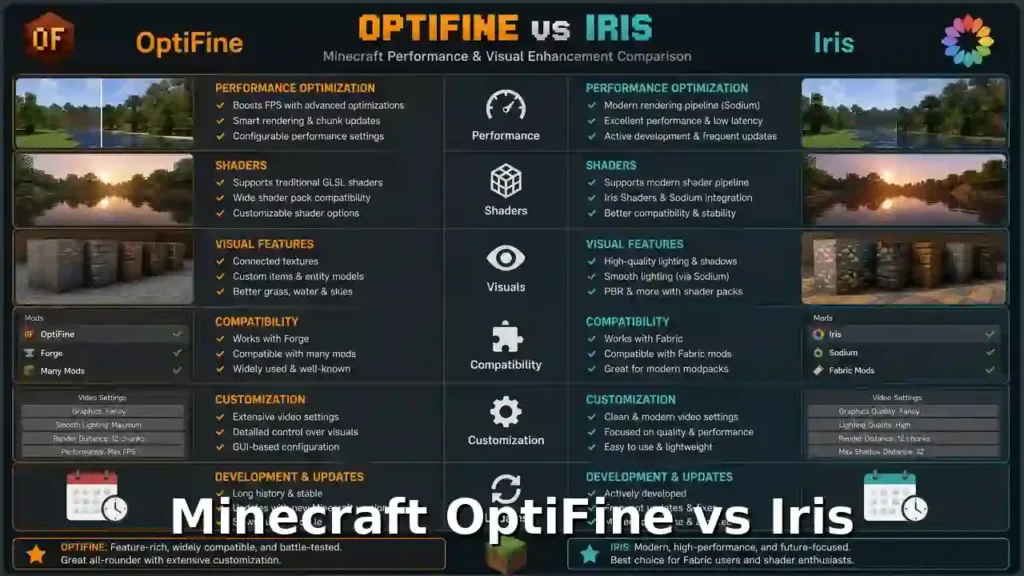
Survival Player
Recommended Choice: Iris + Sodium
Survival players usually need:
- Good performance.
- Beautiful shaders.
- Exploration improvements.
Iris + Sodium provides:
- Smooth gameplay.
- Shader support.
- Better compatibility with survival mods.
OptiFine remains useful if you want:
- Dynamic Lights.
- Classic resource packs.
- Built-in visual features.
Winner: Iris + Sodium for modern survival.
Hardcore Player
Recommended Choice: Iris + Sodium
Hardcore worlds require stability. A single crash can end a long-term world.
Iris + Sodium offers:
- Strong performance.
- Better compatibility.
- Modern optimization.
Recommended setup:
- Iris.
- Sodium.
- Lightweight shader pack.
- Performance mods.
Avoid unnecessary mods that can create conflicts.
Winner: Iris + Sodium
Content Creator
Recommended Choice: Depends on Content Type
Content creators need:
- Beautiful visuals.
- Stable recording.
- High FPS.
- Custom visuals.
Choose OptiFine for:
- Cinematic resource packs.
- Custom entity models.
- Old shader setups.
- Custom skies.
Choose Iris for:
- Smooth recording.
- Higher FPS.
- Modern shaders.
- Large modded projects.
Iris + Sodium can provide more performance headroom while recording.
Best choice:
- Visual showcase creator → OptiFine.
- Performance-focused creator → Iris.
Modpack Player
Recommended Choice: Iris Ecosystem
Modpack players should usually choose based on their mod loader.
Fabric Modpacks
Choose:
Iris + Sodium
Advantages:
- Better compatibility.
- Modern optimization.
- Modular design.
Forge Modpacks
Choose:
Embeddium + Oculus
Advantages:
- Forge compatibility.
- Performance improvements.
- Shader support.
Older Modpacks
Choose:
OptiFine
Reasons:
- Many older packs depend on OptiFine features.
- Resource packs may require CEM or CTM.
Final Decision Table
| Player Type | Best Choice | Reason |
| Casual player | Iris + Sodium | Better modern performance |
| Builder | Depends | OptiFine features or Iris FPS |
| PvP player | Iris + Sodium | Higher FPS |
| Survival player | Iris + Sodium | Smooth shaders and gameplay |
| Hardcore player | Iris + Sodium | Stability and performance |
| Content creator | Depends | Features vs performance |
| Fabric modpack player | Iris + Sodium | Best compatibility |
| Forge modpack player | Embeddium + Oculus | Forge optimization |
| Resource pack user | OptiFine | More built-in features |
Final Recommendation
Choose OptiFine if you want:
- A simple all-in-one graphics mod.
- Built-in visual features.
- Maximum resource pack compatibility.
Choose Iris + Sodium if you want:
- Better FPS.
- Modern shaders.
- Better mod compatibility.
- A future-ready setup.
For most Minecraft players in 2026, Iris + Sodium is the recommended choice. OptiFine remains valuable for players who specifically need its unique features.
OptiFine vs Iris Pros and Cons: Strengths and Weaknesses Compared
Understanding the advantages and limitations of both mods helps you choose the right shader solution. Minecraft OptiFine vs Iris is not simply about which mod is better.
The right choice depends on your priorities:
- Built-in features.
- Performance.
- Shader support.
- Mod compatibility.
- Resource pack features.
OptiFine Pros
1. All-in-One Graphics Solution
OptiFine combines many visual improvements into one mod.
Players get:
- Shader support.
- Dynamic Lights.
- Zoom.
- Connected Textures.
- Custom Entity Models.
- Custom Item Textures.
You do not need many extra mods.
2. Easy Installation
OptiFine has a simple setup process.
Players can:
- Download the installer.
- Install the profile.
- Add shaders.
This makes it beginner-friendly.
3. Strong Resource Pack Support
OptiFine remains popular because many resource packs depend on its features.
It supports:
- CEM.
- CIT.
- CTM.
- Custom skies.
- Custom colors.
Players using advanced resource packs often prefer OptiFine.
4. Long Shader History
OptiFine has supported Minecraft shaders for many years. Many classic shader packs were designed around OptiFine.
Examples:
- SEUS.
- Older BSL versions.
- Classic cinematic shaders.
5. Built-In Visual Features
OptiFine includes many features without additional installations.
Examples:
- Dynamic Lights.
- Better Grass.
- Better Snow.
- Custom animations.
- Graphics controls.
This creates a convenient experience.
OptiFine Cons
1. Limited Mod Compatibility
OptiFine changes many parts of Minecraft’s rendering system. This can create conflicts with other mods.
Common issues:
- Crashes.
- Visual bugs.
- Missing textures.
- Rendering problems.
2. Closed Source Development
OptiFine is not open source.
This means:
- Developers cannot directly contribute code.
- Internal changes are not publicly visible.
- Community development is limited.
3. Slower Updates
OptiFine updates depend on its development process. New Minecraft versions may take time to receive full OptiFine support.
4. Lower Performance Compared With Modern Optimization Mods
OptiFine can improve FPS, but newer optimization mods often perform better.
Examples:
- Sodium.
- Embeddium.
Iris + Sodium often provides higher performance for modern Minecraft versions.
5. Not Designed for Modern Mod Ecosystems
Large modern modpacks often prefer modular optimization tools.
OptiFine can cause issues in:
- Fabric packs.
- Large modpacks.
- Complex rendering setups.
Iris Pros
1. Excellent Performance
Iris works especially well with Sodium.
Together they provide:
- Higher FPS.
- Better frame stability.
- Faster rendering.
- Reduced stuttering.
This makes Iris popular among performance-focused players.
2. Modern Mod Compatibility
Iris is designed for the Fabric ecosystem.
It works well with:
- Fabric API.
- Sodium.
- Lithium.
- FerriteCore.
- Other optimization mods.
3. Open Source Development
Iris uses an open-source development model.
Benefits include:
- Community contributions.
- Public development.
- Easier troubleshooting.
- More transparency.
4. Modern Shader Support
Iris supports many popular shader packs.
Examples:
- BSL.
- Complementary.
- SEUS.
- Sildur’s.
- Bliss.
It allows players to use shaders with modern performance improvements.
5. Modular Ecosystem
Iris does not try to handle every feature. Instead, players choose specialized mods.
Examples:
- Iris → Shaders.
- Sodium → Performance.
- EMF → Entity models.
- ETF → Entity textures.
- Continuity → Connected textures.
This improves flexibility.
Iris Cons
1. Requires Extra Mods for Some Features
Iris does not include many OptiFine features.
Players may need additional mods for:
- Dynamic Lights.
- CEM.
- CIT.
- CTM.
- Zoom.
2. More Complex Installation
A typical Iris setup requires:
- Fabric Loader.
- Fabric API.
- Iris.
- Sodium.
Beginners may find this more complicated.
3. Fabric Focused
Iris is built for Fabric. Players using Forge modpacks cannot directly use Iris.
Forge users usually need:
- Embeddium.
- Oculus.
4. Limited OptiFine Resource Pack Compatibility
Some resource packs rely on OptiFine-only features. These may not work perfectly with Iris.
Examples:
- Advanced CEM packs.
- Old CIT packs.
- Custom sky packs.
Pros and Cons Comparison
| Category | OptiFine | Iris |
| Installation | Easier | Requires more setup |
| FPS performance | Good | Excellent with Sodium |
| Shader support | Excellent | Excellent |
| Resource packs | Better | Requires alternatives |
| Mod compatibility | Limited | Strong |
| Development | Closed source | Open source |
| Built-in features | More | Fewer |
| Modern ecosystem | Limited | Strong |
| Customization | All-in-one | Modular |
Final Verdict
Choose OptiFine if you want:
- Simple installation.
- Built-in graphics features.
- Maximum resource pack compatibility.
Choose Iris if you want:
- Higher FPS.
- Modern shader performance.
- Better mod compatibility.
- A future-focused Minecraft setup.
For most modern Minecraft players, Iris + Sodium offers the strongest overall experience. OptiFine remains an excellent choice for players who value convenience and its unique visual features.
OptiFine vs Iris Common Problems and Fixes
Even the best Minecraft optimization mods can have problems. When comparing Minecraft OptiFine vs Iris, both provide shader support and performance improvements, but they can fail for different reasons. OptiFine problems usually come from compatibility issues. Iris problems usually come from Fabric setup or missing dependencies.
Common OptiFine Problems
1. OptiFine Crashes
OptiFine crashes can happen because of:
- Wrong Minecraft version.
- Incompatible mods.
- Incorrect Java version.
- Conflicting rendering mods.
Common Fixes:
- Install the correct OptiFine version.
- Remove conflicting graphics mods.
- Update Java.
- Test OptiFine without other mods.
Always test a clean installation first.
2. Shader Issues
Shader problems are common with OptiFine setups.
Symptoms include:
- Black screens.
- Missing effects.
- Flickering.
- Low FPS.
- Minecraft crashes.
Possible Causes:
- Unsupported shader version.
- Wrong OptiFine version.
- Outdated graphics drivers.
- Insufficient GPU power.
Fixes:
- Update GPU drivers.
- Try another shader pack.
- Lower shader settings.
- Use a compatible Minecraft version.
3. Mod Conflicts
OptiFine modifies Minecraft rendering code. Some mods also change rendering systems. This can create conflicts.
Common symptoms:
- Crashes during startup.
- Broken textures.
- Missing models.
- Visual glitches.
Fixes:
- Remove conflicting mods.
- Check mod compatibility.
- Use recommended versions.
- Consider modern alternatives for large modpacks.
4. Missing Options
Sometimes OptiFine settings do not appear.
Examples:
- Missing shaders button.
- Missing performance settings.
- Missing video options.
Possible causes:
- OptiFine was not installed correctly.
- Another mod overrides settings.
- Wrong Minecraft profile launched.
Fixes:
- Launch the OptiFine profile.
- Reinstall OptiFine.
- Remove conflicting mods.
5. Performance Drops
OptiFine usually improves FPS, but performance can drop with:
- Heavy shaders.
- Large resource packs.
- High render distance.
- Advanced settings.
Fixes:
Reduce:
- Shadow quality.
- Render distance.
- Smooth lighting.
- Particles.
Use lightweight shader packs on weaker systems.
Common Iris Problems
1. Shader Errors
Iris supports many shader packs, but some older packs may not work correctly.
Symptoms:
- Shader compilation errors.
- Broken lighting.
- Missing effects.
Possible Causes:
- Outdated shader pack.
- Unsupported shader features.
- Wrong Minecraft version.
Fixes:
- Update the shader pack.
- Use Iris-compatible shaders.
- Check shader documentation.
2. Sodium Conflicts
Iris works closely with Sodium.
Sometimes conflicts happen because of:
- Wrong Sodium version.
- Incompatible mods.
- Duplicate optimization mods.
Symptoms:
- Startup crashes.
- Rendering problems.
- Missing video settings.
Fixes:
- Match Iris and Sodium versions.
- Remove duplicate rendering mods.
- Update Fabric mods.
3. Missing Mods
Iris requires specific dependencies.
Common missing files:
- Fabric Loader.
- Fabric API.
- Sodium.
Without required mods, Minecraft may fail to launch.
Fixes:
Check your mods folder:
.minecraft/mods Make sure required files are installed.
4. Fabric Installation Issues
Fabric setup errors are common for beginners.
Problems include:
- Wrong Fabric version.
- Incorrect mods folder.
- Missing Fabric API.
- Launching vanilla instead of Fabric.
Fixes:
Follow this order:
- Install Fabric Loader.
- Install Fabric API.
- Add Sodium.
- Add Iris.
- Launch the Fabric profile.
Troubleshooting Comparison
| Problem | OptiFine Solution | Iris Solution |
| Crash | Check versions and conflicts | Check Fabric dependencies |
| Shader errors | Use compatible shaders | Update shaders and Iris |
| Mod conflicts | Remove conflicting mods | Check Fabric compatibility |
| Missing options | Reinstall OptiFine | Check Sodium/Iris setup |
| FPS drops | Lower settings | Adjust Sodium settings |
| Resource issues | Check OptiFine features | Add required Fabric mods |
Which Is Easier to Troubleshoot?
OptiFine
Advantages:
- Simple installation.
- Fewer required files.
- Easy shader setup.
Problems:
- Mod conflicts can be difficult to solve.
Iris
Advantages:
- Clear modular structure.
- Better compatibility with Fabric tools.
Problems:
- More dependencies.
- More setup steps.
Final Troubleshooting Advice
For OptiFine:
- Use matching versions.
- Avoid mixing many rendering mods.
- Test shaders individually.
For Iris:
- Keep Fabric, Sodium, and Iris updated together.
- Install required dependencies.
- Use compatible shader packs.
Most issues happen because of version mismatches, not because the mods are broken.
OptiFine vs Iris Performance Optimization: Best Settings for Higher FPS
Getting the best Minecraft performance requires more than choosing between OptiFine vs Iris.
Your settings have a major impact on:
- FPS.
- Frame stability.
- Loading speed.
- Shader performance.
- Battery usage.
The best setup depends on your hardware. A low-end laptop needs different settings than a high-end RTX gaming PC.
Best Graphics Settings
Graphics settings control Minecraft’s visual quality and performance.
Recommended Settings for Maximum FPS
| Setting | Recommended Value |
| Graphics | Fast |
| Smooth Lighting | Off or Minimum |
| Render Distance | 6–12 chunks |
| Simulation Distance | 4–6 chunks |
| Clouds | Off |
| Particles | Minimal |
| Entity Shadows | Off |
| Biome Blend | 0–2 blocks |
| VSync | Off |
| Mipmap Levels | 0–2 |
These settings reduce rendering workload.
OptiFine Performance Settings
OptiFine includes many built-in optimization options.
Recommended:
Fast Render
Improves rendering efficiency on supported systems.
Smooth FPS
Helps reduce FPS fluctuations.
Fast Math
Reduces some mathematical calculations.
Lazy Chunk Loading
Can improve performance on slower systems.
Render Regions
Helps large worlds render more efficiently.
Iris + Sodium Performance Settings
Iris gains most performance improvements through Sodium.
Recommended Sodium settings:
- Lower chunk update threads if your CPU struggles.
- Reduce entity distance.
- Use balanced chunk rendering.
- Keep unnecessary visual effects disabled.
Iris itself focuses on shader loading. Sodium handles most rendering optimization.
Render Distance
Render distance controls how far Minecraft loads chunks. Higher values improve views but require more processing power.
Low-End PCs
Recommended:
6–8 chunks
Benefits:
- Higher FPS.
- Faster loading.
- Less RAM usage.
Mid-Range PCs
Recommended:
10–16 chunks
Good balance:
- Smooth gameplay.
- Better exploration views.
High-End PCs
Recommended:
16–32 chunks
Requires:
- Strong CPU.
- Strong GPU.
- Enough RAM.
Heavy shaders may require lower distances.
Simulation Distance
Simulation distance controls how far Minecraft processes:
- Mobs.
- Farms.
- Redstone.
- Villagers.
- World updates.
It affects CPU usage more than GPU usage.
Recommended Values
| Hardware | Simulation Distance |
| Low-end PC | 4 chunks |
| Mid-range PC | 5–8 chunks |
| High-end PC | 8–12 chunks |
Lower simulation distance improves FPS in busy areas.
Chunk Updates
Chunk updates happen when Minecraft loads and changes terrain.
Too many updates can cause:
- FPS drops.
- Stuttering.
- Slow world loading.
Optimization Tips
Reduce:
- Render distance.
- Simulation distance.
- Entity count.
Use performance mods:
For Fabric:
- Sodium.
- Lithium.
- FerriteCore.
For Forge:
- Embeddium.
- Modern optimization mods.
Entity Distance
Entity distance controls how far Minecraft renders mobs and objects.
Examples:
- Animals.
- Villagers.
- Monsters.
- Items.
High entity distance increases CPU workload.
Recommended Settings
| PC Type | Entity Distance |
| Low-end | 50–75% |
| Mid-range | 75–100% |
| High-end | 100%+ |
Reducing entity distance helps crowded areas.
Java Arguments
Java arguments control how Minecraft uses system resources. Most players do not need advanced arguments. Modern Minecraft launchers already provide good defaults. Useful examples include:
-Xmx4G
This sets Minecraft’s maximum memory.
Example:
-Xmx6G
This allows Minecraft to use up to 6GB RAM.Avoid adding random JVM arguments from unknown sources. Incorrect arguments can reduce performance.
Memory Allocation
RAM allocation affects Minecraft stability. More RAM does not always mean more FPS. Too much memory can increase garbage collection delays.
Recommended RAM Allocation
| System RAM | Minecraft Allocation |
| 8GB RAM | 3–4GB |
| 16GB RAM | 4–6GB |
| 32GB RAM | 6–8GB |
Modpack Recommendations
Small Modpacks
Allocate:
4GB RAM
Medium Modpacks
Allocate:
5–6GB RAM
Large Modpacks
Allocate:
6–8GB RAM
Do not allocate your entire system memory. Your operating system also needs RAM.
Shader Performance Optimization
Shaders can reduce FPS significantly. For better performance:
Lower First:
- Shadow quality.
- Render distance.
- Volumetric effects.
- Reflections.
- Cloud quality.
Keep:
- Lighting quality.
- Water effects.
These provide the biggest visual improvements.
Best Performance Setup
Low-End PC
Recommended:
- Iris + Sodium.
- Lightweight shaders.
- 6–8 chunk render distance.
- 3–4GB RAM.
Mid-Range PC
Recommended:
- Iris + Sodium.
- Medium shaders.
- 10–16 chunk render distance.
- 4–6GB RAM.
High-End PC
Recommended:
- Iris + Sodium.
- High-quality shaders.
- 16–32 chunk render distance.
- 6–8GB RAM.
Final Performance Verdict
For modern Minecraft optimization:
Iris + Sodium provides the strongest performance foundation.
It delivers:
- Higher FPS.
- Better frame consistency.
- Efficient rendering.
OptiFine remains useful for players who want built-in optimization controls and older resource pack features. The best FPS comes from combining the right mod with the right settings.
OptiFine vs Iris Safety: Are They Safe to Download and Use?
When comparing Minecraft OptiFine vs Iris, security is an important factor. Both mods are popular Minecraft graphics tools used by millions of players. However, safety depends on where you download them from Fake websites often copy popular mod pages and distribute unsafe files.
Is OptiFine Safe?
Yes, OptiFine is generally safe when downloaded from its official source. OptiFine has been available for many years and is widely used by Minecraft players.
It provides features like:
- Shader support.
- Performance settings.
- Dynamic Lights.
- Advanced graphics options.
The main security risk comes from unofficial download websites.
Avoid:
- Random APK-style downloads.
- Modified installers.
- Unknown mirrors.
- Files bundled with extra software.
Always verify that you download the correct .jar file.
Is Iris Safe?
Yes, Iris Shaders is safe when downloaded from its official sources. Iris is an open-source project. Its source code is publicly available, allowing developers to review the project.
Iris is commonly used with:
- Fabric Loader.
- Sodium.
- Fabric API.
Because Iris is part of the modern Minecraft optimization ecosystem, it has strong community visibility.
Official Downloads
Always download Minecraft mods from official project pages.
OptiFine
Use the official OptiFine website.
Check that:
- The domain is correct.
- The file matches your Minecraft version.
- The installer is a .jar file.
Iris
Use the official Iris project pages.
Check that:
- You download the correct Minecraft version.
- You install required dependencies.
- You avoid unofficial reuploads.
Fake Download Sites
Popular mods often attract fake websites.
These sites may:
- Copy official designs.
- Show fake download buttons.
- Add unwanted software.
- Bundle installers.
- Redirect users.
Common warning signs:
Too Many Ads
A page filled with multiple fake download buttons can be suspicious.
Extra Software Offers
Avoid installers that request:
- Browser extensions.
- Unknown applications.
- System changes.
Minecraft mods normally do not require extra programs.
Incorrect File Types
Minecraft mods usually use:
- .jar files.
Be careful with:
- .exe installers.
- .msi files.
- Unknown archives.
Security Tips
Follow these steps before installing any Minecraft mod.
1. Use Official Sources
Download from the developer’s official website or official project page.
2. Scan Files
Use security software to scan downloaded files.
3. Check File Names
Make sure the file matches the expected mod name. Avoid renamed or modified files.
4. Keep Minecraft Updated
Use supported versions of:
- Minecraft.
- Java.
- Mod loaders.
- Graphics drivers.
5. Avoid Cracked Mod Downloads
Modified mod files may contain:
- Malware.
- Hidden programs.
- Unauthorized changes.
Use trusted sources only.
Safety Comparison
| Category | OptiFine | Iris |
| Reputation | Established for many years | Modern open-source project |
| Source model | Closed source | Open source |
| Safe when official | Yes | Yes |
| Main risk | Fake download sites | Fake download sites |
| Extra dependencies | Usually no | Fabric ecosystem required |
| Community review | Large user base | Open-source community |
Which Is Safer: OptiFine or Iris?
Both are safe when downloaded from official sources. The biggest security risk is not the mod itself. The biggest risk is downloading modified files from fake websites. Follow one simple rule:
Download Minecraft mods only from trusted official sources.
A safe installation includes:
- Official mod file.
- Correct Minecraft version.
- Trusted mod loader.
- Updated security software.
For most players, both OptiFine and Iris are safe choices when installed correctly.
Frequently Asked Questions: Minecraft OptiFine vs Iris
Players often ask Minecraft OptiFine vs Iris questions before choosing a shader setup. Both mods solve similar problems, but they follow different approaches. OptiFine focuses on an all-in-one graphics experience. Iris focuses on modern shader support, performance, and mod compatibility.
Is Iris better than OptiFine?
It depends on what you need.
Iris is better for:
- Higher FPS.
- Modern Minecraft versions.
- Fabric modpacks.
- Shader performance.
- Mod compatibility.
OptiFine is better for:
- Built-in graphics features.
- Older Minecraft versions.
- OptiFine resource packs.
- Simple installation.
For most modern players, Iris + Sodium is the recommended choice.
Does Iris support OptiFine shaders?
Yes. Iris was designed to support many existing OptiFine shader packs.
Popular supported shaders include:
- BSL Shaders.
- Complementary Shaders.
- SEUS.
- Sildur’s.
- Bliss.
- Solas.
However, compatibility is not always perfect. Some older shaders may depend on OptiFine-specific behavior.
Which gives more FPS: OptiFine or Iris?
In most modern Minecraft versions:
Iris + Sodium usually provides higher FPS.
Sodium improves Minecraft’s rendering performance.
Benefits include:
- Faster chunk rendering.
- Better frame consistency.
- Reduced rendering overhead.
OptiFine can still improve FPS, especially on older versions.
Can I use Iris with Forge?
No. Iris is built for the Fabric ecosystem. It does not officially support Forge.
Forge players usually use alternatives:
- Oculus.
- Embeddium.
These provide a similar shader and performance setup for Forge.
Can I use OptiFine with Fabric?
OptiFine does not officially support Fabric.
Some unofficial compatibility projects exist, but they may cause:
- Compatibility issues.
- Mod conflicts.
- Performance problems.
For Fabric modpacks, Iris is usually the better choice.
Does Iris support Dynamic Lights?
No. Iris does not include OptiFine’s Dynamic Lights feature. Players can use separate Fabric mods for dynamic lighting.
Popular alternatives include:
- LambDynamicLights.
- RyoamicLights.
This follows Iris’s modular design. One mod handles shaders. Another mod handles dynamic lighting.
Why doesn’t Iris support CEM?
CEM means Custom Entity Models. OptiFine includes CEM support directly. Iris does not include CEM because it focuses on shaders and rendering performance. Adding every OptiFine feature would make Iris a large all-in-one mod.
Instead, Iris users can install:
- Entity Model Features (EMF).
- Entity Texture Features (ETF).
These mods provide OptiFine-style entity customization.
What replaces CTM on Iris?
CTM means Connected Textures Mod. OptiFine includes CTM support. Iris users usually install:
Continuity
Continuity adds connected texture support for Fabric resource pack setups.
It allows features like:
- Connected glass.
- Seamless blocks.
- Better decorative textures.
Is Iris open source?
Yes. Iris is an open-source project. Its source code is publicly available.
Benefits include:
- Community contributions.
- Public development.
- Greater transparency.
- Easier issue tracking.
This differs from OptiFine, which uses a closed-source development model.
Which is best for modpacks?
The best choice depends on the mod loader.
Fabric Modpacks
Recommended:
Iris + Sodium
Benefits:
- Better compatibility.
- Higher performance.
- Modern optimization.
Forge Modpacks
Recommended:
Embeddium + Oculus
Benefits:
- Forge support.
- Shader compatibility.
- Better optimization.
Older Modpacks
Recommended:
OptiFine
Reasons:
- Older packs may depend on OptiFine features.
- Resource packs may require CEM or CTM.
Which should beginners install?
For beginners, the choice depends on their goal.
Choose OptiFine if you want:
- Simple installation.
- One graphics mod.
- Built-in features.
- Classic shader setup.
Choose Iris if you want:
- Better FPS.
- Modern shaders.
- Future compatibility.
- Fabric mod support.
For most new Minecraft players in 2026: Install Iris + Sodium for the best balance of performance and compatibility.
Quick FAQ Comparison
| Question | Answer |
| Is Iris better than OptiFine? | Better for performance and modern modding |
| Does Iris support OptiFine shaders? | Yes, most popular shaders |
| Which gives more FPS? | Usually Iris + Sodium |
| Iris with Forge? | No, use Oculus + Embeddium |
| OptiFine with Fabric? | Not officially supported |
| Iris Dynamic Lights support? | Requires separate mods |
| Iris CEM support? | Requires EMF |
| Iris CTM replacement? | Continuity |
| Is Iris open source? | Yes |
| Best for modpacks? | Iris for Fabric, Embeddium for Forge |
| Best for beginners? | Depends on needs; Iris for modern setups |
Final FAQ Verdict
The OptiFine vs Iris debate comes down to two different philosophies. OptiFine provides a complete graphics package with many built-in features. Iris provides a modern performance-focused ecosystem with specialized mods. Choose OptiFine for simplicity and classic features. Choose Iris for performance, shaders, and modern Minecraft compatibility.
Related Guides: Continue Your Minecraft Optimization Journey
The Minecraft OptiFine vs Iris comparison covers the main differences between shader loaders, performance mods, and visual enhancement tools. If you want to improve your Minecraft experience further, these related guides can help you choose the right setup, install everything correctly, and optimize your game.
How to Install OptiFine
Learn how to install OptiFine step by step.
This guide covers:
- Downloading OptiFine safely.
- Installing the OptiFine profile.
- Adding shader packs.
- Adjusting performance settings.
- Fixing common installation problems.
Recommended for players who want a simple all-in-one graphics upgrade.
How to Install Iris Shaders
Learn how to install Iris Shaders with the Fabric ecosystem.
This guide covers:
- Installing Fabric Loader.
- Adding Fabric API.
- Installing Iris.
- Installing Sodium.
- Adding shader packs.
- Configuring performance settings.
Recommended for players who want modern shader performance.
Best Minecraft Shader Packs
Choosing the right shader pack changes Minecraft’s visual style.
This guide covers popular shader options:
- BSL Shaders.
- Complementary Shaders.
- SEUS.
- Sildur’s Shaders.
- Bliss Shaders.
- Solas Shaders.
- Continuum.
You will learn:
- Performance requirements.
- Visual differences.
- Best settings.
- Recommended hardware.
OptiFine Settings Guide
OptiFine includes many settings that can improve FPS.
This guide explains:
- Video settings.
- Performance options.
- Quality settings.
- Animation controls.
- Shader settings.
- Low-end PC optimization.
Recommended for players using OptiFine on older systems.
Iris Settings Guide
Iris works differently from OptiFine.
This guide explains:
- Iris shader settings.
- Sodium optimization options.
- FPS improvements.
- Shader performance tuning.
- Best settings for different GPUs.
Recommended for players using modern Minecraft versions.
Sodium Optimization Guide
Sodium is one of the most important performance mods in modern Minecraft.
This guide covers:
- How Sodium improves rendering.
- Best performance settings.
- FPS optimization.
- Chunk rendering improvements.
- Compatibility with Iris.
Recommended setup:
Iris + Sodium
This combination provides one of the best shader performance experiences.
Fabric vs Forge
Minecraft mod loaders affect compatibility. This guide compares:
Fabric
Advantages:
- Lightweight design.
- Fast updates.
- Strong optimization ecosystem.
- Great performance mods.
Popular mods:
- Iris.
- Sodium.
- Lithium.
- FerriteCore.
Forge
Advantages:
- Large mod library.
- Long development history.
- Strong support for complex modpacks.
Popular shader setup:
- Embeddium.
- Oculus.
Embeddium vs Sodium
Embeddium and Sodium solve similar problems on different platforms.
This guide compares:
- Performance.
- Mod compatibility.
- Forge vs Fabric support.
- Shader support.
- Large modpack usage.
Quick comparison:
| Feature | Sodium | Embeddium |
| Mod loader | Fabric | Forge/NeoForge |
| Performance optimization | Excellent | Excellent |
| Shader support | Iris | Oculus |
| Best for | Fabric players | Forge players |
Minecraft Dynamic Lighting
Dynamic Lighting improves Minecraft exploration.
This guide covers:
- OptiFine Dynamic Lights.
- Light-emitting items.
- Client-side lighting.
- Performance impact.
- Alternative dynamic lighting mods.
Recommended for players who want:
- Better cave exploration.
- Improved immersion.
- Real-time lighting effects.
OptiFine Alternatives
OptiFine is no longer the only option for Minecraft optimization.
This guide compares alternatives:
- Iris + Sodium.
- Embeddium + Oculus.
- LambDynamicLights.
- RyoamicLights.
- Continuity.
- Entity Model Features.
- Entity Texture Features.
You will learn:
- Which features each mod replaces.
- Performance differences.
- Compatibility options.
- Best setup for your Minecraft version.
Recommended Reading Order
For beginners:
- How to Install OptiFine.
- How to Install Iris Shaders.
- Best Minecraft Shader Packs.
- OptiFine Settings Guide.
- Iris Settings Guide.
For performance-focused players:
- Fabric vs Forge.
- Sodium Optimization Guide.
- Embeddium vs Sodium.
- Iris Settings Guide.
For advanced players:
- OptiFine Alternatives.
- Minecraft Dynamic Lighting.
- Resource Pack Compatibility Guides.
Final Recommendation
Minecraft graphics optimization has changed. OptiFine remains valuable because of its built-in features and long history. Iris, Sodium, and modern optimization mods provide a faster and more flexible ecosystem. Use these related guides to build the setup that matches your Minecraft version, hardware, and play style.
Conclusion: Minecraft OptiFine vs Iris — Which Shader Mod Should You Choose?
The Minecraft OptiFine vs Iris comparison does not have one universal winner. Both mods improve Minecraft graphics, but they follow different approaches. OptiFine is an all-in-one graphics enhancement mod. Iris is a modern shader-focused mod built for performance and compatibility.Your best choice depends on how you play Minecraft.
Key Differences Between OptiFine and Iris
OptiFine Strengths
OptiFine remains popular because it provides many features in one package.
It offers:
- Simple installation.
- Built-in performance settings.
- Shader support.
- Dynamic Lights.
- Custom Entity Models.
- Connected Textures.
- Custom Item Textures.
- Long-term resource pack support.
OptiFine is a strong choice for players who want convenience and classic Minecraft visuals.
Iris Strengths
Iris focuses on modern Minecraft performance. It works best with Sodium.
The Iris + Sodium combination provides:
- Higher FPS.
- Better frame stability.
- Modern shader support.
- Strong Fabric compatibility.
- Better performance for large modpacks.
Iris follows a modular approach.
Players can add specialized mods for extra features:
- EMF for entity models.
- ETF for entity textures.
- Continuity for connected textures.
- Dynamic lighting mods for moving light sources.
Best Choice for Different Players
Casual Players
Recommended: Iris + Sodium
Why:
- Better modern performance.
- Excellent shader support.
- Future-friendly setup.
Choose OptiFine if you want the simplest installation.
Resource Pack Users
Recommended: OptiFine
Why:
- Native CEM support.
- Native CIT support.
- Native CTM support.
- Better compatibility with older resource packs.
PvP Players
Recommended: Iris + Sodium
Why:
- Higher FPS.
- Better frame consistency.
- Lower rendering overhead.
Smooth gameplay matters more than extra visual features.
Survival Players
Recommended: Iris + Sodium
Why:
- Great shader performance.
- Better compatibility with modern mods.
- Smooth exploration experience.
Hardcore Players
Recommended: Iris + Sodium
Why:
- Stable performance.
- Better optimization.
- Fewer conflicts in modern setups.
Content Creators
Choose based on your content.
OptiFine:
- Cinematic screenshots.
- Classic resource packs.
- Custom visual features.
Iris + Sodium:
- Recording gameplay.
- Higher FPS.
- Modern shader setups.
Modpack Players
The best choice depends on the mod loader.
Fabric Modpacks
Choose:
Iris + Sodium
Benefits:
- Better compatibility.
- Strong performance.
- Modern ecosystem.
Forge Modpacks
Choose:
Embeddium + Oculus
Benefits:
- Forge support.
- Shader compatibility.
- Performance improvements.
Older Modpacks
Choose:
OptiFine
Benefits:
- Better support for older resource packs.
- Familiar shader setup.
Final Winner: OptiFine or Iris?
For most modern Minecraft players in 2026:
Iris + Sodium is the recommended choice.
It provides:
- Better FPS.
- Better mod compatibility.
- Modern shader performance.
- A flexible ecosystem.
However, OptiFine is still valuable.
Choose OptiFine if you need:
- Built-in graphics features.
- Advanced resource pack support.
- Simple setup.
Choose Iris if you want:
- Maximum performance.
- Modern shaders.
- Future compatibility.
Continue Improving Your Minecraft Setup
After choosing your shader solution, follow the correct setup guides:
- Learn how to install OptiFine.
- Learn how to install Iris Shaders.
- Optimize OptiFine settings.
- Optimize Iris and Sodium settings.
- Choose the best Minecraft shader packs.
A well-optimized setup depends on three things:
- The right shader mod.
- The right settings.
- The right shader pack for your hardware.
Minecraft graphics have evolved beyond a single optimization mod.OptiFine built the foundation for Minecraft visual improvements.Iris and Sodium represent the next generation of performance-focused Minecraft graphics.Choose the setup that matches your goals, and you will get the best OptiFine for Minecraft Windows 10 Edition experience for your system.