
Minecraft Java and Bedrock Edition: Complete Guide and Differences
Minecraft Java and Bedrock Edition are two separate versions of Minecraft. Java focuses on PC play, mods, and custom servers, while Bedrock supports broader device cross-play and built-in Marketplace content. Minecraft has two editions because they use different technologies and target different platforms. Java Edition runs on Windows, macOS, and Linux. Bedrock Edition runs on Windows, consoles, mobile devices, and other supported platforms.
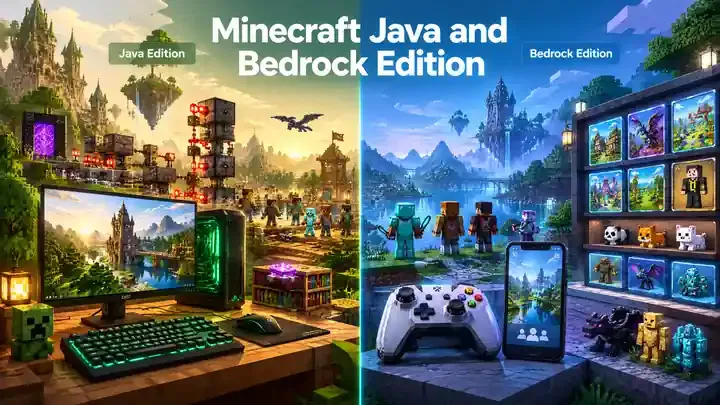
The biggest differences involve platforms, cross-play, mods, add-ons, servers, controls, and performance. Java players can play with other Java players across supported PC platforms. Bedrock players can play together across supported Bedrock devices. Java and Bedrock players cannot normally join the same multiplayer world. Windows PC players can access both editions through the Minecraft Launcher. This makes switching between Java and Bedrock simple.
This guide compares both editions using official Minecraft information. It also explains practical differences in simple terms. You will learn how each edition handles multiplayer, customization, performance, and controls. By the end, you will understand which features matter most for your Minecraft experience.
What Are Minecraft Java and Bedrock Edition?
Minecraft Java and Bedrock Edition offer the same core Minecraft experience. However, each edition uses different technology and supports different platforms and features.
What is Minecraft Java Edition?
Minecraft Java Edition is the original PC-focused version of Minecraft. It runs on Windows, macOS, and Linux. Java uses a Java-based game environment. It also has a large community-driven modding ecosystem. Players can customize gameplay with many third-party mods and tools.
Java also supports many third-party multiplayer servers. These servers offer custom game modes, maps, plugins, and other features. Java players can also test upcoming features through snapshots. Snapshots provide early development versions before major releases.
What is Minecraft Bedrock Edition?
Minecraft Bedrock Edition targets a much wider range of devices. It supports Windows, consoles, mobile devices, and other supported platforms. Bedrock supports cross-platform multiplayer across supported Bedrock devices. This makes it useful when friends play on different device types.
Bedrock also includes the Minecraft Marketplace. Players can access maps, skins, texture packs, and other creator content there. It also supports add-ons that can change blocks, items, mobs, and recipes. Bedrock also supports controller and touch controls. This makes it suitable for consoles and mobile devices.
Are Java and Bedrock the Same Game?
Java and Bedrock share Minecraft’s main gameplay experience. However, they remain separate editions with different technical systems. Some gameplay mechanics, commands, redstone behavior, and technical features differ between them. Their multiplayer systems also remain separate.
Java players normally need Java Edition to join a Java world or server. Bedrock players need Bedrock Edition for Bedrock worlds, servers, and Realms. This distinction matters most when choosing a platform, playing with friends, or installing custom content and Minecraft OptiFine.
Minecraft Java vs Bedrock: Key Differences
Java and Bedrock share the same Minecraft foundation. Their platforms, multiplayer systems, customization tools, and controls differ. These differences can affect which edition fits your needs.
| Feature | Java Edition | Bedrock Edition |
| Platforms | Windows, macOS, Linux | Windows, consoles, mobile, and Chromebook |
| Cross-play | Windows, macOS, and Linux | Supported Bedrock platforms |
| Mods | Extensive third-party mod ecosystem | Uses add-ons and Marketplace content |
| Marketplace | Not included | Included |
| Controller support | No native support | Supported |
| Touch controls | Not included | Supported on compatible devices |
| Third-party servers | Large community server ecosystem | Community and featured server options |
| Development versions | Snapshots | Preview and beta versions |
| Version selection | Supports older releases through the Launcher | Mainly latest stable or testing versions |
| Split-screen | Not included | Supported on consoles |
| Performance | Depends heavily on PC hardware | Designed for a wider range of devices |
Minecraft’s official comparison confirms these major differences.
Platforms and Cross-Play
Java Edition focuses on computers. It supports Windows, macOS, and Linux. Players can cross-play across these Java platforms. Bedrock supports a broader device range. It includes Windows, consoles, mobile devices, and Chromebook. Bedrock players can cross-play across supported Bedrock platforms. Java and Bedrock do not normally share multiplayer worlds. Players need the matching edition for their world, server, or Realm.
Mods and Marketplace
Java has a large third-party modding ecosystem. Players can install community-made modifications that change gameplay, visuals, or performance. Bedrock uses a different customization model. It supports add-ons and Minecraft Marketplace content. Marketplace content includes maps, skins, texture packs, and other creator content. This creates two different customization experiences. Java offers deeper community modification, while Bedrock offers integrated creator content.
Controls and Local Multiplayer
Bedrock includes native controller and touch support. This makes it practical for consoles and mobile devices. Java does not include native controller support. Players normally use keyboard and mouse controls. Bedrock also supports split-screen multiplayer on compatible consoles. Java does not include built-in split-screen multiplayer.
Versions and Performance
Java provides more flexibility for testing different releases. Players can access snapshots and select supported releases through the Launcher. Bedrock uses Preview or beta builds for testing upcoming features. Its normal game focuses on the latest stable version.
Performance also differs between editions and devices. Java can require stronger PC hardware for smooth gameplay. Bedrock targets a wider range of devices and often runs smoothly on less powerful hardware. Neither edition suits every player. Java fits players who value PC modding and flexible versions. Bedrock fits players who value cross-platform play and native controls.
Java and Bedrock Crossplay: Can They Play Together?
Can Java Players Join Bedrock Players?
No. Java and Bedrock do not natively share the same multiplayer ecosystem. Minecraft uses separate multiplayer systems for both editions. Java players join Java worlds and servers, while Bedrock players join Bedrock worlds and servers. A Java player cannot normally join a standard Bedrock world. The same rule applies in reverse. Minecraft’s official multiplayer requirements state that players need the matching edition to join a world, server, Realm, or LAN game.
This difference matters when you want to play with friends. Before starting multiplayer, check which edition everyone uses. This simple check can prevent connection problems. Java supports cross-play between supported Java platforms. Bedrock supports cross-play across supported Bedrock devices, including PC, consoles, and mobile.
What About Windows PC?
Windows PC users have a useful advantage. Minecraft: Java & Bedrock Edition for PC includes both editions. Players can switch between them through the unified Minecraft Launcher. However, owning both editions does not merge them into one multiplayer system. You still need to launch the same edition as your friends.
For example, Java players can join your Java game. Bedrock players can join your Bedrock game. You can switch editions when needed through the Launcher.
Refine the crossplay section
- Add Java-Bedrock server exceptions
Minecraft Java vs Bedrock Platforms
The biggest platform difference is simple: Java focuses on computers, while Bedrock supports a much wider device range. Official Minecraft documentation confirms these platform differences.
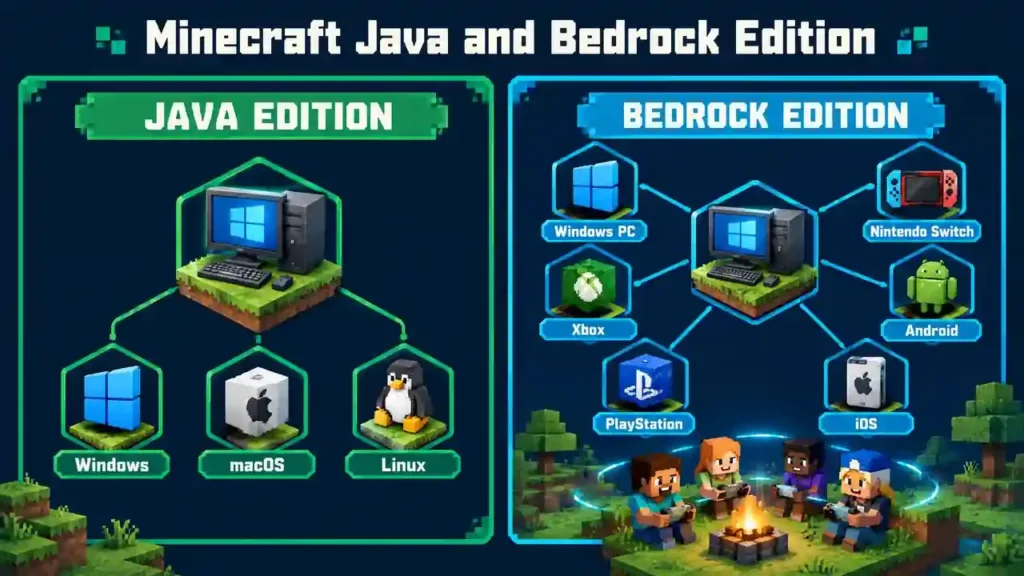
| Edition | Supported platforms |
| Java Edition | Windows, macOS, Linux |
| Bedrock Edition | Windows, Xbox, PlayStation, Nintendo Switch, Android, iOS, Chromebook, and other supported devices |
Java Edition Platforms
Minecraft Java Edition runs on Windows, macOS, and Linux computers. It does not have native versions for consoles or mobile devices. Java also supports cross-play between supported Java computer platforms. This means Windows, Mac, and Linux players can play together.
Bedrock Edition Platforms
Minecraft Bedrock Edition supports Windows, consoles, mobile devices, and Chromebook. Supported consoles include Xbox, PlayStation, and Nintendo Switch. Android and iOS devices also run Bedrock. Bedrock supports cross-platform play across supported Bedrock devices. For example, a Windows player can play with supported console and mobile players.
Windows users can access both editions through Minecraft: Java and Bedrock Edition for PC. The Minecraft Launcher lets them choose which edition to start.
Important: Platform support can change over time. Always check Minecraft’s official platform information before publishing updated compatibility details.
Refine the platform section
- Add platform-specific buying guidance
- Clarify Windows PC edition access
Java vs Bedrock Mods, Add-Ons, and Customization
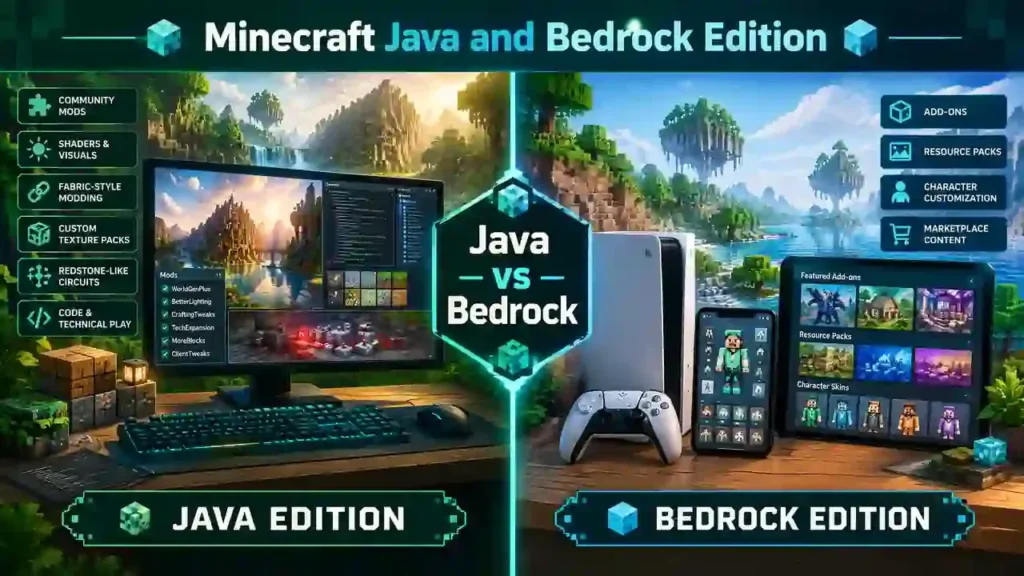
Customization looks different in each Minecraft edition. Java focuses on third-party mods, while Bedrock uses add-ons and Marketplace content. These systems let players change gameplay, visuals, and other parts of Minecraft.
Java Edition Mods
Java has a broad third-party modding ecosystem. Popular mod loaders include Fabric, Forge, NeoForge, and Quilt. Players can discover and manage mods through communities such as Modrinth and CurseForge. Java mods can change almost every part of gameplay. Some add new mobs, blocks, items, or dimensions. Others improve performance or change visual effects.
Some mods run mainly on the player’s client. Others work on servers and require matching installations. Performance mods can also reduce resource usage or improve frame rates. This flexible ecosystem gives Java players many ways to customize Minecraft.
Bedrock Add-Ons
Bedrock uses Add-Ons instead of Java-style mods. Add-Ons can change blocks, items, mobs, recipes, textures, and entity behavior. Bedrock customization commonly uses resource packs and behavior packs. Resource packs can change visuals and assets. Behavior packs can change gameplay behavior.
Players can also access creator content through the Minecraft Marketplace. Add-Ons can work in single-player worlds and supported multiplayer environments.
Which Edition Has More Modding Flexibility?
The two editions follow different customization models. Java offers deeper third-party modding. Its ecosystem includes multiple mod loaders and large community platforms. Bedrock offers more integrated customization. Add-Ons work within Minecraft’s pack system and connect closely with Marketplace content.
Therefore, the better choice depends on your goal. Choose Java for extensive third-party modifications. Choose Bedrock for integrated add-ons and Marketplace content.
Java vs Bedrock Servers and Multiplayer
Java and Bedrock both support multiplayer, but their server systems work differently. Your edition determines which servers and Realms you can join.
Java Servers
Java Edition has a large community server ecosystem. Players can join third-party servers with custom game modes, maps, plugins, and mods. Java also supports self-hosted servers. Server owners can use different server software to customize multiplayer experiences. Plugins and mods can add new gameplay systems and server features. Players must use a compatible Minecraft version when joining most Java servers.
Bedrock Servers
Bedrock Edition provides featured servers and community multiplayer options. Players can access servers through Minecraft’s multiplayer interface. Bedrock also supports player-hosted servers and cross-platform multiplayer. This lets supported Bedrock devices play together. However, Java and Bedrock servers remain separate. A Java player cannot normally join a standard Bedrock server. The same rule applies in reverse.
Minecraft Realms
Minecraft Realms provides private, cloud-hosted multiplayer servers. You can invite friends and keep your world available online. Java has Realms for Java Edition. It supports cross-play between Windows, macOS, and Linux Java players. Bedrock has Realms and Realms Plus. They support cross-play across compatible Bedrock devices and consoles. Realms does not connect Java and Bedrock players together. Each Realm supports players using its matching edition.
Refine the multiplayer section
- Clarify Realms and server choices
Java vs Bedrock Performance and Graphics
Performance depends on your device, settings, world, and Minecraft version. Neither edition performs best in every situation.
Performance
CPU and RAM usage can affect Minecraft’s frame rate and stability. Java’s current requirements reflect its growing technical demands. Minecraft now recommends 16 GB RAM for a 1080p, 60 FPS Java setup. FPS depends on hardware, resolution, graphics settings, and game workload. Higher render distance makes Minecraft process and display more terrain.
Simulation distance also affects performance. It controls how much of the world remains actively simulated. Java and Bedrock handle these settings differently. Bedrock targets a broad range of devices. Minecraft provides graphics settings that can reduce system resource usage.
Graphics
Both editions provide several graphics options. Resource packs can change textures, sounds, and other visual assets. Java supports community-created shaders through compatible modding tools. Bedrock also offers visual customization through resource packs and supported graphical features.
Bedrock currently includes graphics modes such as Simple, Fancy, and Vibrant Visuals. Vibrant Visuals can use more system resources. Java’s graphics technology also continues to evolve. Recent development versions have tested changes involving Vulkan and rendering improvements.
Why Performance Varies
Your results depend on several factors:
- CPU and GPU performance
- Available RAM
- Screen resolution
- Render distance
- Simulation distance
- Mods or add-ons
- Shaders and visual effects
- World complexity
- Minecraft version
For example, high render distance and demanding shaders can reduce FPS on capable computers. Therefore, avoid judging performance from the edition alone. Your hardware and settings matter just as much.
Refine the performance section
- Clarify graphics and shader support
- Add a Java vs Bedrock comparison table
Java vs Bedrock Controls
Minecraft supports different control methods across Java and Bedrock Edition. The biggest difference involves controller and touchscreen support.
Keyboard and Mouse
Java Edition mainly targets keyboard and mouse controls on PC. This setup gives precise movement, aiming, inventory management, and quick keybinds. Bedrock also supports keyboard and mouse on compatible PC versions. Its interface supports other input methods as well.
Controller
Bedrock includes native controller support across supported devices. This makes console and controller-based PC gaming easier. Java Edition does not provide native controller support. Players usually need third-party tools or compatible mods for controller input.
Touchscreen and Mobile
Bedrock supports touchscreen controls on mobile devices. Players can choose different touch layouts and control schemes. Mobile controls include virtual movement controls, touch actions, and customizable interface options.
Console Controls
Bedrock supports console controllers on Xbox, PlayStation, and Nintendo Switch. It also supports split-screen multiplayer on supported consoles.
Accessibility
Both editions provide accessibility settings for different player needs. These include narration, menu navigation, text options, and other helpful settings. Overall, Java suits keyboard-and-mouse players. Bedrock offers broader controller and touchscreen support across devices.
Java vs Bedrock Redstone, Commands, and Gameplay Mechanics
Java and Bedrock share Minecraft’s core systems, but some technical mechanics work differently. These differences matter most for technical players and advanced builds.
Redstone Differences
Redstone behavior can differ between Java and Bedrock. These differences can affect farms, automation, and technical builds. For example, some redstone components detect events differently between editions. As a result, a farm or contraption may need edition-specific designs. Technical players should check their edition before copying a build.
Commands
Both editions support commands for changing worlds and controlling gameplay. However, command availability and syntax can differ between versions. Java players often use commands with different arguments, selectors, and technical features. Bedrock also supports commands and command blocks for advanced automation. These differences matter when creating maps, servers, command systems, or technical tools.
Gameplay Mechanics
Combat, mob behavior, and other world mechanics can also vary between editions. These differences can affect farms, combat strategies, and technical Minecraft projects. Therefore, Java and Bedrock should not always share the same technical guides. Check the edition before following advanced instructions. Detailed articles can cover specific redstone, commands, and mechanics separately.
Java vs Bedrock Versions and Updates
Both editions receive major Minecraft updates, but their testing systems work differently.
Java
Java Edition provides stable releases for regular gameplay. It also offers snapshots for testing upcoming features before release. The Minecraft Launcher lets Java players select different release versions. This flexibility helps players use specific versions for servers, mods, or older worlds.
Bedrock
Bedrock provides stable releases for normal gameplay. It also offers Preview builds for testing upcoming features. Android players can also access Bedrock Beta releases through Google Play. Preview and Beta builds may contain bugs or unfinished features.
Why Version Matching Matters
Players should check their Minecraft version before joining multiplayer. Servers and players may require compatible versions. Testing builds can also prevent players from joining standard multiplayer sessions. Always check the edition and version before troubleshooting connection problems.
Minecraft Java and Bedrock System Requirements
Minecraft requirements depend on the edition, platform, and graphics settings you use. Hardware needs can also change with major updates.
Basic Hardware Requirements
Java Edition requires a compatible 64-bit operating system, processor, RAM, and graphics hardware. Minecraft’s current Java requirements target 1080p gameplay. The current minimum target includes 8 GB RAM with a dedicated GPU or 12 GB with integrated graphics. It also requires a four-core processor and a Vulkan 1.3 capable GPU with 2 GB VRAM.
The recommended Java setup targets 1080p at 60 FPS. It includes 16 GB RAM and a graphics card with 6 GB VRAM. Storage requirements vary with the game, launcher, worlds, mods, and additional content. Bedrock requirements also vary by supported device. For the latest specifications, always check the official Minecraft Java Edition system requirements before installing or upgrading. Requirements can change as Minecraft adds new graphics features, optimizations, and technical improvements.
Which Minecraft Edition Should You Choose?
The right Minecraft edition depends on your device, multiplayer needs, and preferred features. Both editions offer the core Minecraft experience, but their strengths differ.
Choose Java if you prioritize:
- PC gaming: Java runs on Windows, macOS, and Linux.
- Mods: Java supports a large ecosystem of community-created modifications.
- Custom servers: Java supports many community servers and custom gameplay experiences.
- Technical gameplay: Java suits players who enjoy advanced mechanics and technical projects.
- Multiple versions: The Launcher allows Java players to select different release versions.
- Community modifications: Java offers extensive third-party customization.
Choose Bedrock if you prioritize:
- Console gaming: Bedrock supports Xbox, PlayStation, and Nintendo Switch.
- Mobile gaming: Bedrock supports Android and iOS devices.
- Controller support: Bedrock includes native controller support.
- Cross-platform multiplayer: Bedrock players can play across supported devices.
- Marketplace content: Marketplace provides maps, skins, texture packs, and other content.
- Add-ons: Bedrock supports add-ons that can change blocks, items, mobs, and recipes.
Choose Both if:
Windows PC players can access both editions through the Minecraft Java & Bedrock package. This helps when friends use different editions.
Minecraft Java and Bedrock Edition on Windows PC
Windows PC players can access both Minecraft Java and Bedrock Edition through the same PC package.
Java and Bedrock Edition for PC
The Minecraft Java & Bedrock Edition package includes both editions for Windows PC. This gives players access to both Minecraft ecosystems.
Unified Minecraft Launcher
The Minecraft Launcher provides one place to start Java or Bedrock Edition. Players can choose their edition from the Launcher before starting the game.
Switching Between Editions
Switching editions does not require buying Minecraft again on the same eligible PC account. Select the required edition inside the Launcher, then launch the game.
Microsoft Account
Minecraft uses a Microsoft account for PC access and multiplayer features. Your purchase and game access connect to the account you use.
Joining Friends
Always check which edition your friends use before joining them. Java players need Java multiplayer, while Bedrock players need Bedrock multiplayer. The PC package gives Windows players access to both editions, but the editions still use separate multiplayer ecosystems.
Common Minecraft Java and Bedrock Questions
Is Minecraft Java and Bedrock Edition the same?
No. Java and Bedrock are separate Minecraft editions with different technical systems. They share the same core Minecraft experience and major game updates. However, they differ in platforms, multiplayer, controls, modding, and some gameplay mechanics.
Can Java and Bedrock play together?
No, Java and Bedrock players cannot normally play together. Each edition uses its own multiplayer ecosystem and servers. Players should use the same edition when joining friends. Windows PC players can access both editions and switch between them when needed.
Can I get Java and Bedrock on PC?
Yes. Windows PC players can get Minecraft Java & Bedrock Edition together. The unified Minecraft Launcher lets you access both editions. You can choose Java or Bedrock before launching the game.
Which Minecraft edition supports mods?
Java Edition provides the broader traditional modding ecosystem. Players can use community-created mods that change gameplay, performance, graphics, and other systems. Java also supports major modding platforms and third-party communities.
Does Bedrock have mods?
Bedrock supports add-ons rather than Java-style mods. Add-ons can change gameplay, blocks, items, mobs, and other content. Players can also access creator content through Minecraft Marketplace. This provides a more integrated customization system for Bedrock players.
Which Minecraft edition supports cross-platform play?
Bedrock supports cross-platform multiplayer across supported devices. Players can connect across Windows, Xbox, PlayStation, Nintendo Switch, and mobile platforms. Java supports cross-play between Windows, macOS, and Linux, but it does not normally connect with Bedrock players.
Can Java players play with console players?
Not through normal Minecraft multiplayer. Console versions use Bedrock Edition, while Java runs separately. A Java player cannot directly join a standard Bedrock console world. Players need compatible edition environments to play together.
Can Bedrock players play with mobile players?
Yes. Bedrock players can play together across supported mobile and other Bedrock platforms. Android and iOS devices use Bedrock Edition. Players need compatible multiplayer settings, accounts, and game versions to connect successfully.
Can I switch from Java to Bedrock?
Yes, Windows PC players can switch between Java and Bedrock through the unified Minecraft Launcher. The editions remain separate games with separate worlds and technical systems. You should launch the edition that matches your friends or server.
Do Java and Bedrock have the same updates?
Java and Bedrock receive major updates and game drops on the same day. However, some features can differ between editions. For example, Vibrant Visuals launched on Bedrock before its planned Java release.
Which edition is better for servers?
The answer depends on the server experience you want. Java offers extensive third-party server communities and customization. Bedrock supports featured servers, Realms, and cross-platform multiplayer. Choose based on your preferred devices, friends, and server ecosystem.
Which edition is better for performance?
Performance depends on your hardware, settings, world, and Minecraft version. Bedrock targets many device types and often runs smoothly on varied hardware. Java performance can also be strong with suitable hardware and settings. Avoid judging performance from the edition alone.
Final Verdict
Minecraft Java and Bedrock share the same core Minecraft experience, but they use different technical systems. Java focuses on PC gaming, extensive modding, technical gameplay, and third-party servers. Bedrock supports more devices and enables cross-platform multiplayer across supported Bedrock platforms.
Windows PC players can access both editions through the Minecraft Java and Bedrock package and unified Launcher. Your choice should depend on your platform, friends, customization needs, and preferred gameplay style. Check edition compatibility before joining multiplayer sessions and Minecraft Mod Menu.