
Minecraft OptiFine Fabric Complete Guide: Installation, Compatibility, Shaders, FPS and Alternatives
Minecraft players often search for Minecraft OptiFine Fabric because they want better performance, improved graphics, and shader support while using the Fabric mod loader. Many players know OptiFine as one of the most popular Minecraft optimization tools. However, they often get confused when they switch from the traditional OptiFine setup to the Fabric ecosystem. The main confusion comes from understanding the difference between OptiFine and Fabric Loader. OptiFine is a Minecraft optimization mod that improves visuals, FPS, shaders, animations, and resource pack support. Fabric Loader is a lightweight mod platform that allows players to run Fabric-based mods.
The quick answer is simple: OptiFine was designed for Minecraft Java Edition, but it is not a native Fabric mod. Players cannot install OptiFine like a normal Fabric mod. A compatibility solution such as OptiFabric can help connect OptiFine with Fabric in supported versions. However, compatibility depends on the Minecraft version, installed mods, and available updates. Modern Fabric alternatives also deserve attention. Many players now use Sodium and Iris Shaders because they offer excellent performance and better Fabric ecosystem support. These tools provide a powerful alternative for players who want higher FPS and smoother gameplay.
In this complete guide, you will learn how OptiFine works with Fabric, how OptiFabric connects both systems, how to install and troubleshoot the setup, and which option fits your gameplay needs. OptiFine Fabric works best for players who prefer classic OptiFine features, specific resource packs, or familiar video settings. Players who use many Fabric mods or want maximum performance should consider Sodium + Iris instead. Minecraft mod compatibility changes frequently. Always check version support before installation. Use trusted sources for downloads to avoid outdated files, security risks, and compatibility problems.
What Is Minecraft OptiFine Fabric?
Minecraft OptiFine Fabric refers to using OptiFine features within a Minecraft setup that runs on the Fabric modding platform. Many players search for OptiFine for Fabric because they want better FPS, shaders, visual improvements, and advanced graphics settings while using Fabric mods. However, OptiFine and Fabric are two different technologies. Understanding their roles helps avoid installation problems and compatibility issues.
What Does OptiFine Do?
OptiFine is a popular optimization mod for Minecraft Java Edition. It improves game performance and adds advanced graphics features. Many players use OptiFine to increase FPS, reduce lag, and customize Minecraft visuals. OptiFine focuses on improving the client-side gaming experience. It does not add new gameplay mechanics. Instead, it changes how Minecraft renders graphics and manages performance.
Some important OptiFine features include:
FPS Optimization
OptiFine improves Minecraft performance through advanced rendering optimizations. It gives players more control over graphics settings. These options help users adjust Minecraft based on their hardware. Players with low-end computers often use OptiFine to achieve smoother gameplay. Higher-end systems can use it to enable advanced visual effects.
Shader Support
OptiFine provides built-in shader support. Players can install shader packs directly through the video settings menu.
Shaders improve Minecraft visuals with features like:
- Realistic lighting
- Better shadows
- Improved water effects
- Enhanced atmosphere
Popular shader packs include BSL Shaders, Complementary Shaders, and SEUS.
HD Texture Support
OptiFine improves support for high-resolution resource packs. It allows Minecraft to load detailed textures without visual issues. Players can use HD texture packs with better clarity and improved graphics quality.
Dynamic Lights
The dynamic lights feature allows handheld light sources to illuminate nearby areas. For example, holding a torch can create light without placing it on the ground. This feature improves exploration and creates a more immersive experience.
Connected Textures
OptiFine adds connected textures for compatible resource packs. This feature improves the appearance of blocks by creating smoother connections between textures. Glass blocks are a common example of connected texture improvements.
Custom Animations and Zoom
OptiFine supports custom animations for certain textures and visual effects. It also includes the famous zoom feature. The zoom function allows players to view distant objects more clearly. Many PvP players and builders use this feature.
Advanced Video Settings
OptiFine provides detailed graphics controls. Players can adjust:
- Render distance
- Smooth lighting
- Particles
- Animations
- Clouds
- Performance options
These settings help users balance visual quality and performance.
What Is Fabric Loader?
Fabric Loader is a lightweight mod platform for Minecraft Java Edition. It allows players to run Fabric-based mods without changing the original game files. Unlike OptiFine, Fabric does not focus on graphics improvements. It provides a foundation for developers to create and run Minecraft mods. The Fabric ecosystem includes Fabric API, which provides additional tools and features required by many Fabric mods.
Fabric is popular because it offers:
- Fast updates for new Minecraft versions
- Lightweight performance
- Large mod compatibility
- Modern optimization solutions
Many popular performance mods use Fabric, including:
- Sodium
- Lithium
- FerriteCore
- Iris Shaders
Why Are OptiFine and Fabric Different?
OptiFine and Fabric solve different problems. OptiFine is an optimization and graphics enhancement mod. Fabric is a mod loader that manages other Minecraft modifications. Think of OptiFine as a performance tool, while Fabric works as a platform for running mods.
| Feature | OptiFine | Fabric |
|---|---|---|
| Type | Optimization mod | Mod loader |
| Main purpose | Graphics and performance improvements | Mod framework |
| Shader support | Built-in | Requires Iris Shaders |
| Mod ecosystem | More limited | Large and expanding |
OptiFine works independently, while Fabric creates an environment for many different mods. For players who want classic OptiFine features, OptiFine Fabric setups through compatibility solutions like OptiFabric may work well. However, players who want maximum performance and a modern Fabric experience often choose alternatives like Sodium + Iris Shaders.
Does OptiFine Work With Fabric?
Yes, OptiFine can work with Fabric through compatibility solutions, but it is not a native Fabric mod. Players cannot add OptiFine directly to the Fabric mods folder like a regular Fabric mod. They usually need a compatibility layer such as OptiFabric to connect OptiFine with the Fabric Loader. Many players search “Does OptiFine work with Fabric” because they want to combine OptiFine features with the modern Fabric mod ecosystem. The answer depends on the Minecraft version, OptiFine release, Fabric Loader version, and other installed mods.
Why Does Direct OptiFine Installation Fail With Fabric?
OptiFine and Fabric use different systems. OptiFine works as a standalone Minecraft optimization mod. It changes Minecraft’s rendering system and adds advanced graphics options. Fabric Loader works as a mod platform that loads Fabric-compatible mods. A normal Fabric installation expects mods built for the Fabric ecosystem. OptiFine does not follow this structure. Because of this difference, placing the OptiFine file directly into the Fabric mods folder usually does not work. Players need a bridge between both systems. OptiFabric helps connect OptiFine with Fabric Loader in supported versions.
The setup usually includes:
- Minecraft Java Edition
- Fabric Loader
- Fabric API
- OptiFabric
- Compatible OptiFine version
Each component must match the same Minecraft version.
OptiFine vs OptiFabric vs OptiFine for Fabric
The names OptiFine, OptiFabric, and OptiFine for Fabric can cause confusion. They describe different projects with different purposes. Understanding this difference helps you avoid compatibility problems and misleading downloads.
Official OptiFine
OptiFine is the original Minecraft Java Edition optimization and visual enhancement mod. It adds performance controls, shaders, dynamic lights, zoom, and advanced resource-pack features. The project comes from sp614x. Official OptiFine is separate from the Fabric modding platform.
OptiFabric
OptiFabric is a third-party compatibility mod. It historically allowed supported OptiFine versions to run with Fabric. It does not replace OptiFine or become part of the official OptiFine project. Its compatibility depends on specific Minecraft, Fabric, OptiFine, and OptiFabric versions. You should always verify those versions before installation.
OptiFine for Fabric
OptiFine for Fabric can describe third-party projects or modpacks. These projects usually recreate OptiFine-style features with Fabric-native mods. They are not official OptiFine releases.
| Name | What it is | Official OptiFine? | Fabric-based? |
| OptiFine | Minecraft optimization mod | Yes | No |
| OptiFabric | Compatibility mod | No | Yes |
| OptiFine for Fabric | Third-party project or modpack | No | Yes |
This distinction matters when choosing downloads and checking compatibility. It also helps you avoid treating a third-party project as an official OptiFine release.
OptiFine vs Forge vs Fabric: Understanding Compatibility
Many players confuse Forge and Fabric when installing OptiFine.
OptiFine and Forge
OptiFine has a long history with Forge. Many older Minecraft setups used Forge because it supported large mod collections. Players could often add OptiFine alongside Forge mods with fewer compatibility concerns.
OptiFine and Fabric
Fabric uses a different mod structure. It focuses on lightweight performance and faster updates. OptiFine was not built specifically for Fabric. This creates compatibility challenges.
The main difference:
| Feature | Forge | Fabric |
|---|---|---|
| Purpose | Full modding platform | Lightweight mod loader |
| OptiFine support | More traditional | Requires compatibility solutions |
| Mod ecosystem | Large | Large and fast-growing |
| Performance mods | Available | Strong optimization ecosystem |
Why Does OptiFine Fabric Compatibility Depend on Version?
Minecraft updates change the game code. Mods must update their systems to match these changes. An OptiFine Fabric setup that works on one Minecraft version may fail on another.
For example:
- OptiFine version must match Minecraft version.
- OptiFabric version must support that OptiFine release.
- Fabric Loader must support the same Minecraft version.
- Other mods must remain compatible.
Always check compatibility before installation. Do not assume a setup from an older Minecraft version will work on a newer release.
OptiFine Fabric Compatibility Limitations
Although OptiFine can work with Fabric, players should understand the limitations.
Some Fabric Mods May Conflict
Fabric has many performance and gameplay mods. Some mods change similar parts of Minecraft’s rendering system. These changes can conflict with OptiFine.
Common problems include:
- Game crashes
- Missing textures
- Shader issues
- Visual glitches
- Reduced performance
Testing mods one at a time helps identify conflicts.
Updates May Take Time
Minecraft receives frequent updates. Mod developers need time to update their projects. A new Minecraft release may support Fabric before OptiFine compatibility becomes available. Players should avoid updating immediately if their current setup works well.
Not Every Version Supports the Same Setup
OptiFine Fabric compatibility changes between Minecraft versions. Some releases may have better support than others.
Before installing, check:
- Minecraft version
- Fabric Loader version
- Fabric API version
- OptiFine version
- OptiFabric version
This prevents unnecessary crashes and installation problems.
Frequently Asked Questions
Can you use OptiFine with Fabric?
Yes, you can use OptiFine with Fabric through compatibility tools like OptiFabric. However, OptiFine does not work as a native Fabric mod.
Is OptiFine compatible with Fabric Loader?
OptiFine can work with Fabric Loader when you use a compatible bridge and matching versions. Direct installation does not work.
Why does OptiFine not appear in my Fabric mods?
OptiFine does not follow the standard Fabric mod format. Fabric cannot load it like normal Fabric mods.
Is OptiFine Fabric better than Sodium?
It depends on your goals. OptiFine offers familiar features like built-in shaders and zoom. Sodium with Iris often provides better performance and Fabric compatibility.
Should I use OptiFine with Fabric?
Use OptiFine Fabric if you need specific OptiFine features or resource pack support. Choose Sodium and Iris if you want maximum FPS and better mod compatibility. Before installing OptiFine Fabric, always verify version support and download files from trusted sources. Minecraft mod compatibility changes regularly, so accurate version matching remains the most important step for a stable setup.
What Is OptiFabric?
OptiFabric is a compatibility mod that allows players to use OptiFine with Fabric Loader. Many Minecraft players search for the OptiFabric mod because they want OptiFine features while using the lightweight Fabric modding ecosystem. OptiFine and Fabric were built differently. OptiFine works as a standalone optimization mod for Minecraft Java Edition, while Fabric Loader runs Fabric-compatible mods. Because OptiFine is not a native Fabric mod, players cannot install it like a normal Fabric modification. OptiFabric helps solve this compatibility problem. It acts as a bridge between Fabric and OptiFine, allowing supported Minecraft versions to load OptiFine features through a Fabric-based setup.
What Is the Purpose of OptiFabric?
The main purpose of OptiFabric is compatibility. OptiFabric does not create new optimization features. It does not replace OptiFine. Instead, it allows Fabric Loader to communicate with OptiFine.
With OptiFabric, players can access familiar OptiFine features, including:
- Advanced video settings
- Shader support
- HD texture support
- Dynamic lights
- Connected textures
- Custom animations
- Zoom feature
Players usually choose OptiFabric when they already use Fabric mods but still want specific OptiFine features. For example, a player may use Fabric for lightweight mods but prefer OptiFine’s shader system or resource pack support.
How Does OptiFabric Connect Fabric and OptiFine?
OptiFabric works as a connection layer between the Fabric environment and OptiFine.
The basic setup flow looks like this:
Minecraft → Fabric Loader → Fabric API → OptiFabric → OptiFine
Each component has a specific role.
Minecraft Java Edition
Minecraft provides the base game environment where all mods run.
Fabric Loader
Fabric Loader creates the platform needed to load Fabric modifications.
Fabric API
Fabric API provides essential tools that many Fabric mods require.
OptiFabric
OptiFabric connects Fabric Loader with OptiFine. It helps Fabric recognize and work with OptiFine files.
OptiFine
OptiFine provides the graphics improvements, optimization options, and visual features.
Does OptiFabric Replace OptiFine?
No, OptiFabric does not replace OptiFine. OptiFabric only provides compatibility between Fabric and OptiFine. You still need a compatible OptiFine version installed.
Think of OptiFabric as a connector.
- OptiFine provides the features.
- Fabric provides the mod environment.
- OptiFabric helps both systems work together.
Without OptiFine, OptiFabric has no optimization features to provide.
When Do Players Need OptiFabric?
Players need OptiFabric when they want to combine:
- Fabric Loader
- Fabric mods
- OptiFine features
Common situations include:
Using Fabric Mods With OptiFine Features
Some players prefer Fabric because of its fast updates and lightweight design. However, they still want OptiFine features like shaders or custom graphics settings.
Using Specific OptiFine Resource Packs
Some resource packs rely on OptiFine features. OptiFabric can help players maintain compatibility with these packs.
Switching From Forge to Fabric
Players moving from Forge-based setups may look for ways to keep familiar OptiFine features while using Fabric.
OptiFabric Limitations
Although OptiFabric provides a useful solution, it has some limitations.
Version Dependency
OptiFabric depends heavily on version compatibility.
The following components must match:
- Minecraft version
- Fabric Loader version
- Fabric API version
- OptiFabric version
- OptiFine version
A mismatch can cause crashes or loading errors.
Possible Mod Conflicts
OptiFabric may conflict with some Fabric mods. Many Fabric performance mods change Minecraft’s rendering system, which can overlap with OptiFine changes.
Possible issues include:
- Game crashes
- Missing textures
- Shader problems
- Visual glitches
Testing mods individually helps identify conflicts.
Not Always Recommended for Large Modpacks
Large Fabric modpacks often include many performance and gameplay modifications. Adding OptiFabric may create unnecessary compatibility problems.
Players with large mod collections often prefer Fabric-native solutions like:
- Sodium
- Iris Shaders
- Lithium
- FerriteCore
These mods work naturally within the Fabric ecosystem. OptiFabric remains useful for players who specifically want OptiFine features with Fabric. However, always check current version support before downloading OptiFabric because compatibility changes with Minecraft updates. Use trusted sources and match every mod version carefully for the best experience.
Minecraft OptiFine Fabric Requirements
Before installing OptiFine Fabric, your system needs compatible hardware and software. Meeting the correct OptiFine Fabric requirements helps prevent crashes, low FPS, and installation errors. Unlike a simple Minecraft Optifine installation, an OptiFine Fabric setup uses multiple components. Your computer must handle Minecraft Java Edition, Fabric Loader, Fabric API, OptiFabric, and OptiFine together.
Hardware Requirements
Your hardware affects Minecraft performance, especially when using shaders, HD resource packs, and higher render distances.
Minimum Requirements
These specifications can run a basic OptiFine Fabric setup without demanding visual features.
| Component | Minimum Requirement |
|---|---|
| CPU | Intel Core i3 or AMD Ryzen 3 processor |
| RAM | 4GB system RAM |
| GPU | Integrated graphics or entry-level dedicated GPU |
| Storage | At least 5GB free space |
A system with these specifications can run Minecraft with optimized settings. However, shader packs and high-resolution textures may reduce performance. Players with low-end computers should use lower render distances, fewer particles, and lightweight resource packs.
Recommended Requirements
A stronger system provides smoother gameplay and better visual quality.
| Component | Recommended Requirement |
|---|---|
| CPU | Modern Intel Core i5/i7 or AMD Ryzen 5/7 processor |
| RAM | 8GB or more system RAM |
| GPU | Dedicated NVIDIA or AMD graphics card |
| Storage | SSD with available storage space |
A modern processor helps Minecraft handle world loading and background tasks. A dedicated GPU improves shader performance and high-resolution texture rendering. Allocating more RAM can also improve stability when using multiple Fabric mods. However, Minecraft does not always benefit from unlimited memory. Most players should allocate around 4GB to 8GB depending on their mod setup.
Software Requirements
Hardware alone does not guarantee a successful installation. The correct software versions are equally important.
Minecraft Java Edition
OptiFine Fabric works with Minecraft Java Edition. It does not support Minecraft Bedrock Edition, including the Windows version.
Java Runtime Environment
Minecraft Java Edition requires Java to run. Newer Minecraft versions use newer Java releases, so always check the Java requirement for your Minecraft version.
An outdated Java installation can cause:
- Launcher errors
- Crashes
- Performance problems
Fabric Loader
Fabric Loader provides the foundation for running Fabric mods. You need a version that matches your Minecraft release.
Fabric API
Fabric API contains essential libraries required by many Fabric mods. Several Fabric-based projects depend on it.
Compatible OptiFine Version
Your OptiFine version must match your Minecraft version. Using an incompatible release can cause startup failures or missing features.
The complete OptiFabric Minecraft requirements include:
- Minecraft Java Edition
- Compatible Java version
- Fabric Loader
- Fabric API
- OptiFabric
- Matching OptiFine version
Always check version compatibility before installation. Minecraft mods update frequently, and using mismatched files remains one of the most common causes of problems.
How To Install OptiFine On Fabric
Learning how to install OptiFine on Fabric requires understanding that OptiFine does not work like a normal Fabric mod. OptiFine was created for Minecraft Java Edition, while Fabric Loader uses its own mod system. To run OptiFine with Fabric, you need a compatibility setup that includes Fabric Loader, Fabric API, OptiFabric, and a compatible OptiFine version. This OptiFine Fabric installation guide explains each step clearly and helps you avoid common setup problems. Before starting, create a backup of your Minecraft worlds. Mod installations can sometimes cause crashes or compatibility issues.
Step 1: Install Minecraft Java Edition
OptiFine Fabric only works with Minecraft Java Edition.
It does not support:
- Minecraft Bedrock Edition
- Minecraft Windows Edition
- Console versions
First, install Minecraft Java Edition through the official Minecraft Launcher.
After installation:
- Open the Minecraft Launcher.
- Launch the target Minecraft version once.
- Close the game after reaching the main menu.
Launching the version once creates the required game files and folders. Make sure your Minecraft version matches the OptiFine and Fabric versions you plan to install.
For example:
- Minecraft 1.20.1 requires compatible 1.20.1 mods.
- Minecraft 1.21.x requires compatible 1.21.x versions.
Mixing different versions often causes crashes.
Step 2: Install Fabric Loader
Fabric Loader allows Minecraft to run Fabric-based modifications. Download the Fabric Installer from the official Fabric website. Choose the Minecraft version you want to modify.
During installation:
- Open the Fabric Installer.
- Select the Minecraft version.
- Keep the loader version recommended by the installer.
- Click install.
After installation, open the Minecraft Launcher. You should see a new Fabric profile.
Choosing the Correct Minecraft Version
Version selection is one of the most important steps.
Your Fabric profile must match:
- Minecraft version
- Fabric Loader version
- Fabric API version
- OptiFine version
- OptiFabric version
For example, a Fabric profile created for Minecraft 1.21 will not properly run mods designed for Minecraft 1.20. Always check compatibility before downloading files.
Step 3: Install Fabric API
Fabric API is a required library for many Fabric mods.
After installing Fabric Loader:
- Download the correct Fabric API version.
- Open your Minecraft folder.
- Locate the mods folder.
- Place the Fabric API file inside the mods folder.
The folder location usually looks like:
.minecraft/mods
If the mods folder does not exist:
- Launch Minecraft with Fabric once.
- Close the game.
- Check your Minecraft directory again.
Fabric should create the required folders.
Step 4: Download OptiFine
The next step is downloading the correct OptiFine version.
OptiFine must match your Minecraft version.
Before downloading, check:
- Minecraft version
- OptiFine release
- Java requirements
- Fabric compatibility
Avoid random download websites. Many unofficial pages use misleading download buttons or outdated files. Always use trusted sources when downloading Minecraft mods.
Using incorrect OptiFine files can cause:
- Launcher crashes
- Missing features
- Shader problems
- Failed mod loading
Step 5: Install OptiFabric
Now you need OptiFabric to connect OptiFine with Fabric Loader.
OptiFabric does not replace OptiFine. It acts as a compatibility bridge between both systems.
To install OptiFabric:
- Download the compatible OptiFabric file.
- Open the Minecraft mods folder.
- Move the OptiFabric file into the folder.
- Confirm that Fabric API is also inside the folder.
Your mods folder should include:
.minecraft/mods

- Fabric API
- OptiFabric
- OptiFine
The exact files depend on your Minecraft version.
After adding the files:
- Open Minecraft Launcher.
- Select the Fabric profile.
- Click Play.
Minecraft will load the Fabric environment with OptiFine compatibility.
Step 6: Test Your OptiFine Fabric Installation
After Minecraft starts, check whether the installation works correctly.
Check Video Settings
Open:
Options → Video Settings
A successful OptiFine installation usually adds advanced graphics options.
Look for settings such as:
- Performance options
- Animations
- Details
- Quality settings
These options confirm that OptiFine loaded correctly.
Check Shader Menu
If you installed OptiFine correctly, you should see shader options.
Open:
Options → Video Settings → Shaders
You can add shader packs through the shader folder.
If the shader menu does not appear:
- Check OptiFine compatibility.
- Confirm OptiFabric loaded.
- Verify Minecraft versions.
Check Mod Loading
Fabric should recognize your installed files. If Minecraft starts without errors, your basic setup works. You can also check installed mods through a Fabric-compatible mod menu.
Common OptiFine Fabric Installation Problems
Minecraft Crashes During Startup
Possible causes:
- Incorrect OptiFine version
- Wrong OptiFabric version
- Conflicting Fabric mods
Solution:
- Remove recently added mods.
- Match every file with your Minecraft version.
- Install mods one at a time.
OptiFine Features Are Missing
If video settings do not show OptiFine options:
- Check that OptiFine is installed.
- Verify OptiFabric compatibility.
- Confirm you launched the Fabric profile.
Shader Menu Does Not Appear
Possible reasons:
- OptiFine did not load correctly.
- The installed version lacks compatibility.
- Another rendering mod creates conflicts.
Check your mod list and remove conflicting performance mods if necessary.
Final Installation Checklist
Before launching Minecraft, confirm:
✅ Minecraft Java Edition installed
✅ Correct Fabric Loader version installed
✅ Fabric API added to the mods folder
✅ Compatible OptiFine version downloaded
✅ OptiFabric added to the mods folder
✅ All versions match your Minecraft release
Installing OptiFine on Fabric requires careful version matching. Minecraft mod compatibility changes frequently, so always check current support before updating your setup. A correct installation gives you access to OptiFine features while using the Fabric ecosystem.
Best Minecraft OptiFine Fabric Settings For Maximum FPS
A properly optimized setup can make a major difference in Minecraft performance. The right OptiFine Fabric FPS boost settings help reduce lag, improve frame rates, and create smoother gameplay. Every computer has different hardware. A low-end laptop needs different settings than a high-end gaming PC. The best approach is finding the right balance between graphics quality and performance. These best OptiFine settings focus on improving Minecraft performance while keeping the game enjoyable. They also support broader Minecraft OptiFine Alternatives Fabric optimization strategies. Before changing settings, check your current FPS. This helps you measure improvements after optimization.
Best OptiFine Fabric Settings For Low-End PCs
Low-end computers usually struggle with higher render distances, advanced lighting, and detailed animations.
The goal is simple:
- Reduce GPU load
- Lower memory usage
- Improve frame stability
| Setting | Recommended Option |
|---|---|
| Graphics | Fast |
| Render Distance | 6–8 chunks |
| Smooth Lighting | Off or Minimum |
| Smooth Lighting Level | 0% |
| Particles | Minimal |
| Clouds | Off |
| Animations | Disable unnecessary animations |
| Entity Shadows | Off |
| VSync | Off |
| Dynamic Lights | Off |
Render Distance
Render distance controls how far Minecraft loads the world. A higher distance creates better views but requires more processing power.
For low-end PCs:
- Use 6 to 8 chunks.
- Avoid extremely high distances.
- Increase slowly if performance improves.
Lower render distance often provides one of the biggest FPS improvements.
Graphics
Change the Graphics option from Fancy to Fast. This reduces visual effects and lowers GPU usage.
You may notice:
- Faster world rendering
- Better FPS
- Reduced lag spikes
Smooth Lighting
Smooth lighting improves shadows and block shading. However, it requires additional processing.
For low-end systems:
- Turn it off.
- Use the minimum setting if you prefer better visuals.
Particles
Particles create effects from:
- Fire
- Smoke
- Potion effects
- Explosions
Set particles to Minimal. This reduces unnecessary rendering work.
Clouds
Cloud rendering uses extra resources. Turn clouds off for better performance. This setting provides a small but noticeable improvement on weaker hardware.
Animations
OptiFine allows players to control many animations.
Disable unnecessary effects:
- Water animations
- Lava animations
- Fire animations
- Portal animations
Reducing animations helps improve frame consistency.
Best OptiFine Fabric Settings For Mid-Range PCs
Mid-range systems can maintain a balance between performance and visual quality. These settings provide smooth gameplay without making Minecraft look too basic.
| Setting | Recommended Option |
|---|---|
| Graphics | Fancy |
| Render Distance | 10–16 chunks |
| Smooth Lighting | Maximum |
| Particles | Decreased |
| Clouds | Fast or Off |
| Animations | Most enabled |
| Entity Shadows | On |
| Dynamic Lights | Fast |
| VSync | Optional |
Balanced Graphics Settings
Use Fancy Graphics for better visuals.
Keep advanced effects enabled unless you experience FPS drops.
A mid-range computer can usually handle:
- Better lighting
- Moderate render distance
- Improved textures
without major performance issues.
Render Distance
A range of 10 to 16 chunks works well for most players.
Higher values increase:
- CPU usage
- Memory usage
- World loading time
Choose a distance that keeps FPS stable. Smooth gameplay matters more than maximum viewing distance.
Smooth Lighting
Keep smooth lighting enabled. It improves Minecraft’s appearance without a large performance impact on modern systems.
Particles and Animations
A balanced setup does not require disabling everything.
Recommended:
- Decreased particles
- Most animations enabled
- Disable only effects that reduce FPS
Best OptiFine Fabric Settings For High-End PCs
High-end gaming systems can prioritize visuals while maintaining strong FPS. These settings focus on maximum Minecraft quality.
| Setting | Recommended Option |
|---|---|
| Graphics | Fancy |
| Render Distance | 16–32 chunks |
| Smooth Lighting | Maximum |
| Particles | All |
| Clouds | Fancy |
| Animations | All Enabled |
| Dynamic Lights | Fancy |
| Shaders | Enabled |
| HD Textures | Enabled |
Maximum Visual Quality
High-end PCs can use advanced OptiFine features, including:
- Shader packs
- HD resource packs
- Connected textures
- Higher render distances
- Custom animations
These features improve Minecraft visuals but require stronger hardware.
Shader Optimization
Shaders create realistic lighting, shadows, and water effects. However, shader packs can reduce FPS significantly.
For better performance:
- Choose optimized shaders.
- Lower shadow quality.
- Reduce render distance.
- Adjust shader settings.
Popular options include:
- BSL Shaders
- Complementary Shaders
- Iris-compatible shader packs
Additional Minecraft Fabric Optimization Tips
OptiFine settings are only one part of performance optimization.
For better results:
Allocate Proper RAM
Minecraft benefits from enough memory. Avoid allocating excessive RAM because it can create performance issues.
Most modded setups work well with:
- 4GB RAM allocation for lighter setups
- 6GB–8GB for larger mod collections
Remove Conflicting Mods
Some Fabric mods modify Minecraft rendering. Running multiple optimization mods together can sometimes create conflicts. Test mods individually when troubleshooting performance problems.
Keep Drivers Updated
Graphics driver updates can improve game performance and stability.
Update:
- NVIDIA drivers
- AMD drivers
- Intel graphics drivers
Recommended Settings Summary
| System Type | Render Distance | Graphics | Smooth Lighting | Particles |
|---|---|---|---|---|
| Low-End PC | 6–8 chunks | Fast | Off | Minimal |
| Mid-Range PC | 10–16 chunks | Fancy | Maximum | Decreased |
| High-End PC | 16–32 chunks | Fancy | Maximum | All |
The best OptiFine Fabric FPS boost comes from matching settings with your hardware. Lower settings improve performance, while higher settings improve visuals. A balanced configuration provides the smoothest Minecraft experience.
How To Use Shaders With OptiFine Fabric
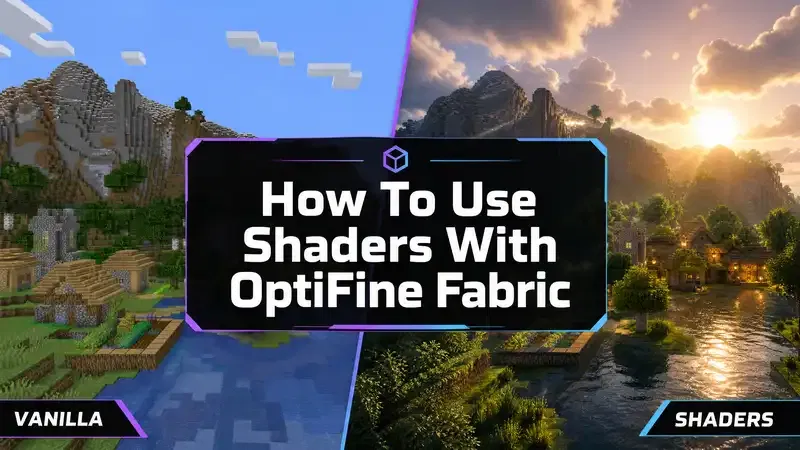
Shaders are one of the main reasons pl ayers use OptiFine Fabric shaders. They transform Minecraft’s visuals by improving lighting, shadows, water effects, and overall atmosphere. However, using shaders with Fabric requires the correct setup. OptiFine was not created as a native Fabric mod, so players need a compatible installation that includes OptiFabric and a supported OptiFine version. This Minecraft shader setup guide explains how shader support works, where to install shader packs, and how to choose the right shader for your hardware.
How Does Shader Support Work With OptiFine Fabric?
OptiFine provides built-in shader support for Minecraft Java Edition. It adds a dedicated shader menu inside Minecraft’s video settings.
With a working OptiFine Fabric setup, players can access:
- Shader settings
- Shader pack management
- Visual customization options
- Advanced graphics controls
OptiFine shaders change Minecraft’s rendering system. They add realistic effects such as:
- Dynamic lighting
- Better shadows
- Improved reflections
- Realistic skies
- Enhanced water appearance
Before installing shaders, make sure your OptiFine Fabric setup works correctly. The shader menu should appear under:
Options → Video Settings → Shaders
If the menu does not appear, check your OptiFine, OptiFabric, and Fabric Loader versions.
Where Is the Minecraft Shader Folder?
OptiFine automatically creates a shader folder after the shader option becomes available.
The default location is:
.minecraft/shaderpacks
This folder stores all installed shader packs.
To open the folder:
- Launch Minecraft with OptiFine Fabric.
- Open Options.
- Select Video Settings.
- Click Shaders.
- Select Shaders Folder.
Minecraft will open the correct location automatically.
How To Install Shader Packs With OptiFine Fabric
Installing shaders requires only a few steps.
Step 1: Download a Compatible Shader Pack
Choose a shader pack that supports your Minecraft version.
Popular shader packs include:
- BSL Shaders
- Complementary Shaders
- SEUS
Download shader files from trusted sources. Avoid unknown websites that bundle modified files or unnecessary installers.
Step 2: Move The Shader File
After downloading:
- Keep the shader pack as a ZIP file.
- Open the shaderpacks folder.
- Move the ZIP file into the folder.
Do not extract most shader packs unless the developer specifically requires it.
Step 3: Enable The Shader Pack
Launch Minecraft and open:
Options → Video Settings → Shaders
Select your shader pack from the list.
Minecraft will reload the graphics system and apply the new visual effects.
Best Shader Packs For OptiFine Fabric
Different shader packs provide different visual styles and performance requirements.
BSL Shaders
BSL Shaders is one of the most popular choices among Minecraft players.
It provides:
- Realistic lighting
- Beautiful skies
- Improved shadows
- Customizable effects
BSL works well for players who want better visuals without extreme performance demands. It offers many customization options, allowing users to adjust quality based on their hardware.
Complementary Shaders
Complementary Shaders focuses on quality, performance balance, and customization.
It offers:
- Realistic lighting
- Improved colors
- Enhanced water effects
- Optimized performance settings
Many players choose Complementary because it provides high-quality visuals while maintaining smoother gameplay.
SEUS (Sonic Ether’s Unbelievable Shaders)
SEUS is one of the most recognized Minecraft shader packs.
It focuses on realistic graphics, including:
- Advanced shadows
- Realistic lighting
- Atmospheric effects
- Detailed environments
SEUS provides impressive visuals but usually requires stronger hardware compared to lightweight shader packs.
Shader Performance Impact
Shaders significantly change Minecraft’s rendering process. They improve visuals but also increase hardware requirements.
The performance impact depends on:
- Graphics card power
- Shader quality settings
- Render distance
- Resource pack resolution
- Minecraft version
High-quality shaders can reduce FPS because they add complex calculations for:
- Shadows
- Reflections
- Lighting effects
- Water rendering
How To Improve Shader Performance
If shaders cause FPS drops, adjust these settings:
Lower Render Distance
Reducing render distance decreases the amount of world data Minecraft processes.
Try reducing it from:
- 16 chunks → 10 chunks
- 12 chunks → 8 chunks
Reduce Shader Quality
Most shader packs include their own settings menu.
Lower:
- Shadow resolution
- Reflection quality
- Cloud quality
- Lighting effects
Use Performance-Friendly Shaders
Not every shader requires a powerful PC. Players with weaker hardware should choose optimized shader packs instead of ultra-realistic options.
OptiFine Fabric Shader Tips
For the best experience:
- Match shader versions with Minecraft versions.
- Use trusted shader sources.
- Keep graphics drivers updated.
- Avoid running multiple rendering mods together.
- Test one shader pack at a time.
Players who prefer the modern Fabric ecosystem can also explore Sodium + Iris Shaders, which provides native Fabric shader support and often delivers better performance. OptiFine Fabric shaders provide a familiar way to enhance Minecraft visuals. With the right shader pack and optimized settings, players can enjoy improved graphics without sacrificing smooth gameplay.
Best Resource Packs For OptiFine Fabric
Resource packs can completely change the appearance of Minecraft. Many players use OptiFine resource packs Fabric setups to improve textures, add custom visuals, and create a more detailed game world. OptiFine supports advanced resource pack features that go beyond basic texture changes. These features include HD textures, connected textures, and custom models. However, compatibility depends on your OptiFine Fabric setup, Minecraft version, and installed resource pack. Choosing the right HD texture packs Fabric players use can improve visuals without creating unnecessary performance problems.
HD Textures With OptiFine Fabric
HD textures increase the resolution and detail of Minecraft blocks, items, and environments. The default Minecraft textures use a lower resolution. HD resource packs replace these textures with sharper designs.
Common texture resolutions include:
| Resolution | Best For |
|---|---|
| 16x | Default Minecraft style and low-end PCs |
| 32x | Balanced visuals and performance |
| 64x | Better detail for mid-range systems |
| 128x+ | High-end PCs with more GPU power |
Higher resolutions create better visuals but require more memory and graphics power. Players using shaders and HD textures together should have stronger hardware because both features increase rendering demands.
Connected Textures
Connected textures are one of the popular OptiFine features. This feature allows certain blocks to connect visually instead of showing separate textures.
Examples include:
- Glass blocks joining smoothly
- Decorative blocks creating seamless patterns
- Improved building designs
Many resource packs use connected textures to create a cleaner and more realistic Minecraft world. However, connected texture support depends on the resource pack design and OptiFine compatibility.
Custom Models
OptiFine resource packs can also include custom models. Custom models change the appearance of items and blocks without changing their function.
Examples include:
- Unique item designs
- Decorative blocks
- Custom tools
- Improved weapons
- Detailed furniture-style objects
These features help builders, creators, and survival players customize their Minecraft experience.
Best Resource Pack Resolution For Your PC
The best resource pack depends on your hardware.
Low-End PCs
Low-end systems should focus on performance.
Recommended:
- 16x texture packs
- 32x texture packs
- Lightweight designs
Avoid extremely detailed packs because they can cause:
- FPS drops
- Longer loading times
- Increased memory usage
Players should combine lightweight textures with optimized OptiFine settings for smoother gameplay.
Mid-Range PCs
Mid-range computers can handle better visuals.
Recommended:
- 32x packs
- 64x packs
- Moderate shader settings
These packs provide a good balance between appearance and performance.
High-End PCs
Powerful gaming systems can use detailed resource packs.
Recommended:
- 128x packs
- 256x packs
- High-quality realistic packs
These packs deliver impressive visuals but require more VRAM and processing power.
Tips For Using Resource Packs With OptiFine Fabric
For the best experience:
- Match the resource pack with your Minecraft version.
- Check OptiFine feature requirements.
- Avoid using too many demanding visual mods together.
- Test resource packs before adding more modifications.
- Keep backups of your Minecraft worlds.
OptiFine Fabric resource packs provide more customization options than standard textures. The right pack improves Minecraft visuals while maintaining stable performance. Choose a resolution that matches your hardware for the best balance between quality and FPS.
OptiFine Fabric vs Sodium + Iris: Which One Should You Use?
The debate between OptiFine vs Sodium continues among Minecraft players who want better performance, shaders, and smoother gameplay. Both options improve the Minecraft experience, but they follow different approaches. OptiFine Fabric focuses on bringing traditional OptiFine features into a Fabric environment through compatibility solutions like OptiFabric. Sodium + Iris focuses on native Fabric performance optimization and modern shader support.
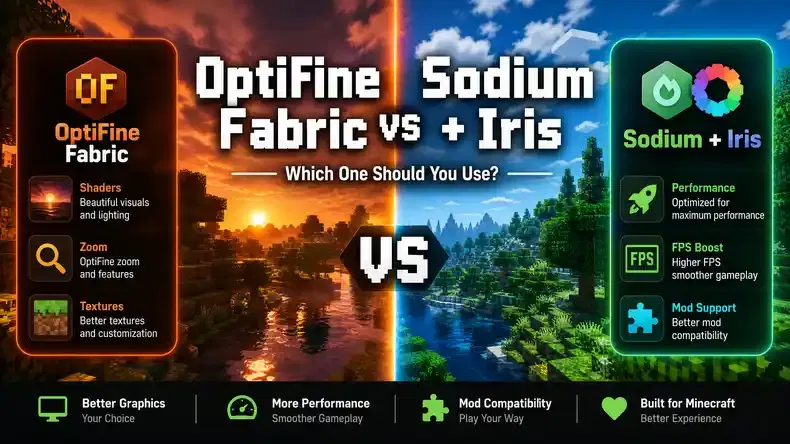
The better choice depends on your priorities. Some players want OptiFine’s familiar features, while others want maximum FPS and better Fabric compatibility.
OptiFine Fabric vs Sodium + Iris Comparison
| Feature | OptiFine Fabric | Sodium + Iris |
|---|---|---|
| FPS improvement | Good | Excellent |
| Shader support | Built-in OptiFine shaders | Iris Shaders |
| Fabric support | Through compatibility bridge | Native Fabric support |
| Mod compatibility | Limited | Better |
| Visual features | More built-in features | Requires additional mods |
| Resource pack support | Strong OptiFine support | Requires alternatives |
| Installation complexity | More complicated | Simple Fabric setup |
| Large modpacks | Less suitable | More suitable |
Performance: OptiFine Fabric vs Sodium + Iris
Performance is one of the biggest reasons players compare Sodium vs OptiFine Fabric. OptiFine has provided Minecraft optimization for many years. It improves rendering performance and gives players many graphics controls. However, Sodium uses a modern rendering system designed specifically for Minecraft’s newer versions.
In many cases:
- Sodium provides higher FPS.
- Sodium reduces rendering workload.
- Sodium works better with other Fabric performance mods.
A setup with Sodium, Lithium, and FerriteCore can significantly improve Minecraft performance on many systems. OptiFine Fabric can still provide good FPS improvements, especially for players who already use OptiFine features. However, it may not match Sodium’s performance in modern Minecraft versions.
Shader Support: Iris vs OptiFine
Shader support is another major difference.
OptiFine Fabric Shaders
OptiFine includes built-in shader support.
Players can:
- Install shader packs directly.
- Access shader settings.
- Adjust visual effects.
This makes OptiFine familiar for long-time Minecraft players.
Iris Shaders
Iris provides shader support for Fabric-based Minecraft setups.
Iris works with Sodium to provide:
- Better performance
- Native Fabric compatibility
- Modern shader support
Many Fabric players choose Iris because it combines shaders with Sodium’s performance improvements. The choice between Iris vs OptiFine depends on your setup. Choose OptiFine if you prefer the traditional shader experience. Choose Iris if you want a modern Fabric-based solution.
Fabric Support and Compatibility
Fabric compatibility is where Sodium + Iris has a major advantage. OptiFine Fabric requires additional compatibility through OptiFabric. This creates another layer between Minecraft, Fabric, and OptiFine.
The setup can work, but compatibility depends on:
- Minecraft version
- Fabric Loader version
- OptiFine version
- OptiFabric version
- Other installed mods
Sodium and Iris work directly inside the Fabric ecosystem. This makes them easier to combine with other Fabric mods.
Mod Compatibility
Players using large Fabric modpacks usually prefer Sodium + Iris. Fabric has many optimization and gameplay mods. Some of these modify Minecraft’s rendering system. OptiFine can conflict with certain Fabric mods because it changes similar areas of the game.
Sodium works better with popular Fabric optimization mods such as:
- Lithium
- FerriteCore
- ImmediatelyFast
- Entity Culling
For a heavily modded Minecraft experience, Sodium + Iris usually provides better stability.
Visual Features
OptiFine remains popular because it includes many visual features in one package.
These features include:
- Dynamic lights
- Connected textures
- Custom animations
- Zoom
- Advanced video settings
- Custom entity models
Sodium focuses mainly on performance. To add extra visual features, players often install additional Fabric mods.
For example:
- Iris for shaders
- Entity Texture Features for custom textures
- Continuity for connected textures
This modular approach gives Fabric users more flexibility.
Choose OptiFine Fabric If:
OptiFine Fabric may be the better choice when you:
Prefer Classic OptiFine Features
If you already use OptiFine and enjoy its settings, switching may feel unnecessary.
You can keep features like:
- Zoom
- Connected textures
- Custom animations
- OptiFine resource pack support
Use Specific Resource Packs
Some resource packs depend on OptiFine features. If your favorite packs require OptiFine compatibility, keeping OptiFine may provide a smoother experience.
Know the OptiFine Ecosystem
Experienced OptiFine users may prefer its familiar interface and settings. The setup works well for players who understand version matching and compatibility requirements.
Choose Sodium + Iris If:
Sodium + Iris is usually better when you:
Want Maximum FPS
Players looking for the highest possible frame rates should consider Sodium. It is designed specifically for modern Minecraft performance improvements.
Use Many Fabric Mods
Fabric users with large mod collections benefit from native compatibility. Sodium works naturally with the Fabric ecosystem.
Want Better Long-Term Compatibility
Fabric updates quickly. Native Fabric mods usually adapt faster to new Minecraft versions. Sodium + Iris provides a cleaner solution for players building modern Fabric setups.
Final Verdict: OptiFine Fabric or Sodium + Iris?
There is no single winner for every Minecraft player. Choose OptiFine Fabric if you want familiar OptiFine features, shader support, and specific resource pack compatibility. Choose Sodium + Iris if you want better FPS, modern Fabric support, and a stable modded experience. For most modern Fabric players, Sodium + Iris offers better performance and compatibility. However, OptiFine Fabric remains useful for players who value OptiFine’s unique features and customization options.
Best OptiFine Alternatives For Fabric
Many players search for the best OptiFine alternative Fabric options because modern Fabric mods can provide better performance, compatibility, and flexibility. OptiFine remains popular because of its long list of visual features. However, Fabric offers a powerful collection of performance-focused mods that work together naturally. These Fabric performance mods can improve FPS, reduce memory usage, and provide smoother gameplay without relying on compatibility layers.
Sodium
Sodium is one of the most popular OptiFine alternatives for Fabric. It focuses on improving Minecraft’s rendering performance. Instead of adding many visual features, Sodium rebuilds parts of Minecraft’s rendering system to make the game run more efficiently.
Benefits include:
- Higher FPS
- Reduced rendering lag
- Better frame stability
- Improved performance on many hardware setups
Sodium works especially well for players who want maximum performance in modern Minecraft versions.
Iris Shaders
Iris Shaders adds shader support to Fabric environments. Sodium improves rendering performance, while Iris allows players to use shader packs. Together, they create a strong alternative to OptiFine shaders.
Iris supports popular shader packs such as:
- BSL Shaders
- Complementary Shaders
- SEUS
Players who want beautiful visuals without losing too much performance often choose Sodium + Iris.
Lithium
Lithium improves Minecraft’s internal game logic performance. Unlike Sodium, Lithium does not focus on graphics rendering. It optimizes how Minecraft handles background calculations.
It can improve:
- World updates
- Mob behavior calculations
- Server performance
- General game efficiency
Lithium works well for both single-player worlds and multiplayer servers.
FerriteCore
FerriteCore focuses on memory optimization. Minecraft can use large amounts of RAM, especially with many mods or resource packs. FerriteCore reduces unnecessary memory usage by improving how Minecraft stores data.
Benefits include:
- Lower RAM usage
- Better stability
- Improved performance with modded setups
It helps players running larger Fabric mod collections.
Entity Culling
Entity Culling improves rendering performance by preventing Minecraft from rendering objects that players cannot see. For example, Minecraft may calculate hidden entities behind walls. Entity Culling reduces this unnecessary workload.
Benefits include:
- Improved FPS
- Faster rendering
- Reduced GPU usage
This mod works well alongside Sodium.
Recommended Fabric Performance Combination
For many players, this combination provides an excellent OptiFine alternative:
Sodium + Iris + Lithium + FerriteCore
Each mod improves a different part of Minecraft:
| Mod | Main Purpose |
|---|---|
| Sodium | FPS and rendering optimization |
| Iris | Shader support |
| Lithium | Game logic optimization |
| FerriteCore | Memory improvements |
This combination creates a modern Fabric optimization setup. Players who want additional improvements can also explore other Fabric performance mods, depending on their Minecraft version and needs.
Common OptiFine Fabric Errors And Fixes
Installing OptiFine Fabric can sometimes create errors because multiple systems work together. Problems usually happen because of version mismatches, conflicting mods, or incorrect files. Understanding common OptiFabric not working issues helps you fix problems faster.
OptiFabric Crashes On Startup
One of the most common problems is Minecraft crashing immediately after launch. This usually happens because your installed versions do not match.
Possible Causes:
- Wrong OptiFabric version
- Incompatible OptiFine version
- Incorrect Fabric Loader version
- Conflicting Fabric mods
Fix:
Check every installed component:
- Minecraft version
- Fabric Loader version
- Fabric API version
- OptiFine version
- OptiFabric version
All files must support the same Minecraft release. For example, a mod designed for Minecraft 1.20.1 may not work with Minecraft 1.21.
Remove Conflicting Mods
Some Fabric mods modify Minecraft’s rendering system. These changes can conflict with OptiFine.
Common conflict symptoms include:
- Startup crashes
- Missing textures
- Broken animations
- Visual glitches
Fix:
Remove recently installed mods and test Minecraft again. Add mods back one at a time to identify the problem. Avoid running multiple mods that change the same rendering features unless compatibility is confirmed.
Shader Menu Missing
Some players install OptiFine Fabric but cannot find the shader option. This usually means OptiFine did not load correctly.
Possible Causes:
- Incorrect OptiFine installation
- Missing OptiFabric
- Wrong Minecraft version
- Incompatible shader setup
Fix:
Verify your installation:
- Confirm OptiFine exists in the mods folder.
- Confirm OptiFabric is installed.
- Check that versions match.
- Launch the correct Fabric profile.
After successful installation, the shader option should appear under:
Options → Video Settings → Shaders
Minecraft Launcher Crashes
Sometimes Minecraft fails before reaching the main menu. This can happen because of Java problems or incorrect mod versions.
Fix:
Update Java
Minecraft Java Edition requires the correct Java version.
An outdated Java installation can cause:
- Launcher errors
- Startup failures
- Performance issues
Use the Java version recommended for your Minecraft release.
Check Mod Versions
Review every installed mod.
Confirm:
- Fabric Loader supports your Minecraft version.
- Fabric API matches your version.
- OptiFabric supports your OptiFine release.
- Other mods support your setup.
Remove outdated files before installing new versions.
Black Screen Issues
Black screens often happen after enabling shaders. The shader pack may not support your hardware or Minecraft version.
Possible Causes:
- Incompatible shader pack
- Too many visual settings
- Graphics driver problems
Fix:
Remove the shader pack temporarily.
Then:
- Launch Minecraft without shaders.
- Confirm the game works.
- Install a lighter shader pack.
- Reduce shader quality settings.
Lower:
- Shadow quality
- Reflection effects
- Lighting effects
Other OptiFine Fabric Troubleshooting Tips
For a stable setup:
- Install mods one at a time.
- Keep backups of Minecraft worlds.
- Check compatibility before updating.
- Avoid downloading modified files from unknown websites.
- Use trusted mod sources.
Minecraft mod compatibility changes frequently. A setup that works today may require updates after a Minecraft release. The best solution is careful version matching and testing. A properly configured OptiFine Fabric installation can provide excellent visuals, shaders, and performance without unnecessary problems.
Minecraft OptiFine Fabric Version Compatibility
Version compatibility is one of the most important factors when setting up Minecraft OptiFine Fabric. Many installation problems happen because players combine incompatible versions of Minecraft, Fabric Loader, OptiFine, and OptiFabric. Before installing any files, always check that every component supports the same Minecraft release. The keywords OptiFine Fabric 1.21, OptiFine Fabric 1.20, and OptiFabric versions are popular because players want to know which combinations work correctly. OptiFine Fabric compatibility changes over time. New Minecraft updates often require developers to update their mods before they work properly.
Minecraft OptiFine Fabric Compatibility Table
| Minecraft Version | Fabric Support | OptiFine Support |
|---|---|---|
| 1.21.x | Fabric provides support through updated Fabric Loader and Fabric API versions. Compatibility depends on available OptiFabric versions. | OptiFine support depends on the specific Minecraft 1.21 release and available OptiFine builds. |
| 1.20.x | Fabric has strong support for Minecraft 1.20 versions with a large mod ecosystem. | Many players use OptiFine with compatible versions, but OptiFabric support depends on the exact release. |
| Older versions | Older Minecraft versions generally have wider mod compatibility and established Fabric setups. | Older OptiFine releases often have better compatibility because they have been available longer. |
OptiFine Fabric 1.21 Compatibility
Minecraft 1.21 introduced changes that require mod developers to update their projects.
Players using OptiFine Fabric 1.21 should verify:
- Minecraft 1.21.x version
- Matching Fabric Loader release
- Compatible Fabric API version
- Supported OptiFine version
- Compatible OptiFabric version
A setup that works on one 1.21 release may not work on another. Always check the exact version number before installation.
OptiFine Fabric 1.20 Compatibility
Minecraft 1.20 versions have a mature Fabric ecosystem. Many players use Fabric-based performance mods with Minecraft 1.20 releases. However, OptiFine Fabric still requires careful version matching.
Before installing:
- Confirm your Minecraft version.
- Download the matching OptiFine release.
- Check OptiFabric compatibility.
- Test mods individually.
Older Minecraft Versions
Older Minecraft versions often have more established compatibility because developers have had more time to maintain those releases.
Players using older versions may find:
- More available guides
- More compatible mods
- More stable setups
However, older versions may lack newer Fabric improvements and performance updates.
Why Version Matching Matters
Minecraft mods depend on specific game code. When Minecraft updates, internal systems change.
A mismatch between versions can cause:
- Minecraft crashes
- Missing features
- Failed mod loading
- Shader problems
- Launcher errors
For example:
- Minecraft 1.20 OptiFine may not work with Minecraft 1.21.
- An older OptiFabric version may not support a newer OptiFine release.
- A newer Fabric Loader may require updated mods.
Avoid Mixing Different Releases
Never mix files from different Minecraft versions.
Avoid combinations like:
- Minecraft 1.21 + OptiFine 1.20
- Fabric API 1.20 + Minecraft 1.21
- OptiFabric version made for another release
Always create a matching setup:
Minecraft Version → Fabric Loader → Fabric API → OptiFabric → OptiFine
Checking compatibility before installation saves time and prevents unnecessary troubleshooting. For the most stable Minecraft OptiFine Fabric experience, always use matching versions and verify support before updating your mod setup.
Frequently Asked Questions About Minecraft OptiFine Fabric
Can OptiFine work with Fabric?
Yes, OptiFine can work with Fabric, but it does not work directly like a normal Fabric mod. OptiFine was made for Minecraft Java Edition, while Fabric Loader uses a different mod system. To use OptiFine with Fabric, players usually need OptiFabric. It connects OptiFine with Fabric Loader.
You need these files:
- Minecraft Java Edition
- Fabric Loader
- Fabric API
- OptiFabric
- Compatible OptiFine version
Always use matching versions. An incorrect combination can cause crashes or errors.
Is OptiFabric safe?
Yes, OptiFabric is safe when you download it from trusted sources. OptiFabric does not replace OptiFine. It only helps Fabric run OptiFine.
Before installing:
- Download files from reliable sources.
- Check version compatibility.
- Avoid modified files.
- Keep a backup of your Minecraft worlds.
Using incompatible mods can still create crashes or other problems.
Does Fabric increase FPS?
Fabric itself does not increase FPS automatically. It works as a platform for running Minecraft mods. However, Fabric supports many performance mods that can improve FPS.
Popular Fabric performance mods include:
- Sodium for better rendering performance
- Lithium for game optimization
- FerriteCore for memory improvements
- Entity Culling for reducing unnecessary rendering
A good Fabric setup can make Minecraft run faster and smoother.
Is Sodium better than OptiFine?
For many modern Minecraft players, Sodium provides better performance than OptiFine. Sodium improves Minecraft rendering and often gives higher FPS. It also works directly with Fabric.
OptiFine still has useful features, including:
- Built-in shader support
- Dynamic lights
- Connected textures
- Zoom feature
- Custom animations
Choose OptiFine if you prefer its classic features. Choose Sodium if you want better FPS and Fabric compatibility.
Can Fabric use shaders?
Yes, Fabric can use shaders. Most Fabric players use Iris Shaders with Sodium for shader support.
Popular shader packs include:
- BSL Shaders
- Complementary Shaders
- SEUS
Iris provides shader support while keeping good performance on Fabric.
What replaces OptiFine on Fabric?
Many players use Fabric mods as OptiFine alternatives.
Popular options include:
- Sodium
- Iris Shaders
- Lithium
- FerriteCore
- Entity Culling
A popular performance setup is:
Sodium + Iris + Lithium + FerriteCore
This combination provides:
- Better FPS
- Shader support
- Improved memory usage
- Better mod compatibility
Can I install OptiFine without OptiFabric?
No, OptiFine does not work directly inside a normal Fabric setup. Fabric Loader cannot load OptiFine like a regular Fabric mod. OptiFabric acts as the connection between Fabric and OptiFine. Without it, you need to use another supported installation method.
Does OptiFine Fabric work with modpacks?
Yes, OptiFine Fabric can work with some modpacks. However, large Fabric modpacks may have compatibility issues because many mods change Minecraft’s rendering system.
Common problems include:
- Game crashes
- Broken textures
- Shader issues
- Performance problems
For large modpacks, Sodium-based setups usually provide better compatibility.
Which is better for Minecraft FPS: OptiFine or Sodium?
Sodium usually provides better FPS on newer Minecraft versions. It uses a modern rendering system that improves performance. OptiFine also improves FPS, especially on older systems, but Sodium often performs better on modern hardware.
| Feature | OptiFine | Sodium |
|---|---|---|
| FPS improvement | Good | Excellent |
| Shader support | Built-in | Requires Iris |
| Fabric support | Through OptiFabric | Native |
| Mod compatibility | Limited | Better |
Choose Sodium for maximum FPS. Choose OptiFine if you need its special features.
Does OptiFine Fabric support resource packs?
Yes, OptiFine Fabric supports resource packs that use OptiFine features.
These features include:
- HD textures
- Connected textures
- Custom models
- Custom animations
However, support depends on the resource pack and Minecraft version. Some resource packs work best with OptiFine because they rely on its unique features. Fabric users may need extra mods to replace those features.
Final Verdict: Should You Use OptiFine Fabric?
Minecraft OptiFine Fabric is possible, but it has limitations. OptiFabric helps connect OptiFine with Fabric Loader, allowing players to use familiar OptiFine features in a Fabric environment. However, the setup requires careful version matching. Minecraft updates frequently, and compatibility can change between releases. For players who love OptiFine features like connected textures, shaders, custom animations, and familiar video settings, OptiFine Fabric remains a useful option.
For modern Fabric users who want maximum FPS, better mod compatibility, and smoother performance, Sodium + Iris is often the better choice. The best setup depends on how you play Minecraft. Choose OptiFine Fabric if you value classic OptiFine features. Choose Sodium + Iris if you want a modern performance-focused Fabric experience. Always check mod compatibility before installation and use trusted sources for downloads. The best Minecraft optimization setup depends on your version, mods, hardware, and visual preferences.