
Minecraft Shaders Without OptiFine (2026 Guide): Install Iris Shaders, Sodium and Best Shader Packs
Minecraft shaders transform the look of Minecraft Java Edition. They add realistic lighting, shadows, reflections, water effects, and better skies. These visual upgrades make every world feel more alive. The good news is you no longer need OptiFine to use shaders. Modern shader loaders like Iris let you run most popular shader packs with excellent performance. When paired with Sodium, Iris often delivers higher FPS and better mod compatibility than OptiFine.
Many players now choose the Iris ecosystem because it receives regular updates and works well with Fabric, Quilt, and NeoForge. Forge users can achieve a similar experience with Oculus and Embeddium. This flexible ecosystem gives players more choices without sacrificing performance. This guide focuses on Minecraft Java Edition and covers supported versions, including Minecraft 1.21, 1.21.1, 1.21.4, 1.20.6, 1.20.1, and several older releases.
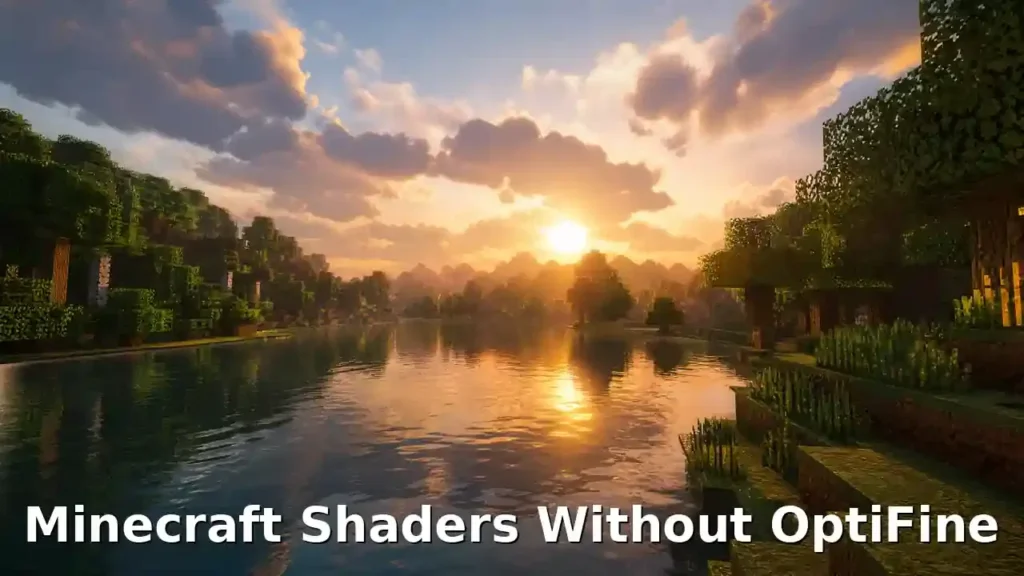
You’ll learn how to install shaders without OptiFine, choose the right shader loader, install popular shader packs, improve FPS, replace OptiFine features with modern mods, and solve common issues. By the end, you’ll have everything needed to enjoy beautiful graphics with a smooth gaming experience.
Reference: The Iris project is the official modern shader loader for Minecraft Java Edition and supports most OptiFine shader packs while integrating with Sodium for high performance. Official documentation: https://irisshaders.dev
Quick Answer
Yes, you can use Minecraft shaders without OptiFine. The best solution is Iris Shaders, a modern shader loader for Minecraft Java Edition. Iris replaces OptiFine’s shader system and supports most OptiFine-compatible shader packs. When combined with Sodium, it delivers smoother gameplay and higher FPS on many systems.If you use the Forge mod loader, Oculus works with Embeddium to provide a similar shader experience without OptiFine. Popular shader packs like Complementary Shaders, BSL Shaders, SEUS, Sildur’s Vibrant Shaders, and Photon Shader work well with Iris. This gives you stunning graphics without changing your favorite visual style. In the next sections, you’ll learn which setup fits your game, how to install it, and how to get the best performance.
Quick Facts
| Item | Value |
| Minecraft Edition | Minecraft Java Edition |
| Requires OptiFine | No |
| Recommended Shader Loader | Iris |
| Performance Mod | Sodium |
| Forge Alternative | Oculus + Embeddium |
| Shader Format | GLSL |
| Compatible Versions | Minecraft 1.21.x, 1.20.x, 1.19.x, and older supported releases |
| Installation Time | About 5 Minutes |
Can You Use Minecraft Shaders Without OptiFine?
Yes, you can use Minecraft shaders without OptiFine. Modern shader loaders make the process simple and reliable. Most players no longer need OptiFine to enjoy realistic graphics. In the past, OptiFine was the only popular way to run shader packs. Today, the Minecraft modding community offers better options. These tools receive regular updates and work with more mods. Iris is now the recommended shader loader for Minecraft Java Edition on Fabric, Quilt, and NeoForge. It supports most OptiFine-compatible shader packs while delivering smooth performance and excellent stability. Sodium works alongside Iris to improve FPS and optimize Minecraft’s rendering. Together, they often provide better performance than OptiFine, especially in heavily modded games.
If you play with the Forge mod loader, Oculus brings the Iris shader system to Forge. When paired with Embeddium, it creates a fast and stable shader experience without OptiFine. This shift marks the evolution of Minecraft shaders. Instead of relying on one all-in-one mod, players now use specialized tools that focus on performance, compatibility, and frequent updates. The result is a more flexible and future-ready shader ecosystem and How to Install Shaders Minecraft OptiFine.
Authority Reference: The official Iris project recommends using Iris with Sodium for shader support on modern Minecraft versions. Forge users can use Oculus with Embeddium for a comparable experience. Official documentation: https://irisshaders.dev
Why Players Are Moving Away from OptiFine
For years, OptiFine was the default choice for Minecraft shaders. Today, many players prefer modern alternatives that offer better performance and wider mod support. One major reason is performance. Iris and Sodium work together to optimize Minecraft’s rendering. This combination often delivers higher FPS and smoother gameplay, especially in large modpacks. Another reason is faster updates. Modern projects usually support new Minecraft releases more quickly. Players spend less time waiting for compatibility updates after a major game release. Mod compatibility also plays a big role. OptiFine can conflict with some modern mods because it changes Minecraft’s rendering system. Iris follows a more modular approach, making it easier to build stable modpacks.
The growing open-source ecosystem has also changed the community. Developers can improve projects like Iris, Sodium, and Embeddium through community contributions. This encourages faster bug fixes and ongoing improvements. Players using Fabric or NeoForge often choose Iris with Sodium for the best balance of visuals and performance. Forge users can achieve a similar experience with Oculus and Embeddium. This doesn’t mean OptiFine is obsolete. It still works well for many players. However, modern alternatives provide better flexibility, improved compatibility, and a more future-ready shader experience for today’s Minecraft Java Edition.
Authority References: The official Iris project recommends Iris with Sodium for modern shader support, while the Sodium project focuses on rendering optimization and performance improvements. Official sources: https://irisshaders.dev • https://modrinth.com/mod/sodium
How Minecraft Shaders Work Without OptiFine
Minecraft uses a rendering pipeline to draw every block, mob, and particle on your screen. A shader changes how this pipeline displays light, shadows, water, and other visual effects. A shader loader connects Minecraft with a shader pack. It reads the shader files and applies their effects while the game runs. Without a shader loader, Minecraft cannot use these advanced graphics. Most modern shader packs use GLSL (OpenGL Shading Language). GLSL contains small programs that control how the game renders lighting, reflections, fog, and shadows. A shader pack is a collection of GLSL files and settings. Each pack creates a different visual style. Some focus on realistic lighting, while others improve performance or keep Minecraft’s vanilla look.
Modern shader loaders, such as Iris, work with Minecraft’s rendering system without relying on OptiFine. On Forge, Oculus provides similar shader support. These tools improve compatibility with modern mods while keeping installation simple. Minecraft also relies on your computer’s graphics API to communicate with your graphics card. Java Edition primarily uses OpenGL, which allows shader loaders to render advanced visual effects efficiently. In short, shaders do not replace Minecraft. They enhance how the game looks. A shader loader runs the shader pack, and your graphics card handles the visual effects in real time.
Authority References: The Iris project explains how its shader loader supports modern shader packs, while the OpenGL specification defines GLSL as the language used for programmable graphics rendering. Official sources: https://irisshaders.dev • https://www.khronos.org/opengl/wiki/OpenGL_Shading_Language
Two Ways to Use Shaders Without OptiFine
You have several ways to enjoy Minecraft shaders without OptiFine. The right option depends on your mod loader and the experience you want.
Method 1: Iris + Sodium (Recommended)
Iris is the best shader loader for most Minecraft Java Edition players. When paired with Sodium, it delivers beautiful graphics and excellent performance.
Benefits
- Easy to install and update
- Supports most OptiFine-compatible shader packs
- Smooth gameplay with higher FPS
- Works well with modern modpacks
- Active community and frequent updates
Performance
Sodium improves Minecraft’s rendering and reduces lag. Many players see better FPS than with OptiFine, especially on modern hardware.
Compatibility
Iris works with:
- Fabric
- Quilt
- NeoForge
It supports popular shader packs like Complementary Shaders, BSL Shaders, SEUS, Sildur’s Vibrant Shaders, and Photon Shader.
Installation
- Install Fabric or NeoForge.
- Download Iris.
- Install Sodium.
- Copy your shader pack into the shaderpacks folder.
- Select the shader from Minecraft’s video settings.
Supported Versions
Iris supports the latest Minecraft releases and many older versions, including Minecraft 1.21.x, 1.20.x, 1.19.x, and earlier supported builds.
Best for: Most players who want the best balance of graphics, FPS, and mod compatibility.
Method 2: Oculus + Embeddium (Forge)
If you use the Forge mod loader, Oculus is the recommended alternative to Iris. It brings modern shader support to Forge. Embeddium improves rendering performance and works alongside Oculus.
Compatibility
This setup works with many Forge modpacks and supports most popular shader packs.
Installation
- Install Minecraft Forge.
- Add Oculus to the mods folder.
- Add Embeddium to the same folder.
- Launch Minecraft.
- Install your preferred shader pack and enable it in the video settings.
Pros
- Built for Forge users
- Good shader compatibility
- Better performance than using Forge with OptiFine
- Works with many Forge mods
Cons
- Forge-only solution
- Some modpacks may require specific versions
- Updates may depend on Forge compatibility
Best for: Players who already use Forge and do not want to switch mod loaders.
Method 3: Vanilla Core Shaders
Minecraft includes its own Core Shaders. These are built into the game and can be modified through resource packs. This method does not require any shader mods. To unlock more visual effects, enable the Fabulous! graphics setting. Compatible resource packs can then improve lighting, bloom, motion blur, and other effects by editing Minecraft’s core shader files.
Limitations
- Visual effects are more limited than Iris or Oculus.
- Advanced features like realistic shadows and reflections are not available.
- Only compatible resource packs can modify core shaders.
Who Should Use Them?
Vanilla Core Shaders are a good choice for players who want lightweight visual improvements without installing mods. They also suit creators and advanced users who enjoy experimenting with Minecraft’s built-in rendering system.
Authority References: Iris is the recommended shader loader for Fabric, Quilt, and NeoForge. Oculus extends similar shader support to Forge. Minecraft’s built-in Core Shaders can also be customized through resource packs. Official sources: https://irisshaders.dev • https://docs.neoforged.net • https://minecraft.wiki
Requirements Before Installation
Before you install Minecraft shaders without OptiFine, make sure your system meets these basic requirements. A compatible setup helps prevent crashes and improves performance.
| Requirement | Details |
| Minecraft Edition | Minecraft Java Edition |
| Java Runtime | Latest compatible Java Runtime (Java 21 for newer Minecraft versions) |
| Minecraft Launcher | Official Minecraft Launcher or another trusted Java Edition launcher |
| RAM | Minimum 4 GB (8 GB or more recommended) |
| Graphics Card (GPU) | OpenGL-compatible GPU from NVIDIA, AMD, or Intel |
| Operating System | Windows, macOS, or Linux |
| Free Storage | At least 500 MB for mods, shader packs, and game files |
Before You Start
- Install the correct version of Minecraft Java Edition.
- Launch the game at least once before adding mods.
- Update your graphics driver to the latest stable version.
- Choose the correct mod loader, such as Fabric, NeoForge, or Forge.
- Download mods and shader packs only from trusted sources.
Meeting these requirements ensures a smooth installation and helps you get the best performance with Iris, Sodium, Oculus, or Embeddium.
Authority References: Minecraft Java Edition requires a compatible Java Runtime, while Iris and other shader loaders rely on OpenGL-capable graphics hardware. Official sources: https://www.minecraft.net • https://irisshaders.dev
Step-by-Step Installation Guide
Follow these steps to install Minecraft shaders without OptiFine using Iris and Sodium. The process takes only a few minutes.
Step 1: Download Fabric
Visit the official Fabric website and download the installer for your Minecraft version. Save the installer to your computer.
Step 2: Install Fabric Loader
Run the Fabric Installer.
- Select your Minecraft version.
- Choose the default game directory.
- Click Install.
Open Minecraft once using the new Fabric profile. Then close the game.
Step 3: Install Iris
Download the latest Iris Shaders installer from the official website.
Run the installer and select your Minecraft version. Iris will install automatically.
If you prefer manual installation, copy the Iris mod file into the mods folder.
Step 4: Install Sodium
Download the latest version of Sodium.
Place the Sodium .jar file inside the mods folder if it is not already included with your Iris installation.
Step 5: Launch Minecraft
Open the Minecraft Launcher.
Choose the Fabric profile with Iris installed and click Play.
Wait for the game to load completely.
Step 6: Install Shader Packs
Download a shader pack such as Complementary Shaders, BSL Shaders, SEUS, Sildur’s Vibrant Shaders, or Photon Shader.
Open Options → Video Settings → Shader Packs.
Click Open Shader Pack Folder and copy the shader pack .zip file into this folder.
Do not extract the .zip file.
Step 7: Select Your Shader
Return to the Shader Packs menu.
Choose your installed shader from the list.
Click Apply.
Minecraft will reload with the new graphics.
Step 8: Apply Recommended Settings
Adjust your video settings for the best balance of visuals and performance.
- Set an appropriate render distance.
- Enable your preferred shadow quality.
- Lower cloud quality on low-end PCs.
- Reduce particles if FPS drops.
- Restart the game after major changes if needed.
Your shaders are now ready to use. In the next section, you’ll learn how to install shaders if you use the Forge mod loader instead.
Authority References: Download Fabric, Iris, and Sodium only from their official projects to ensure compatibility and security. Official sources: https://fabricmc.net • https://irisshaders.dev • https://modrinth.com/mod/sodium
Installing Shaders on Forge
If you use the Forge mod loader, you can still enjoy Minecraft shaders without OptiFine. The recommended setup combines Oculus with Embeddium for smooth performance and broad mod compatibility.
Step 1: Install Minecraft Forge
Download and install the version of Minecraft Forge that matches your Minecraft release.
Open the game once with the Forge profile. Then close Minecraft.
Step 2: Download Oculus and Embeddium
Download the latest versions of Oculus and Embeddium.
Make sure both mods support your installed Forge version.
Step 3: Add the Mods
Open your Minecraft game directory and locate the mods folder.
Place both .jar files inside the folder.
Your folder should look similar to this:
.minecraft
└── mods
├── Oculus.jar
├── Embeddium.jar
└── Other Forge Mods
Do not extract the .jar files.
Step 4: Launch the Forge Profile
Open the Minecraft Launcher.
Select the Forge profile.
Click Play and wait for the game to load.
If Oculus and Embeddium appear in the Mods menu, the installation is complete.
Step 5: Install a Shader Pack
Open Options → Video Settings → Shader Packs.
Click Open Shader Pack Folder.
Copy your shader pack .zip file into the folder.
Select the shader and click Apply.
Tips for a Smooth Experience
- Use matching versions of Forge, Oculus, and Embeddium.
- Update your graphics drivers before installing shaders.
- Remove OptiFine to avoid conflicts with Forge shader mods.
- Download mods only from trusted sources.
With Oculus and Embeddium installed, you can use many popular shader packs while keeping your Forge modpack fast and stable.
Authority References: Oculus brings Iris-based shader support to Forge, while Embeddium provides rendering optimizations for improved performance. Always use official project pages or trusted mod repositories for downloads.
Installing Vanilla Shader Resource Packs
You can improve Minecraft’s graphics without OptiFine or shader mods by using vanilla shader resource packs. These packs modify Minecraft’s built-in Core Shaders to add subtle visual effects. While they cannot match Iris shader packs, they offer a lightweight way to enhance the game’s appearance.
Step 1: Download a Vanilla Shader Resource Pack
Choose a resource pack that supports Minecraft’s Core Shader system. Download it from a trusted source.
Keep the file in .zip format.
Step 2: Open the Resource Pack Folder
Launch Minecraft Java Edition.
Go to:
Options → Resource Packs → Open Pack Folder
This opens the resourcepacks folder inside your Minecraft directory.
Step 3: Add the Resource Pack
Copy the downloaded .zip file into the resourcepacks folder.
Do not extract the file.
Step 4: Enable the Resource Pack
Return to Minecraft.
Move the resource pack from Available to Selected.
Click Done to load the pack.
Step 5: Turn On Fabulous! Graphics
Go to:
Options → Video Settings → Graphics
Select Fabulous! instead of Fancy or Fast.
Many Core Shader resource packs need this setting to display their visual effects correctly.
What Can Core Shader Packs Do?
Depending on the pack, you may see:
- Better lighting
- Bloom effects
- Motion blur
- Colored lighting
- Simple screen-space ambient occlusion (SSAO)
- Improved visual effects
Limitations
Vanilla Core Shader resource packs have some restrictions.
- They cannot create advanced ray-traced lighting.
- Realistic shadows and reflections are limited.
- Performance depends on your hardware.
- Not every resource pack includes Core Shader effects.
If you want realistic lighting, dynamic shadows, and advanced water effects, Iris with a dedicated shader pack remains the better choice. Vanilla Core Shader packs work best for players who prefer a lightweight setup without installing mods.
Authority References: Minecraft’s built-in Core Shader system supports resource pack customization, while projects such as ShaderDoc document the format used by modern shader developers. Official sources: https://minecraft.wiki • https://shaders.properties/current/reference/shaderdoc (ShaderDoc)
Best Shader Packs Without OptiFine
Modern shader loaders like Iris and Oculus support many high-quality shader packs. Each one offers a unique visual style and different performance level. Choose the shader that matches your hardware and gameplay preferences.
Complementary Shaders
Complementary Shaders are among the most popular choices for Minecraft Java Edition. They balance stunning visuals with smooth performance.
Features
- Realistic lighting and shadows
- High-quality water effects
- Dynamic clouds and weather
- Customizable settings
- Excellent compatibility with modern shader loaders
Performance
Runs well on mid-range and high-end PCs. Lower settings also work on many entry-level gaming systems.
Best For
Players who want realistic graphics without sacrificing too much FPS.
BSL Shaders
BSL Shaders deliver a colorful and cinematic Minecraft experience. They focus on natural lighting and vibrant environments.
Features
- Soft shadows
- Beautiful sunsets
- Realistic water
- Bloom effects
- Volumetric lighting
Performance
Requires a mid-range or high-end GPU for the best experience.
Best For
Players who enjoy rich colors and immersive landscapes.
SEUS (Sonic Ether’s Unbelievable Shaders)
SEUS is one of the most well-known shader packs in the Minecraft community. It delivers highly realistic visuals.
Features
- Advanced lighting
- Realistic reflections
- Detailed shadows
- Natural atmosphere
Performance
Works best on powerful gaming PCs with dedicated graphics cards.
Best For
Players who want the most realistic Minecraft graphics.
Sildur’s Vibrant Shaders
Sildur’s Vibrant Shaders offer several quality presets, making them suitable for many different systems.
Features
- Dynamic lighting
- Improved skies
- Water reflections
- Multiple performance presets
Performance
Available in Lite, Medium, High, and Extreme versions.
Best For
Players who want flexibility across low-end and high-end PCs.
Photon Shader
Photon Shader focuses on modern lighting while maintaining smooth gameplay.
Features
- Physically inspired lighting
- Improved shadows
- Realistic water
- Balanced visual quality
Performance
Optimized for modern hardware and performs well with Iris.
Best For
Players who want modern visuals without a large FPS drop.
Steadfast
Steadfast is designed specifically for the Iris shader ecosystem. Unlike many older shader packs, it does not target OptiFine compatibility.
Features
- Built for Iris
- Modern rendering techniques
- Clean visual style
- Active compatibility with the Iris ecosystem
Performance
Optimized for Iris and modern rendering improvements.
Best For
Players who use Iris + Sodium and want a shader built for the latest shader ecosystem instead of legacy OptiFine support.
Authority References: Shader compatibility and recommendations are available from the official Iris project and the individual shader developers. Official sources: https://irisshaders.dev
Best Performance Mods to Pair with Iris
Iris works even better when paired with performance mods. These mods improve FPS, reduce memory usage, and make Minecraft Java Edition run more smoothly. Most of them work with the Fabric and NeoForge ecosystems.
| Mod | What It Does | Best For |
| Sodium | Optimizes Minecraft’s rendering engine for higher FPS. | Every player |
| Lithium | Improves game logic and server-side performance. | Better overall performance |
| FerriteCore | Reduces memory usage and speeds up loading. | Large modpacks |
| Entity Culling | Stops rendering entities hidden behind blocks. | Higher FPS in busy areas |
| Noisium | Optimizes world generation and terrain loading. | Faster chunk generation |
| Indium | Adds compatibility for Fabric mods that use the Fabric Rendering API. | Better mod compatibility |
Sodium
Sodium is the most important performance mod to use with Iris. It improves Minecraft’s rendering and often delivers much higher FPS than the vanilla game.
Best for: Every Minecraft Java Edition player using shaders.
Lithium
Lithium optimizes Minecraft’s internal game systems. It improves entity handling, physics, and world processing without changing gameplay.
Best for: Players who want smoother gameplay in single-player and multiplayer worlds.
FerriteCore
FerriteCore lowers Minecraft’s memory usage. It helps large modpacks load faster and reduces RAM consumption.
Best for: Players with many installed mods or limited system memory.
Entity Culling
Entity Culling skips rendering mobs, item frames, and other entities hidden behind walls. This reduces unnecessary GPU work.
Best for: Improving FPS in villages, bases, and crowded areas.
Noisium
Noisium speeds up terrain generation by optimizing Minecraft’s noise calculations. New chunks load more efficiently during exploration.
Best for: Players who travel long distances or generate new worlds.
Indium
Indium improves compatibility between Sodium and Fabric mods that rely on the Fabric Rendering API. It helps prevent rendering issues in some modpacks.
Best for: Players using multiple Fabric rendering mods.
Recommended Performance Stack
For the best balance of graphics and speed, use this combination:
- Iris – Shader loader
- Sodium – Rendering optimization
- Lithium – Gameplay optimization
- FerriteCore – Memory optimization
- Entity Culling – Rendering optimization
- Noisium – World generation optimization
- Indium – Rendering compatibility
This setup delivers excellent performance while maintaining compatibility with modern shader packs and Minecraft mods.
Mods That Replace OptiFine Features
OptiFine includes many built-in features besides shader support. Modern Minecraft replaces these features with dedicated mods. This approach improves compatibility and lets you install only the features you need.
| OptiFine Feature | Recommended Replacement |
| Dynamic Lights | LambDynamicLights |
| Zoom | Zoomify |
| Connected Textures | Continuity |
| Better Grass | LambdaBetterGrass |
| Better Grass (Alternative) | BetterGrassify |
LambDynamicLights
LambDynamicLights lets light-emitting items brighten the world around you. Torches, lanterns, glowstone, and other light sources illuminate dark areas while you hold or drop them.
Best for: Exploring caves and mining at night.
Zoomify
Zoomify adds a smooth zoom feature similar to OptiFine. You can zoom in without changing your field of view permanently.
Best for: Exploring distant structures, reading signs, and taking screenshots.
Continuity
Continuity restores connected textures for glass, bookshelves, and many resource packs. It also supports connected textures that rely on the Fabric rendering system.
Best for: Players who use high-quality resource packs with connected textures.
LambdaBetterGrass
LambdaBetterGrass improves the appearance of grass blocks by making their sides blend naturally with the surrounding terrain. It creates a cleaner and more realistic landscape.
Best for: Players who prefer a polished vanilla-style world.
BetterGrassify
BetterGrassify is another popular alternative for improving grass textures. It offers a lightweight solution and works well with many modern modpacks.
Best for: Players looking for a simple Better Grass enhancement.
Which Mods Should You Install?
You don’t need every replacement mod. Install only the features you plan to use.
A common setup includes:
- LambDynamicLights for dynamic lighting.
- Zoomify for smooth zoom.
- Continuity for connected textures.
- LambdaBetterGrass or BetterGrassify for improved terrain visuals.
This modular approach gives you more control than OptiFine while maintaining excellent compatibility with Iris, Sodium, and other modern Minecraft mods.
Authority References: These mods are actively maintained and widely used within the Fabric ecosystem. Official project pages are available on Modrinth and GitHub for each mod.
Best Video Settings
The right video settings can improve FPS without ruining visual quality. Start with these recommendations and adjust them based on your hardware.
Best Settings for Low-End PCs
If your PC struggles to maintain smooth FPS, prioritize performance.
| Setting | Recommended Value |
| Render Distance | 8–10 Chunks |
| Simulation Distance | 6 Chunks |
| Shadow Quality | Low (0.5x–1x) |
| Cloud Quality | Off or Fast |
| Particles | Minimal |
| Mipmaps | 2x–4x |
| Anti-Aliasing | Off |
Best for: Integrated graphics and older gaming PCs.
Best Settings for Mid-Range PCs
Balance visuals with stable performance.
| Setting | Recommended Value |
| Render Distance | 12–16 Chunks |
| Simulation Distance | 8 Chunks |
| Shadow Quality | Medium (1x–2x) |
| Cloud Quality | Medium |
| Particles | Decreased |
| Mipmaps | 4x |
| Anti-Aliasing | 2x–4x |
Best for: Mid-range NVIDIA, AMD, and Intel GPUs.
Best Settings for High-End PCs
Maximize visual quality while keeping gameplay smooth.
| Setting | Recommended Value |
| Render Distance | 20–32 Chunks |
| Simulation Distance | 10–12 Chunks |
| Shadow Quality | High (2x–4x) |
| Cloud Quality | High |
| Particles | All |
| Mipmaps | 4x |
| Anti-Aliasing | 4x–8x |
Best for: Modern gaming PCs with dedicated graphics cards.
What Each Setting Does
Render Distance
This controls how far you can see.
Higher values improve exploration but reduce FPS.
Simulation Distance
This determines how far mobs, redstone, and crops remain active.
Lower values reduce CPU usage and improve performance.
Shadow Quality
Higher shadow quality creates sharper and more realistic shadows.
Lower this setting first if your FPS drops.
Cloud Quality
Fancy clouds look better but use more GPU resources.
Turn them off if you need extra performance.
Particles
Particles include smoke, fire, rain splashes, and explosions.
Lower particle effects during combat or large farms.
Mipmaps
Mipmaps smooth distant textures and reduce visual flickering.
A value of 4x offers a good balance for most players.
Anti-Aliasing
Anti-aliasing smooths jagged edges on blocks and objects.
Disable it on low-end PCs to gain extra FPS.
Recommended Starting Point
If you’re unsure where to begin, use these settings:
- Render Distance: 12 Chunks
- Simulation Distance: 8 Chunks
- Shadow Quality: Medium
- Cloud Quality: Medium
- Particles: Decreased
- Mipmaps: 4x
- Anti-Aliasing: 2x or Off on low-end systems
These settings provide a great balance between graphics quality and performance for most Minecraft Java Edition players using Iris and Sodium.
Performance Tips
Even the best shader loader needs a well-optimized system. These tips help you increase FPS, reduce stuttering, and enjoy smoother gameplay with Iris and Sodium.
Optimize Your FPS
Start with Minecraft’s video settings.
- Lower the render distance.
- Reduce shadow quality.
- Disable unnecessary visual effects.
- Use a lightweight shader pack on slower hardware.
Small changes can produce a noticeable FPS boost.
Allocate the Right Amount of RAM
Minecraft needs enough memory to run smoothly.
- Allocate 4 GB for vanilla Minecraft with shaders.
- Allocate 6–8 GB for large modpacks.
- Avoid assigning all of your system RAM. Your operating system also needs memory.
Too much RAM can sometimes reduce performance instead of improving it.
Improve Chunk Loading
Fast chunk loading keeps exploration smooth.
- Lower your render distance if new chunks load slowly.
- Pair Iris with Sodium and Noisium for better world generation.
- Store Minecraft on an SSD for faster loading times.
Keep Graphics Drivers Updated
Outdated GPU drivers often cause low FPS, crashes, or shader glitches.
Download the latest stable drivers from your graphics card manufacturer.
- NVIDIA
- AMD
- Intel
Driver updates also improve compatibility with new Minecraft versions.
Use the Correct Java Version
Minecraft Java Edition performs best with the Java version recommended for your game release. Using an outdated Java version can cause crashes or prevent mods from loading correctly. If you use the official Minecraft Launcher, it usually installs the correct Java version automatically.
Close Background Apps
Other programs compete for your CPU, RAM, and GPU.
Before launching Minecraft:
- Close web browsers with many tabs.
- Exit unnecessary game launchers.
- Pause large downloads.
- Disable resource-heavy overlays if you do not need them.
This frees system resources for smoother gameplay.
Extra Tips for Better Performance
- Keep Iris and Sodium updated.
- Install only the mods you actually use.
- Restart Minecraft after changing shader packs.
- Test one shader pack at a time when troubleshooting.
- Lower shader quality before reducing game resolution.
Following these recommendations helps you get the best balance between visual quality and performance without using OptiFine.
Iris vs OptiFine
Both Iris and OptiFine improve Minecraft’s graphics, but they take different approaches. OptiFine combines many features into one mod. Iris focuses on shader support and works with specialized performance mods like Sodium. For most modern Minecraft players, Iris offers better performance, broader mod compatibility, and faster support for new game versions. OptiFine remains a solid choice for players who want an all-in-one solution with minimal setup.
| Feature | Iris + Sodium | OptiFine |
| Performance | Excellent. Often delivers higher FPS. | Good, but may trail Iris on modern versions. |
| Mod Compatibility | Excellent with Fabric, Quilt, and NeoForge modpacks. | Can conflict with some modern mods. |
| Shader Support | Supports most OptiFine-compatible shader packs. | Native shader support built in. |
| Update Speed | Usually receives support for new versions quickly. | Updates may take longer after major Minecraft releases. |
| FPS | High FPS with optimized rendering. | Good FPS with built-in optimizations. |
| Installation | Requires Iris and Sodium. | Single mod installation. |
| Forge Support | Use Oculus with Embeddium. | Direct OptiFine support is available, but compatibility varies. |
| Fabric Support | Excellent. Native choice for Fabric. | Requires additional compatibility solutions. |
| NeoForge Support | Fully supported with Iris. | Limited compared to Iris. |
| Customization | Modular. Install only the features you need. | Includes many features in one package. |
| Community Support | Large open-source community with active development. | Large community, but closed-source development. |
Which One Should You Choose?
Choose Iris + Sodium if you:
- Want the best FPS.
- Play with Fabric or NeoForge.
- Use large modpacks.
- Prefer modern shader support.
- Like a modular setup.
Choose OptiFine if you:
- Want an all-in-one graphics mod.
- Play mostly vanilla Minecraft.
- Need built-in visual features without adding extra mods.
Final Verdict
For Minecraft shaders without OptiFine, Iris + Sodium is the better long-term choice. It offers faster updates, excellent compatibility, and strong performance across modern Minecraft versions. Forge players can achieve a similar experience with Oculus and Embeddium, making the modern shader ecosystem a flexible option for every major mod loader.
Authority References: The Iris project recommends Iris with Sodium for modern shader support. Compatibility information is also available from the official Fabric, NeoForge, and Forge documentation.
Vanilla Core Shaders Explained
Minecraft includes a built-in Core Shader system that controls how the game renders graphics. These shaders work differently from Iris or OptiFine shader packs. Instead of adding advanced visual effects, they modify Minecraft’s default rendering.
What Are Core Shaders?
Core Shaders are small programs that tell Minecraft how to draw blocks, entities, water, text, and other game elements. The game loads these shaders automatically when it starts.
Different Core Shaders handle different rendering tasks, including:
- Solid blocks
- Transparent objects
- Water
- Entities
- Armor
- Text
- User interface (UI)
Many visual changes become available when you enable the Fabulous! graphics setting.
What Is GLSL?
Core Shaders use GLSL (OpenGL Shading Language). GLSL is the programming language that tells your graphics card how to render lighting, colors, shadows, and other visual effects. Minecraft Java Edition uses OpenGL, so GLSL acts as the foundation for both vanilla Core Shaders and many modern shader packs.
How Resource Packs Use Core Shaders
Some resource packs include custom Core Shader files. These packs can improve Minecraft’s visuals without installing any mods.
Depending on the pack, you may see:
- Better lighting
- Bloom effects
- Motion blur
- Colored lighting
- Simple screen-space ambient occlusion (SSAO)
- Improved post-processing effects
Unlike traditional shader packs, these changes work through Minecraft’s built-in rendering system.
What Is ShaderDoc?
ShaderDoc is a community documentation project created by contributors from the Iris ecosystem. It explains how Minecraft’s shader format works and helps developers build compatible shader projects. Developers use ShaderDoc to understand shader files, rendering behavior, and available shader stages without relying on unofficial documentation.
Minecraft Shader Documentation
Several community resources document Minecraft’s rendering system and shader format. They explain:
- Core Shader files
- Rendering stages
- GLSL variables
- Shader pipeline
- Resource pack structure
- Version differences
These references help developers create custom shader effects and troubleshoot rendering issues.
Limitations of Vanilla Core Shaders
Vanilla Core Shaders are powerful, but they have important limitations.
- They cannot match the visual quality of dedicated shader packs.
- Real-time shadows and reflections remain limited.
- Advanced water effects are unavailable.
- They offer fewer customization options than Iris.
- Some effects require the Fabulous! graphics setting.
Who Should Use Vanilla Core Shaders?
Vanilla Core Shaders are ideal for:
- Players who want lightweight visual improvements.
- Resource pack creators.
- Shader developers.
- Advanced users interested in Minecraft’s rendering system.
If your goal is realistic lighting, dynamic shadows, and cinematic graphics, Iris with a dedicated shader pack remains the better choice. Vanilla Core Shaders work best for learning, experimenting, or making subtle visual enhancements without installing mods.
Authority References: Minecraft’s Core Shader system is documented by the community through ShaderDoc and the Minecraft Shaders Wiki, while the Iris project provides guidance on the modern shader format used by many shader packs.
Shader Compatibility
One of the biggest advantages of modern shader loaders is broad shader pack compatibility. Iris supports most shader packs originally made for OptiFine, making it easy to switch without losing your favorite visuals.
Shader Packs That Work with Iris
The following shader packs work well with Iris and most modern Minecraft versions.
| Shader Pack | Compatibility | Recommended For |
| Complementary Shaders | ✔ Excellent | Realistic graphics and balanced FPS |
| BSL Shaders | ✔ Excellent | Vibrant colors and cinematic visuals |
| SEUS | ✔ Good | High-end graphics and realism |
| Sildur’s Vibrant Shaders | ✔ Excellent | Low-end to high-end PCs |
| Photon Shader | ✔ Excellent | Modern lighting and smooth performance |
| Steadfast | ✔ Native Iris Support | Built specifically for the Iris ecosystem |
Unsupported or Partially Supported Shader Packs
Most modern shader packs work without issues. However, some older packs may have limited compatibility.
You may encounter problems if a shader pack:
- Depends on OptiFine-only features.
- Has not been updated for recent Minecraft versions.
- Targets an outdated shader format.
- Does not support your Minecraft version.
Always download the version recommended by the shader developer.
Common Compatibility Issues
Shader Pack Does Not Appear
This usually happens when:
- The shader pack is in the wrong folder.
- The file was extracted instead of keeping it as a .zip.
- The shader loader does not match your Minecraft version.
Black Screen or Missing Textures
A black screen often points to:
- An outdated graphics driver.
- An incompatible shader version.
- Conflicts with another rendering mod.
Update your GPU drivers and install the latest compatible shader pack.
Low FPS
Even supported shaders can reduce performance.
Try these fixes:
- Lower shadow quality.
- Reduce render distance.
- Switch to a lighter shader preset.
- Pair Iris with Sodium, Lithium, and FerriteCore.
Game Crashes at Startup
Crashes usually occur because of:
- Incorrect mod versions.
- Missing dependencies.
- An outdated Java Runtime.
- Mod conflicts.
Verify that your Minecraft version, shader loader, and mods all match.
Tips for Maximum Compatibility
- Keep Iris and your shader packs updated.
- Use the latest compatible version for your Minecraft release.
- Download shader packs only from trusted developers.
- Test one shader pack at a time when troubleshooting.
- Remove outdated or duplicate rendering mods before installing new ones.
Authority References: The official Iris project maintains compatibility with most OptiFine shader packs and provides guidance on supported shader features. Always follow the compatibility notes published by the shader pack developer and the Iris project.
Common Problems and Fixes
Installing shaders without OptiFine is usually simple. If something goes wrong, these solutions fix the most common issues.
Game Crashes
Possible Causes
- Incompatible mod versions
- Missing dependencies
- Corrupted shader pack
- Outdated Java Runtime
How to Fix
- Use matching versions of Minecraft, Iris, Sodium, and Fabric or Forge.
- Remove recently added mods.
- Test with a different shader pack.
- Restart Minecraft after making changes.
Black Screen
A black screen usually points to a rendering problem.
How to Fix
- Update your graphics driver.
- Disable the current shader pack.
- Lower shader quality.
- Try another shader pack to confirm compatibility.
Shaders Not Appearing
If your shader pack does not show up in the menu:
- Keep the shader pack as a .zip file.
- Place it in the shaderpacks folder.
- Confirm that Iris or Oculus is installed correctly.
- Restart Minecraft after adding the shader.
Low FPS
Shaders use more GPU power than vanilla Minecraft.
Improve performance by:
- Lowering the render distance.
- Reducing shadow quality.
- Using a lighter shader preset.
- Installing Lithium, FerriteCore, and Entity Culling.
- Closing unnecessary background programs.
Missing Shader Menu
If the Shaders option is missing:
- Make sure you launched the correct Fabric or Forge profile.
- Verify that Iris or Oculus loaded successfully.
- Check the Mods menu to confirm the shader loader is active.
Wrong Java Version
An incorrect Java version can stop Minecraft from launching.
Fix
- Use the Java version recommended for your Minecraft release.
- Update Java if you use a custom launcher.
- Let the official Minecraft Launcher manage Java automatically when possible.
Wrong Mod Loader
Iris and Oculus support different mod loaders.
- Use Iris with Fabric, Quilt, or NeoForge.
- Use Oculus with Forge.
- Do not mix Fabric and Forge mods in the same installation.
Mod Conflicts
Some rendering mods can conflict with each other.
Fix
- Remove OptiFine if you use Iris or Oculus.
- Update every rendering mod to a compatible version.
- Test with only Iris and Sodium before adding more mods.
Graphics Driver Issues
Outdated drivers often cause crashes, visual glitches, or poor performance.
Fix
- Install the latest stable driver for your GPU.
- Restart your computer after updating.
- Avoid using outdated beta drivers unless required.
Quick Troubleshooting Checklist
Before trying advanced fixes, check these items:
- ✔ Minecraft version matches your mods.
- ✔ Iris, Sodium, Oculus, or Embeddium use compatible versions.
- ✔ Java Runtime is up to date.
- ✔ Shader pack stays in .zip format.
- ✔ Graphics drivers are current.
- ✔ No conflicting rendering mods are installed.
Most shader issues come from version mismatches or incorrect installation. Checking these basics first can save you a lot of time.
Is It Safe to Use Minecraft Shaders Without OptiFine?
Yes, using Minecraft shaders without OptiFine is safe when you download mods and shader packs from trusted sources. The biggest risk comes from fake download websites, not the shader software itself.
Download from Official Sources
Always download Iris, Sodium, Oculus, Embeddium, and other performance mods from their official project pages or well-known mod repositories.
Official downloads provide:
- The latest releases
- Security updates
- Correct version information
- Reliable installation files
Avoid websites that bundle installers, display misleading download buttons, or ask you to install unrelated software.
Avoid Fake Websites
Some unofficial sites distribute outdated files or modified downloads.
Warning signs include:
- Multiple fake Download buttons
- Required software installers
- Suspicious pop-up ads
- Requests to disable antivirus software
If a website looks untrustworthy, leave it and download the files from the official project instead.
Use Trusted Sources
Well-known Minecraft communities recommend downloading mods and shader packs from trusted platforms maintained by developers or respected repositories.
Before downloading:
- Verify the Minecraft version.
- Check the developer’s name.
- Read recent user feedback.
- Download only the files you need.
Open-Source Projects
Many modern Minecraft performance mods are open source. This means developers and community members can review the code, report bugs, and contribute improvements. Projects such as Iris, Sodium, Lithium, and FerriteCore benefit from active development and regular updates, helping improve security, stability, and compatibility.
Strong Community Support
Modern shader tools have large and active communities.
You can find:
- Installation guides
- Compatibility updates
- Bug reports
- Performance tips
- Community-tested solutions
This ongoing support helps new players solve problems quickly and keeps the software reliable across new Minecraft releases.
Safety Tips
Follow these best practices to stay safe:
- Download only from official developer pages or trusted repositories.
- Keep your mods and shader packs updated.
- Scan downloaded files if you have any concerns.
- Back up your Minecraft world before installing new mods.
- Avoid unofficial installers and modified game clients.
Using trusted downloads and keeping your software up to date is the best way to enjoy Minecraft shaders safely without OptiFine.
FAQs About Minecraft Shaders Without Optifine
Can I use shaders without OptiFine?
Yes. Iris is the most popular shader loader for Minecraft Java Edition. Forge users can use Oculus instead.
Is Iris better than OptiFine?
For most players, yes. Iris offers better mod compatibility, regular updates, and excellent performance with Sodium.
Does Sodium support shaders?
No. Sodium improves rendering performance but does not load shaders by itself. Pair it with Iris for shader support.
What is Oculus?
Oculus is a shader mod for Forge. It brings Iris-style shader support to Forge modpacks.
Do shaders reduce FPS?
Yes. Shaders require extra GPU power. Lightweight shader packs and optimized settings help maintain smooth performance.
Which shader pack is the fastest?
Sildur’s Vibrant Lite and lower-quality Complementary Shaders presets are among the fastest options.
Can I use shaders with Forge?
Yes. Install Oculus and Embeddium to run shaders on Forge.
Can I use shaders with Fabric?
Yes. Iris with Sodium is the recommended setup for Fabric.
Does Iris support OptiFine shader packs?
Yes. Iris supports most shader packs designed for OptiFine.
What is Embeddium?
Embeddium is a performance mod for Forge. It improves rendering and works alongside Oculus.
Is Iris free?
Yes. Iris is completely free and open source.
Can I use shaders on a low-end PC?
Yes. Choose lightweight shader packs and lower your video settings for better FPS.
Which shader pack looks the most realistic?
SEUS is known for realistic lighting, reflections, and natural shadows.
Can vanilla Minecraft use shaders?
Not traditional shader packs. However, resource packs can modify Minecraft’s built-in Core Shaders for limited visual effects.
What are Core Shaders?
Core Shaders are Minecraft’s built-in rendering programs. They control how the game draws blocks, entities, water, and other objects.
Does Minecraft Bedrock support Iris?
No. Iris works only with Minecraft Java Edition.
Which Java version is required?
Use the Java version recommended for your Minecraft release. Newer versions typically require Java 21.
Are shader packs safe?
Yes, if you download them from trusted developers and reputable websites.
Can I combine Sodium with Iris?
Yes. Iris is designed to work with Sodium for better performance.
How much RAM is recommended?
Allocate 4 GB for Minecraft with shaders. Use 6–8 GB for large modpacks.
Which shader pack is best for FPS?
Sildur’s Vibrant Lite and performance-focused Complementary presets provide excellent FPS.
Can I use resource packs with shaders?
Yes. Most resource packs work alongside shader packs without issues.
Why are my shaders missing?
Make sure the shader pack is inside the shaderpacks folder and that Iris or Oculus is installed correctly.
Why does Minecraft crash with shaders?
Crashes usually happen because of incompatible mods, outdated Java, unsupported shader versions, or old graphics drivers.
What is the difference between shader loaders and shader packs?
A shader loader runs shaders inside Minecraft. A shader pack contains the visual effects, such as lighting, shadows, and water improvements.
Can I install more than one shader pack?
Yes. You can keep multiple shader packs in the shaderpacks folder, but only one can be active at a time.
Do shaders work with every Minecraft version?
No. Always download shader packs and shader loaders that match your Minecraft version.
Which mod loader is best for shaders?
Fabric with Iris and Sodium is the most popular choice. Forge users should use Oculus with Embeddium.
Can I switch from OptiFine to Iris?
Yes. Remove OptiFine, install Iris and Sodium, then move your shader packs to the shaderpacks folder.
Will shaders affect multiplayer?
No. Shaders only change how your game looks. They do not change gameplay or server mechanics.
Do shaders work on macOS and Linux?
Yes. Iris supports Windows, macOS, and Linux, provided your system meets the hardware requirements.
Can I uninstall shaders anytime?
Yes. Remove the shader pack or disable it from the Shader Packs menu. Your worlds remain unchanged.
Do shaders change my Minecraft worlds?
No. Shader packs only improve graphics. They never modify your world data or save files.
Should I update Iris and Sodium?
Yes. Keeping both mods updated improves compatibility, fixes bugs, and supports new Minecraft releases.
What is the best setup for Minecraft shaders without OptiFine?
For most players, the best combination is Iris + Sodium with a shader pack like Complementary Shaders or BSL Shaders. Forge users should use Oculus + Embeddium.
Related Guides
Continue learning with these in-depth Minecraft guides. They cover installation, performance optimization, and the best tools for running shaders on Minecraft Java Edition.
- Minecraft OptiFine Download – Learn how to download, install, and configure OptiFine for supported Minecraft versions.
- Iris Shaders Download – Download Iris safely and install the leading shader loader for Fabric, Quilt, and NeoForge.
- Sodium Installation Guide – Boost FPS with Sodium and optimize Minecraft’s rendering performance.
- Oculus Installation Guide – Install Oculus on Forge to use shaders without OptiFine.
- Best Minecraft Shaders – Compare the top shader packs for realistic lighting, water, shadows, and performance.
- BSL Shaders Guide – Install BSL Shaders and configure the best settings for smooth gameplay.
- Complementary Shaders Guide – Discover why Complementary Shaders are one of the most popular choices for Minecraft.
- SEUS Guide – Learn how to install SEUS and achieve realistic graphics with advanced lighting effects.
- Fabric Installation Guide – Set up the Fabric mod loader for modern Minecraft mods and shader support.
- Forge Installation Guide – Install Minecraft Forge and prepare your game for Forge-compatible mods and shaders.
- Minecraft Performance Guide – Increase FPS, reduce lag, and optimize Minecraft for low-end and high-end PCs.
These guides build on the topics covered in this article and help you create a fast, stable, and visually impressive Minecraft experience without OptiFine.
Conclusion
Running Minecraft shaders without OptiFine is easier than ever. The modern shader ecosystem gives players faster performance, better compatibility, and more flexibility than older setups. For most Minecraft Java Edition players, Iris is the best choice. When paired with Sodium, it delivers smooth gameplay, high FPS, and support for most popular shader packs. If you use Forge, Oculus with Embeddium provides a reliable alternative with excellent shader compatibility. If you prefer a mod-free experience, Vanilla Core Shaders and compatible resource packs can add subtle visual improvements. While they cannot match dedicated shader packs, they offer a lightweight way to enhance Minecraft’s graphics.
Popular shader packs such as Complementary Shaders, BSL Shaders, SEUS, Sildur’s Vibrant Shaders, Photon Shader, and Steadfast let you customize your world with everything from realistic lighting to performance-friendly visuals. No matter which option you choose, you can improve your experience by pairing the right shader loader with performance mods, keeping your graphics drivers updated, and using video settings that match your hardware. Always download mods and shader packs from trusted sources to keep your game secure and up to date. Choose the setup that fits your mod loader, Minecraft Optifine version, and computer hardware. With the right combination, you can enjoy beautiful graphics, stable performance, and a modern shader experience without relying on OptiFine.