
Minecraft Pocket Edition: Complete Guide to Minecraft PE
Minecraft Pocket Edition refers to Minecraft on mobile devices. Players often call it Minecraft PE or MCPE. These names remain popular across searches, guides, videos, and gaming communities. Pocket Edition originally described Minecraft’s mobile version. Mojang later unified mobile Minecraft under Minecraft: Bedrock Edition. Today, the mobile game uses the Bedrock platform, but many players still use the familiar “Minecraft PE” name.
This guide focuses on Minecraft for mobile players. You will learn about versions, gameplay, mods, addons, shaders, maps, seeds, skins, servers, and multiplayer. You will also find practical solutions for common mobile problems. Whether you are new to Minecraft or returning after years, this guide will help you understand Minecraft PE today. It will also explain how modern Bedrock features connect with the Minecraft PE experience.
What Is Minecraft Pocket Edition?
Minecraft Pocket Edition meaning
Minecraft Pocket Edition was the mobile version of Minecraft. Players commonly call it Minecraft PE or MCPE. The term “PE” stands for Pocket Edition. Minecraft PE refers mainly to Minecraft played on mobile devices. This includes phones and tablets running Android or iOS. The name remains common across searches, gaming forums, videos, and community guides. Many players still search for terms like “Minecraft PE mods” or “MCPE shaders.” These terms match the names players learned when Pocket Edition was the standard name.
Is Minecraft Pocket Edition still available?
Minecraft Pocket Edition no longer exists as a separate modern edition. Microsoft explains that Bedrock Edition grew from Minecraft Pocket Edition and unified several non-Java versions. Today, mobile Minecraft uses Minecraft: Bedrock Edition. However, many players still use “Minecraft Pocket Edition” to describe the mobile version. So, when you see “Minecraft PE” online, it usually means Minecraft on mobile and Minecraft Download.
Minecraft PE vs Minecraft Bedrock Edition
The main difference involves the platform name and modern features.
| Feature | Minecraft PE | Modern Bedrock |
| Mobile gameplay | ✓ | ✓ |
| Multiplayer | ✓ | ✓ |
| Addons | ✓ | ✓ |
| Marketplace | Limited historically | ✓ |
| Cross-platform play | More limited historically | ✓ |
In simple terms, Minecraft PE is the older name, while Bedrock is the modern platform. Mobile players today use the Bedrock version while many still use the familiar PE name.
Minecraft Pocket Edition Platforms
Android
Minecraft runs on many Android phones and tablets. Players can get the game through Google Play on supported devices. Device performance can affect graphics, loading times, and gameplay smoothness. Newer phones usually handle Minecraft more comfortably. Older or low-end devices may need lower settings for better performance. Available features can also depend on the device and operating system.
iPhone and iPad
Minecraft also runs on iPhone and iPad through the App Store. The game uses touch controls designed for mobile gameplay. Performance depends on the device model and software version. Newer Apple devices generally provide smoother gameplay and faster world loading. Players can also adjust settings to improve performance when needed.
Other Bedrock platforms
Modern Minecraft: Bedrock Edition also runs on platforms such as Windows, Xbox, PlayStation, and Nintendo Switch. However, this guide focuses mainly on Minecraft on mobile devices. The goal is to help Android, iPhone, and iPad players understand the Minecraft PE experience today.
Minecraft Pocket Edition Features
Minecraft Pocket Edition offers the core Minecraft experience on mobile devices. Players can choose different ways to play and explore their worlds.
Survival Mode
Survival Mode focuses on collecting resources and staying alive. Players gather wood, stone, food, and other materials. They use these resources to craft tools, weapons, and useful items. Building also plays a major role in survival gameplay. Players create shelters, farms, storage areas, and larger bases. Hostile mobs can appear in dark areas, so players must stay prepared. Exploration adds another layer to survival. Players discover new biomes, resources, structures, and useful locations. Progression comes from better equipment, stronger tools, and exploring dangerous areas.
Creative Mode
Creative Mode gives players unlimited access to building resources. Players can fly around their worlds and build without normal survival restrictions. This mode works well for large building projects. It also helps players test designs, experiment with blocks, and plan future survival builds.
Multiplayer
Minecraft supports multiplayer gameplay on mobile Bedrock devices. Players can enjoy worlds with friends through supported online options. Players can also join servers and use Realms for shared worlds. Bedrock multiplayer supports cross-platform play with compatible Bedrock devices.
World exploration
Minecraft worlds contain three main dimensions: the Overworld, Nether, and End. Each dimension offers different environments and challenges. Players can explore biomes, villages, caves, and generated structures. Exploration can reveal valuable resources, unique locations, and new gameplay opportunities.
Minecraft PE Versions and Updates
What happened to Minecraft Pocket Edition versions?
Minecraft Pocket Edition started as the mobile version of Minecraft. Over time, Microsoft and Mojang moved mobile Minecraft into the broader Bedrock Edition platform. Because of this change, modern mobile updates use Bedrock versioning rather than a separate Pocket Edition release line. Players still use “Minecraft PE” when searching for mobile versions, guides, and updates. This guide does not list every historical PE version. Instead, it focuses on information that helps mobile players today.
Current Minecraft mobile version
Minecraft mobile receives regular updates with new features, fixes, and gameplay changes. Always check the official Minecraft or app-store listing for the latest available version. Avoid relying on random third-party APK sites for version information. Unofficial downloads may contain outdated or modified files. Official sources provide a safer way to verify the current release.
Why Minecraft PE version numbers matter
Version numbers matter because Minecraft content can depend on the installed version. A feature available in one version may work differently in another. Version compatibility also matters for mods, addons, maps, shaders, and multiplayer. Before installing community content, check its supported Bedrock version. For detailed version information, see our guides on Minecraft PE latest version, Minecraft PE old versions, and Minecraft PE 1.21.x guides.
Minecraft Pocket Edition Mods and Addons
What are Minecraft PE mods?
“Minecraft PE mods” is a common search term for custom mobile Minecraft content. However, modern Bedrock Edition mainly uses add-ons rather than Java-style mods. Players often use “mods” as a general term for content that changes Minecraft. The actual installation method depends on the type of content and the Bedrock version.
What are Minecraft PE addons?
Bedrock add-ons can change how Minecraft behaves or looks. They commonly use behavior packs and resource packs. Behavior packs can change gameplay rules, entities, and other game behaviors. Resource packs can change textures, sounds, models, and visual elements. Some add-ons can introduce custom entities, items, abilities, or other gameplay changes. This makes add-ons useful for players who want new experiences without changing the entire game.
Are Minecraft PE mods compatible with every version?
No. Community content does not always work across every Minecraft version. An addon may depend on specific Bedrock features or file formats. A newer game update can also affect how older content works. Always check the supported version before installing any community content. This can prevent crashes, missing textures, broken features, or other problems. For more detailed guides, explore Minecraft PE mods, MCPE addons, Minecraft PE behavior packs, and Minecraft PE resource packs.
Minecraft PE Shaders, Texture Packs and Resource Packs
Minecraft PE shaders
Minecraft PE shaders can change how the game looks on supported devices. They may improve lighting, shadows, water effects, colors, and other visual details. However, better visuals can require more device resources. Some shaders may reduce performance on older or low-end phones. Always check compatibility before installing a shader.
Texture packs
Texture packs change the appearance of blocks, items, mobs, and other game elements. Different packs can use different resolutions and art styles. Higher-resolution packs may look more detailed but can require more performance and storage. Compatibility also matters because a pack may not support every Minecraft version.
Resource packs
In modern Bedrock Edition, resource packs provide the system for changing visual and audio assets. Texture packs commonly work through this resource-pack system. A resource pack can modify textures, sounds, models, UI elements, and other visual assets. Players should check the supported Bedrock version before installing one. For detailed guides, see Minecraft PE shaders, Minecraft PE texture packs, and Minecraft PE resource packs.
Minecraft Pocket Edition Maps and Seeds
Minecraft PE maps
Minecraft PE maps are custom worlds created for specific gameplay experiences. Players can explore adventure maps, survival maps, parkour maps, and minigame maps. Some custom worlds focus on challenges, stories, puzzles, or unique builds. Others provide ready-made environments for survival or multiplayer gameplay. Before downloading a map, check its Minecraft version and installation requirements. This helps avoid compatibility problems.
Minecraft PE seeds
A Minecraft seed is a value that helps generate a Minecraft world. The game uses the seed with its world-generation system to create terrain, biomes, structures, and other features. The same seed can produce useful locations for players who want specific world layouts. However, world generation can depend on the Minecraft version. A seed that works well on one version may not produce exactly the same results on another version. Always check the recommended version before using a seed.
Best Minecraft PE seeds
There are many interesting seeds for different play styles. Instead of listing hundreds of seeds here, use our dedicated best Minecraft PE seeds guide for tested and organized recommendations.
Minecraft PE Skins
Minecraft PE skins change the appearance of a player’s character. They can change clothing, colors, hairstyles, and other visual details. Players can choose from many ready-made skin packs or use custom skins. Custom skins give players more control over their character’s appearance. The Minecraft Marketplace also offers official skin packs and other character customization content. Some content may require a purchase, while other options can be available through different sources.
Compatibility matters when using custom skins or skin packs. Always check whether the content supports your Minecraft Bedrock version and device. Unlike gameplay addons, skins mainly affect how your character looks. They do not normally change world generation, mobs, or game mechanics. For more options and installation guidance, see our dedicated Minecraft PE skins guide.
Minecraft Pocket Edition Multiplayer and Servers
Playing Minecraft PE with friends
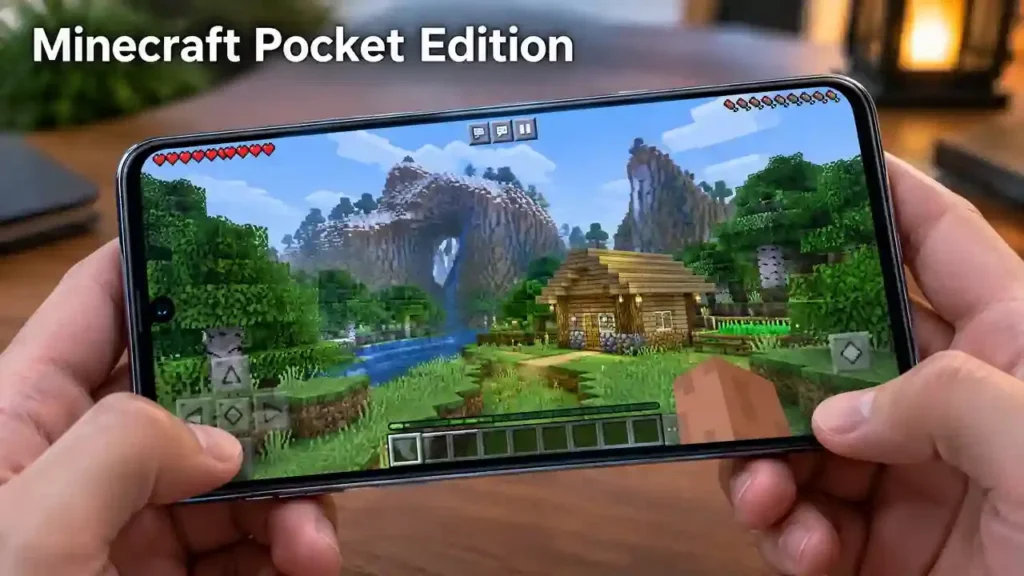
Minecraft PE lets players enjoy shared worlds with friends on compatible Bedrock devices. Players can work together, build bases, explore worlds, and survive against mobs. Online multiplayer can require the correct account and supported game version. Both players should also use compatible versions when joining the same world.
Minecraft PE servers
Minecraft PE players can join supported Bedrock servers for different multiplayer experiences. Servers may offer survival, minigames, PvP, creative builds, and other game modes. Server requirements can vary, so check the server address and supported Bedrock version before joining.
Minecraft Realms
Minecraft Realms provides a hosted online world for players who want a persistent shared experience. Friends can access the Realm when the owner is not actively playing. Realms can provide a simpler option than managing a separate server.
Common multiplayer problems
Connection problems can prevent players from joining a world or server. Version mismatches can also cause compatibility errors. Account or sign-in issues may affect online features. Server compatibility can also change after Minecraft updates. For detailed help, see our guides on Minecraft PE servers, Minecraft PE multiplayer, and Minecraft PE multiplayer not working.
Minecraft PE Commands and Gameplay Tools
Minecraft PE commands give players more control over their worlds. They can change gameplay settings, move players, control time, and perform useful actions.
Commands
Commands use specific text instructions to perform actions in the game. Players can use them for testing, building, world management, and other gameplay tasks.
Coordinates and teleportation
Coordinates help players identify their exact location in a Minecraft world. They are useful when exploring, sharing locations, or finding important areas. Teleportation commands can move a player to specific coordinates. This can save time when traveling across large worlds.
Game modes, weather, and time
Commands can switch between supported game modes. Players can also use commands to change weather or adjust the world’s time. These tools can help with testing builds or managing custom gameplay experiences.
Command blocks
Command blocks can execute commands automatically when players activate or trigger them. They are useful for maps, adventure experiences, and advanced builds. For complete instructions, explore our guides on Minecraft PE commands, Minecraft PE teleport command, Minecraft PE command blocks, and Minecraft PE cheats.
Minecraft Pocket Edition on Low-End Devices
Why Minecraft PE may lag
Minecraft PE can lag when a device struggles to process the game world. Older hardware may have limited processing power or memory. High render distance can increase the workload. Large worlds, demanding resource packs, and intensive visual effects can also affect performance. Background apps may use memory and processing resources at the same time.
How to reduce Minecraft PE lag
Start by lowering the render distance in Minecraft’s video settings. Reduce other graphics settings when available. Avoid demanding shaders and high-resolution resource packs on weaker devices. Close unnecessary background apps before playing. Keeping enough free storage can also help maintain smooth device performance.
Can Minecraft PE run on older phones?
Minecraft PE can run on some older phones, but performance depends on the device specifications and installed game version. A device that runs Minecraft smoothly with basic settings may struggle with larger worlds or demanding visual content. Always consider the device’s hardware before installing resource-heavy content. For more troubleshooting help, see Minecraft PE lag and Minecraft PE low-end devices.
Common Minecraft PE Problems and Solutions
Minecraft PE problems can come from the game version, device, settings, connection, or account. These quick fixes can help identify the cause.
Minecraft PE keeps crashing
Problem: The game closes unexpectedly.
Likely cause: Low memory, outdated software, or incompatible content.
Basic solution: Restart the device and remove recently installed addons or resource packs.
Deeper guide: See our Minecraft PE keeps crashing guide.
Minecraft PE is lagging
Problem: Gameplay feels slow or freezes.
Likely cause: High graphics settings, large worlds, or limited device resources.
Basic solution: Lower render distance and disable demanding visual content.
Deeper guide: See Minecraft PE lag.
Minecraft PE multiplayer isn’t working
Problem: You cannot join a friend’s world or server.
Likely cause: Version, account, or connection problems.
Basic solution: Check your internet connection and confirm compatible versions.
Deeper guide: See Minecraft PE multiplayer not working.
Minecraft PE won’t install/update
Problem: Installation or updates fail.
Likely cause: Storage, device compatibility, or app-store issues.
Basic solution: Free storage and check for available updates.
Deeper guide: See Minecraft PE won’t install or update.
Minecraft PE login problems
Problem: You cannot sign in.
Likely cause: Account or connection issues.
Basic solution: Check your internet connection and account details.
Deeper guide: See Minecraft PE login problems.
Frequently Asked Questions About Minecraft Pocket Edition
What is Minecraft Pocket Edition?
Minecraft Pocket Edition was the name for Minecraft’s mobile version. Players commonly call it Minecraft PE or MCPE. Modern mobile Minecraft uses the Bedrock Edition platform.
Is Minecraft Pocket Edition still available?
Pocket Edition is no longer a separate modern edition. Mobile Minecraft now uses Bedrock Edition. However, players still commonly use “Minecraft PE” when discussing the mobile game.
Is Minecraft PE the same as Bedrock Edition?
Minecraft PE is closely connected to Bedrock Edition. Pocket Edition became part of the broader Bedrock platform. Today, mobile players use the Bedrock version of Minecraft.
Can you play Minecraft PE with friends?
Yes. Minecraft Bedrock supports multiplayer on compatible devices. Players can join shared worlds, servers, or Realms with friends.
Can Minecraft PE use mods?
Mobile Bedrock mainly uses addons instead of Java-style mods. Addons can use behavior packs and resource packs to change gameplay or visual content.
Can Minecraft PE use shaders?
Yes, compatible visual packs can change Minecraft’s lighting, colors, shadows, and other graphics. Support and performance can vary by device and game version.
Can Minecraft PE play with PC players?
Yes, mobile Bedrock players can play with compatible PC players using Minecraft Bedrock Edition. Java Edition uses a separate multiplayer ecosystem.
What is MCPE?
MCPE stands for Minecraft Pocket Edition. It became a common abbreviation for Minecraft’s mobile version and remains widely used in searches and gaming communities.
Final Verdict
Minecraft Pocket Edition remains a familiar name for Minecraft on mobile devices. Today, mobile Minecraft runs on the Bedrock Edition platform. Players can enjoy survival, creative building, exploration, and multiplayer gameplay on phones and tablets. Bedrock also supports addons, maps, skins, shaders, and resource packs. Players can join servers and Realms for shared multiplayer experiences. Custom maps and seeds add new ways to explore Minecraft worlds. Addons can also introduce new gameplay features and content.
Mobile players may face issues with lag, crashes, updates, logins, or multiplayer connections. Simple settings changes and compatibility checks can often help solve these problems. If you want to go deeper, explore our dedicated Minecraft PE guides for versions, mods, addons, shaders, maps, skins, servers, commands, and troubleshooting and Minecraft OptiFine.