
OptiFine vs Iris Shaders Minecraft: Which Is Better for FPS, Performance, and Shaders? (2026 Guide)
Choosing between OptiFine and Iris can improve your Minecraft experience. Both let you use stunning shader packs, but they take different approaches.
OptiFine has powered Minecraft shaders for years. It combines performance settings, visual upgrades, and shader support in one mod. Many players still use it for its built-in features like Dynamic Lights, Connected Textures, and Zoom.
Iris is a newer shader mod built for modern Minecraft. It works with Sodium to deliver excellent performance and broad mod compatibility. Its open-source development also allows faster community improvements and updates.
So, which one should you choose?
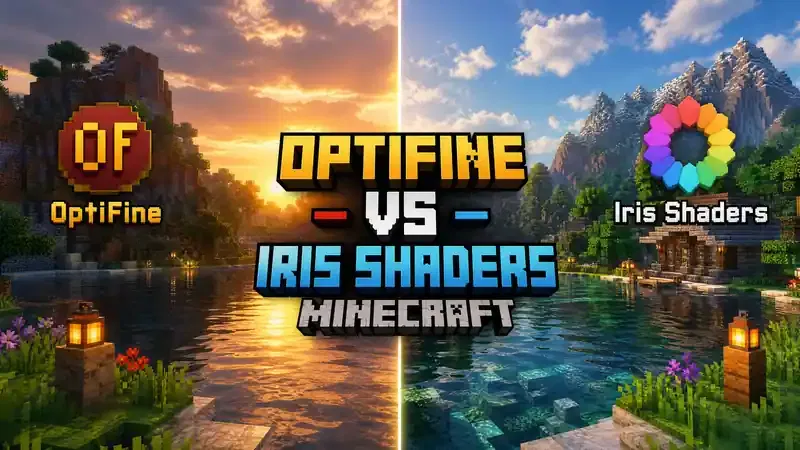
The answer depends on your goals. Some players want the highest FPS. Others need better mod compatibility or advanced resource pack features. Your Minecraft version, hardware, mod loader, and shader pack also affect the result. No single option fits every setup.
This guide compares OptiFine and Iris across performance, shader support, graphics quality, update speed, and compatibility. You’ll also learn which solution works best for low-end PCs, modded gameplay, and modern Minecraft versions.
By the end, you will know which shader mod matches your play style and gaming setup.
OptiFine vs Iris Shaders Minecraft: Quick Comparison
| Feature | OptiFine | Iris Shaders |
| Best For | Vanilla players, built-in graphics features, older Minecraft versions | Modern Minecraft, Fabric users, modded gameplay, maximum compatibility |
| Performance | Improves game performance with built-in optimizations | Delivers excellent performance when paired with Sodium |
| FPS | Can perform well with some shader packs. Results vary by hardware and settings. | Usually provides higher FPS without shaders. Shader performance depends on the shader pack and system. |
| Shader Support | Supports most popular OptiFine shader packs | Runs most OptiFine shader packs and supports advanced Iris shader features |
| Mod Compatibility | Limited compatibility with many modern mods | Excellent compatibility with Fabric and Quilt mod ecosystems |
| Resource Pack Features | Includes Dynamic Lights, Connected Textures, Zoom, Custom Entity Models, and more | Supports standard resource packs. Some OptiFine-exclusive features require additional mods. |
| Fabric Support | Limited. Requires extra compatibility solutions. | Native support for Fabric and Quilt |
| Forge Support | Strong support as a standalone mod and in many Forge setups | Available on Forge through compatible ports such as Oculus or other maintained alternatives, depending on the Minecraft version |
| Update Speed | Updates depend on OptiFine releases | Often receives faster updates through its open-source community |
| Installation Difficulty | Easy standalone installer | Simple installer. Works best with Fabric and Sodium. |
| Open Source | ❌ No | ✅ Yes |
| Overall Recommendation | Choose OptiFine if you want an all-in-one solution with exclusive visual features. Choose Iris if you want better mod compatibility, modern development, and strong performance with Sodium. |
What Is OptiFine?
OptiFine is one of the most popular Minecraft optimization mods for Minecraft Java Edition. It launched in 2011 and quickly became the standard choice for players who wanted better performance and improved graphics. Over the years, it has added many visual features that the base game does not include.
OptiFine works by improving Minecraft’s rendering system. It adds advanced video settings that help increase FPS, reduce lag, and give players more control over graphics. It also acts as a shader loader, allowing compatible shader packs to run without extra mods.
Many players choose OptiFine because it combines performance improvements and visual upgrades in one installation.
Major OptiFine Features
OptiFine includes several built-in features that improve gameplay and graphics.
Dynamic Lighting
Dynamic Lighting lets light sources illuminate the world while you hold them. Torches, lanterns, glowstone, and other light-emitting items brighten dark areas without placing blocks.
Connected Textures
Connected Textures remove visible seams between matching blocks. This feature creates smoother glass, bookshelves, sandstone, and many custom resource packs.
Zoom
The built-in Zoom feature lets you view distant objects with a single key press. It helps players explore terrain, spot mobs, and build with greater precision.
Custom Entity Models
OptiFine supports Custom Entity Models (CEM). Resource packs can replace default mob models with detailed designs and custom animations.
HD Resource Pack Support
OptiFine improves support for high-resolution resource packs. It also enables advanced texture features, including custom colors, emissive textures, random entities, and animated textures when supported by the resource pack.
Shader Support
OptiFine introduced built-in shader support to millions of Minecraft players. It works with many popular shader packs, including BSL, Complementary, SEUS, and Sildur’s Vibrant Shaders. These shader packs add realistic lighting, shadows, reflections, water effects, and atmospheric visuals to the game.
OptiFine remains a popular choice for players who want an all-in-one solution with performance settings, graphics enhancements, and shader support in a single mod.
What Is Iris Shaders?
Iris Shaders is a modern shader mod for Minecraft Java Edition. It lets you run high-quality shader packs while keeping strong performance and broad mod compatibility. The project focuses on speed, stability, and support for the latest Minecraft versions.
Why Was Iris Created?
Iris was created to solve problems that many players faced with older shader solutions. The developers wanted a shader mod that worked well with modern optimization mods and large modpacks. They also wanted a project that the community could improve over time.
Open-Source Project
Iris is an open-source project. Anyone can review its code, report issues, or contribute improvements. This development model encourages transparency and helps the project adapt quickly to new Minecraft updates.
Designed for Sodium
Iris was built to work with Sodium, one of the most popular rendering optimization mods for Minecraft. Together, Iris and Sodium improve game performance while supporting many popular shader packs. This combination has become a common choice for players who want smooth gameplay and modern graphics.
Built for the Fabric Ecosystem
Iris supports the Fabric mod loader and also works with Quilt. These lightweight mod loaders make it easier to build large mod collections with fewer compatibility problems. Many modern Minecraft performance mods also target the Fabric ecosystem.
Modern Rendering Architecture
Iris uses a modern rendering architecture that builds on the original shader pipeline while extending it for newer graphics features. It supports advanced rendering capabilities that shader developers can use to create more detailed lighting, shadows, and visual effects. Most shader packs made for OptiFine also work with Iris, making the transition simple for many players.
Community-Driven Development
A large community helps improve Iris through testing, bug reports, and code contributions. This active development often leads to faster compatibility updates for new Minecraft releases and continued improvements for players and shader creators.
If you want a modern shader solution with strong mod compatibility, active development, and excellent performance alongside Sodium, Iris is one of the best options available today.
Why Players Compare OptiFine and Iris
OptiFine and Iris solve the same problem in different ways. Both improve Minecraft graphics and enable shader packs, but they focus on different strengths. That is why players often compare them before choosing a shader mod.
Better FPS
Many players want higher FPS for smoother gameplay. Iris paired with Sodium often delivers excellent performance in modern Minecraft. OptiFine also improves FPS, especially in vanilla gameplay. However, shader performance varies by hardware, Minecraft version, shader pack, and graphics settings.
Better Shader Experience
Both mods support popular shader packs such as BSL, Complementary, SEUS, and Sildur’s Vibrant Shaders. Players compare them to find the best balance between visual quality and frame rates. Some shader packs perform differently on each mod.
Modern Minecraft Support
Minecraft updates frequently. Players want a shader mod that keeps pace with new releases. Iris often receives updates quickly through its open-source community, while OptiFine follows its own development schedule.
Mod Compatibility
Many players use large modpacks with dozens of mods. Iris works smoothly with the Fabric ecosystem and many modern performance mods, including Sodium. OptiFine offers fewer compatibility options because it replaces parts of Minecraft’s rendering system.
Performance on Low-End PCs
Players with older hardware need every frame they can get. Both OptiFine and Iris can improve performance, but the best choice depends on the game version, installed mods, and shader settings. Testing both options often provides the most reliable answer.
Performance on High-End PCs
Players with powerful hardware usually focus on graphics quality instead of raw FPS. They want realistic lighting, detailed shadows, and advanced visual effects without sacrificing smooth gameplay. Both OptiFine and Iris support high-quality shader packs, but results vary by shader and system configuration.
Stability and Reliability
Nobody enjoys crashes or visual glitches during gameplay. Players compare OptiFine and Iris to find a stable setup for long gaming sessions. Stability depends on compatible mods, Minecraft version, graphics drivers, and shader packs rather than a single mod alone.
Choosing between OptiFine and Iris is not only about FPS. It also depends on your preferred mod loader, Minecraft version, hardware, and the features that matter most to your gameplay.
OptiFine vs Iris: Detailed Comparison
The table below highlights the biggest differences between OptiFine and Iris. Both mods improve Minecraft graphics, but they target different users and workflows.
| Feature | OptiFine | Iris Shaders |
| Performance | Improves performance with built-in optimizations | Delivers excellent performance when paired with Sodium |
| FPS | Strong performance in many setups. Shader FPS varies by hardware and settings. | Excellent FPS without shaders. Shader performance depends on the shader pack, hardware, and render settings. |
| Shader Compatibility | Supports most OptiFine-format shader packs | Runs most OptiFine shader packs and adds support for advanced Iris shader features |
| Installation | Install one .jar file and launch Minecraft | Install Iris using the installer. Sodium installs automatically or separately, depending on the installer version. |
| Ease of Use | Very beginner-friendly | Easy to install. Best suited for Fabric users and modern modded setups. |
| Update Frequency | Updates arrive after OptiFine development cycles | Often updates quickly through open-source community contributions |
| Open Source | ❌ Proprietary software | ✅ Fully open source |
| Resource Pack Features | Supports Dynamic Lights, Connected Textures, Custom Entity Models, Custom Item Textures, Random Entities, HD textures, and more | Supports standard resource packs. OptiFine-exclusive features usually require separate Fabric mods. |
| Mod Compatibility | Limited compatibility with many rendering and optimization mods | Excellent compatibility with Fabric, Quilt, Sodium, Lithium, and other modern performance mods |
| Rendering Pipeline | Uses the traditional shader pipeline introduced by ShadersMod | Extends the same shader pipeline with modern rendering improvements and additional developer features |
| Dynamic Lighting | ✅ Built in | ❌ Requires an additional mod |
| Connected Textures | ✅ Built in | ❌ Requires Continuity or another compatible mod |
| Zoom | ✅ Built in | ❌ Requires a separate zoom mod |
| Custom Entity Models (CEM) | ✅ Native support | ❌ Requires Entity Model Features (EMF) or a similar mod |
| Shader Features | Supports popular shader packs with the OptiFine shader format | Supports most OptiFine shader packs and includes additional capabilities for shader developers, such as advanced rendering directives |
| Community Support | Large and established player base | Active open-source community with frequent feedback and contributions |
| Development Speed | Depends on a single primary development path | Benefits from community-driven development and rapid issue reporting |
| Stability | Stable in standalone setups. Compatibility may decrease in large modpacks. | Stable in modern Fabric modpacks when compatible mods and shader packs are used. |
Quick Recommendation: Choose OptiFine if you want an all-in-one graphics mod with exclusive visual features. Choose Iris + Sodium if you want better mod compatibility, modern development, and excellent performance for today’s Minecraft versions.
FPS Performance Comparison: OptiFine vs Iris
FPS is one of the biggest reasons players compare OptiFine and Iris. Both can improve performance, but the results depend on your Minecraft version, hardware, shader pack, render distance, and installed mods. No single mod delivers the best FPS in every situation.
Vanilla Minecraft
If you play without mods or shaders, both OptiFine and Iris improve performance over vanilla Minecraft.
OptiFine boosts FPS through built-in rendering optimizations and video settings. Iris, when paired with Sodium, often delivers even larger performance gains because Sodium replaces Minecraft’s rendering engine with a more efficient implementation.
Without Shaders
Without shaders, Iris + Sodium often provides higher FPS in modern Minecraft versions. It reduces CPU workload and improves chunk rendering, making gameplay smoother in many worlds.
OptiFine still performs well for players who want better graphics and optimization in one package. However, it cannot use Sodium, which limits its performance potential in many modern setups.
With Lightweight Shaders
Lightweight shader packs, such as Sildur’s Enhanced Default or Complementary Reimagined (Performance Profile), run well on both mods.
The FPS difference is usually small. Some systems perform better with OptiFine, while others benefit from Iris and Sodium. Driver updates and graphics settings also affect the outcome.
With Heavy Shaders
Demanding shader packs like SEUS PTGI, Photon, or BSL Ultra place much more stress on your GPU.
Some players report higher FPS with OptiFine using certain heavy shaders. Others achieve smoother gameplay with Iris. These differences often come from the shader pack’s optimization, graphics drivers, GPU model, and rendering settings rather than the shader mod itself.
Performance on Low-End PCs
Players with entry-level hardware often need every frame possible.
For many modern Minecraft versions, Iris + Sodium delivers excellent results without shaders and with lightweight shader packs. Lower render distance, reduced shadow quality, and balanced graphics settings usually provide bigger FPS gains than changing shader mods alone.
Performance on Mid-Range PCs
Mid-range systems can handle most popular shader packs comfortably.
Both OptiFine and Iris provide smooth gameplay when paired with balanced graphics settings. The better choice often depends on your preferred mod loader, installed mods, and the shader pack you use.
Performance on High-End PCs
High-end gaming PCs focus less on raw FPS and more on visual quality.
Both mods support advanced shader packs with realistic lighting, reflections, and shadows. At this level, your graphics card, CPU, shader settings, and display resolution have a greater impact than the shader loader itself.
What Affects FPS the Most?
Several factors influence Minecraft shader performance:
- Shader pack: Heavy shaders require more GPU power than lightweight options.
- Graphics card: Modern GPUs handle advanced effects more efficiently.
- Processor: A faster CPU improves chunk loading and game logic.
- Render distance: Higher values reduce FPS on every system.
- Minecraft version: Performance changes with each release.
- Installed mods: Large modpacks increase hardware demands.
- Graphics settings: Shadow quality, resolution scaling, and anti-aliasing directly affect FPS.
- Java version and drivers: Updated software improves stability and performance.
Bottom Line
For modern Minecraft without shaders, Iris + Sodium often delivers the strongest performance. With shaders enabled, there is no universal winner. The best choice depends on your hardware, Minecraft version, shader pack, and graphics settings. Testing both options with your preferred shader pack provides the most accurate result.
Shader Performance Comparison
Shader performance depends on more than OptiFine or Iris. Every shader pack uses different lighting techniques, shadow quality, reflections, and post-processing effects. As a result, one shader may run better on your system than another.
Most popular shader packs work with both OptiFine and Iris. However, their FPS and visual quality can vary based on your GPU, CPU, Minecraft version, and graphics settings.
BSL Shaders
BSL Shaders offer realistic lighting, soft shadows, vibrant colors, and beautiful skies. They balance image quality and performance well.
BSL performs smoothly on many mid-range and high-end PCs. Both OptiFine and Iris support BSL, but FPS can differ depending on your hardware and render settings.
Complementary Shaders
Complementary Shaders focus on high visual quality while offering several performance profiles. They remain one of the most popular shader packs for everyday gameplay.
They run well on both OptiFine and Iris. Lower-quality presets provide excellent performance on mid-range systems, while Ultra presets demand more GPU power.
SEUS
SEUS (Sonic Ether’s Unbelievable Shaders) introduced realistic lighting and shadows to Minecraft. It remains a popular choice for cinematic gameplay.
Older SEUS versions generally perform well on capable systems. Results vary between OptiFine and Iris depending on the Minecraft version and graphics drivers.
SEUS PTGI
SEUS PTGI adds path-traced global illumination for highly realistic lighting and reflections. It is one of the most demanding shader packs available.
This shader requires a powerful graphics card. Your GPU plays a much larger role than the shader loader when running SEUS PTGI.
Sildur’s Vibrant Shaders
Sildur’s Vibrant Shaders offer several quality presets, from Lite to Extreme. Players can choose a preset that matches their hardware.
Lite versions work well on many low-end and mid-range PCs. Higher presets deliver richer visuals but require more graphics power.
Bliss Shaders
Bliss Shaders focus on advanced lighting, realistic clouds, weather effects, and immersive environments.
These features increase GPU usage. High-end systems usually provide the best experience with this shader pack.
Photon Shaders
Photon Shaders combine realistic lighting with modern rendering techniques. They produce detailed reflections, improved shadows, and cinematic effects.
Photon works best on modern graphics hardware. Performance depends heavily on the selected quality preset and display resolution.
Why Shader Choice Changes Performance
Not every shader pack uses the same rendering techniques. Some prioritize visual quality, while others focus on smooth gameplay.
Several factors influence FPS:
- Lighting quality: Advanced lighting requires more GPU power.
- Shadow resolution: Higher shadow quality lowers FPS.
- Reflections: Water and screen-space reflections increase rendering workload.
- Volumetric effects: Clouds, fog, and god rays demand additional resources.
- Ray tracing or path tracing: Effects like SEUS PTGI require significantly more graphics performance.
- Shader preset: Lite, Medium, High, and Ultra settings produce different results.
- Screen resolution: Higher resolutions require more rendering power.
Bottom Line
There is no single shader pack that performs best on every system. Lightweight shaders like Sildur’s Lite or lower Complementary presets suit older hardware. Advanced packs like SEUS PTGI, Bliss, and Photon deliver stunning visuals but need powerful GPUs. The best performance comes from matching the shader pack to your hardware instead of relying on one shader loader alone.
Graphics Quality Comparison
Both OptiFine and Iris can produce stunning Minecraft visuals. In most cases, the shader pack has a greater impact on image quality than the shader loader itself. If you use the same shader pack with similar settings, the visual differences are usually small.
The main differences come from rendering features, shader compatibility, and how each mod handles advanced graphics.
| Graphics Feature | OptiFine | Iris Shaders |
| Shadows | Supports high-quality dynamic shadows through compatible shader packs | Supports the same shader packs. Some modern shaders use Iris-specific rendering features for improved shadow control. |
| Lighting | Delivers realistic lighting with supported shaders | Produces comparable lighting quality. Supports advanced shader capabilities for newer effects. |
| Reflections | Supports water and screen-space reflections when provided by the shader pack | Supports the same reflection effects. Results depend on the shader implementation. |
| Water | Renders realistic waves, transparency, and reflections with compatible shaders | Offers similar water quality with supported shader packs. |
| Clouds | Displays custom volumetric and animated clouds when supported by shaders | Supports the same cloud effects. Some shaders include additional Iris optimizations. |
| Ambient Occlusion | Enhances depth by adding soft shadows around nearby blocks and objects | Delivers comparable ambient occlusion through compatible shader packs. |
| Volumetric Lighting | Supports god rays, light shafts, and atmospheric effects through shaders | Supports the same effects and additional rendering features available to Iris-compatible shaders. |
| Global Illumination | Supports advanced lighting only if the shader pack implements it | Supports modern techniques such as Light Propagation Volume (LPV) in shaders that use Iris-exclusive features. |
Shadows
Both mods support detailed shadows through compatible shader packs. Shadow quality depends on the selected shader preset and shadow resolution. Higher settings create sharper shadows but require more GPU power.
Lighting
Realistic lighting transforms Minecraft’s appearance. Sunlight, moonlight, torches, and other light sources become more natural with shaders. Both OptiFine and Iris deliver excellent lighting when paired with quality shader packs.
Reflections
Modern shader packs add reflections to water, glass, and other surfaces. The quality of these reflections depends on the shader pack, not the shader loader.
Water
Water effects include realistic waves, transparency, caustics, and reflections. Both OptiFine and Iris support these effects through compatible shader packs.
Clouds
Many shaders replace Minecraft’s default clouds with volumetric clouds that move naturally across the sky. These effects improve immersion but increase GPU usage.
Ambient Occlusion
Ambient occlusion adds soft shadows where blocks and objects meet. This creates greater depth and makes the world look more realistic.
Volumetric Lighting
Volumetric lighting creates visible light beams through trees, caves, and windows. These effects, often called god rays, add atmosphere to sunrise, sunset, and weather scenes.
Global Illumination
Global illumination simulates indirect light bouncing between surfaces. Advanced shader packs such as SEUS PTGI use this technique to create realistic indoor lighting and natural color blending. Iris also supports extended rendering features that enable techniques like Light Propagation Volume (LPV) in compatible shaders.
Bottom Line
If you use the same shader pack, OptiFine and Iris usually deliver very similar visual quality. The biggest difference comes from the shader itself, not the loader. Iris offers additional rendering capabilities for shader developers, while OptiFine provides excellent compatibility with its long-established shader ecosystem. For most players, the choice should focus on performance, mod compatibility, and preferred features rather than graphics quality alone.
Sodium + Iris vs OptiFine
Many players compare Sodium + Iris with OptiFine because both improve Minecraft performance and enable shaders. The biggest difference is how they handle rendering. OptiFine combines everything into one mod, while Iris works alongside Sodium to separate shader support from rendering optimization.
Why Sodium Matters
Sodium is one of the most popular performance mods for Minecraft Java Edition. It replaces many parts of Minecraft’s default renderer with a more efficient implementation. This reduces CPU workload, improves chunk rendering, and increases FPS in many situations.
Iris builds on Sodium instead of replacing it. Together, they provide a modern foundation for shader support and performance.
Rendering Optimization
Rendering optimization controls how Minecraft draws blocks, entities, particles, and lighting.
OptiFine improves rendering through its own optimization system and advanced graphics settings.
Sodium uses a different approach. It redesigns key rendering processes to reduce unnecessary work and improve efficiency. This often results in smoother gameplay, especially in large worlds or heavily modded environments.
OpenGL Improvements
Minecraft Java Edition relies on OpenGL to communicate with your graphics card.
Sodium improves how Minecraft sends rendering data to OpenGL. It reduces redundant operations and manages graphics resources more efficiently. These optimizations can lower CPU overhead and improve frame consistency.
OptiFine also optimizes rendering, but it uses a different implementation and cannot run alongside Sodium because both modify core rendering systems.
Modern Rendering Architecture
OptiFine follows a long-established architecture that combines optimization, shader support, and graphics features into one package.
Iris and Sodium use a modular design. Sodium focuses on rendering performance, while Iris handles shader support. This separation makes it easier to maintain compatibility with modern Fabric mods and adapt to new Minecraft updates.
Performance Gains
Without shaders, Iris + Sodium often delivers higher FPS in modern Minecraft versions. Many players also notice smoother frame times and faster chunk loading.
With shaders enabled, results become less predictable. Some shader packs perform better on OptiFine, while others run equally well or better on Iris. Hardware, graphics drivers, shader settings, and Minecraft versions all influence the outcome.
Architecture Comparison
| Component | OptiFine | Iris + Sodium |
| Design | All-in-one optimization and shader solution | Modular system with separate performance and shader mods |
| Rendering Engine | Custom OptiFine renderer | Sodium rendering engine with Iris shader integration |
| Shader Support | Built into OptiFine | Provided by Iris |
| Performance Optimization | Built into OptiFine | Handled by Sodium |
| Mod Compatibility | More limited with modern rendering mods | Excellent compatibility across the Fabric ecosystem |
| Development Model | Proprietary development | Open-source community development |
Which Approach Is Better?
Choose OptiFine if you want a single mod with built-in graphics features, shader support, and simple installation.
Choose Iris + Sodium if you want modern rendering, excellent mod compatibility, and strong performance in current Minecraft versions.
Neither approach is universally better. The best choice depends on your Minecraft version, hardware, mod loader, shader pack, and the features you value most.
Shader Pack Compatibility
One of the biggest concerns when switching shader mods is compatibility. The good news is that both OptiFine and Iris support most popular Minecraft shader packs. In many cases, you can use the same shader pack on either mod without making changes.
However, some newer shader packs include features designed specifically for Iris. Likewise, a few older shaders may work better with OptiFine, depending on their development status.
The table below compares compatibility with the most popular shader packs.
| Shader Pack | OptiFine | Iris Shaders | Notes |
| BSL Shaders | ✅ Excellent | ✅ Excellent | Fully supported on both mods. |
| Complementary Shaders | ✅ Excellent | ✅ Excellent | Works smoothly on both. Multiple quality presets are available. |
| SEUS | ✅ Excellent | ✅ Excellent | Most versions work well on both shader loaders. |
| Sildur’s Vibrant Shaders | ✅ Excellent | ✅ Excellent | Strong compatibility across Lite, High, and Extreme presets. |
| Chocapic13 Shaders | ✅ Excellent | ✅ Excellent | Compatible with both. Performance depends on the selected preset. |
| Bliss Shaders | ✅ Supported | ✅ Excellent | Modern versions are actively tested with Iris. Performance depends on hardware. |
| Photon Shaders | ✅ Supported | ✅ Excellent | Uses advanced rendering features that work well with Iris. |
BSL Shaders
BSL Shaders remain one of the most popular shader packs for Minecraft. They deliver realistic lighting, detailed shadows, and vibrant colors. Both OptiFine and Iris provide excellent compatibility with BSL.
Complementary Shaders
Complementary Shaders focus on balancing performance and visual quality. They include multiple presets, making them suitable for both mid-range and high-end PCs. They run reliably on both OptiFine and Iris.
SEUS
SEUS introduced many players to realistic Minecraft shaders. Most SEUS versions work well on both shader loaders. Performance depends more on your graphics hardware than the loader itself.
Sildur’s Vibrant Shaders
Sildur’s offers several quality levels, from Lite to Extreme. Both OptiFine and Iris support these presets, allowing players to choose one that matches their hardware.
Chocapic13 Shaders
Chocapic13 provides realistic lighting and configurable quality settings. It remains compatible with both OptiFine and Iris, making it a solid choice for a wide range of systems.
Bliss Shaders
Bliss focuses on cinematic visuals with advanced lighting, weather, and cloud effects. Modern releases work very well with Iris while remaining compatible with OptiFine.
Photon Shaders
Photon delivers realistic reflections, dynamic lighting, and atmospheric effects. It supports both shader loaders, although some advanced features may benefit from Iris’s extended rendering capabilities when implemented by the shader.
Does Iris Support OptiFine Shader Packs?
Yes. One of Iris’s main goals is backward compatibility. Most shader packs originally created for OptiFine run on Iris without modification. This makes switching from OptiFine much easier for players who already have a favorite shader pack.
Which Shader Loader Offers Better Compatibility?
For most players, the difference is small. Both OptiFine and Iris support the shader packs that the Minecraft community uses most. The biggest compatibility differences usually appear with new shader features, older shader versions, or experimental rendering techniques.
If you mainly play with BSL, Complementary, SEUS, Sildur’s, Chocapic13, Bliss, or Photon, either shader loader is a strong choice. Your hardware, Minecraft version, and preferred mod loader will have a greater impact on your experience than shader compatibility alone.
Mod Compatibility
Mod compatibility is one of the biggest differences between OptiFine and Iris. If you play vanilla Minecraft with a few visual improvements, either option can work well. If you use large modpacks, your choice becomes much more important.
Iris was designed for modern modding. OptiFine was designed as an all-in-one optimization mod. These different goals affect how each works with other mods.
| Compatibility Area | OptiFine | Iris Shaders |
| Fabric | ⚠️ Limited support. May require additional compatibility mods. | ✅ Native support |
| Quilt | ⚠️ Limited support | ✅ Native support |
| Forge | ✅ Strong standalone support | ✅ Available through compatible ports, depending on the Minecraft version |
| NeoForge | ⚠️ Limited availability, depending on the OptiFine version | ✅ Available through compatible ports for supported versions |
| Small Modpacks | ✅ Generally works well | ✅ Excellent compatibility |
| Large Modpacks | ⚠️ More compatibility conflicts can occur | ✅ Designed for modern large modpacks |
| Performance Mods | ❌ Cannot work with Sodium | ✅ Fully compatible with Sodium and many other Fabric performance mods |
Fabric Compatibility
Fabric is one of the most popular mod loaders for modern Minecraft. It focuses on lightweight mods and fast updates.
Iris was built specifically for Fabric. It works smoothly with popular performance mods such as Sodium, Lithium, and FerriteCore. This makes it a strong choice for players who build custom modpacks.
OptiFine offers limited Fabric compatibility and may require additional compatibility solutions. Even then, some rendering mods remain incompatible.
Quilt Compatibility
Quilt extends the Fabric ecosystem while maintaining broad compatibility.
Iris supports Quilt through its Fabric-based architecture. Most Fabric mods also work on Quilt, making it easy to create flexible modpacks.
OptiFine does not target Quilt directly and offers fewer integration options.
Forge Compatibility
Forge remains one of the largest Minecraft modding platforms.
OptiFine has long supported Forge and works well in many Forge-based setups.
Iris is available for Forge through maintained compatibility ports, depending on the Minecraft version. Before installing, verify that your chosen port supports both your Minecraft version and shader pack.
NeoForge Compatibility
NeoForge is a newer mod loader that continues Forge’s development for many recent Minecraft versions.
Support for both OptiFine and Iris depends on the Minecraft version and available compatibility projects. Always check the latest compatibility information before creating a NeoForge modpack.
Small Modpacks
If your modpack contains only a few mods, both OptiFine and Iris can provide a stable experience.
Your choice depends more on the features you need than on compatibility alone.
Large Modpacks
Large modpacks often include hundreds of mods that modify rendering, lighting, or world generation.
Iris performs well in these environments because it works with the modern Fabric performance ecosystem. OptiFine may experience compatibility issues when other mods change the same rendering systems.
Common Compatibility Issues
Most compatibility problems come from rendering conflicts rather than shader support.
Common issues include:
- Mixing OptiFine with Sodium.
- Installing the wrong mod loader.
- Using unsupported Minecraft versions.
- Combining incompatible rendering mods.
- Running outdated shader packs.
- Using old graphics drivers.
- Installing mods built for different Minecraft versions.
Which Mod Is Better for Modded Minecraft?
If you mainly play vanilla Minecraft or use a few visual enhancements, OptiFine remains a solid option.
If you build modern Fabric or Quilt modpacks, Iris + Sodium offers broader compatibility and works well alongside many popular optimization mods. For Forge and NeoForge, the best choice depends on your Minecraft version and the compatibility solutions available for your setup.
Resource Pack Features
Resource packs do more than change block textures. They can add custom models, connected textures, glowing objects, and detailed animations. OptiFine includes many of these features by default, while Iris focuses on shader support and relies on additional Fabric mods for several OptiFine-specific features.
If you enjoy advanced resource packs, this comparison will help you choose the right setup.
| Feature | OptiFine | Iris Shaders |
| Custom Item Textures (CIT) | ✅ Built in | ⚠️ Requires CIT Resewn or a similar mod |
| Custom Entity Models (CEM) | ✅ Built in | ⚠️ Requires Entity Model Features (EMF) |
| Random Entities | ✅ Built in | ⚠️ Requires Entity Texture Features (ETF) |
| Connected Textures (CTM) | ✅ Built in | ⚠️ Requires Continuity or another CTM-compatible mod |
| HD Textures | ✅ Full support | ✅ Supported through Minecraft and compatible resource packs |
| Animated Textures | ✅ Built in | ✅ Supported by Minecraft and compatible resource packs |
| Emissive Textures | ✅ Built in | ⚠️ Requires compatible Fabric mods for OptiFine-style emissive features |
Custom Item Textures (CIT)
CIT allows resource packs to assign different textures to items based on names, enchantments, or other properties. This feature powers many RPG and adventure resource packs.
OptiFine includes CIT support by default. Iris users can achieve similar functionality with Fabric mods such as CIT Resewn.
Custom Entity Models (CEM)
CEM lets resource packs replace Minecraft’s default mob models with detailed custom models and animations.
OptiFine supports CEM out of the box. On Iris, players typically use Entity Model Features (EMF) to enable similar functionality.
Random Entities
Random Entities give mobs multiple texture variations. This makes villages, animals, and hostile mobs look more diverse.
OptiFine includes this feature natively. Iris users can add it with Entity Texture Features (ETF).
Connected Textures (CTM)
Connected Textures remove visible borders between matching blocks. Glass, bookshelves, sandstone, and many decorative blocks look much smoother.
OptiFine includes CTM by default. Iris users can enable similar effects with Continuity or another compatible Fabric mod.
HD Textures
High-resolution resource packs make Minecraft blocks and items much sharper.
Both OptiFine and Iris support HD textures. Performance depends more on your graphics hardware and the texture resolution than on the shader loader.
Animated Textures
Animated textures bring water, lava, fire, portals, and custom blocks to life.
Both mods display animated textures correctly when the resource pack includes them.
Emissive Textures
Emissive textures allow selected parts of a block or entity to glow, even in darkness.
OptiFine supports emissive textures through compatible resource packs. Iris can provide similar results when paired with compatible Fabric mods that implement OptiFine-style resource pack features.
Which Option Is Better for Resource Packs?
If you want every advanced resource pack feature in one installation, OptiFine remains the simplest solution.
If you prefer Iris, you can recreate nearly all OptiFine resource pack features by adding a few lightweight Fabric mods. This modular approach gives you more flexibility while keeping excellent compatibility with modern Minecraft modpacks.
Installation Comparison
Both OptiFine and Iris are easy to install. The main difference is that OptiFine works as a standalone mod, while Iris is designed to work with Fabric and Sodium. Your choice depends on the Minecraft version, preferred mod loader, and whether you plan to use additional mods.
OptiFine vs Iris Installation
| Step | OptiFine | Iris Shaders |
| Requirements | Minecraft Java Edition and Java installed | Minecraft Java Edition and Java installed |
| Download | Download the OptiFine installer for your Minecraft version | Download the Iris Installer for your Minecraft version |
| Installation | Run the installer and click Install | Run the Iris Installer and select Install |
| Mod Loader | Works as a standalone installation. Can also integrate with supported Forge setups. | Installs Fabric and usually Sodium automatically, depending on the installer version. |
| Launcher | Select the OptiFine profile in Minecraft Launcher | Select the Iris or Fabric profile in Minecraft Launcher |
| Difficulty | Easy | Easy |
| Best For | Players who want one all-in-one mod | Players who want a modern Fabric-based setup |
Installing OptiFine
Requirements
Before installing OptiFine, make sure you have:
- Minecraft Java Edition
- A compatible Java version
- Minecraft launched at least once
Download
Download the OptiFine installer that matches your Minecraft version. Using the correct version helps prevent crashes and loading issues.
Installation
Open the downloaded .jar file and click Install. The installer creates a new OptiFine profile automatically.
The process usually takes less than a minute.
Launcher
Open the Minecraft Launcher and choose the OptiFine profile before starting the game.
After Minecraft loads, open Options > Video Settings to confirm that OptiFine installed correctly.
Common OptiFine Issues
You may encounter these problems during installation:
- Java is missing or outdated.
- The installer does not open.
- The wrong Minecraft version is selected.
- Another rendering mod conflicts with OptiFine.
- The shader option does not appear because the installation failed.
Most problems are solved by updating Java, launching the correct Minecraft version first, and reinstalling OptiFine.
Installing Iris Shaders
Iris Installer
Download the official Iris Installer that matches your Minecraft version.
The installer simplifies the process by setting up the required components automatically for most users.
Fabric
Iris uses the Fabric mod loader. If Fabric is not already installed, the Iris Installer can install it during setup.
Sodium
Iris works best with Sodium, which improves rendering performance.
Most recent Iris installers include Sodium automatically. If your installer does not, install the compatible Sodium version manually.
Launcher
After installation, open Minecraft Launcher and select the Iris or Fabric profile created by the installer.
Launch the game and open Options > Video Settings > Shader Packs to verify that Iris installed successfully.
Common Iris Issues
The most common installation problems include:
- Installing an incompatible Fabric or Sodium version.
- Using mods built for a different Minecraft version.
- Outdated graphics drivers.
- Selecting the wrong launcher profile.
- Using incompatible shader packs or outdated mods.
Which Installation Is Easier?
If you want the simplest setup, OptiFine offers a straightforward all-in-one installer.
If you plan to use modern Fabric mods and shader packs, Iris provides a flexible installation with excellent long-term compatibility. Although it includes an extra component, the installer handles most of the setup automatically, making the process almost as simple as installing OptiFine.
Update Speed
Minecraft receives frequent updates, and shader mods must adapt to new game versions. Update speed affects how quickly you can use shaders after a major Minecraft release.
OptiFine and Iris follow different development models, which leads to different release timelines.
| Update Factor | OptiFine | Iris Shaders |
| Minecraft Updates | Updates after official OptiFine development and testing | Often supports new Minecraft versions quickly through active development |
| Snapshot Support | Limited. Focuses on stable Minecraft releases. | Experimental builds may appear sooner, but stable support still targets official releases. |
| Community Development | Developed through a centralized project | Open-source project with community contributions |
| Release Frequency | Depends on the OptiFine development cycle | Regular updates based on community development and bug fixes |
Minecraft Updates
Every major Minecraft update changes parts of the game’s rendering engine. Shader mods must adjust before they become compatible.
Iris often adapts quickly because multiple developers contribute to the project. Community testing also helps identify and fix issues early.
OptiFine follows its own development schedule. New versions usually arrive after compatibility testing and feature updates are complete.
Snapshot Support
Minecraft snapshots introduce experimental features before official releases.
Neither OptiFine nor Iris guarantees full support for every snapshot. Most players should wait for stable releases before installing shaders.
If you enjoy testing snapshots, expect occasional bugs, broken shaders, or missing features regardless of the shader loader.
Community Development
Iris is an open-source project. Developers from the community can report bugs, submit improvements, and review code. This collaborative approach helps maintain compatibility with modern Minecraft versions.
OptiFine follows a centralized development model. Many players appreciate its long history and polished releases, but updates depend on its development schedule.
Release Frequency
Iris receives regular maintenance updates, compatibility fixes, and performance improvements throughout the year.
OptiFine also receives updates, but release timing varies based on development progress and the complexity of new Minecraft versions.
Which Shader Mod Updates Faster?
For recent Minecraft versions, Iris often becomes compatible sooner because of its active open-source development and close integration with the modern Fabric ecosystem.
OptiFine remains a reliable choice for players who prefer stable, all-in-one releases. Although updates may take longer, they are thoroughly tested before release.
Bottom Line: If you always play the latest Minecraft version, Iris often reaches compatibility first. If you value a mature, standalone solution with built-in features, waiting for the next OptiFine release may be worthwhile.
Open Source vs Proprietary
One of the biggest differences between Iris and OptiFine is how they are developed. This affects update speed, transparency, community involvement, and long-term growth.
If you plan to use Minecraft for years, understanding this difference can help you choose the right shader mod.
| Feature | OptiFine | Iris Shaders |
| License | Proprietary | Open source |
| Source Code | Not publicly available | Publicly available on GitHub |
| Community Contributions | Not accepted in the main project | Developers worldwide can contribute |
| Transparency | Limited public visibility into development | Code, bug reports, and discussions are open |
| Development Model | Centralized development | Community-driven development |
| Long-Term Growth | Depends on the project’s development roadmap | Benefits from continuous community improvements |
Iris Open-Source License
Iris is an open-source project. Its source code is publicly available, allowing anyone to inspect, review, and improve it.
Developers can submit bug fixes, optimize performance, and add new features. This collaborative approach helps Iris adapt quickly to changes in Minecraft and graphics technology.
Open development also allows shader creators to understand how Iris works and build new features around it.
OptiFine’s Proprietary License
OptiFine uses a proprietary license. Its source code is not publicly available, and outside developers cannot freely modify or redistribute the project.
This gives the project consistent direction, but it also means new features and compatibility updates depend on the official development process.
Community Contributions
The Iris community plays an active role in development.
Contributors help by:
- Reporting bugs.
- Testing new Minecraft versions.
- Improving performance.
- Fixing compatibility issues.
- Adding support for new rendering features.
This shared effort helps Iris evolve as Minecraft changes.
OptiFine has a large user community that reports bugs and provides feedback. However, the core codebase remains under centralized control.
Transparency
Transparency builds trust.
With Iris, players and developers can review the source code, follow development progress, and track reported issues. Public discussions also make it easier to understand why changes are made.
OptiFine follows a more closed development model. Players receive release notes and updates, but the internal development process is not publicly visible.
Long-Term Development
Minecraft changes every year. Shader mods must keep pace with new rendering systems and game updates.
Iris’s open-source model allows multiple contributors to maintain and improve the project over time. This reduces reliance on a single development path and supports continuous innovation.
OptiFine has remained one of Minecraft’s most influential optimization mods for many years. Its future development continues to depend on its established release process and ongoing maintenance.
Which Development Model Is Better?
Choose Iris if you value open development, community contributions, and transparency.
Choose OptiFine if you prefer a mature, all-in-one solution with a long track record.
Neither model is inherently better. Open-source projects often evolve faster through community collaboration, while proprietary projects can maintain a consistent development vision. The right choice depends on the features, update cadence, and ecosystem that best fit your Minecraft setup.
Rendering Pipeline
The rendering pipeline controls how Minecraft creates every frame you see on the screen. It processes shadows, lighting, reflections, water, fog, and post-processing effects before displaying the final image.
Both OptiFine and Iris use the shader pipeline originally introduced by ShadersMod. However, Iris has expanded this pipeline with modern rendering capabilities that give shader developers more flexibility.
Note: Most players do not need to understand every rendering stage. These features mainly affect shader developers and advanced users.
Rendering Pipeline Comparison
| Rendering Feature | OptiFine | Iris Shaders |
| Shadow Map | ✅ Supported | ✅ Supported |
| G-Buffers | ✅ Supported | ✅ Supported |
| Deferred Rendering | ✅ Supported | ✅ Supported with extended capabilities |
| Composite Passes | ✅ Supported | ✅ Supported |
| Compute Shaders | ❌ Limited support | ✅ Supports compute shaders in compatible shader packs |
| LPV Colored Lighting | ❌ Not supported | ✅ Available in compatible Iris shaders |
| Advanced Shader Directives | ⚠️ Basic shader properties | ✅ Additional rendering directives for shader developers |
Shadow Map
The Shadow Map stage creates dynamic shadows by recording how light reaches the world. Shader packs use this data to produce realistic shadows that move with the sun and moon.
Both OptiFine and Iris fully support shadow mapping.
G-Buffers
G-Buffers, or Geometry Buffers, store information about blocks, entities, lighting, normals, and textures before the final image is rendered.
Shader packs use this data to create realistic lighting, reflections, ambient occlusion, and other advanced effects.
Both shader loaders support this stage.
Deferred Rendering
Deferred Rendering separates geometry processing from lighting calculations.
This approach allows shader packs to apply complex lighting effects more efficiently, especially in scenes with many light sources.
Both OptiFine and Iris support deferred rendering. Iris also supports additional modern rendering techniques used by newer shader packs.
Composite Passes
Composite passes combine every rendering effect into the final image.
This stage blends shadows, reflections, bloom, motion blur, color correction, and other visual effects before Minecraft displays each frame.
Both OptiFine and Iris use composite passes to create polished graphics.
Compute Shaders
Compute shaders allow the graphics card to perform complex calculations outside the traditional rendering pipeline.
Modern shader packs use compute shaders for advanced lighting, reflections, water simulation, and visual effects.
Iris supports compute shaders in compatible shader packs. OptiFine provides more limited support for these newer rendering techniques.
LPV Colored Lighting
Light Propagation Volume (LPV) is an advanced form of global illumination.
Instead of lighting only the directly visible surfaces, LPV simulates light bouncing between nearby blocks. This creates more natural indoor lighting and realistic color bleeding.
Compatible Iris shader packs can use LPV because Iris exposes rendering features that are not part of the traditional OptiFine shader format.
Advanced Shader Directives
Iris includes additional shader directives that help developers control how shaders render the game.
These directives can manage areas such as:
- Particle rendering order
- Entity rendering behavior
- Compute shader execution
- Rendering performance
- Advanced lighting effects
These features allow shader developers to build more sophisticated shader packs while maintaining compatibility with modern graphics hardware.
Does the Rendering Pipeline Matter?
For most players, no.
If you simply want beautiful Minecraft graphics, both OptiFine and Iris run the most popular shader packs very well.
The rendering pipeline becomes important when developers create new shader features or push Minecraft’s graphics beyond the limits of the original shader format.
Bottom Line
Both OptiFine and Iris share the same foundation, but Iris extends the rendering pipeline with modern graphics capabilities. Features such as compute shaders, LPV colored lighting, and advanced shader directives give developers more tools to build next-generation shader packs. For everyday gameplay, however, the visual experience depends far more on the shader pack you choose than on the rendering pipeline itself.
Which One Should You Choose?
There is no single winner in the OptiFine vs Iris debate. The best choice depends on how you play Minecraft, your hardware, and whether you use mods or shaders.
Use the recommendations below to find the option that fits your needs.
| Player Type | Best Choice | Why |
| Casual Players | OptiFine | Easy to install and includes performance improvements, shaders, and graphics features in one mod. |
| Competitive Players | Iris + Sodium | Delivers excellent performance and smooth gameplay in modern Minecraft without unnecessary extras. |
| Low-End PCs | Iris + Sodium | Often provides strong FPS improvements, especially without shaders or with lightweight shader packs. |
| High-End Gaming PCs | Either | Both run advanced shader packs well. The shader pack and GPU have a bigger impact than the shader loader. |
| Modded Minecraft | Iris + Sodium | Works well with Fabric, Quilt, and many popular optimization mods. |
| Vanilla Players | OptiFine | Offers an all-in-one solution with built-in visual features and simple setup. |
| Content Creators | Iris + Sodium | Excellent compatibility with modern shaders and large modded environments for recording and screenshots. |
| Shader Enthusiasts | Iris + Sodium | Supports most OptiFine shader packs and includes modern rendering capabilities for newer shader features. |
Casual Players
If you want a quick setup, OptiFine is the easiest choice.
It combines performance improvements, shader support, and exclusive graphics features in a single installation. You can install it and start playing within minutes.
Competitive Players
Competitive players value smooth gameplay and stable frame rates.
Iris paired with Sodium often delivers excellent performance in modern Minecraft. If you rarely use shaders, this combination is a strong option.
Low-End PCs
Older computers benefit from efficient rendering.
Iris + Sodium often performs very well on modern Minecraft versions, especially with lightweight shader packs and optimized graphics settings.
If you mainly play vanilla Minecraft and want built-in graphics features, OptiFine remains a solid alternative.
High-End Gaming PCs
Powerful systems can run demanding shader packs with ease.
Both OptiFine and Iris support popular shaders such as BSL, Complementary, and SEUS. Your graphics card, display resolution, and shader settings will influence performance more than the shader loader.
Modded Minecraft
If you play with large modpacks, Iris + Sodium is usually the better choice.
It integrates well with the Fabric ecosystem and works alongside many popular optimization and gameplay mods.
Vanilla Players
Players who prefer an almost unmodified Minecraft experience often appreciate OptiFine.
Its built-in features include Dynamic Lights, Connected Textures, Zoom, and Custom Entity Models without installing additional mods.
Content Creators
Content creators need attractive visuals and stable performance for screenshots and videos.
Iris + Sodium works well with modern shader packs and complex modded environments, making it a popular choice for recording high-quality gameplay.
Shader Enthusiasts
If shaders are your priority, Iris + Sodium offers excellent compatibility with most popular shader packs while supporting modern rendering features that some newer shaders can use.
Final Recommendation
Choose OptiFine if you want:
- A simple all-in-one installation.
- Built-in graphics features.
- Easy setup for vanilla Minecraft.
- A long-established shader solution.
Choose Iris + Sodium if you want:
- Excellent compatibility with modern mods.
- Strong performance in current Minecraft versions.
- An open-source project with active development.
- Support for advanced rendering features.
Both options deliver beautiful Minecraft graphics. The best choice depends on your Minecraft version, hardware, preferred mod loader, and the way you play. Testing both with your favorite shader pack is the best way to find the setup that works for you.
Pros and Cons
Both OptiFine and Iris have clear strengths and weaknesses. Understanding these trade-offs will help you choose the shader mod that fits your Minecraft setup.
OptiFine Pros
- Easy to install with a standalone installer.
- Combines optimization, shaders, and graphics features in one mod.
- Includes Dynamic Lights, Connected Textures, and Zoom by default.
- Supports Custom Entity Models (CEM) and Custom Item Textures (CIT).
- Works with most popular Minecraft shader packs.
- Great choice for vanilla gameplay and light modding.
- Supports high-resolution resource packs.
- Offers advanced video settings for performance tuning.
- Well-known and trusted by the Minecraft community.
OptiFine Cons
- Cannot work alongside Sodium.
- Limited compatibility with many modern Fabric mods.
- Uses a proprietary development model.
- Updates may take longer after major Minecraft releases.
- Large modpacks can experience rendering conflicts.
- Some advanced resource pack features rely on OptiFine’s own format.
- Less flexible for modern modded Minecraft.
Iris Pros
- Open-source project with active community development.
- Designed to work seamlessly with Sodium.
- Excellent compatibility with Fabric and Quilt mods.
- Supports most shader packs created for OptiFine.
- Frequently receives compatibility updates for new Minecraft versions.
- Modern rendering architecture with advanced shader capabilities.
- Performs well in many large modpacks.
- Supports newer rendering features for shader developers.
- Flexible modular design lets you choose additional performance mods.
Iris Cons
- Requires Fabric and usually Sodium for the best experience.
- Some OptiFine-exclusive resource pack features need extra Fabric mods.
- Built-in features like Dynamic Lights and Zoom require additional mods.
- Beginners may find the modular setup slightly more confusing.
- Performance with shaders varies by shader pack and hardware.
- Some older shaders may behave differently depending on their implementation.
Quick Summary
| Category | Winner |
| Easy Installation | 🏆 OptiFine |
| Modern Performance | 🏆 Iris + Sodium |
| Mod Compatibility | 🏆 Iris + Sodium |
| Built-in Features | 🏆 OptiFine |
| Open-Source Development | 🏆 Iris |
| Large Modpacks | 🏆 Iris + Sodium |
| Vanilla Gameplay | 🏆 OptiFine |
| Modern Minecraft | 🏆 Iris + Sodium |
Final Verdict
Choose OptiFine if you want an all-in-one solution with built-in graphics features and a simple installation.
Choose Iris + Sodium if you want better compatibility with modern mods, an open-source ecosystem, and strong performance in current Minecraft versions.
Neither option is the best for everyone. Your Minecraft version, hardware, preferred mod loader, shader pack, and resource pack features should guide your decision.
Common Problems and How to Fix Them
Even the best shader mods can run into problems. Most issues come from incompatible versions, outdated software, incorrect installation, or conflicting mods. The good news is that most problems are easy to fix.
Low FPS
If Minecraft feels slow after installing OptiFine or Iris, several factors could be affecting performance.
Possible causes:
- Render distance is too high.
- Shader settings use Ultra or Extreme presets.
- GPU drivers are outdated.
- Too many background applications are running.
- The shader pack is too demanding for your hardware.
How to fix it:
- Lower the render distance.
- Choose a lighter shader preset.
- Reduce shadow quality.
- Update your graphics drivers.
- Close unnecessary background programs.
- Allocate an appropriate amount of RAM to Minecraft.
Crashes
Minecraft may crash during startup or while loading a world.
Possible causes:
- Incompatible Minecraft version.
- Unsupported shader pack.
- Outdated mods.
- Graphics driver issues.
- Corrupted game files.
How to fix it:
- Update every mod to the correct version.
- Use a shader pack that supports your Minecraft version.
- Remove recently added mods one at a time.
- Update your GPU drivers.
- Check the latest crash log for the error.
Missing Shader Option
The Shaders menu does not appear in the Video Settings.
Possible causes:
- The shader mod did not install correctly.
- You launched the wrong Minecraft profile.
- Fabric or OptiFine failed to load.
How to fix it:
- Select the correct launcher profile.
- Reinstall OptiFine or Iris.
- Confirm the mod appears in the Mods list or version profile.
- Restart Minecraft after installation.
Black Screen
A black screen usually points to a rendering problem.
Possible causes:
- Unsupported graphics drivers.
- Incompatible shader pack.
- Corrupted shader settings.
- GPU compatibility issues.
How to fix it:
- Disable the current shader pack.
- Install the latest graphics driver.
- Reset shader settings.
- Test another shader pack.
Installation Errors
Installation problems often occur because of version mismatches.
Possible causes:
- Wrong Minecraft version.
- Damaged installer.
- Missing Java.
- Incorrect installation path.
How to fix it:
- Download the installer again.
- Launch Minecraft once before installing.
- Verify that Java is installed.
- Use the installer that matches your Minecraft version.
Java Issues
Both OptiFine and Iris require Minecraft Java Edition.
Common Java problems:
- Java is not installed.
- An unsupported Java version is installed.
- The .jar installer will not open.
How to fix it:
- Install the recommended Java version for your Minecraft release.
- Associate .jar files with Java.
- Restart your computer after installing Java if needed.
Mod Conflicts
Many rendering problems come from incompatible mods.
Common conflicts include:
- OptiFine with Sodium.
- Multiple rendering optimization mods.
- Mods built for different Minecraft versions.
- Mixing Fabric and Forge mods.
How to fix it:
- Avoid installing OptiFine and Sodium together.
- Use mods that match your mod loader.
- Update all mods to compatible versions.
- Test mods one at a time to identify conflicts.
Shader Loading Failures
Sometimes a shader pack appears in the menu but fails to load.
Possible causes:
- Unsupported shader version.
- Corrupted shader files.
- Insufficient graphics memory.
- Missing shader features.
How to fix it:
- Download the latest version of the shader pack.
- Verify that the shader supports your Minecraft version.
- Try another shader to isolate the issue.
- Lower graphics settings if your GPU runs out of memory.
Quick Troubleshooting Checklist
| Problem | Most Likely Fix |
| Low FPS | Lower render distance and shader quality. |
| Game Crashes | Update mods, drivers, and Minecraft versions. |
| Missing Shaders Menu | Launch the correct OptiFine or Iris profile. |
| Black Screen | Disable the shader and update GPU drivers. |
| Installation Error | Use the correct installer and Java version. |
| Java Problem | Install or update Java for your Minecraft version. |
| Mod Conflict | Remove incompatible rendering mods and match your mod loader. |
| Shader Won’t Load | Download a compatible shader pack and verify its version. |
Final Tip
Before making major changes, back up your Minecraft worlds and configuration files. Install only one rendering solution at a time, keep your mods updated, and make sure every component matches your Minecraft version, mod loader, and shader pack. A clean, compatible setup solves most OptiFine and Iris issues.
FAQs About OptiFine vs Iris Shaders Minecraft
Is Iris better than OptiFine?
It depends on your needs. Iris is a great choice for modern Minecraft, Fabric modpacks, and compatibility with Sodium. OptiFine is better if you want an all-in-one mod with built-in graphics features like Dynamic Lights, Connected Textures, and Zoom.
Which gives more FPS?
There is no universal winner. Iris + Sodium often delivers higher FPS without shaders in modern Minecraft. With shaders enabled, performance depends on your hardware, shader pack, graphics settings, and Minecraft version.
Does Iris work with OptiFine shaders?
Yes. Iris was designed to maintain compatibility with most shader packs originally created for OptiFine. Popular shaders like BSL, Complementary, SEUS, and Sildur’s Vibrant Shaders work on both.
Can I use Sodium with OptiFine?
No. OptiFine and Sodium both modify Minecraft’s rendering system. They are not compatible and should not be installed together.
Is Iris safe?
Yes. Iris is considered safe when you download it from its official project. It is open source, and its code is publicly available for review.
Is OptiFine still worth using?
Yes. OptiFine remains a popular choice for players who want better performance, shader support, and advanced graphics features in a single installation.
Which is better for Fabric?
Iris is the better choice for Fabric. It was built for the Fabric ecosystem and works well with popular optimization mods like Sodium, Lithium, and FerriteCore.
Which is better for Forge?
OptiFine has long been a common choice for Forge users. Iris is also available through compatible Forge ports for supported Minecraft versions. The best option depends on your Minecraft version and modpack requirements.
Which works better with modpacks?
For modern Fabric and Quilt modpacks, Iris + Sodium usually offers broader compatibility. OptiFine works well in smaller setups but may conflict with some rendering and optimization mods in larger modpacks.
Which is best for shaders?
Both support most popular shader packs. If you mainly want stunning visuals, either option can deliver excellent results. Your shader pack, graphics card, and settings have a greater impact on image quality than the shader loader.
Does Iris support Dynamic Lights?
Not by itself. Unlike OptiFine, Iris does not include Dynamic Lights as a built-in feature. Fabric users can add Dynamic Lights with compatible mods.
Can I switch between OptiFine and Iris?
Yes. You can switch by launching a different Minecraft profile. However, do not install OptiFine and Sodium in the same game instance because they are incompatible.
Which updates faster?
Iris often supports new Minecraft versions sooner because it is an open-source project with active community contributions. OptiFine follows its own development schedule and typically focuses on stable releases.
Which is better for low-end PCs?
Both can improve performance, but Iris + Sodium often provides excellent FPS gains in modern Minecraft. If you use lightweight shaders and optimized settings, either option can perform well on older hardware.
Which is more future-proof?
Many players consider Iris more future-proof because it uses an open-source development model and integrates with the modern Fabric ecosystem. OptiFine continues to be a trusted solution with a long history, but its development follows a different release model.
Final Answer
Choose OptiFine if you want:
- An all-in-one graphics mod.
- Built-in visual features.
- A simple installation.
- A familiar vanilla-focused experience.
Choose Iris + Sodium if you want:
- Better compatibility with modern mods.
- Strong performance in current Minecraft versions.
- Open-source development.
- A flexible, future-ready Fabric setup.
The best choice depends on your Minecraft version, hardware, preferred mod loader, and favorite shader packs. Testing both with your own setup remains the most reliable way to decide.
Related Guides
Want to learn more about Minecraft shaders, performance mods, and installation? These guides can help you build the best setup for your game.
- Minecraft OptiFine Download – Download the latest OptiFine version safely and learn how to install it.
- How to Install OptiFine – Follow a step-by-step guide to install OptiFine and enable shader support.
- How to Install Iris Shaders – Learn how to install Iris with Fabric and Sodium for modern Minecraft.
- Best Minecraft Shader Packs – Compare the top shader packs, including BSL, Complementary, SEUS, Sildur’s, Bliss, and Photon.
- Sodium Installation Guide – Improve Minecraft performance by installing Sodium correctly.
- Best Minecraft Performance Mods – Discover the top optimization mods for higher FPS and smoother gameplay.
- Minecraft Shaders Without OptiFine – Learn how to run shaders using Iris and Sodium without installing OptiFine.
- Fabric vs Forge Guide – Compare Minecraft’s two most popular mod loaders and choose the right one for your mods and shader setup.
These guides cover every step, from installing shader mods to improving FPS and choosing the best Minecraft setup for your hardware and play style. They also help you understand how OptiFine, Iris, Sodium, Fabric, and Forge work together so you can make the right choice for your next adventure.
Conclusion
The OptiFine vs Iris debate does not have a single winner. Both shader mods improve Minecraft, but they serve different types of players.
OptiFine remains an excellent choice if you want an all-in-one solution. It combines performance improvements, shader support, and built-in features like Dynamic Lights, Connected Textures, Zoom, and Custom Entity Models. It is ideal for players who prefer a simple setup and mostly play vanilla Minecraft.
Iris, paired with Sodium, stands out for modern Minecraft. It offers excellent mod compatibility, strong performance, and an open-source development model. It works especially well with Fabric and Quilt modpacks while supporting most popular shader packs.
The right choice depends on your setup rather than the shader loader alone. Your Minecraft version, mod loader, hardware, shader pack, and resource pack requirements all influence the experience. A low-end PC may benefit from lightweight shaders and optimized settings, while a high-end gaming system can take advantage of more demanding visual effects.
If you mainly play vanilla Minecraft and want built-in graphics features, OptiFine is a reliable option. If you build modern modpacks, prefer the Fabric ecosystem, or want a flexible, community-driven project, Iris + Sodium is the better fit.
No matter which option you choose, both can deliver beautiful graphics and smoother gameplay when configured correctly. Select the solution that matches your play style, keep your mods and shader packs updated, and adjust your settings to get the best balance of performance and visual quality.
If you’re ready to get started, explore our related guides on Minecraft OptiFine Download, How to Install OptiFine, How to Install Iris Shaders, Best Minecraft Shader Packs, Sodium Installation Guide, and Minecraft Shaders Without OptiFine to build the perfect Minecraft experience.