
Minecraft Latest Version: Java and Bedrock Edition
The latest Minecraft version is Java Edition 26.3 and Bedrock Edition 26.50. The current game drop is Wilderness Bound. It adds new exploration and building content to Minecraft. Java and Bedrock use different version numbers. However, both versions belong to the same Wilderness Bound game drop.
If you use Minecraft mods, shaders, or OptiFine, check your exact game version first. Compatibility can differ between releases. This guide covers the latest Minecraft version, major changes, update methods, and version compatibility. We will also explain the differences between Java and Bedrock editions.
What Is the Latest Minecraft Version?
The Minecraft latest version means the newest stable release available for players. Java and Bedrock use different version numbers because they follow different release schedules. The current stable releases are Java Edition 26.3 and Bedrock Edition 26.50. Both belong to the Wilderness Bound game drop.
Minecraft also has testing versions. Snapshots test upcoming Java features. Beta and Preview versions test upcoming Bedrock features. Release Candidates help developers fix final issues before a Java release. Always check your edition before installing mods or other Minecraft software. A mod for Java 26.3 may not work with Bedrock 26.50.
Minecraft Java Edition Latest Version
The latest Java release is 26.3. It includes changes and features from the Wilderness Bound game drop. You can read its official changelog on Minecraft’s website.
Minecraft Bedrock Edition Latest Version
The latest Bedrock release is 26.50. It supports Minecraft across PC, consoles, and mobile devices. Its official changelog lists the Wilderness Bound features and changes.
Minecraft Latest Version at a Glance
Minecraft has two main editions, and each uses its own version number. The latest stable releases are Java 26.3 and Bedrock 26.50.
| Edition | Latest Version | Current Update |
| Java Edition | 26.3 | Wilderness Bound |
| Bedrock Edition | 26.50 | Wilderness Bound |
These version numbers help players identify their installed Minecraft release. They also help confirm compatibility with updates, mods, servers, and other content.
Which Version Should You Check?
PC players using Java Edition should check their Java version in the Minecraft Launcher. Windows, console, and mobile players usually use Bedrock Edition. They should check their installed Bedrock version before updating or installing content.
Mod users should always check the exact Minecraft OptiFines required by each mod. The same rule applies to OptiFine, shaders, and mod loaders. Server owners should also check their server software version. Server software must support the Minecraft version that players use. Checking your version first can prevent compatibility problems and failed installations.
What’s New in the Latest Minecraft Version?
The latest Minecraft release brings the Wilderness Bound game drop to players. It focuses on exploration, camping, and outdoor building.
New Features
The biggest addition is the Dappled Forest biome. It appears near cold biomes and features colorful Poplar Trees. Players can find fallen trees, Shelf Mushrooms, and Red Shrubs there.
Abandoned Camps also appear across many Overworld biomes. These camps contain chests, barrels, Straw Beds, and Cushions. Some chests contain Explorer Maps that guide players toward other locations. The update also adds Cushions for sitting around camps. Players can craft them in 16 colors using Wool Slabs.
New Mobs
Wilderness Bound does not add a new mob. However, Dappled Forest supports several familiar animals. Players can find sheep, chickens, cows, pigs, rabbits, and foxes there. Cold variants can appear where applicable.
New Blocks and Items
Poplar Trees introduce a new wood set and three leaf colors. Their saplings can grow into different Poplar variants.
Shelf Mushrooms grow on Poplar Trees and fallen Poplar Trees. Players can use them for stews and grow them with Bone Meal.
Straw Beds offer a useful option for long exploration trips. They let players sleep without changing their spawn point. Each bed disappears after one use.
The update also adds Wool Stairs, Wool Slabs, Concrete Stairs, and Concrete Slabs in all 16 colors.
Gameplay Changes
Wilderness Bound gives exploration more practical rewards. Players can discover camps, collect loot, and follow Explorer Maps to new locations. Java Edition also adds improvements to Realms. Realm owners can create and manage invite codes. The update also improves transparency rendering and several gameplay behaviors.
Bug Fixes and Technical Changes
Both editions include many bug fixes and technical improvements. These changes affect gameplay, graphics, world generation, and accessibility. The official changelogs contain the complete technical details. Check the official Minecraft Java 26.3 and Bedrock 26.50 changelogs before troubleshooting a specific issue.
Minecraft Java vs Bedrock Latest Version
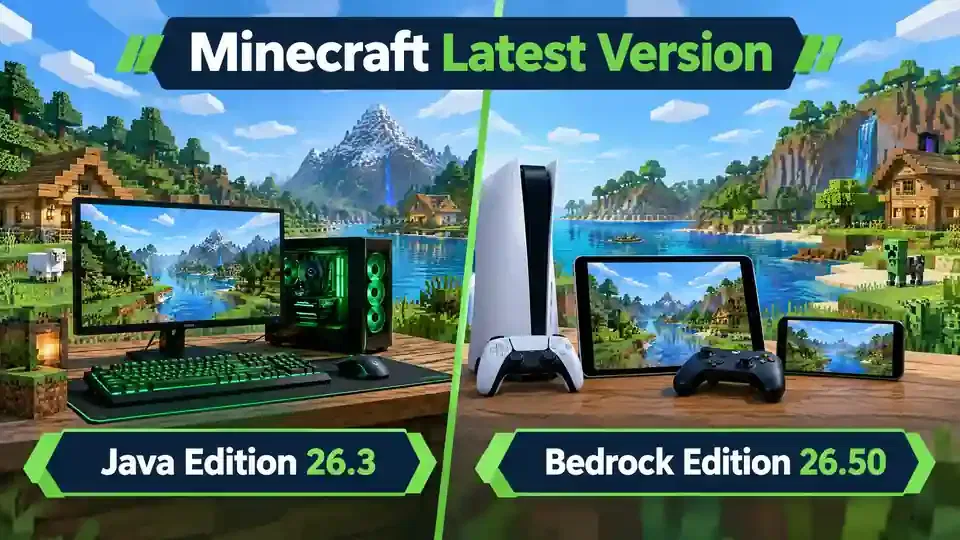
Minecraft Java Edition and Bedrock Edition share the same game world concept. However, they use different platforms, features, and version numbers.
| Feature | Java Edition | Bedrock Edition |
| Current version | 26.3 | 26.50 |
| Main platforms | PC | Windows, consoles, mobile |
| Mod ecosystem | Extensive | Different ecosystem |
| Mod loaders | Forge, Fabric, and others | Add-ons |
| Shader ecosystem | Java-focused options | Bedrock-compatible options |
| Version numbering | 26.x | 26.xx |
Java Edition runs mainly on Windows, macOS, and Linux computers. Bedrock Edition runs across Windows, consoles, Android, and iOS. Java has a large third-party mod ecosystem. Popular tools include Forge and Fabric. Bedrock uses add-ons through its own content ecosystem. Shader support also differs between the editions. Java players have several community-developed shader options. Bedrock players need shaders or visual packs designed for Bedrock.
Why Are Java and Bedrock Versions Different?
Mojang develops Java and Bedrock as separate editions. Each edition follows its own release process and numbering system. The 2026 numbering system uses 26 at the start of releases. Java uses numbers such as 26.3, while Bedrock uses numbers such as 26.50. This difference does not mean one edition has a newer game update. Both can receive the same game drop while keeping separate version numbers.
Can Java and Bedrock Players Use the Same Version?
Java and Bedrock cannot use the same version number directly. Their technical systems remain separate. A shared update name can make the editions easier to compare. However, players should always check their specific edition and version. This matters when installing mods, shaders, add-ons, or server software. Always match the download with your Minecraft edition and exact version.
How to Check Your Minecraft Version
Checking your Minecraft version takes only a few seconds. It helps you choose compatible mods, shaders, resource packs, and server software.
How to Check Minecraft Java Version
Follow these simple steps:
- Open the Minecraft Launcher.
- Select Minecraft: Java Edition.
- Start the game using your selected installation.
- Check the version shown on the game’s main screen.
You can also check the selected installation in the Minecraft Launcher before starting the game.
How to Check Minecraft Bedrock Version
Open Minecraft Bedrock Edition on your device. The game’s main menu displays the installed version number. Look near the bottom of the screen for the version information. The exact location can vary between platforms and releases. If you cannot find it, check your platform’s Minecraft update settings.
Why Checking Your Version Matters
Your exact version can affect compatibility with third-party content. Mods often require a specific Minecraft version. OptiFine also targets specific Minecraft releases. Shaders and resource packs can have their own compatibility requirements. Servers may require a matching or supported game version. Outdated versions can also cause crashes or unexpected errors. Always check your Minecraft version before installing new software. This simple step can save time and prevent compatibility problems.
How to Update Minecraft to the Latest Version
Updating Minecraft gives you access to the latest features, fixes, and improvements. The update process depends on your Minecraft edition and device.
Update Minecraft Java Edition
Open the Minecraft Launcher on your computer. Select Minecraft: Java Edition from the available editions. Choose the latest release from the installation or version selector. Start the game and let the launcher download any required files. After the update finishes, restart Minecraft if needed. Check the version number on the main screen to confirm the update.
Update Minecraft Bedrock Edition
Bedrock updates usually follow your device’s app update system. On Windows, check for Minecraft updates through the Microsoft Store or Xbox app. On mobile devices, check your app store for available updates. Consoles usually download updates automatically when automatic updates are enabled. You can also check the game’s update options manually.
What If Minecraft Doesn’t Update?
First, restart the Minecraft Launcher or your device. Then check your internet connection and available storage. Make sure your platform has installed all pending system or app updates. Try checking for Minecraft updates again afterward. If problems continue, check official Minecraft news and support information. They can reveal known issues or service problems.
Avoid unofficial websites offering modified “latest version” executables. These files can contain unwanted software or outdated game files. Always download Minecraft updates through official channels. This keeps your installation safer and helps maintain version compatibility.
Are Minecraft Mods Compatible With the Latest Version?
Minecraft mods do not automatically support every new release. Compatibility depends on the exact Minecraft version, mod loader, and required dependencies. A mod built for an older release may fail on a newer version. Always check the mod page before installing it.
Minecraft Latest Version Mods
Most Java mods target specific Minecraft versions. They may also require Fabric, Forge, NeoForge, or another mod loader. Some mods need additional libraries or dependencies. Missing dependencies can cause crashes or prevent Minecraft from starting. Mod developers often need time to update their projects after a new Minecraft release. Fabric specifically advises players to give developers time after Minecraft 26.3 launches.
Check these details before installing a mod:
- Minecraft version
- Mod loader
- Required dependencies
- Java Edition support
- Mod version
Minecraft Latest Version OptiFine
OptiFine provides performance settings and advanced graphics features for Minecraft Java Edition. Its official website lists releases for specific Minecraft versions. Do not assume every new Minecraft release has an OptiFine build. Check the official OptiFine release list first. For example, an OptiFine release for one Minecraft version may not support another release.
Minecraft Latest Version Shaders
Shaders also depend on your Minecraft setup. Your shader loader, graphics mod, and shader pack must support your version. Iris provides shader support and works with compatible shader packs. It also ships with Sodium for optimized rendering. Check Minecraft version, loader, and shader compatibility before installation. This simple check can prevent crashes, visual glitches, and poor performance.
What Is the Latest Minecraft Server Version?
For Java Edition, the latest release is Minecraft 26.3. Mojang provides the official Java server software for running multiplayer worlds. Your server software should support the same Minecraft release used by your players. Modded servers need additional compatibility checks. Mods must support your Minecraft version and server-side mod loader. Plugins also need versions that support your server software.
Should You Update Your Minecraft Server Immediately?
Updating a server requires some preparation. First, back up your world and important server files. Then check your plugins and mods for the new Minecraft version. Also confirm that your server software supports the release. Test the updated server before moving it to your main multiplayer world. This helps catch crashes, broken plugins, or world issues early.
Mojang’s 26.3 release includes server-related technical changes. It also provides an updated server jar for the release. Always check the official Minecraft release information before upgrading an existing server.
Minecraft Latest Version History
Minecraft has used different version numbers across Java and Bedrock Edition. Since 2026, the version system uses the calendar year as its base. Java and Bedrock then use different release numbering.
The most recent releases show how both editions progress separately:
| Version | Edition | Update/Game Drop | Date |
| 26.3 | Java Edition | Wilderness Bound | Sept. 15, 2026 |
| 26.50 | Bedrock Edition | Wilderness Bound | Sept. 15, 2026 |
| 26.2 | Java Edition | Chaos Cubed | Previous release |
| 26.30 | Bedrock Edition | Chaos Cubed | Previous release |
Minecraft Java 26.2 introduced the Chaos Cubed game drop before Wilderness Bound. Bedrock also received its Chaos Cubed release before moving to the 26.50 Wilderness Bound release. This history helps players understand Minecraft’s recent version progression. It also makes it easier to identify older versions when troubleshooting compatibility issues.
For a complete timeline, see our dedicated Minecraft Version History guide. It can cover major releases, game drops, hotfixes, and important version changes.
How Often Does Minecraft Get Updates?
Minecraft receives updates throughout the year, but Mojang does not promise one fixed release schedule. Major content arrives through game drops. These drops can add new biomes, mobs, blocks, items, and gameplay features. Smaller releases can fix bugs, improve performance, or adjust existing features. Java Edition also receives snapshots and pre-releases during development. These versions let players test upcoming changes before stable releases.
Bedrock Edition uses Beta and Preview versions for testing upcoming features. These versions can change before the final release. Java and Bedrock can receive the same game drop while using different version numbers. Mojang explains that Bedrock has a more frequent release cadence than Java. For the safest experience, use the latest stable version instead of testing releases.
Minecraft Latest Version FAQ
What is the latest Minecraft version?
The latest stable releases are Minecraft Java Edition 26.3 and Bedrock Edition 26.50. Both belong to the Wilderness Bound game drop.
What is the latest Minecraft Java version?
The latest Minecraft Java version is 26.3. It includes the Wilderness Bound content and related fixes and changes.
What is the latest Minecraft Bedrock version?
The latest Minecraft Bedrock version is 26.50. It brings Wilderness Bound content to supported Bedrock platforms.
What is Minecraft 26.3?
Minecraft 26.3 is the current Java Edition release. It contains the Wilderness Bound game drop and technical changes for Java players.
What is Minecraft 26.50?
Minecraft 26.50 is the current Bedrock Edition release. It adds Wilderness Bound features and fixes to Bedrock Edition.
How do I update Minecraft?
Update Java through the Minecraft Launcher by selecting the latest release. Update Bedrock through your device’s normal game or app update system. See our How to Update Minecraft section for detailed steps.
How do I check my Minecraft version?
Open Minecraft and check the version shown on the main menu. Java players can also check their selected installation in the Minecraft Launcher.
Does OptiFine work with the latest Minecraft version?
OptiFine compatibility depends on the exact Minecraft version and OptiFine release. Do not assume an OptiFine build supports every new Minecraft release. Check the official OptiFine release information before installing it.
Can I use old mods on the latest Minecraft version?
Not always. Mods often require a specific Minecraft version and mod loader. An older mod may crash or fail on a newer release. Check the mod’s supported version and required dependencies before installing it.
Minecraft Latest Version: Quick Summary
The latest Minecraft Java Edition version is 26.3. The latest Bedrock Edition version is 26.50. Both versions belong to the Wilderness Bound game drop. Both releases became available on September 16, 2026. You can verify the latest version through the official Minecraft release notes and changelogs.
Checking your exact version matters before installing mods, shaders, OptiFine, or server software. Compatibility can depend on the specific Minecraft release. Check our Minecraft version, OptiFine, and shader compatibility guides before installing mods or performance tools.
Minecraft latest version:
Java Edition: 26.3
Bedrock Edition: 26.50
Current game drop: Wilderness Bound
Released: September 16, 2026
Java and Bedrock use different version numbers because they are separate editions. Both currently include the Wilderness Bound game drop. Mojang’s official release information confirms the current versions and update and Minecraft Forge.